 CODEerts
Tools app for Odoo
Recycle Bin
Deleted records go to a Recycle Bin instead of disappearing, stay recoverable for a retention period you set, then are permanently deleted automatically.
Overview
Recycle Bin.
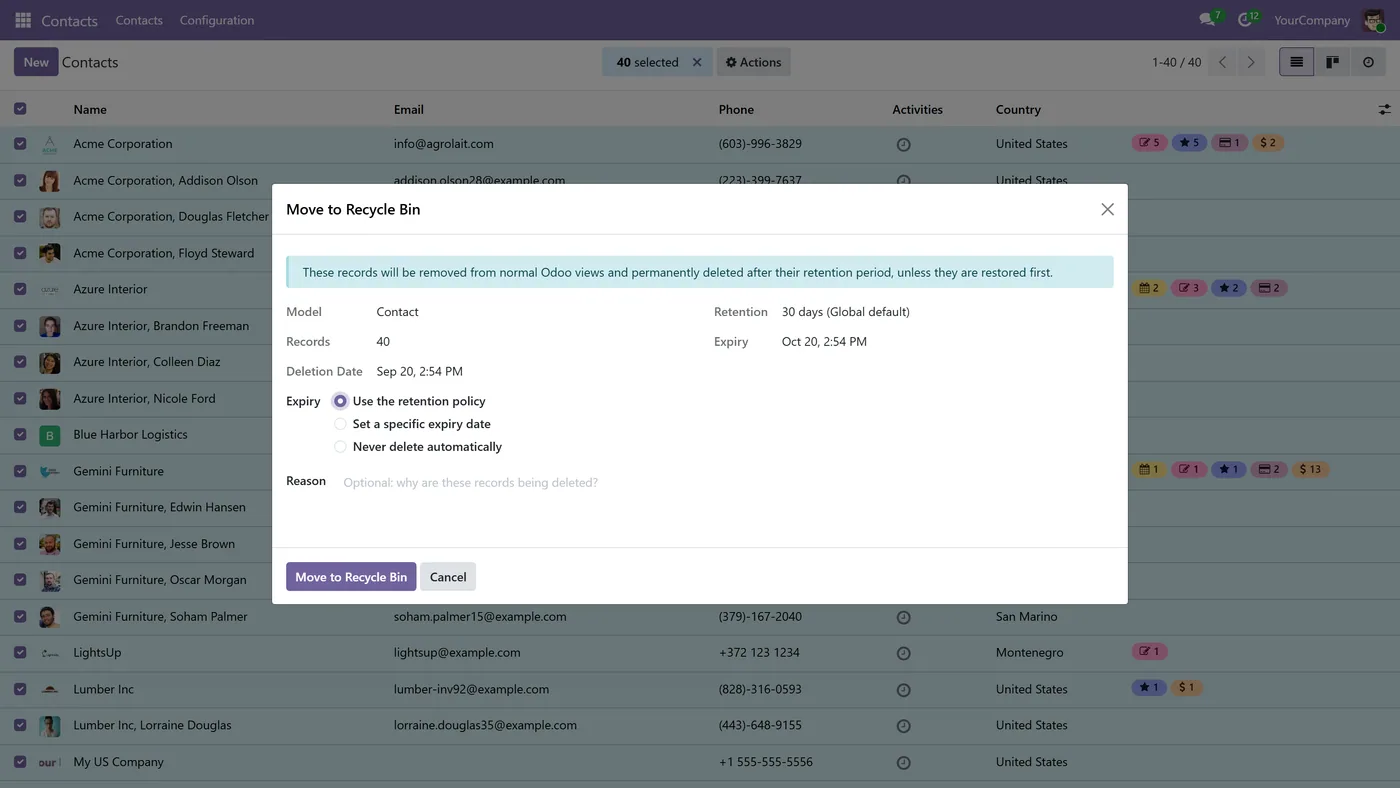
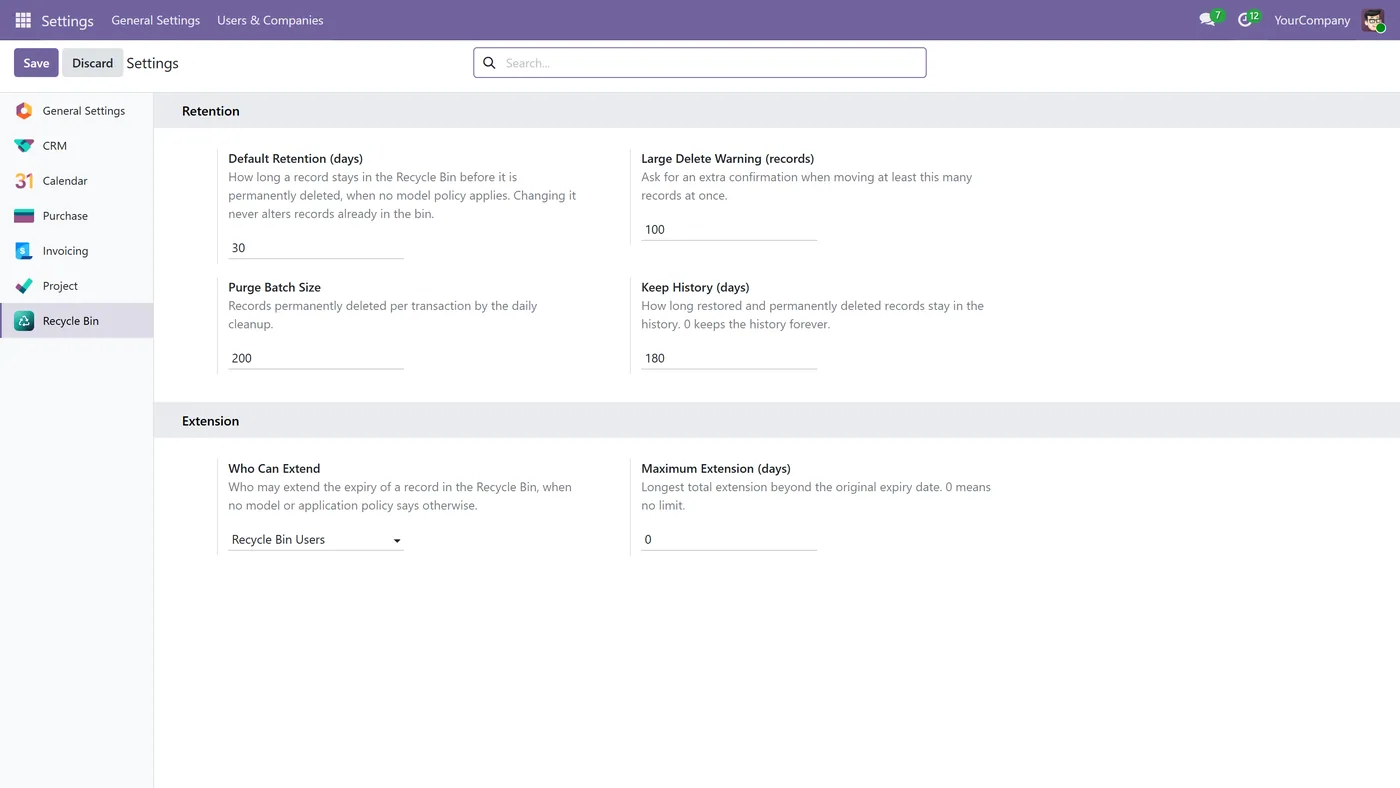
Recycle Bin gives Odoo the safety net every other system already has. A user who deletes a contact, product, lead, project, task or tag sends it to the Recycle Bin instead of destroying it. The record stays in place with the same ID, the same chatter, the same attachments and the same links, so restoring it brings back the original record rather than a copy. Each record carries its own expiry date, and when that date passes Odoo's standard daily cleanup deletes it permanently. Retention is set globally, per application or per model, and you decide who may extend an expiry and by how much. Two groups separate the people who can restore a record from the people who can delete one for good, and every trip through the bin records who deleted the record, when, why and every change made to its expiry.
How it works
Built around what you actually do.
Every screen below is the module running in Odoo, not a mockup.
01
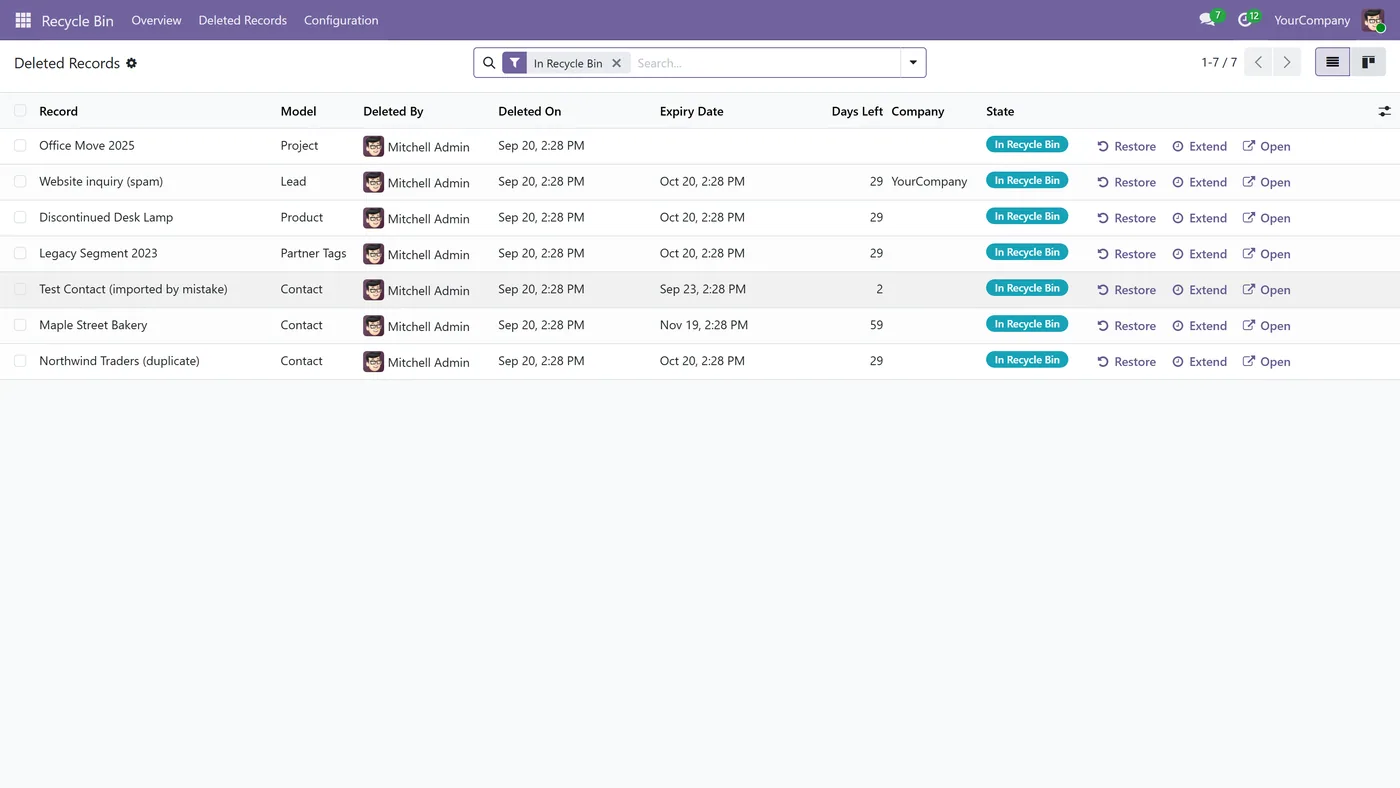
Deleted records stay in their own table with the same ID, chatter, attachments and links, so a restore returns the original record
- Retention set globally, per application or per model, with an expiry date on every record
02
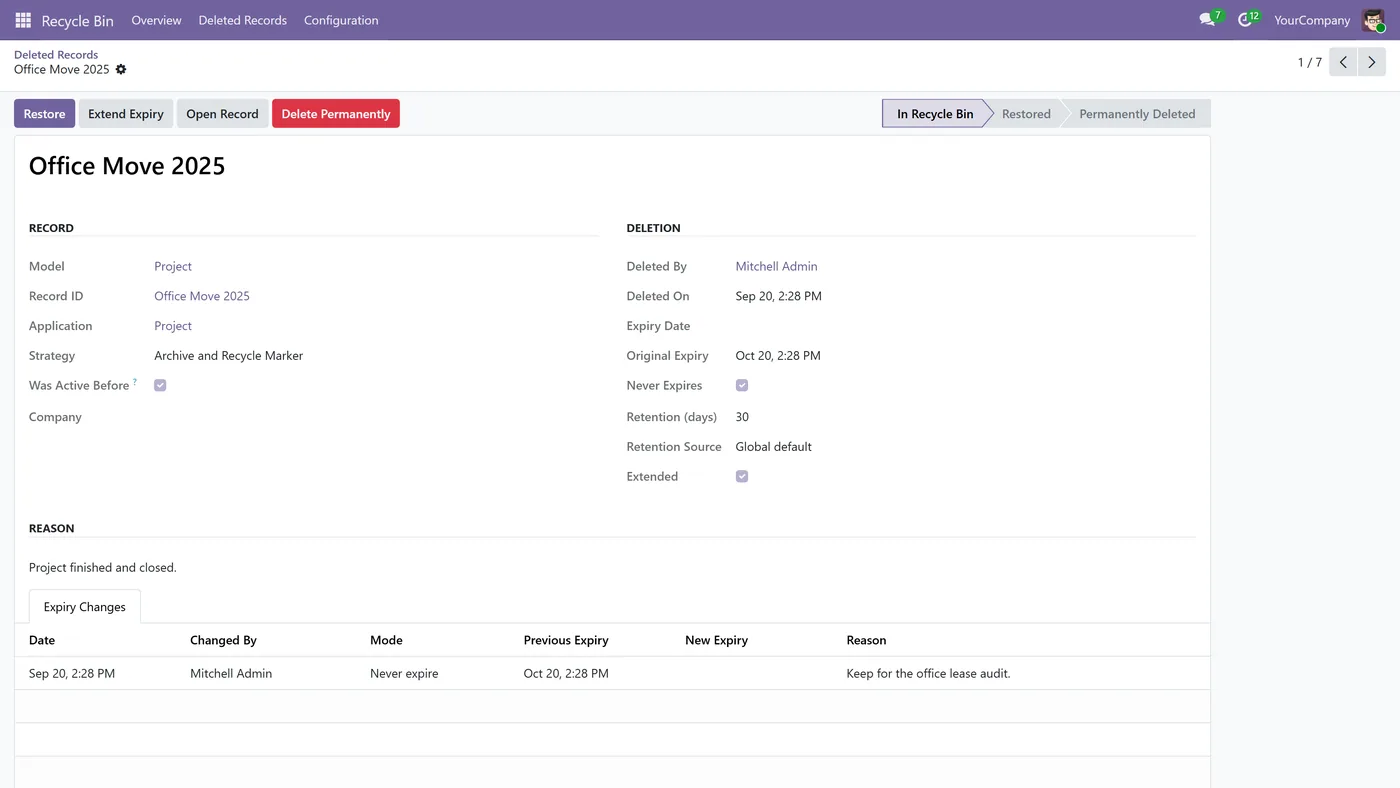
Permanent deletion runs on Odoo's own daily cleanup, and a record that cannot be deleted is reported instead of retried forever
- Extend an expiry, or mark a record never to be deleted automatically, with every change logged
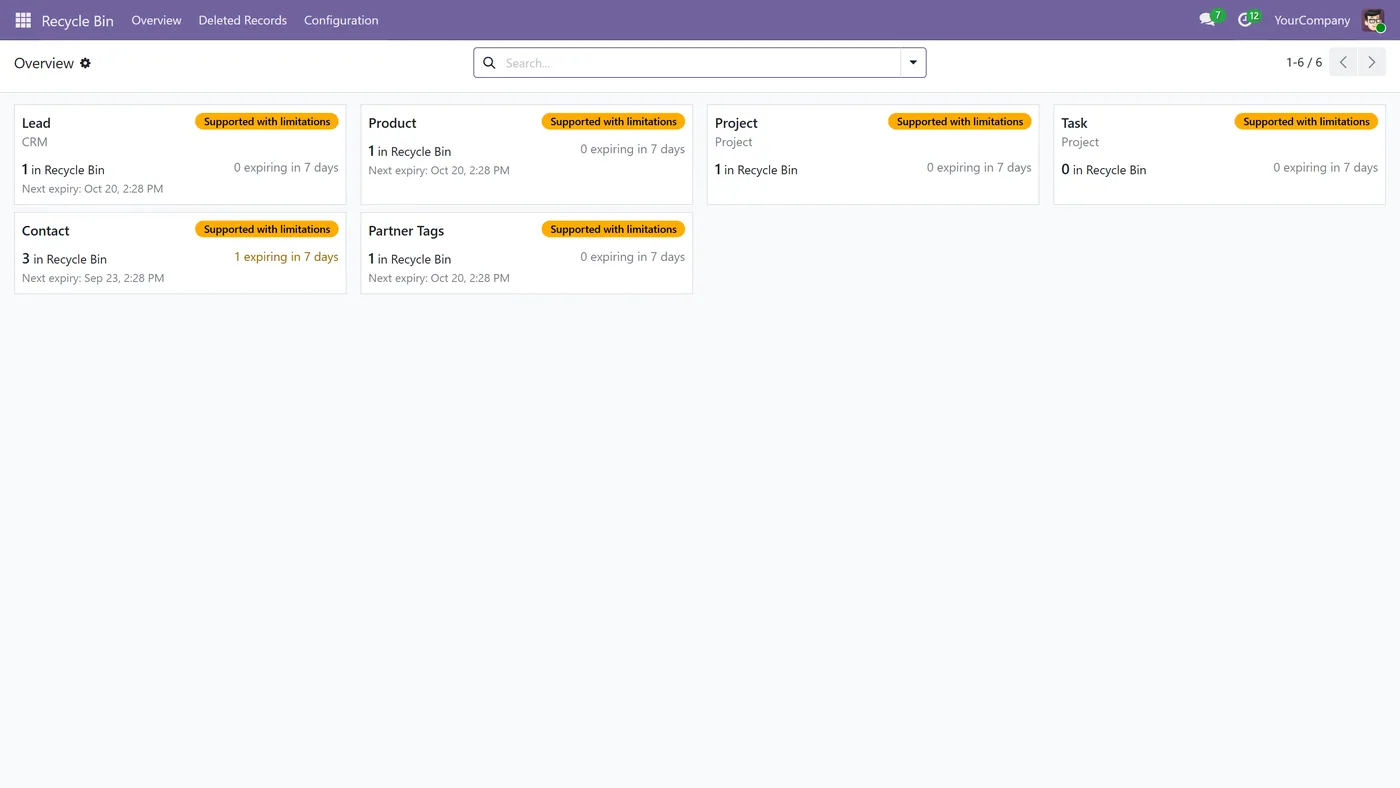
03
Two groups, so the people who restore records are not the people who can delete them for good
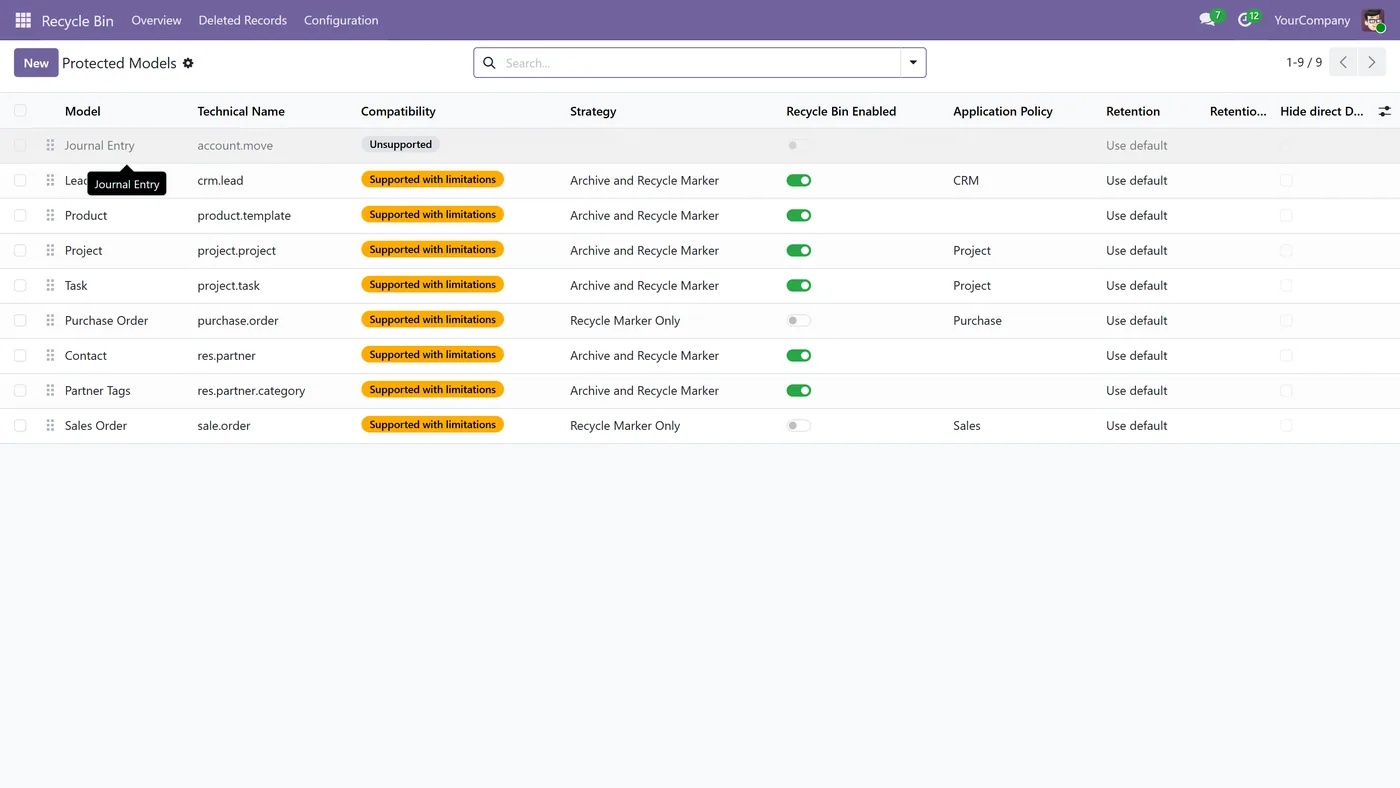
- Supports Contacts, Contact Tags, Products, CRM Leads, Projects, Tasks, and cancelled Sales and Purchase Orders
Every screen
The whole module, screen by screen.
The captures the walkthrough above did not use, in the order you meet them in the product.
Recycle Bin gives Odoo the safety net every other system already has. Deleted records wait in a bin you can see, for a period you decide, and come back as the original record rather than a copy.
What it does
In standard Odoo, deleting is final. There is no undo, no bin, and no second chance. The only way back is restoring a database backup, which means losing everything else that happened since. So most companies take the other route and revoke the delete permission entirely, which leaves real clutter in place because nobody can remove anything. Recycle Bin gives you the middle ground. A user deletes a record the way they always did, and it moves to the Recycle Bin instead of being destroyed. It disappears from lists, searches and reports, so the day to day view stays clean, but it never leaves its own table. That detail is what makes a restore trustworthy: the record keeps its ID, so its messages, attachments and every link pointing at it are still correct when it comes back. Each record in the bin carries an expiry date. When that date arrives, Odoo's standard daily cleanup deletes it for good, so the bin empties itself instead of quietly growing forever.
How to set it up
1. Install the app and open Recycle Bin from the main menu. 2. Go to Configuration, Protected Models, and switch on the models you want protected. 3. Set the retention in Settings, then override it per application or per model where you need to. 4. Decide who may extend an expiry and by how much, and optionally hide the standard Delete button so users go through the bin. 5. Delete a record as usual and watch it appear under Deleted Records, ready to restore.
Who it's for
Companies where an accidental delete means real work lost, and the current answer is either a database restore or taking delete rights away from everyone. It suits teams with shared data such as contacts, products and leads, where several people can delete and a mistake is only noticed weeks later, and anyone who needs deletions to be accountable, with a record of who deleted what, when, and why.
Questions
About Recycle Bin.
Can you recover a deleted record in Odoo?
Not with standard Odoo. A delete is permanent and the only route back is a database backup. Recycle Bin changes that: the record goes to the bin, stays recoverable until its expiry date, and comes back exactly as it was.
Is a restored record the same record or a copy?
The same record. It never leaves its own table and keeps its ID, so its chatter, attachments, and every document that points at it stay correct after a restore.
How is this different from archiving?
Archiving hides a record forever and someone has to remember to clean it up. The Recycle Bin is a separate state with an expiry date and an automatic permanent deletion, and archived records stay archived as they are.
Who decides how long a record is kept?
You do. Set a default retention for everything, a different one per application such as CRM or Project, or a specific one per model. Users can be allowed to extend an expiry, limited to a maximum, or not allowed at all.
Which records can it protect?
Contacts, Contact Tags, Products, CRM Leads, Projects, Tasks, and cancelled Sales and Purchase Orders. Accounting entries are deliberately not supported, because a posted entry must be reversed rather than deleted.
Does it work in Odoo Community and Enterprise?
Yes, both editions. It is available for Odoo 19 and Odoo 18, and it depends only on standard Odoo apps.
On the Odoo Store
Get Recycle Bin on the Odoo Store.
Pick your Odoo version and install it in a click, with free updates and real support behind it.
Get it on the Odoo StoreReady to make Odoo work the way your business does?
Book a free call CODEerts
CODEerts is a team of certified Odoo partners and full-stack engineers. We implement, customise and support Odoo ERP, then build the software around it.

