 CODEerts
Sales app for Odoo
Sales Order Intake
Turn incoming customer purchase orders into validated quotations. Every line is checked against your customers, products, prices, units and stock, and your team only handles the exceptions.
Overview
Sales Order Intake.
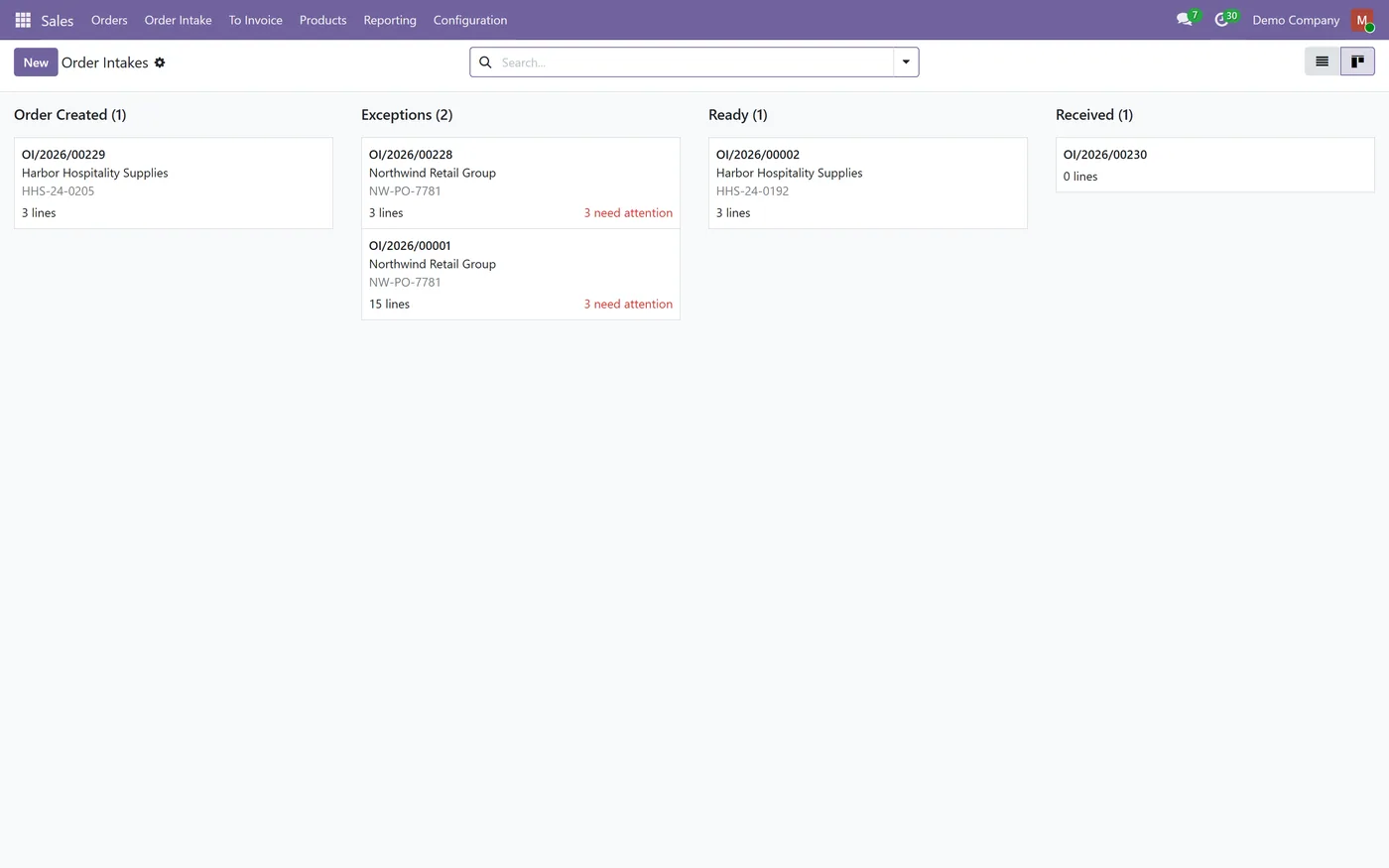
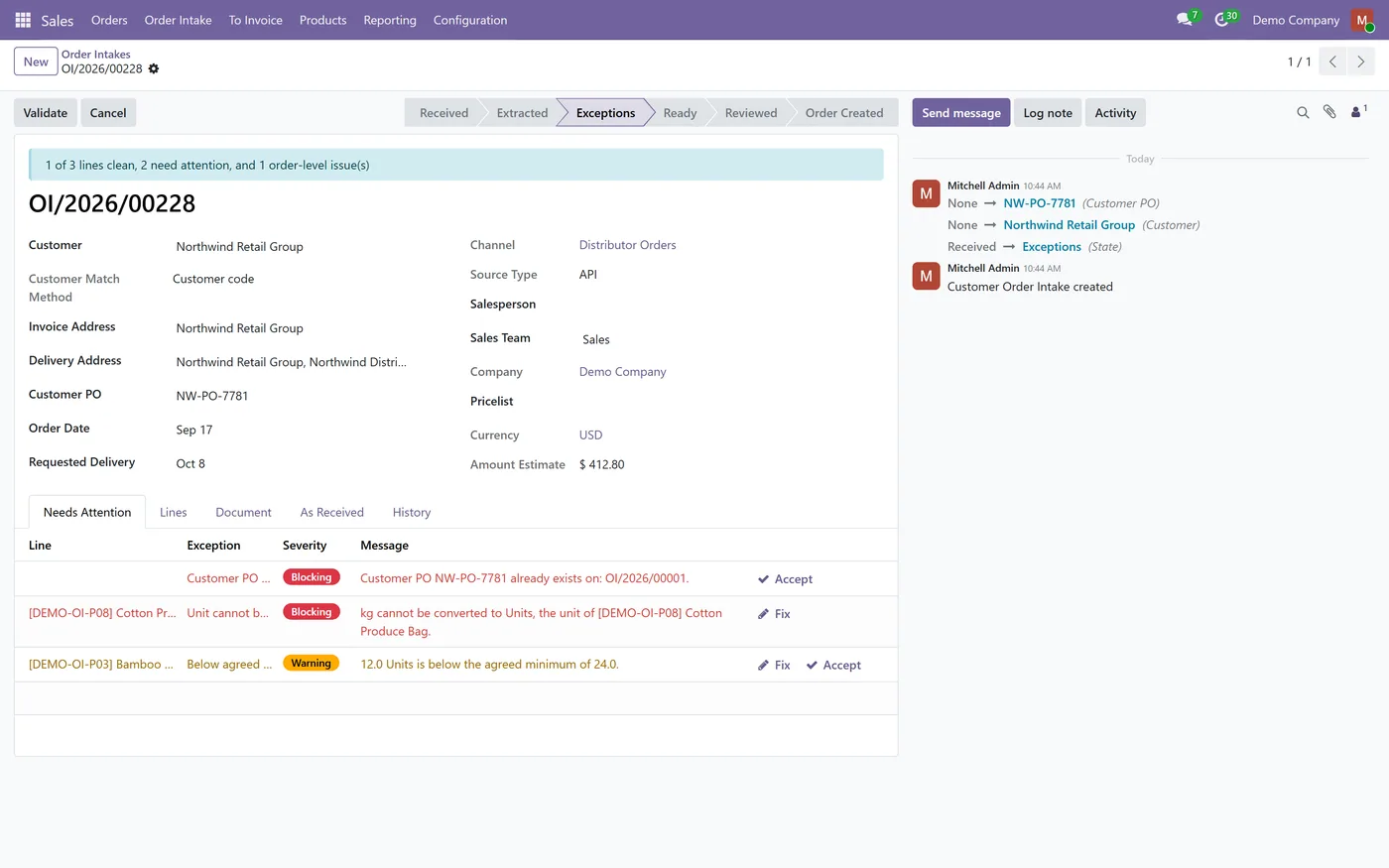
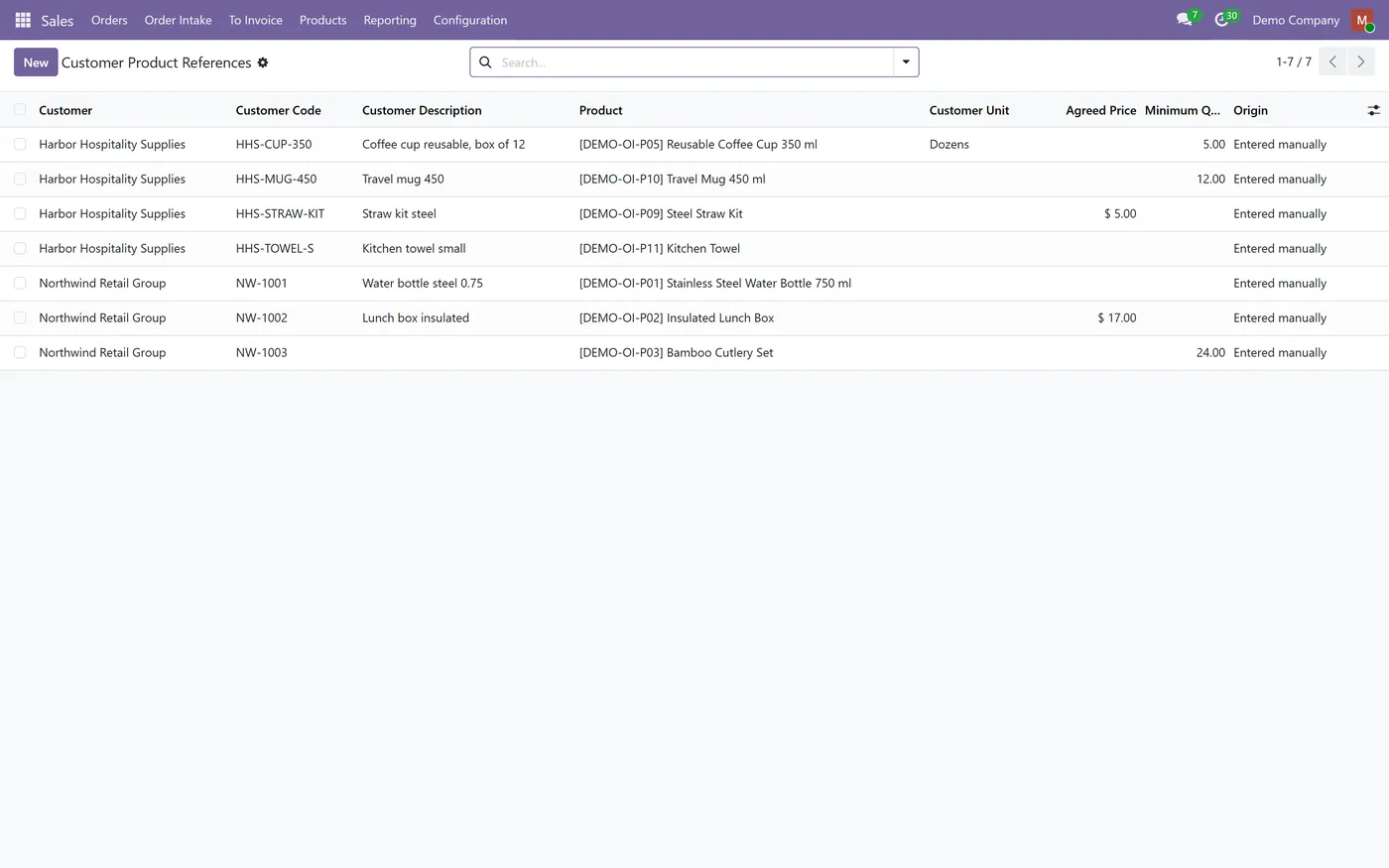
Sales Order Intake turns every customer purchase order that arrives as a spreadsheet, a PDF, an email attachment or an API call into an intake record. It reads the lines, matches the customer and each product, then validates everything with Odoo's own rules: the pricelist price, the discount, the unit of measure, the minimum quantity, stock, the credit limit and duplicate PO numbers. Clean lines pass quietly. Anything uncertain or out of tolerance becomes an exception with a type, a severity and a clear reason, and the operator resolves only those. Matching never guesses. Two candidate products, or two identifiers that point at different products, become an exception, and a match on the product name alone is always flagged for confirmation. When an operator confirms a new match, the customer's item code is saved as a reusable customer product reference for the next order. Nothing creates an order without a person. An intake must be reviewed first, creation re-validates it, and a database lock guarantees that two intakes carrying the same PO number produce one order. AI reading of PDFs and images is optional, off by default, set per company and requires recorded consent before any document is sent. Works on Odoo 19 and 18, Community and Enterprise.
New to Odoo Sales? Read our practical guide to how it works
How it works
Built around what you actually do.
Every screen below is the module running in Odoo, not a mockup.
01
Orders from spreadsheet upload (CSV, XLSX, XLS, ODS), PDF and image upload, an email alias per channel, the API or manual entry
- Customer product references map each customer's item code to your product, with unit, agreed price, minimum quantity and tolerance
- Deterministic matching by VAT, reference, email and name for customers, and by customer code, internal reference, barcode, packaging barcode and exact name for products
- Ambiguous or conflicting matches become exceptions and are never resolved by picking one
02
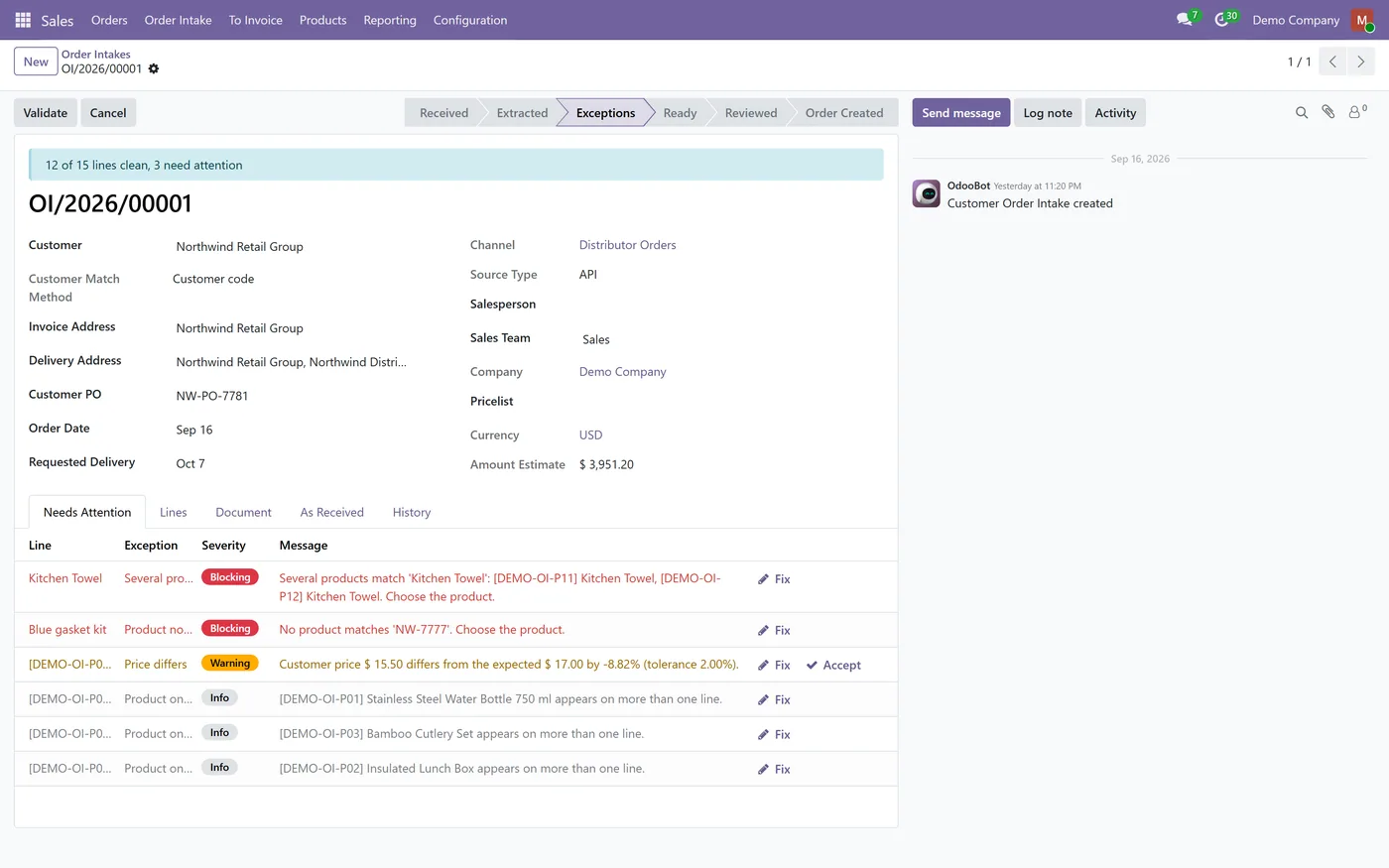
Expected prices, discounts and taxes computed by Odoo from the customer's pricelist and fiscal position
- Duplicate PO numbers detected against existing orders and earlier intakes, with a database lock at order creation
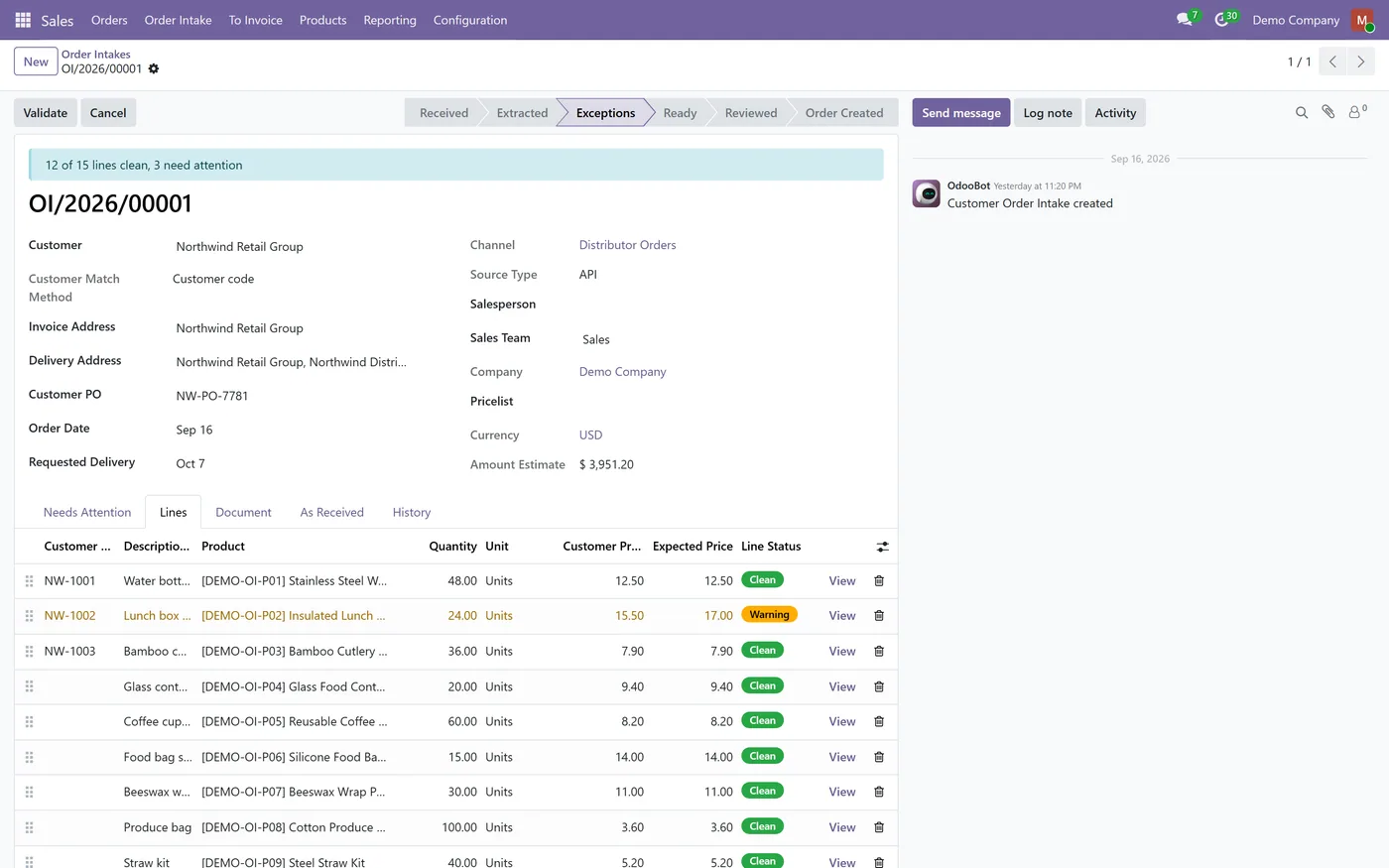
- Unit conversion, minimum quantity, stock, requested date and credit limit checks
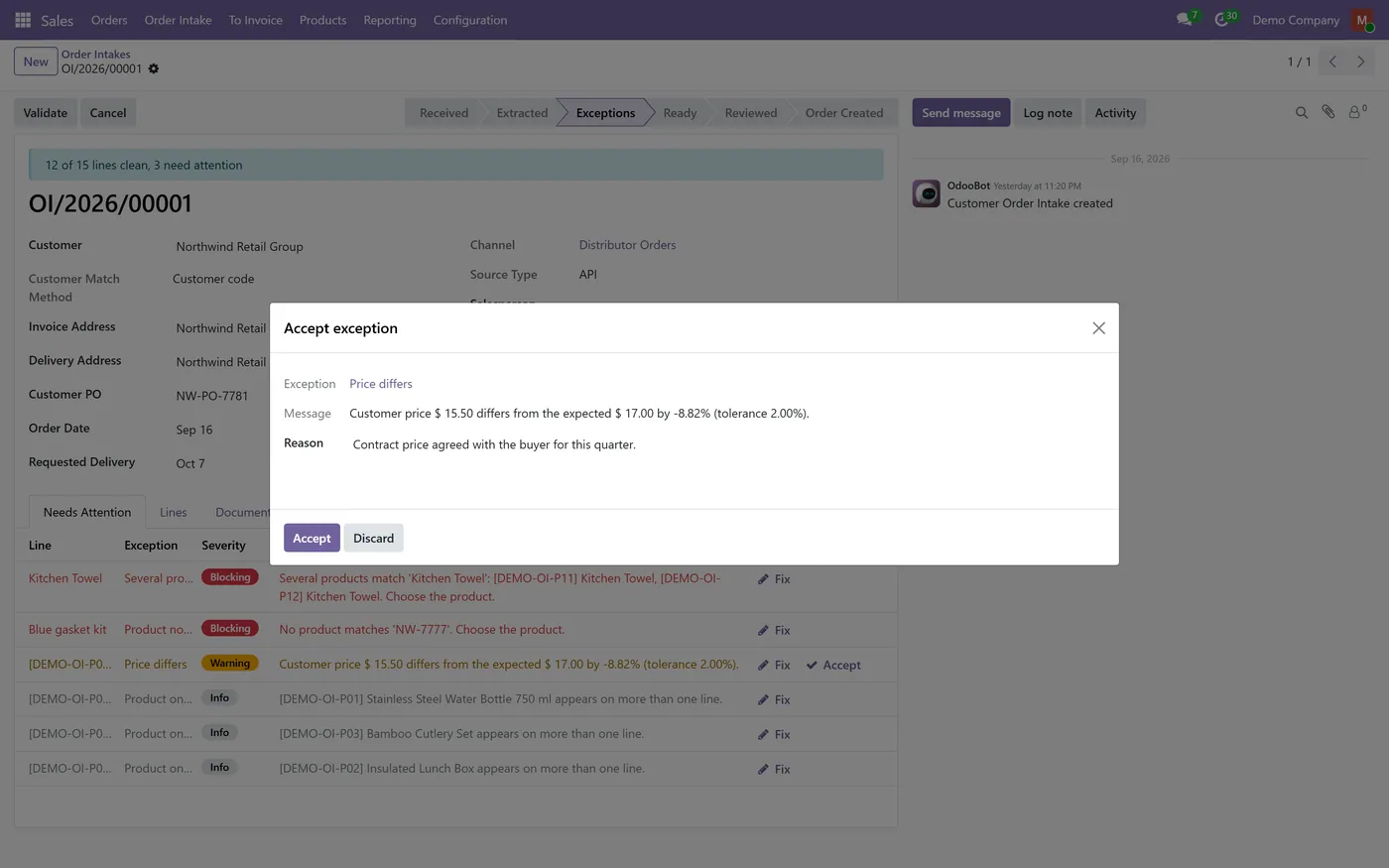
- Exception types with blocking, warning and info severities, manager-only overrides and a written reason on every accepted warning
03
Human review before every quotation or order, re-validated at creation
- Optional AI reading of PDFs and images with Anthropic Claude, OpenAI or a compatible endpoint, off by default and consent-gated
- Salesperson, sales team and multi-company access rules
Every screen
The whole module, screen by screen.
The captures the walkthrough above did not use, in the order you meet them in the product.
What it does
B2B customers rarely type into your portal. They send their own purchase order, and someone on your team retypes it: looking up each product code, checking the price, converting cartons to units. Sales Order Intake reads the order, matches and validates every line with Odoo's own rules, and shows the operator only the lines that need a decision, before a person reviews it and creates the quotation.
Who it's for
Distributors, wholesalers and manufacturers who receive purchase orders from business customers in their own formats, and want their sales team to handle exceptions rather than retype orders.
Questions
About Sales Order Intake.
How do I import a customer purchase order into Odoo as a quotation?
Open Sales, Order Intake, Intakes and click Upload Orders. Choose the channel and the file. The lines are read, matched and validated, and once the intake is reviewed, Create Order builds the quotation with the source file attached.
Do I need an AI subscription?
No. Spreadsheets, the API and manual entry work without any AI. AI only helps read PDFs and images, and it stays off until a manager connects a provider and records consent.
Will it create orders on its own?
No. An order is only created after a person marks the intake as reviewed, and creation re-validates it first. Blocking exceptions must be fixed, and warnings must be fixed or accepted with a reason.
Which price ends up on the order, mine or the customer's?
You choose per channel. By default the pricelist price is used and the customer's price is only compared. An agreed price on a customer product reference always wins over the pricelist.
How does it stop the same purchase order being entered twice?
The PO number is normalised and compared with existing orders and earlier intakes for the same customer. At creation a unique claim in the database guarantees that only one order is created per customer PO, even when two people click at the same moment.
Does it work without the Inventory app?
Yes. Stock and delivery date checks switch on automatically when Inventory is installed and are skipped when it is not.
On the Odoo Store
Get Sales Order Intake on the Odoo Store.
Pick your Odoo version and install it in a click, with free updates and real support behind it.
Get it on the Odoo StoreReady to make Odoo work the way your business does?
Book a free call CODEerts
CODEerts is a team of certified Odoo partners and full-stack engineers. We implement, customise and support Odoo ERP, then build the software around it.

