 CODEerts
Sales app for Odoo
Sales Order Intake DMS Bridge
Send a customer purchase order stored in the CODEerts DMS to Sales Order Intake with one click, or let a watched folder do it for you.
Overview
Sales Order Intake DMS Bridge.
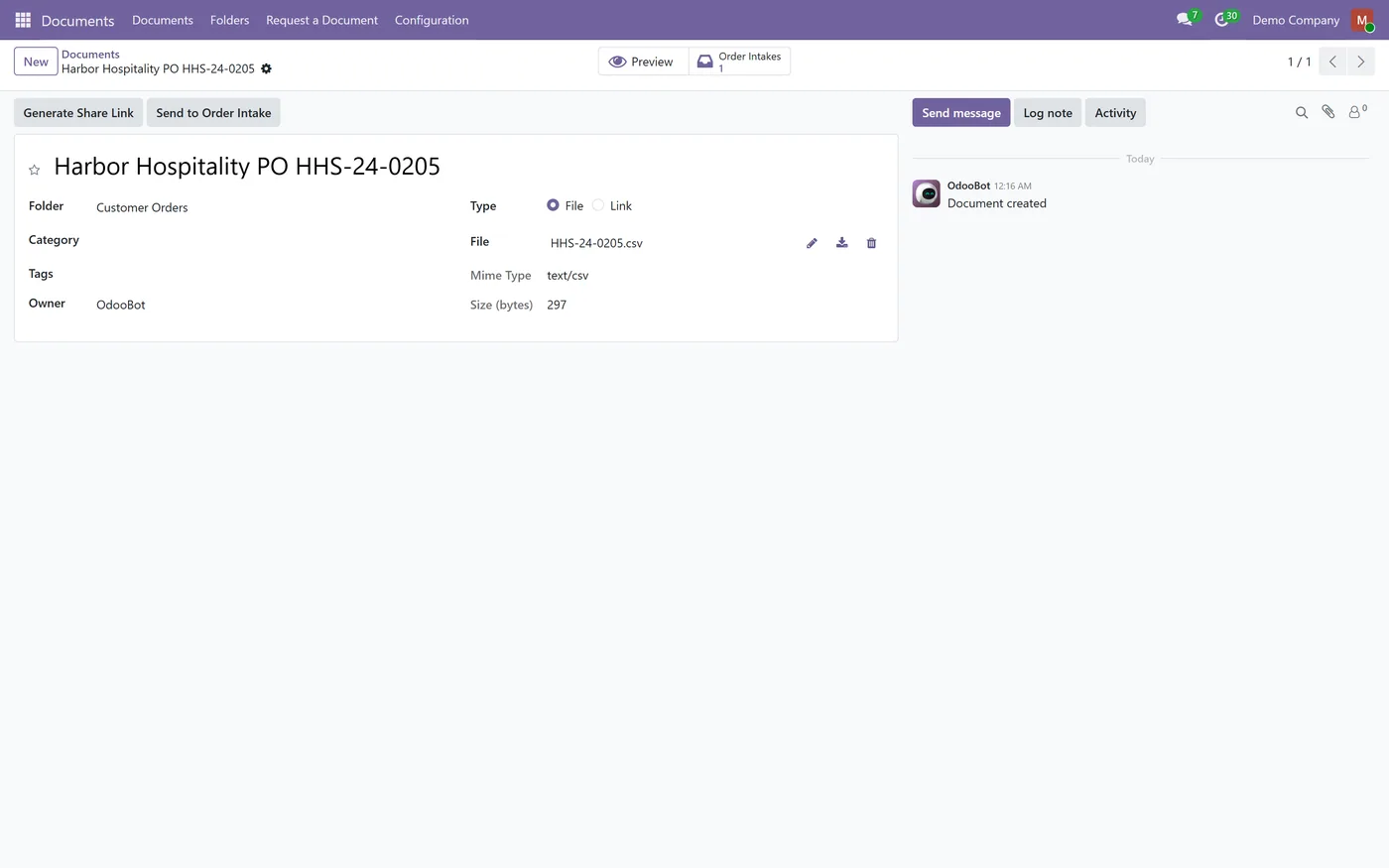
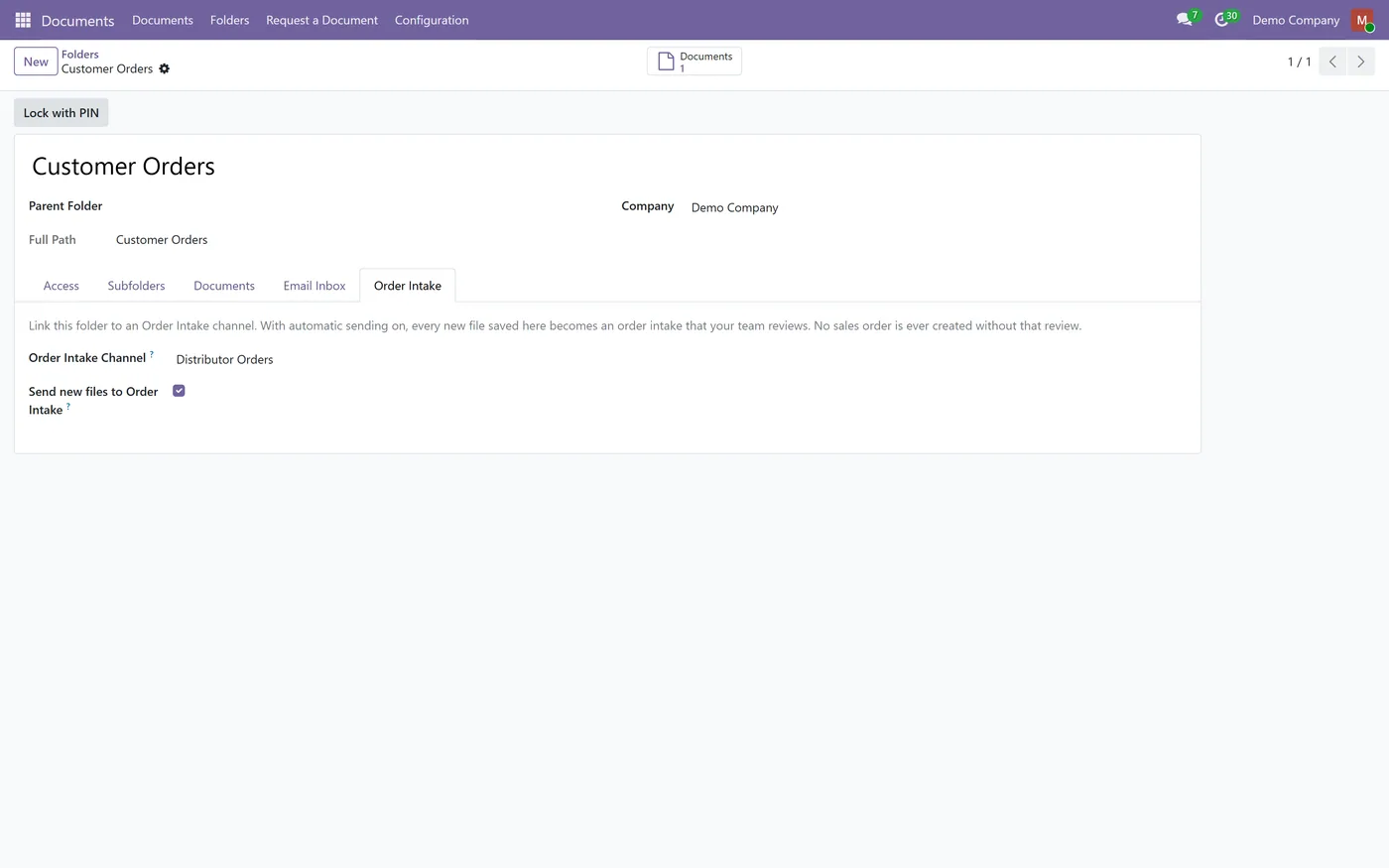
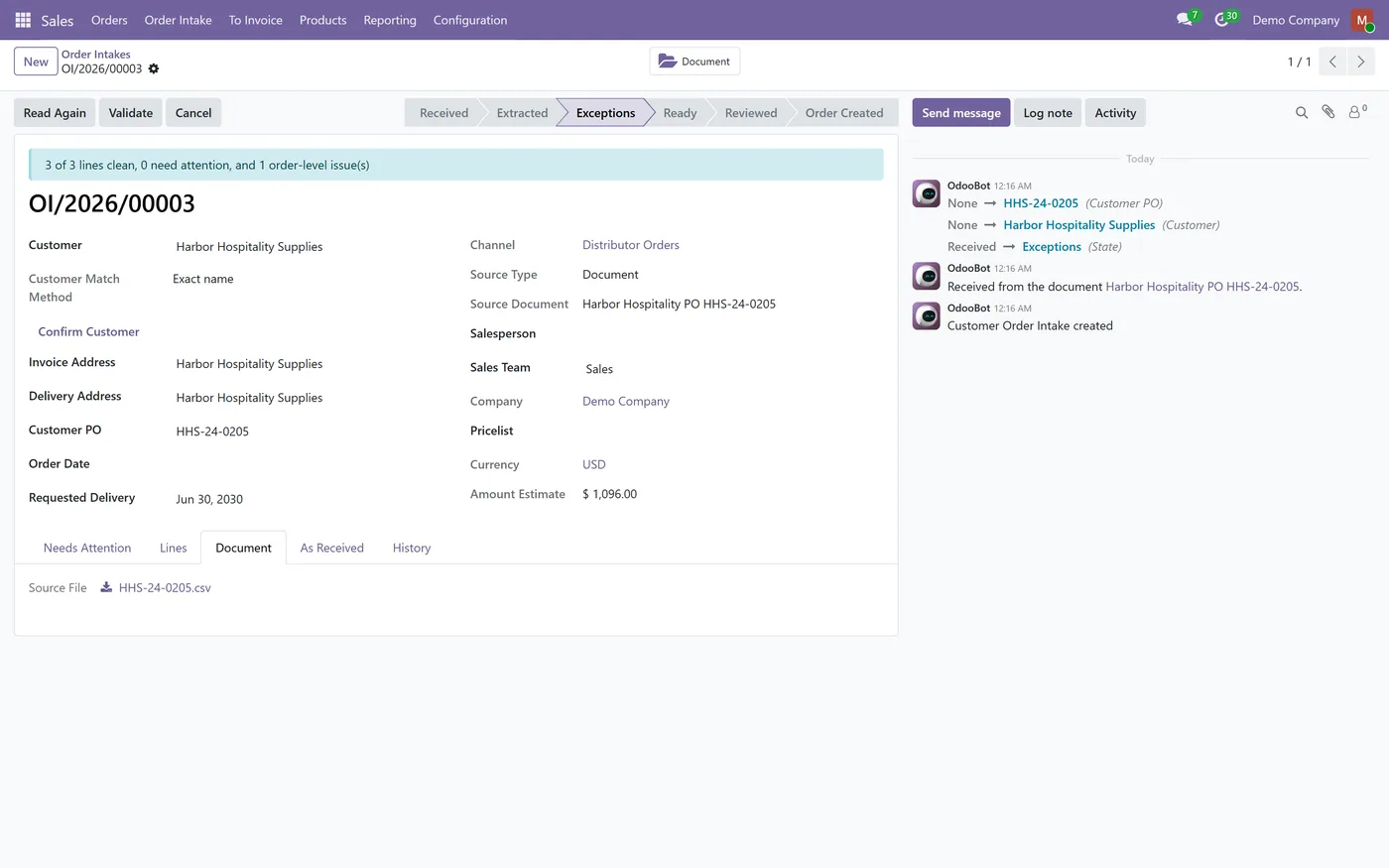
The Sales Order Intake DMS Bridge connects Sales Order Intake to the CODEerts Document Management System. Install both and the bridge installs itself. A Send to Order Intake button on file documents turns a customer purchase order already saved in your document system into an order intake, for Order Intake users who can read the document. A second click opens the existing intake instead of creating a duplicate, and two people clicking at the same moment still produce one intake. A manager can link a folder to an intake channel so that every new file saved there becomes an intake automatically. If that fails for any reason, the upload itself still succeeds. Reading those files automatically is a separate channel setting, off by default. The intake shows its source document and the document shows its intakes. Unsafe or unreadable files are refused exactly as on email. Nothing here creates a sales order: the intake goes through the same matching, validation and human review as every other source. Works on Odoo 19 and 18, Community and Enterprise.
New to Odoo Sales? Read our practical guide to how it works
How it works
Built around what you actually do.
Every screen below is the module running in Odoo, not a mockup.
01
Send to Order Intake button on file documents
- One open intake per document, a second click opens it
- Watched folders that stage new files as intakes automatically
- A failure never blocks the document upload
02
Automatic reading is a separate channel setting, off by default
- The intake and the document are linked both ways
- Installs itself when both parent modules are present
What it does
When a customer purchase order is already stored as a document, your team no longer downloads it and uploads it again. The document becomes an order intake directly, by button or from a watched folder, and goes through the same checks and human review as every other order.
Who it's for
Teams that already file customer purchase orders in the CODEerts DMS and use Sales Order Intake to process them.
Questions
About Sales Order Intake DMS Bridge.
Does a file dropped in a watched folder create a sales order?
No. It creates an order intake. A person resolves its exceptions and reviews it before any quotation or order is created.
Do I need the AI Document OCR app?
No. The bridge needs only Sales Order Intake and the CODEerts DMS. Spreadsheets are read without AI, and PDFs use the AI provider configured in Sales Order Intake, if you enabled one.
Who can see the document from the intake?
The intake shows the document's name to everyone who can see the intake. Opening the document still follows the folder's own access rules.
Do I have to install it separately?
No. The bridge is marked auto install, so it appears as soon as Sales Order Intake and the CODEerts DMS are both installed. It is free.
On the Odoo Store
Get Sales Order Intake DMS Bridge on the Odoo Store.
Pick your Odoo version and install it in a click, with free updates and real support behind it.
Get it on the Odoo StoreReady to make Odoo work the way your business does?
Book a free call CODEerts
CODEerts is a team of certified Odoo partners and full-stack engineers. We implement, customise and support Odoo ERP, then build the software around it.

