 CODEerts
Sales app for Odoo
SIM Plans & Mobile Number Reservation
Publish telecom plans, let website visitors pick and reserve a mobile number, turn every reservation into a CRM lead for the right salesperson, and answer plan questions with an AI assistant inside the standard Live Chat.
Overview
SIM Plans & Mobile Number Reservation.
SIM Plans and Mobile Number Reservation for Odoo gives a telecom reseller, MVNO or mobile shop a complete website journey without an online shop: the visitor chooses a plan, chooses Physical SIM or eSIM, searches the available numbers by digits and category, reserves one and leaves contact details. No sales order, invoice, payment, stock move or subscription is created. The reservation becomes a CRM lead with the plan, SIM type and number on it, and the number is locked so no second visitor can take it. Double booking is prevented on the server. The number row is locked while it is reserved, a concurrent attempt is retried by Odoo and then sees the number as taken, and every website input is re-validated rather than trusted. Twelve parallel reservations of the same number produce one reservation and one lead. Every salesperson can have a referral code and link. The first valid link a visitor opens is kept in the server-side session for a configurable number of days, and that salesperson owns the lead. Direct visitors follow the standard website CRM routing. Leads are visible to the people they are assigned to: a salesperson sees their own leads, a team leader every lead of their team, and All Documents users and Sales Managers everything. An AI-first assistant answers plan questions inside the standard Odoo Live Chat, from published plan data and approved text only. It hands over to a human within support hours, and outside them or when nobody is online it captures contact details and creates a lead with a follow-up activity. Provider, model and agent are chosen from dropdowns, and API keys stay on the server. Live chats are private: an unassigned chat is visible to Live Chat Administrators only, and an assigned chat to its agent, the lead's salesperson, their team leaders and any colleague the agent adds for help. The full chat transcript is kept on the lead and shown only to the same people.
New to Odoo Sales? Read our practical guide to how it works
How it works
Built around what you actually do.
Every screen below is the module running in Odoo, not a mockup.
01
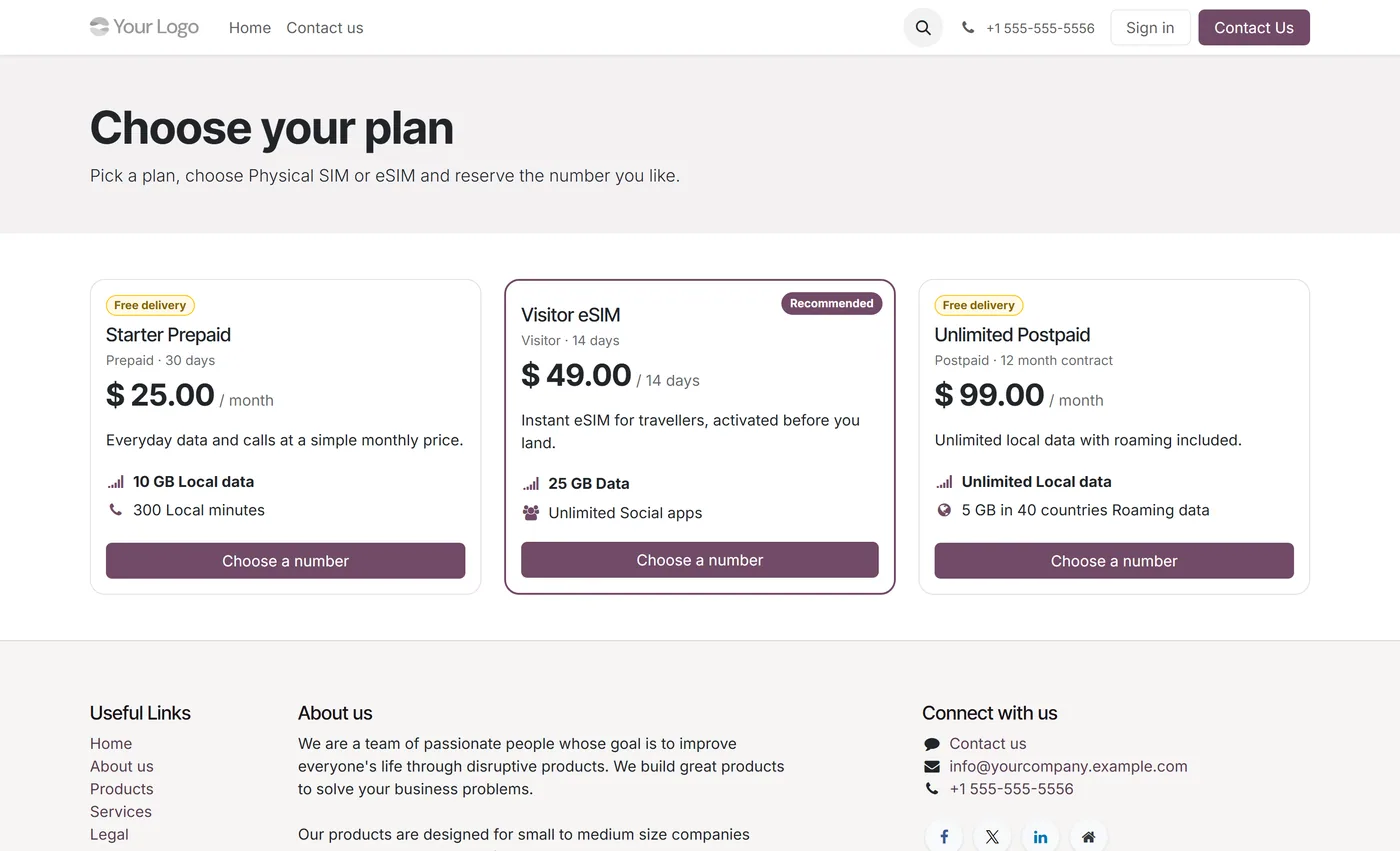
Telecom plans with benefit lines, promotions, validity dates, SIM compatibility and SEO, published per website
- Mobile number pool with Available, Reserved, Completed and Blocked statuses changed only through buttons
- Number range generator with limits, a confirmation for large runs and existing numbers skipped
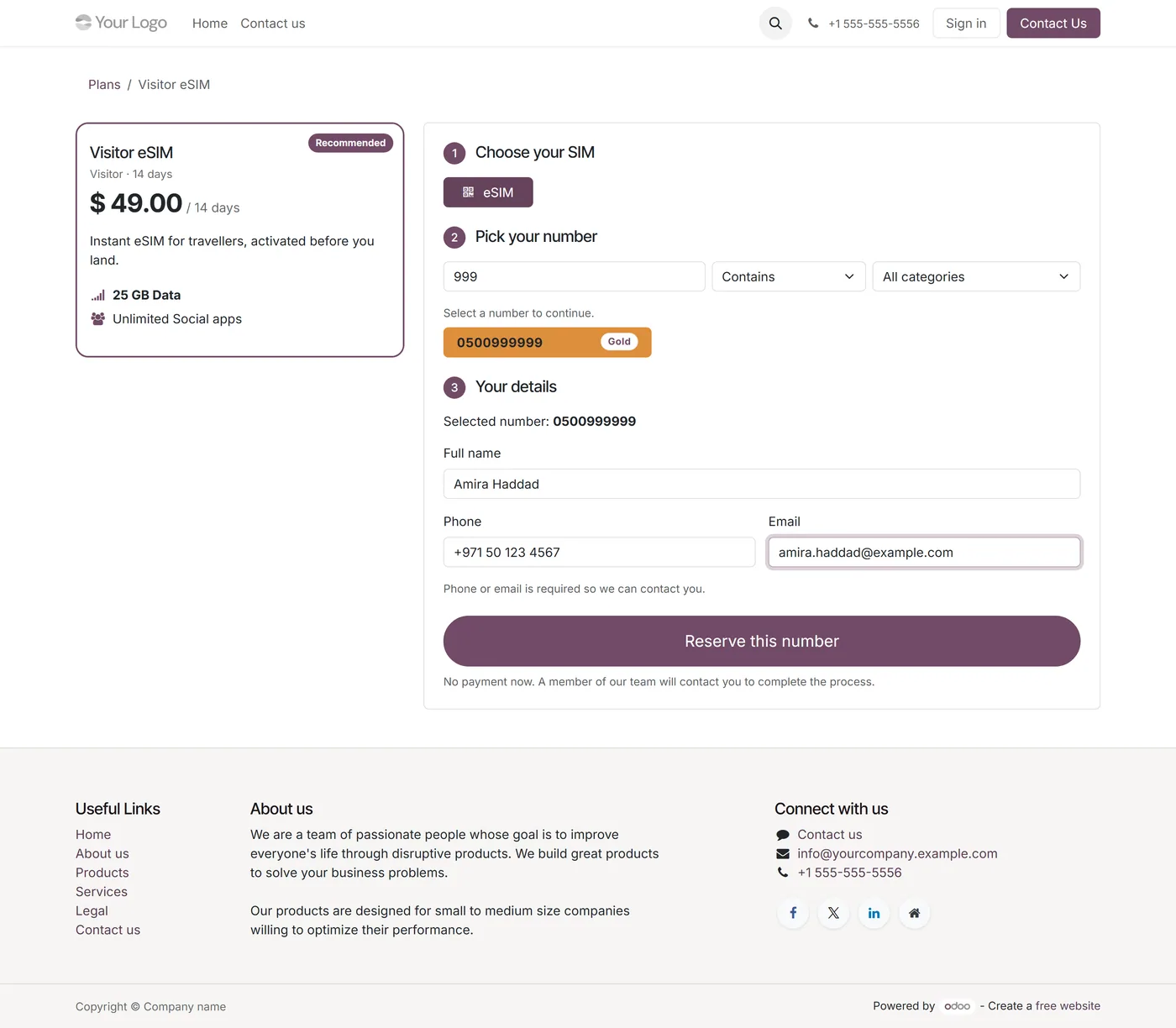
- Website journey from plan to SIM type to a paginated, server-side number search by digits and category
- Double booking prevented with a row lock on the number and a server-side re-check of every input
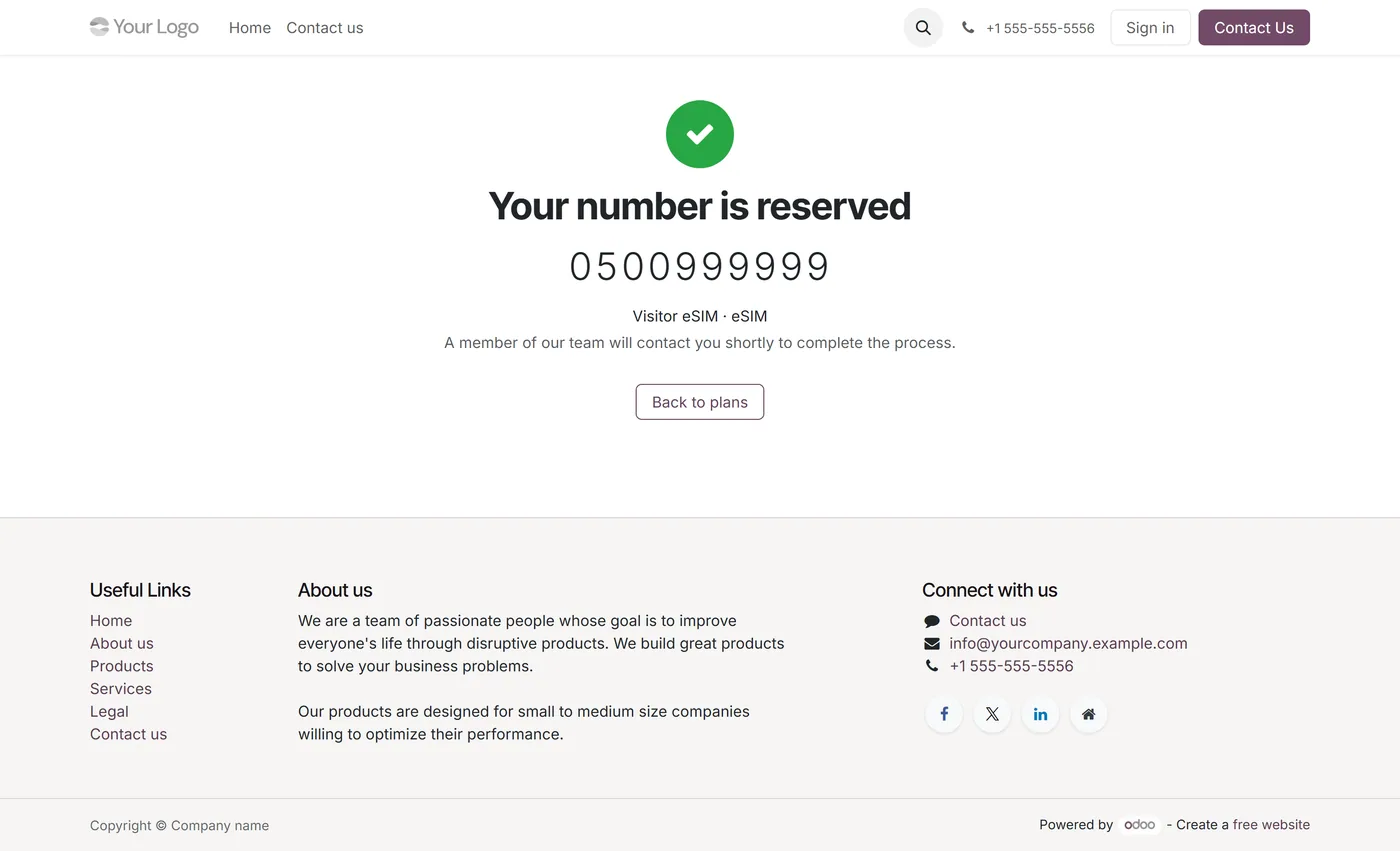
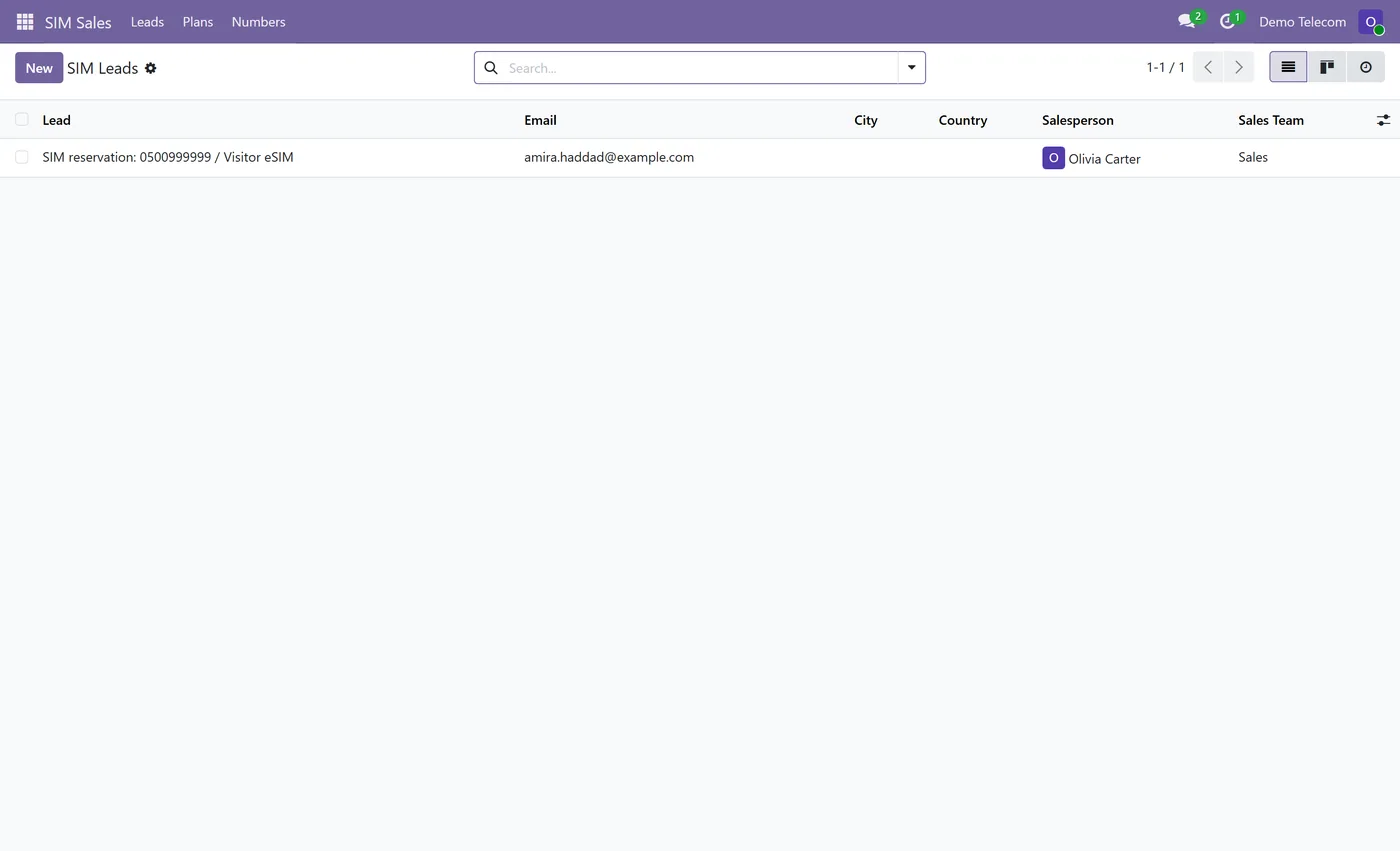
- Each reservation creates a CRM lead carrying the plan, the SIM type and the number
02
Configurable reservation expiry, with a scheduled job that releases stale reservations
- Referral codes and links per salesperson, first valid link wins, with a configurable duration
- Direct visitors follow standard website CRM routing, including team leader assignment
- AI-first assistant inside the standard Live Chat, answering from published plans and approved text only
- Human handoff within support hours, contact capture and a lead with an activity outside them
- OpenAI, Anthropic and DeepSeek selectable from dropdowns, with API keys readable by administrators only
03
Private live chats, visible only to the assigned agent, the lead's salesperson, their team leaders and Live Chat Administrators
- Full chat transcript kept on the lead, surviving chat restarts, deleted messages and lead merges
- Assigned leads only, for every CRM lead: salespeople see their own, team leaders their team's, managers all
- Separate catalog manager role that manages plans and numbers without CRM or AI key access
- No sales order, invoice, payment, stock or subscription is created
Every screen
The whole module, screen by screen.
The captures the walkthrough above did not use, in the order you meet them in the product.
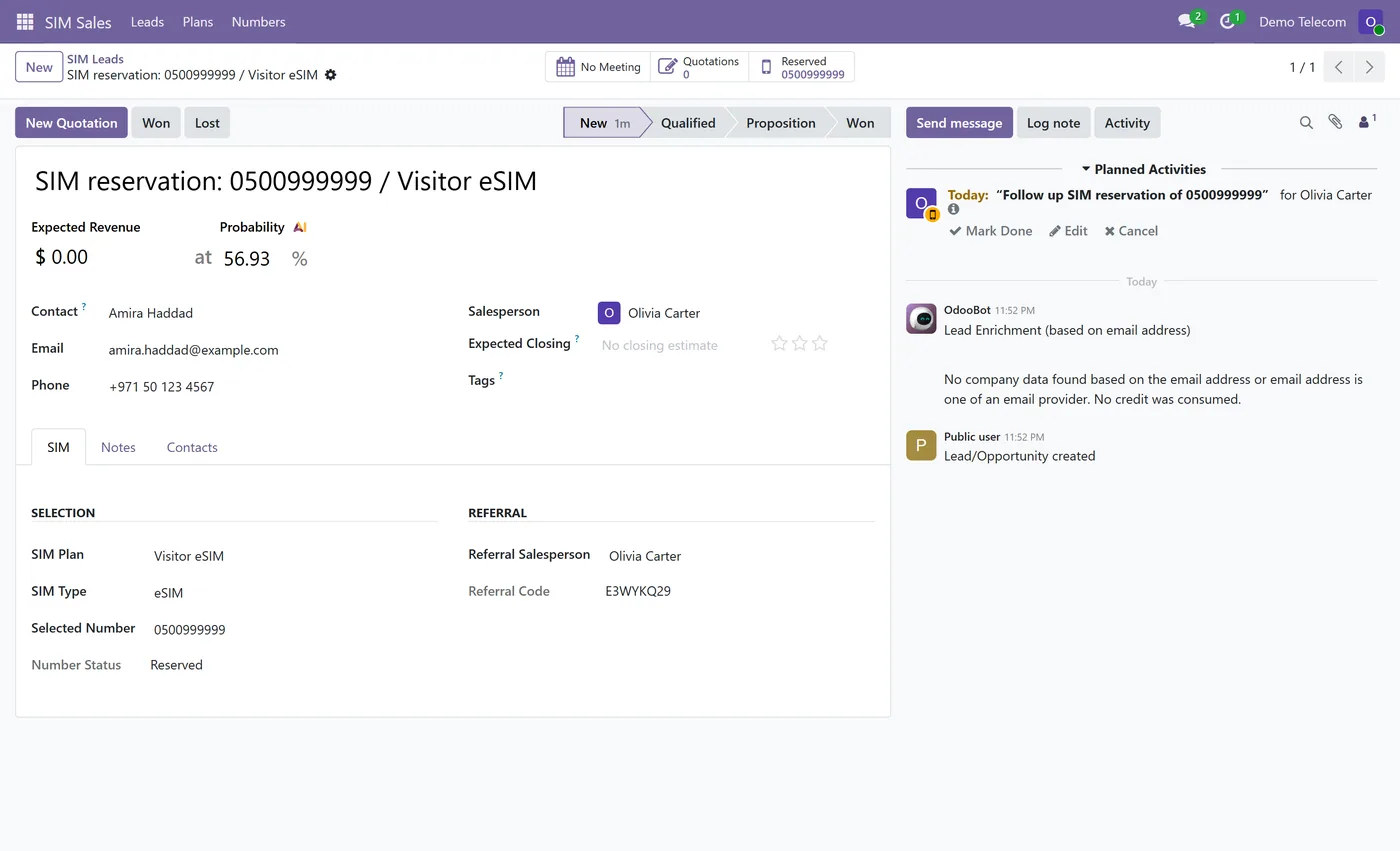
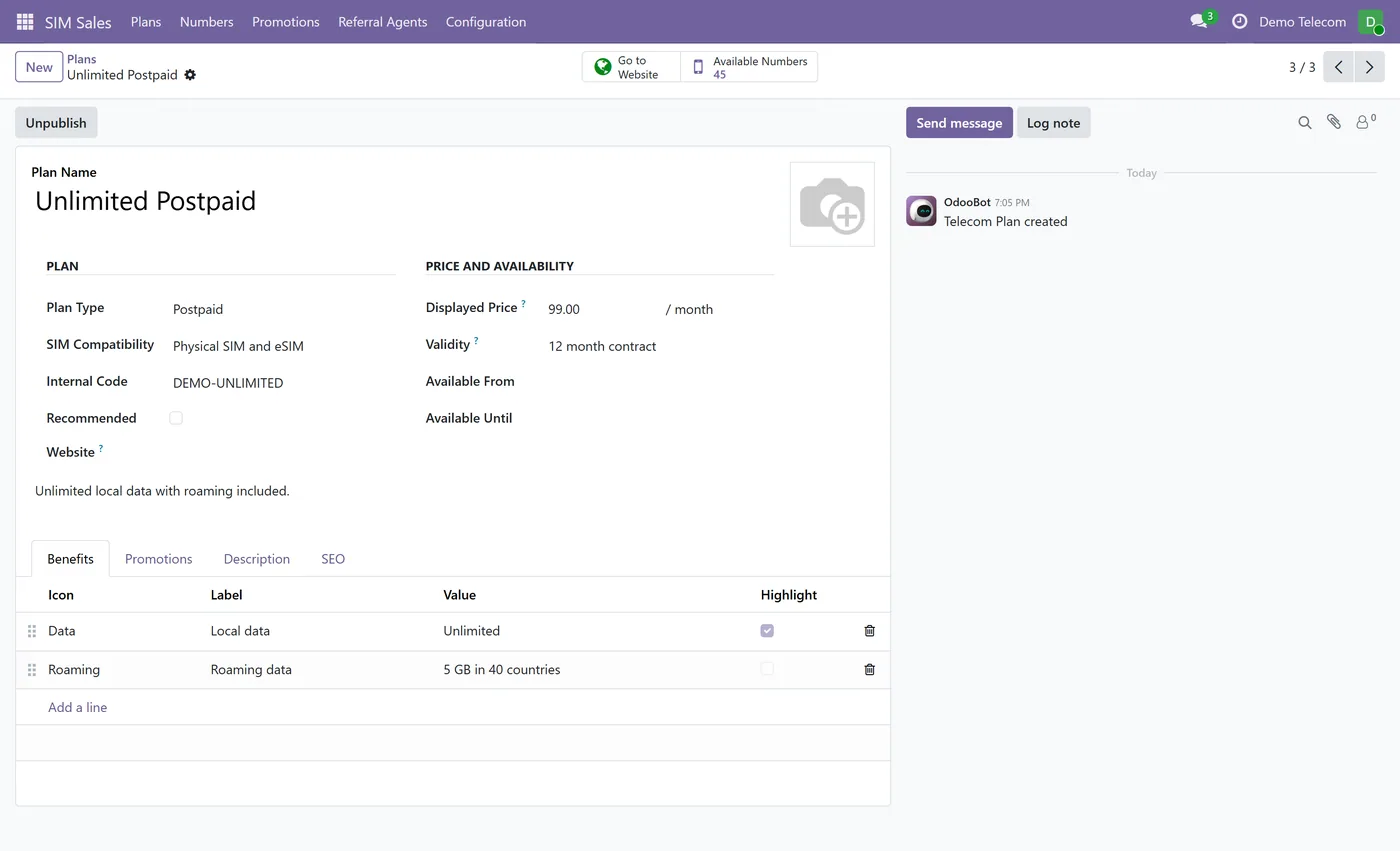
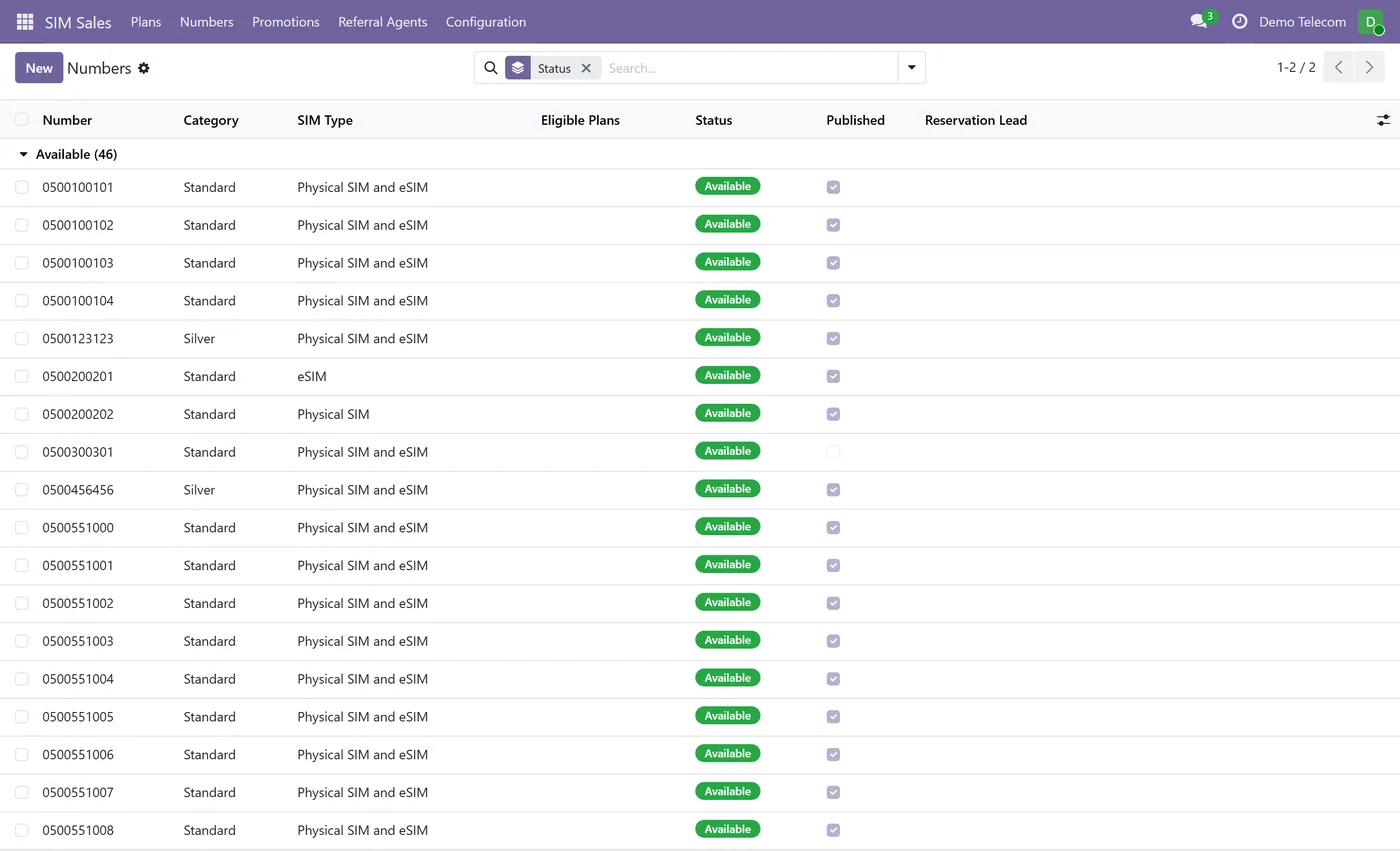
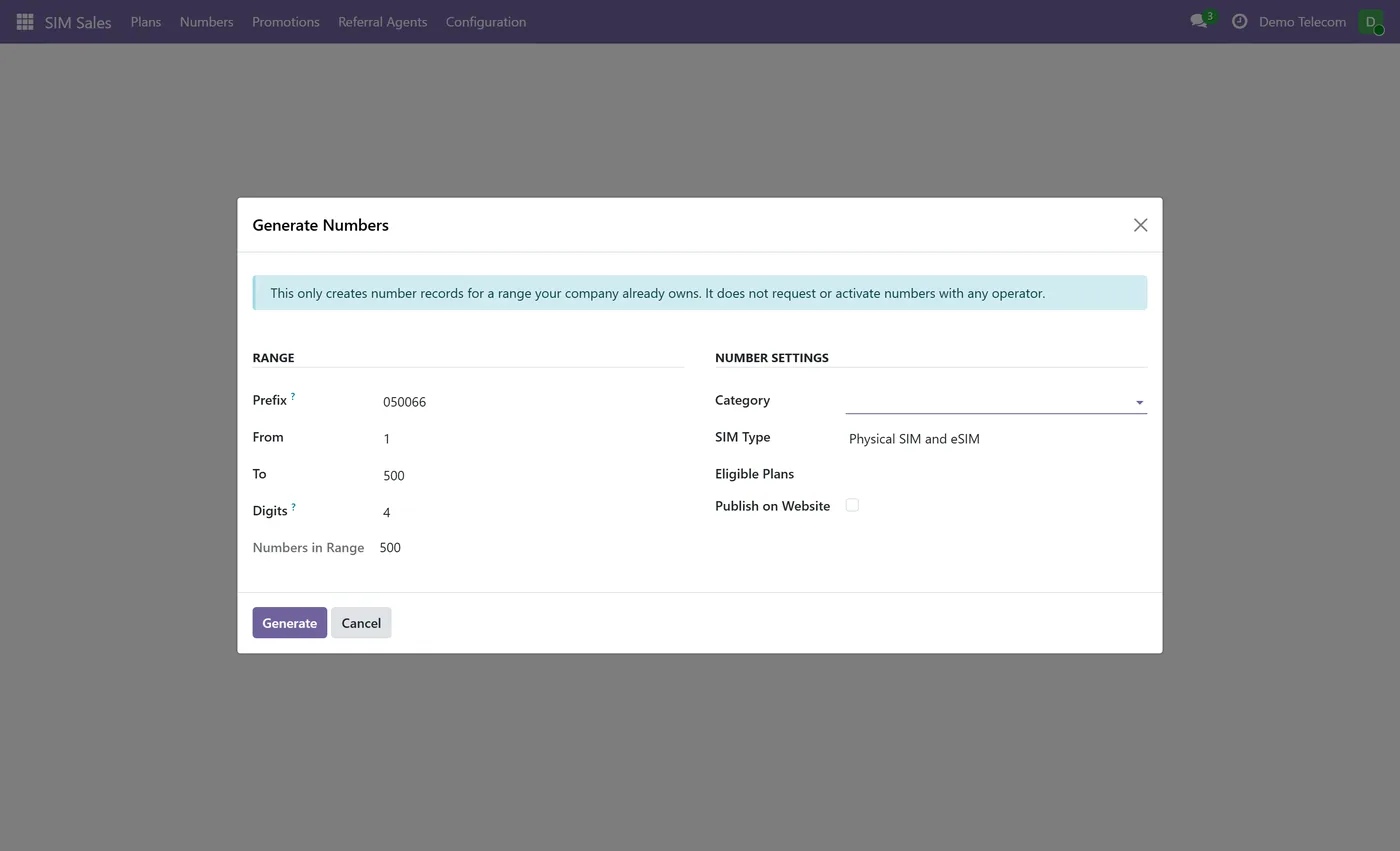
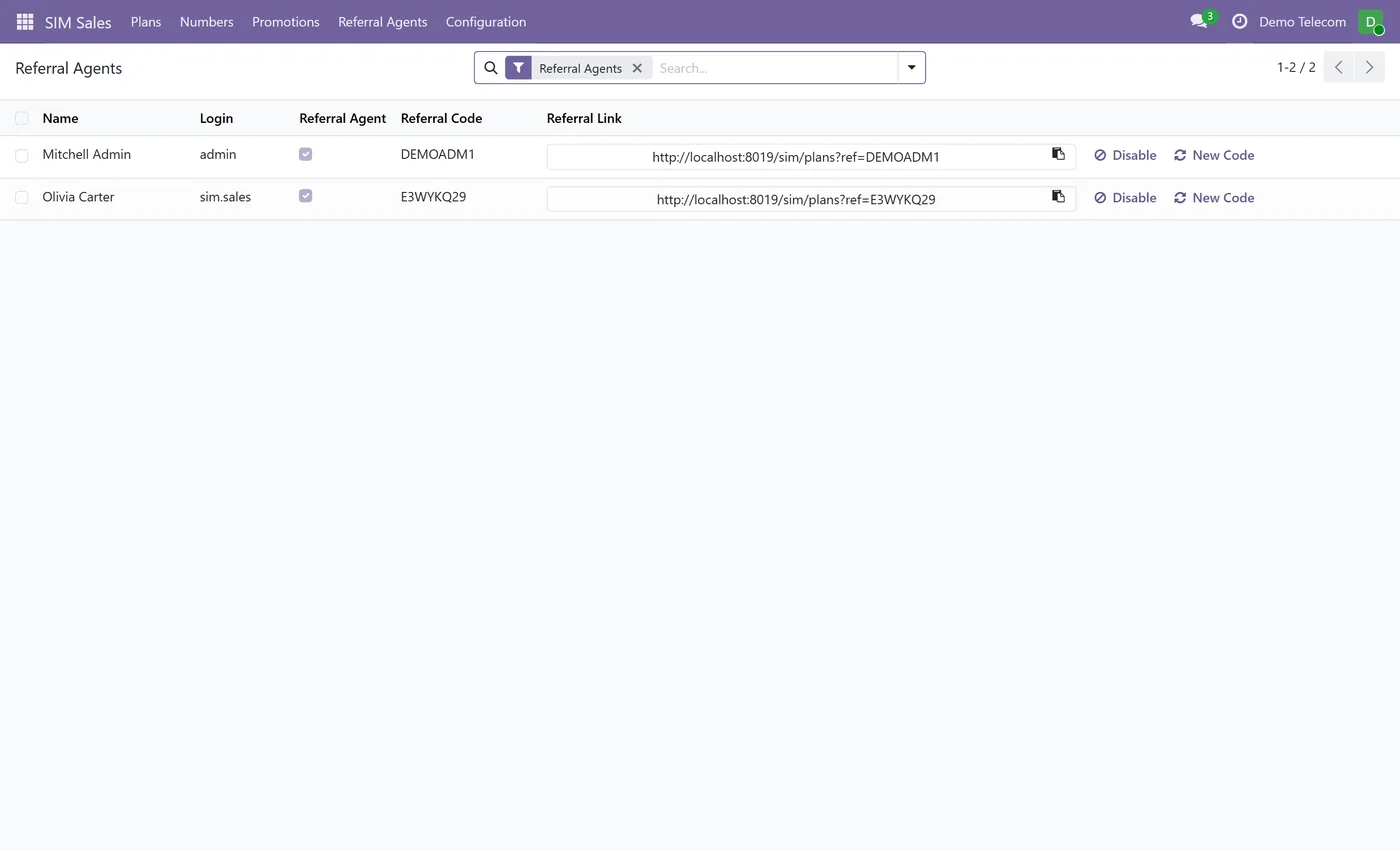
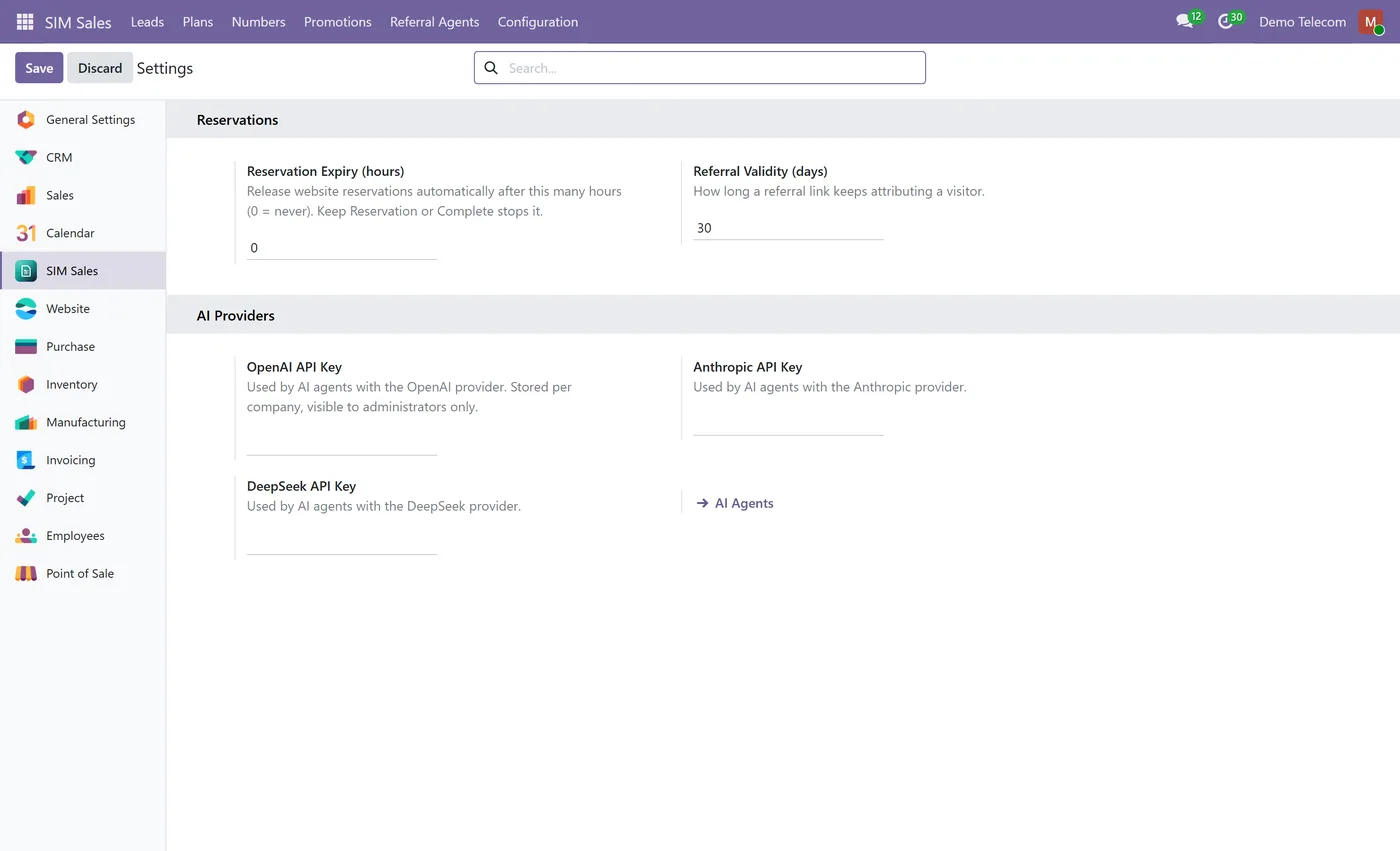
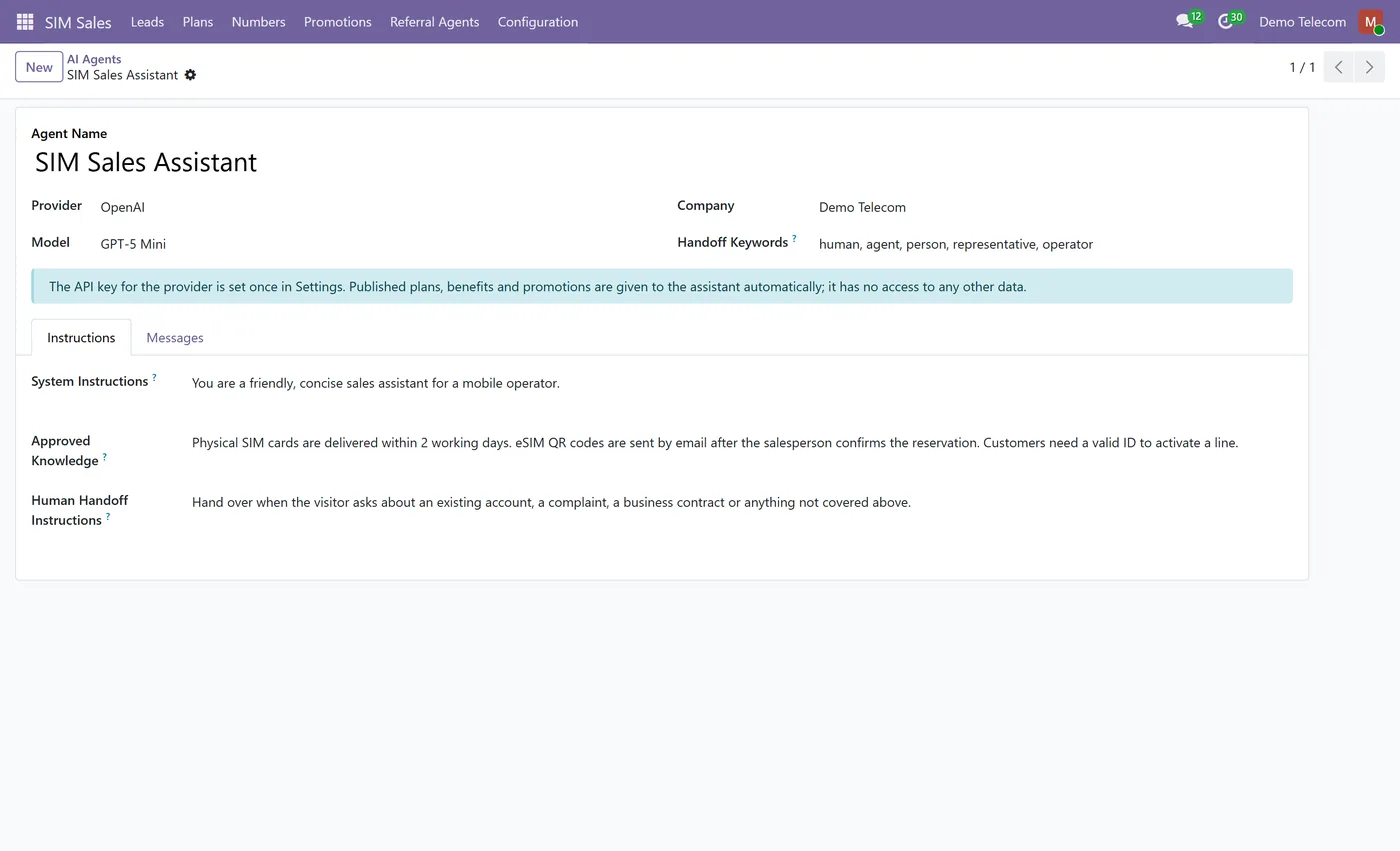
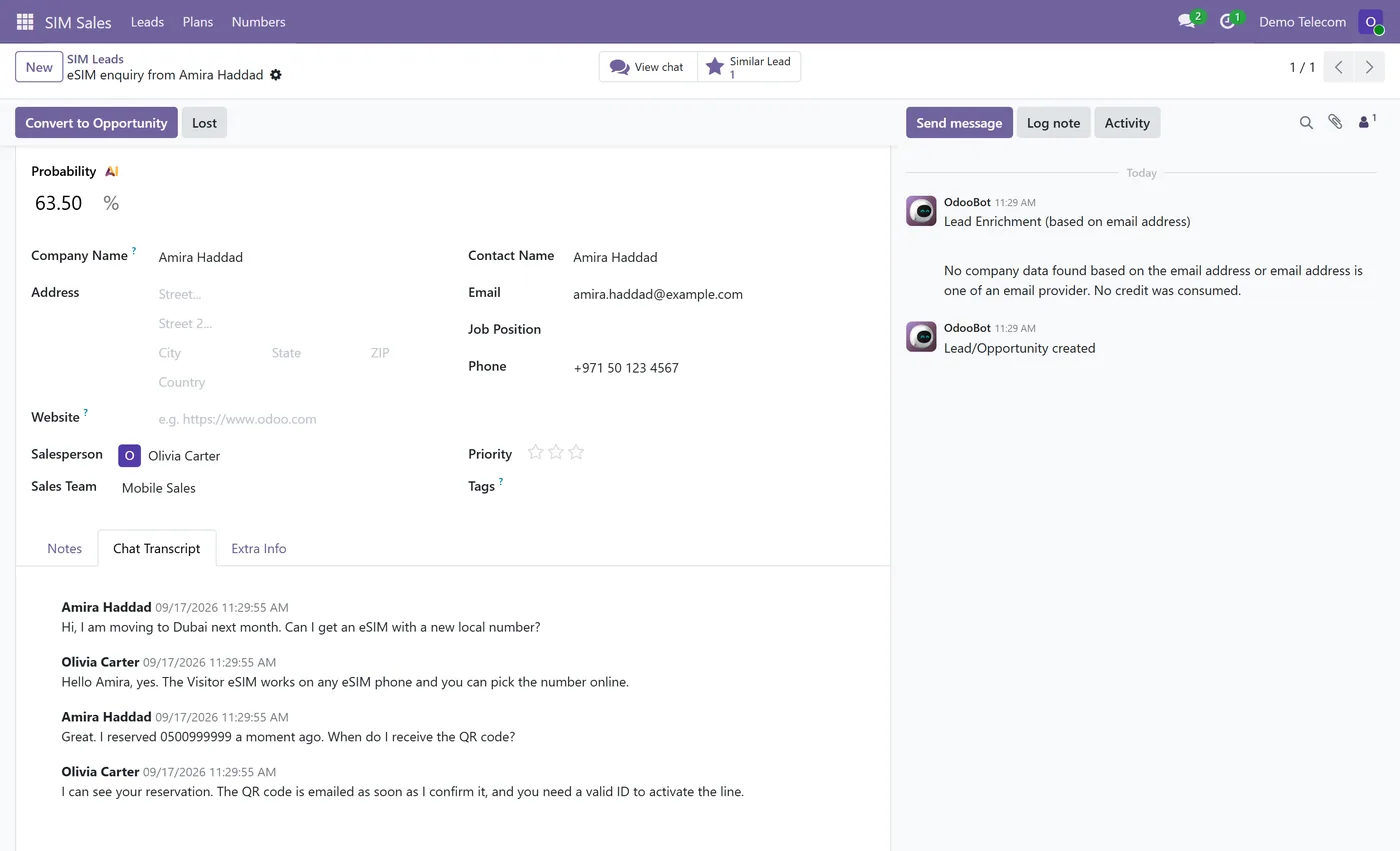
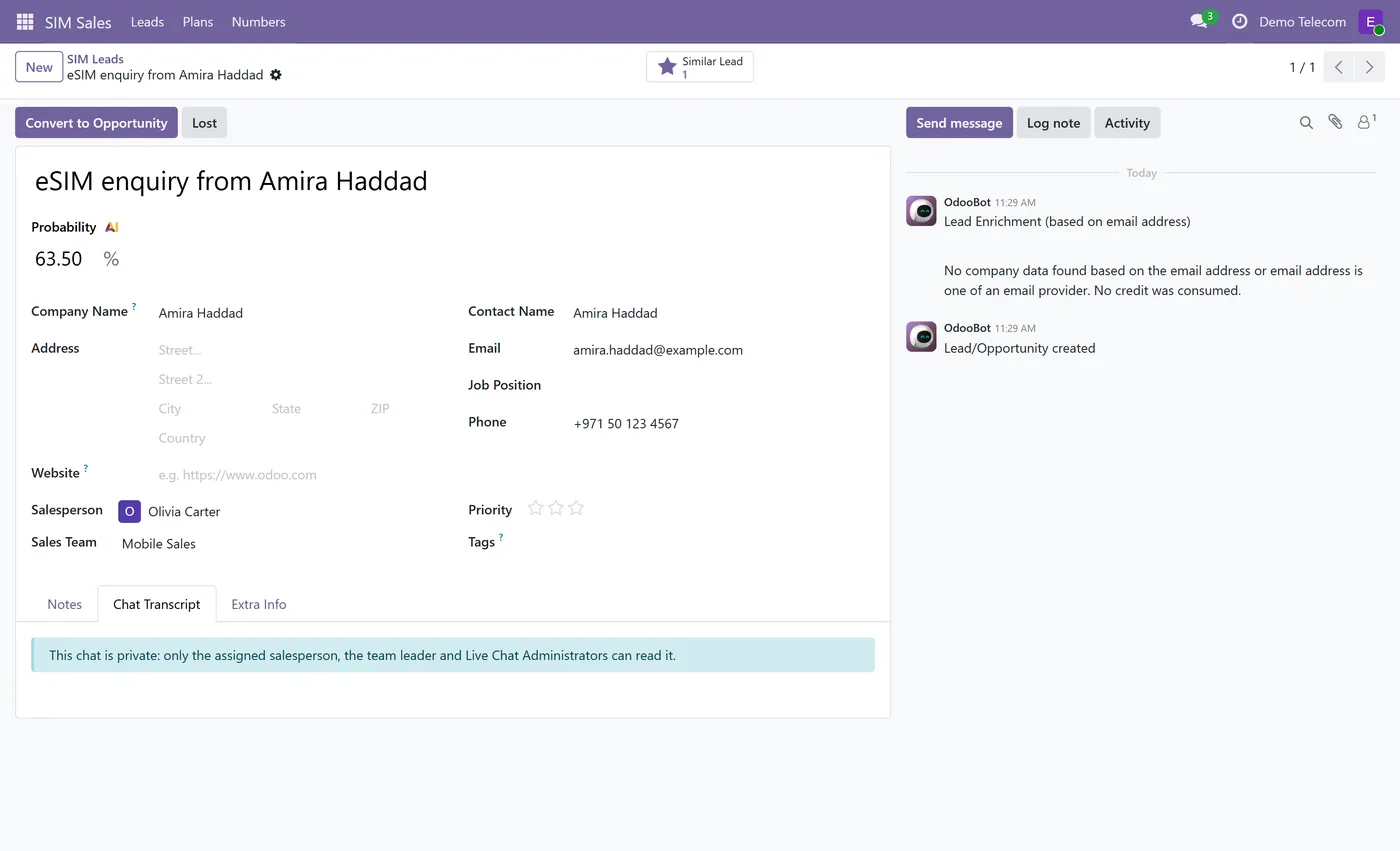
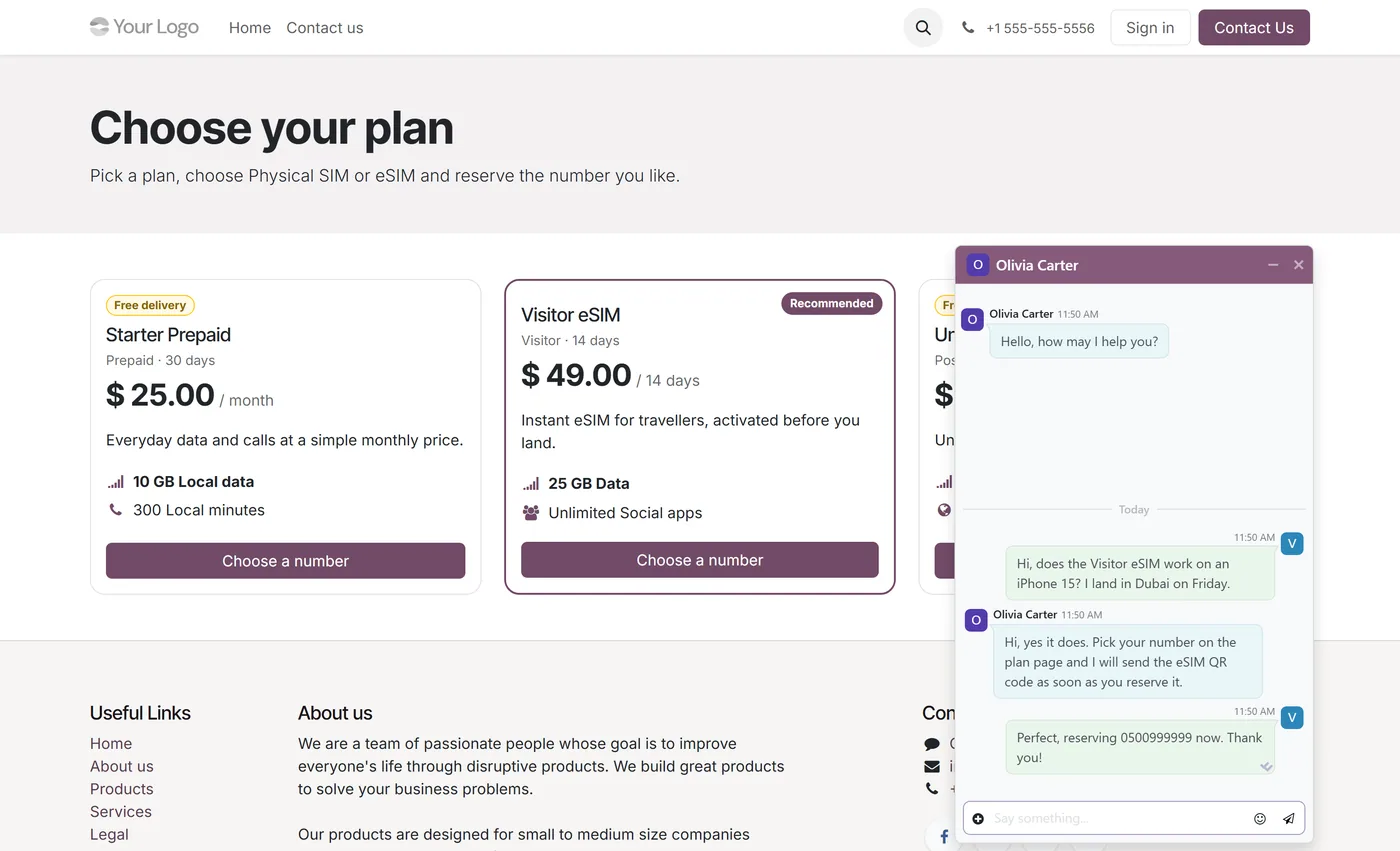
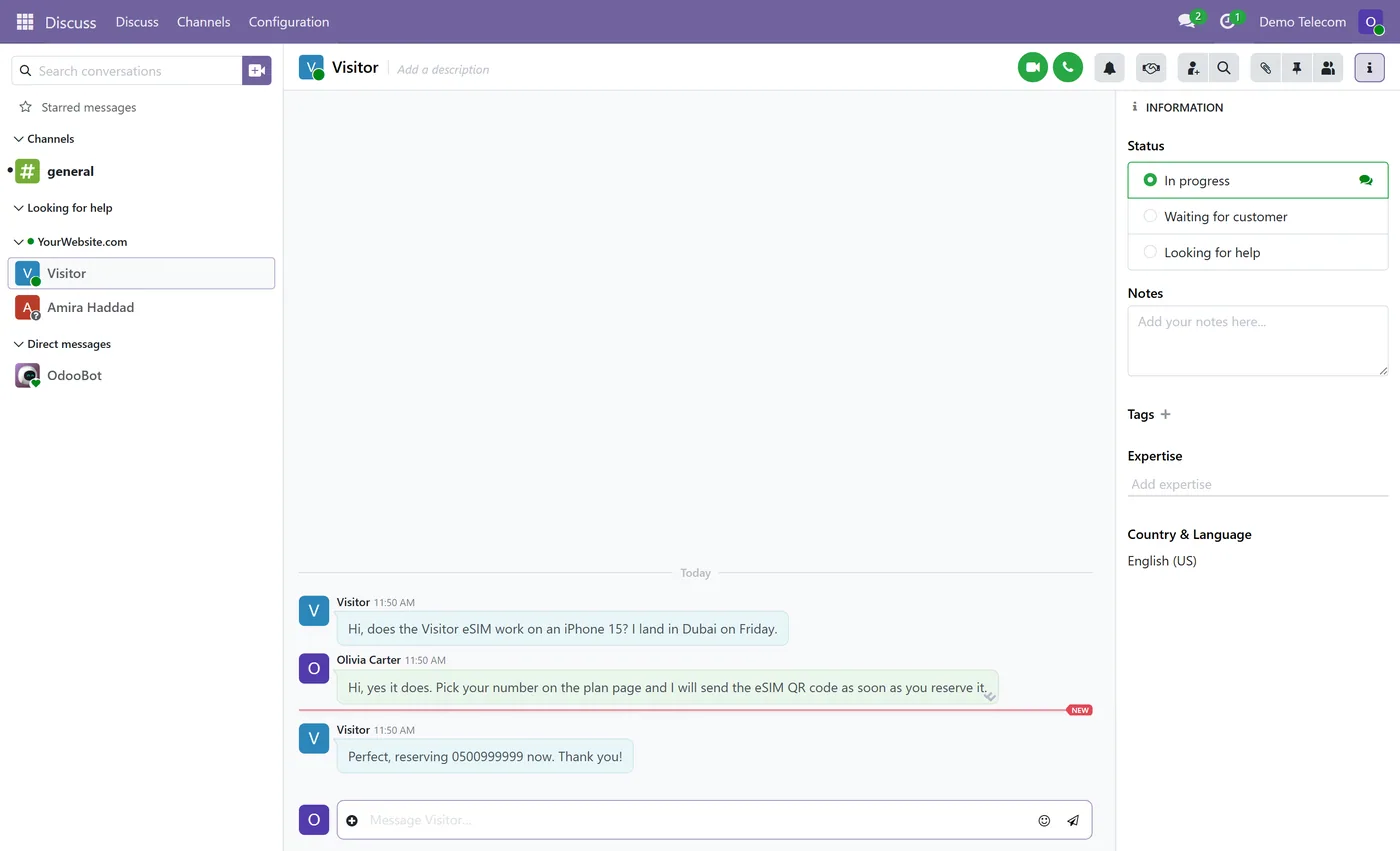
Reserve the number, not an order: a telecom website journey that ends in a CRM lead.
What it does
SIM Plans and Mobile Number Reservation publishes your plans on the Odoo website and lets a visitor go from plan to SIM type to a specific mobile number in a few clicks. They search the available numbers by digits or category, pick one, and leave a name with a phone number or email. The number is reserved immediately and a CRM lead is created with the plan, the SIM type and the number on it, so your team can call back and complete the process.
Nothing is sold online. No sales order, invoice, payment, stock move or subscription is created, which keeps the module out of the way of whatever billing system you already run.
Why double booking cannot happen
Two visitors choosing the same memorable number at the same moment is the normal case, not the edge case. The reservation locks the number row before checking its status, so the second request waits, is retried by Odoo, and then sees the number as reserved. Every value that arrives from the browser is re-validated: the plan must be published, the number must be published, available and eligible for that plan and SIM type, and the salesperson, team, contact and company are never taken from the form.
Who it's for
Mobile resellers, MVNOs, telecom dealers and phone shops that sell plans through a sales team and want the website to hand that team qualified leads with the number already chosen, attributed to the salesperson who brought the visitor in.
Questions
About SIM Plans & Mobile Number Reservation.
Does it sell SIM cards online or take payments?
No. It is a lead generation journey, not an online shop. The visitor reserves a number and leaves contact details, and a CRM lead is created for your team to complete the sale. No sales order, invoice, payment, stock move or subscription is created.
Can two visitors reserve the same number at the same time?
No. The number row is locked during the reservation, a concurrent attempt is retried by Odoo and then finds the number already reserved, and the second visitor is asked to pick another. In a test with twelve parallel reservations of one number, exactly one succeeded and one lead was created.
How does referral attribution work?
Each salesperson can be given a referral code and link. When a visitor opens a valid link it is remembered in the server-side session for the number of days you configure, and the first valid link wins. The lead from that visitor is assigned to that salesperson. Visitors without a referral follow the standard website CRM routing.
Can the AI change records in Odoo?
No. The assistant receives published plan data and the approved text you write on the agent, and returns text only. It has no access to Odoo records. Handoffs and leads are created by the module's own server code, not by the AI.
Where are the AI provider API keys stored?
On the company, in fields restricted to administrators. They are used only for the outgoing call to a fixed provider endpoint, never sent to the browser, never logged and never included in an error message.
Who can see the live chats?
An unassigned chat is visible to Live Chat Administrators only. Once a chat is assigned, its agent, the salesperson of the lead created from it and their team leaders can see it, plus any colleague the agent adds for help. Standard Odoo lets every live chat user read every chat; uninstalling the module restores that behaviour and removes the saved transcripts.
Does it change who can see CRM leads?
Yes, for every CRM lead. In standard Odoo a salesperson with Own Documents Only also sees every lead with no salesperson. With this module they see only the leads assigned to them, the Team Leader of a sales team sees all leads of that team, and All Documents users and Sales Managers see everything. A salesperson therefore cannot leave a lead without a salesperson; a team leader or manager assigns those. Uninstalling restores the standard rules.
Is the chat history kept on the lead?
Yes. Every visitor, bot and agent message is copied to a Chat Transcript tab on the lead, including messages from before the lead existed. The copy survives chatbot restarts, deleted messages and lead merges, and is shown only to the people allowed to see the chat.
Does it need Odoo Enterprise?
No. It builds on website CRM, CRM Live Chat, Website Live Chat and Resource, which all ship with Community, and uses its own AI connector rather than the Enterprise AI app.
On the Odoo Store
Get SIM Plans & Mobile Number Reservation on the Odoo Store.
Pick your Odoo version and install it in a click, with free updates and real support behind it.
Get it on the Odoo StoreReady to make Odoo work the way your business does?
Book a free call CODEerts
CODEerts is a team of certified Odoo partners and full-stack engineers. We implement, customise and support Odoo ERP, then build the software around it.

