CODEerts
Project app for Odoo
Group Task Timesheets by Employee
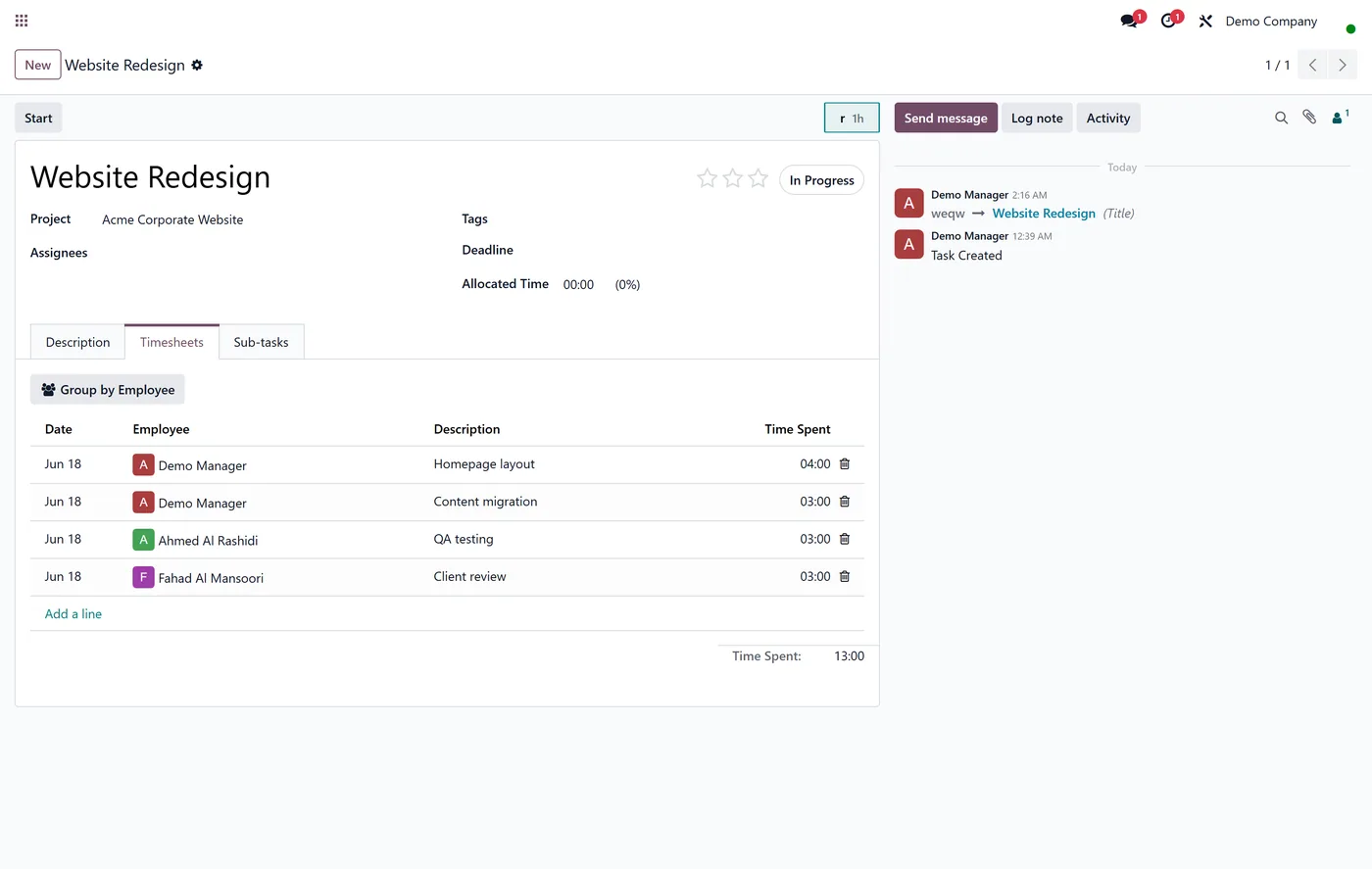
Add a Group by Employee button to the task Timesheets tab and open a task's timesheets grouped by employee with live subtotals.
Overview
Group Task Timesheets by Employee.
Group Task Timesheets by Employee adds a Group by Employee button to the Timesheets tab of every project task. One click opens that task's timesheet entries in a full list already grouped by employee, with time subtotals per person, and the standard Group By control still lets you regroup by date, sales order item and more. It is the fast way to see who logged how much time on a task without leaving the project, with no setup and no code.
New to Odoo Project? Read our practical guide to how it works
How it works
Built around what you actually do.
Every screen below is the module running in Odoo, not a mockup.
01
Group by Employee button right inside the task Timesheets tab
- Opens the task's timesheets grouped by employee with time subtotals per person
- Keep the standard Group By control to regroup by date, sales order item and more
- Stays scoped to the current task so you only see that task's entries
- No configuration and no code, install and the button is there
- Works on Community and Enterprise, depends only on Timesheets
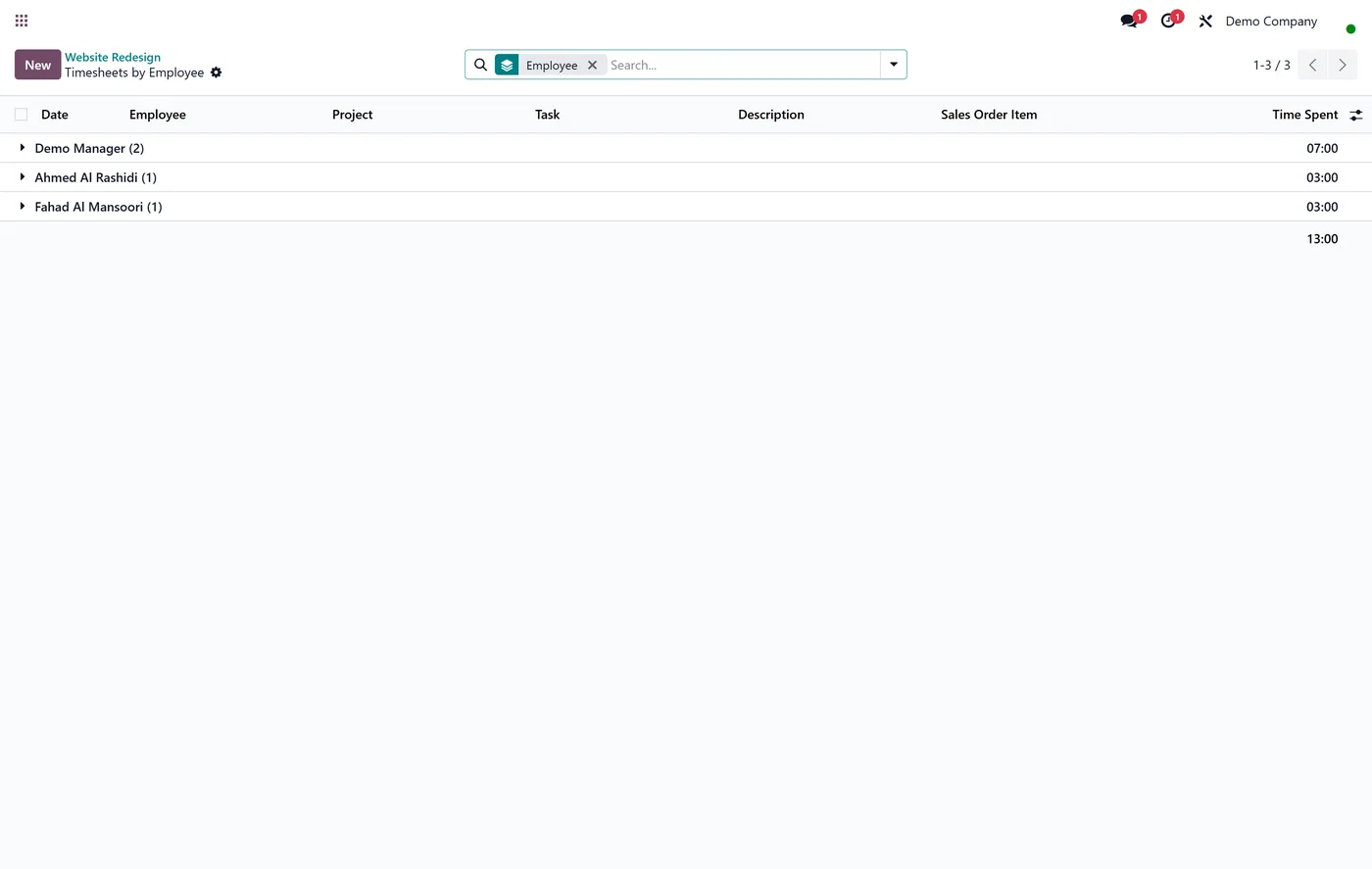
Group Task Timesheets by Employee adds a single Group by Employee button to the Timesheets tab of every project task, so you can instantly see who logged how much time on a task without leaving the project.
What it does
Inside an Odoo task, the Timesheets tab shows a flat list of entries with no way to group them, because Odoo only offers a Group By control in a full view that has a search bar. This module adds a Group by Employee button to that tab. One click opens the task's timesheet entries in a full list already grouped by employee, with a clear time subtotal for each person. The standard Group By control is still there, so from the grouped view you can regroup by date, sales order item, project and more. The view stays scoped to the current task, so you only ever see that task's time, and nothing about your data is changed.
Who it's for
Project managers, team leads and consultants who track time on tasks and need a quick, reliable answer to "who spent how long on this task". It suits agencies, services teams and any project where several people log timesheets against the same task and per person totals matter.
Questions
About Group Task Timesheets by Employee.
How do I group a task's timesheets by employee in Odoo?
Open the task, go to the Timesheets tab and click Group by Employee. The task's timesheet entries open in a full list grouped by employee with a time subtotal for each person.
Why can't I group the timesheets directly inside the task tab in Odoo?
The embedded Timesheets list inside the task form has no Group By control because Odoo only offers grouping in a full view with a search bar. This module gives you a one click button that opens exactly that full grouped view for the task.
Can I still group the timesheets by date or sales order item?
Yes. The grouped view keeps the standard Group By control, so after opening it grouped by employee you can add or switch to date, sales order item, project and other fields.
Does this change or delete any of my timesheet data?
No. It only adds a button and a view. It reads your existing timesheets and never edits, moves or removes any entry.
Do I need to configure anything after installing?
No. Once installed the Group by Employee button appears in the Timesheets tab of every task for timesheet users, with no setup.
Does it work in Odoo Community and Enterprise?
Yes, it runs on both and only depends on the Timesheets app. Each Odoo Apps Store listing shows the exact version it supports.
On the Odoo Store
Get Group Task Timesheets by Employee on the Odoo Store.
Pick your Odoo version and install it in a click, with free updates and real support behind it.
Get it on the Odoo StoreReady to make Odoo work the way your business does?
Book a free call CODEerts
CODEerts is a team of certified Odoo partners and full-stack engineers. We implement, customise and support Odoo ERP, then build the software around it.