 CODEerts
Purchases app for Odoo
Vendor Sourcing and RFQ Portal
Run a competitive purchase requisition end to end in Odoo. Invite vendors to quote on their own portal page, compare and score every offer side by side, ask and answer clarifications, send a quotation back for revision, then award the winners and generate the draft purchase orders.
Overview
Vendor Sourcing and RFQ Portal.
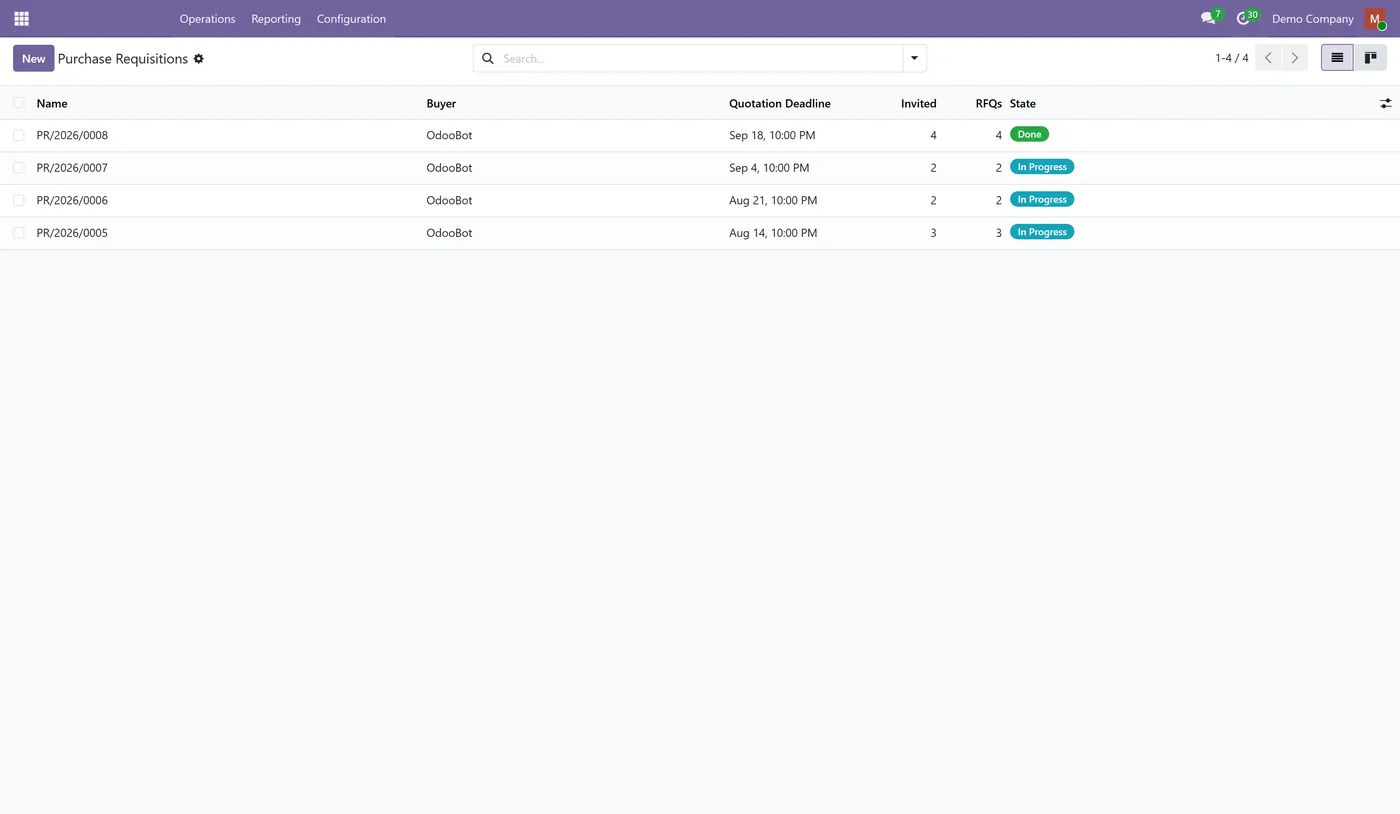
CODEerts Vendor Sourcing turns a purchase requisition into a proper competitive tender inside Odoo. Standard Odoo purchasing lets you raise a request for quotation to one vendor at a time and gives you nowhere to compare the answers, so buyers end up running the actual decision in a spreadsheet and pasting the winner back in. This module gives the requisition its own document, invites as many vendors as you like, and gives each of them a private tokenised page where they enter their prices, lead times, minimum order quantities and any alternative they would rather supply. Every offer lands on one comparison screen, scored on price, lead time and your own weighted criteria, one row per requested item so the decision is made in the unit it is actually made in. You can award an item to one vendor or split it between several, order less than was quoted, send a quotation back for revision with a reason, and publish a clarification so that every bidder sees the same answer. Awarding produces one draft purchase order per vendor, and a draft purchase order is Odoo's own RFQ, so nothing is confirmed behind your back.
New to Odoo Purchase? Read our practical guide to how it works
How it works
Built around what you actually do.
Every screen below is the module running in Odoo, not a mockup.
01
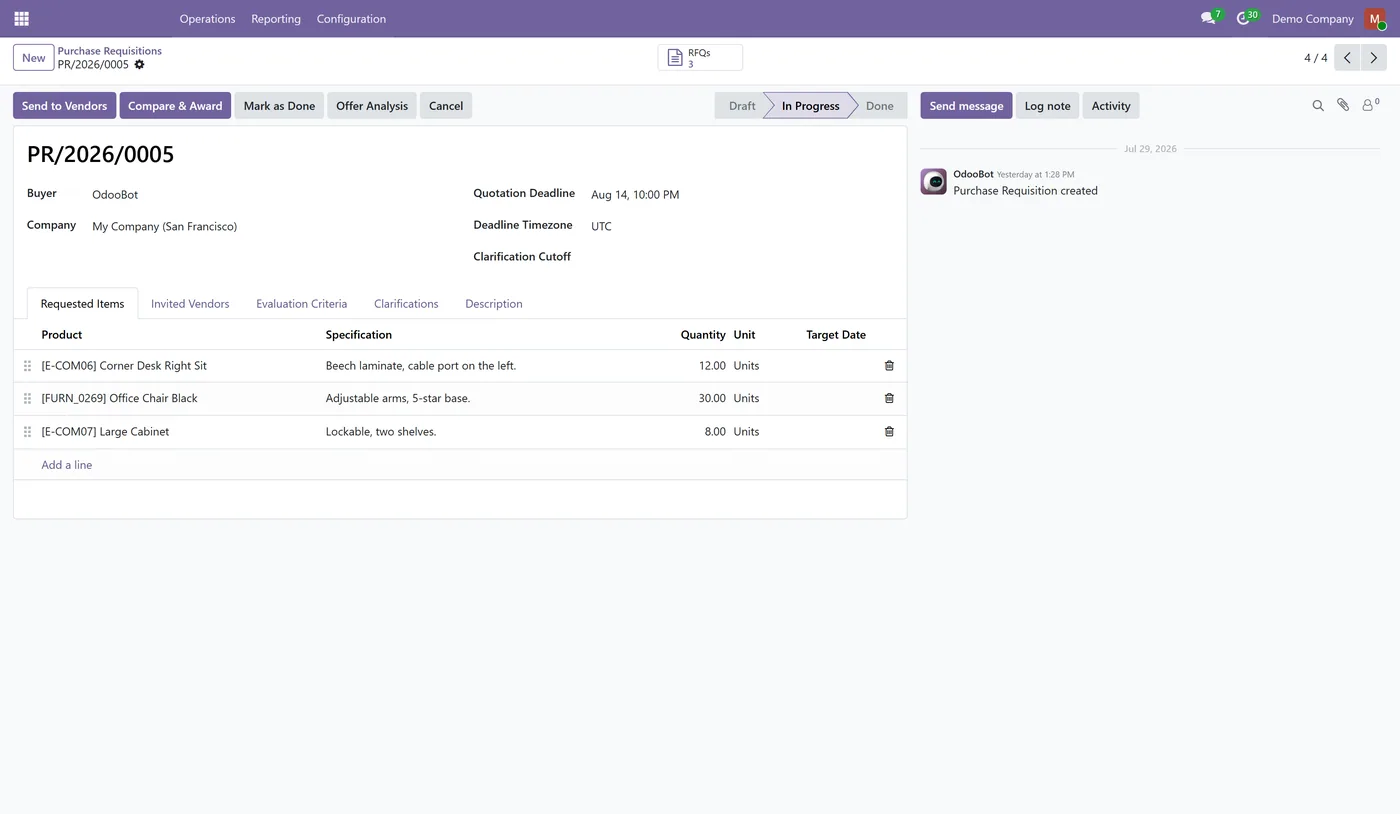
One requisition document with as many invited vendors as you need, each issued a numbered request for quotation
- A private tokenised portal page per vendor for prices, lead times, minimum quantities and alternatives, with no portal account required
- Comparison and award on one screen, one row per requested item, with the cheapest offer named beside every choice
02
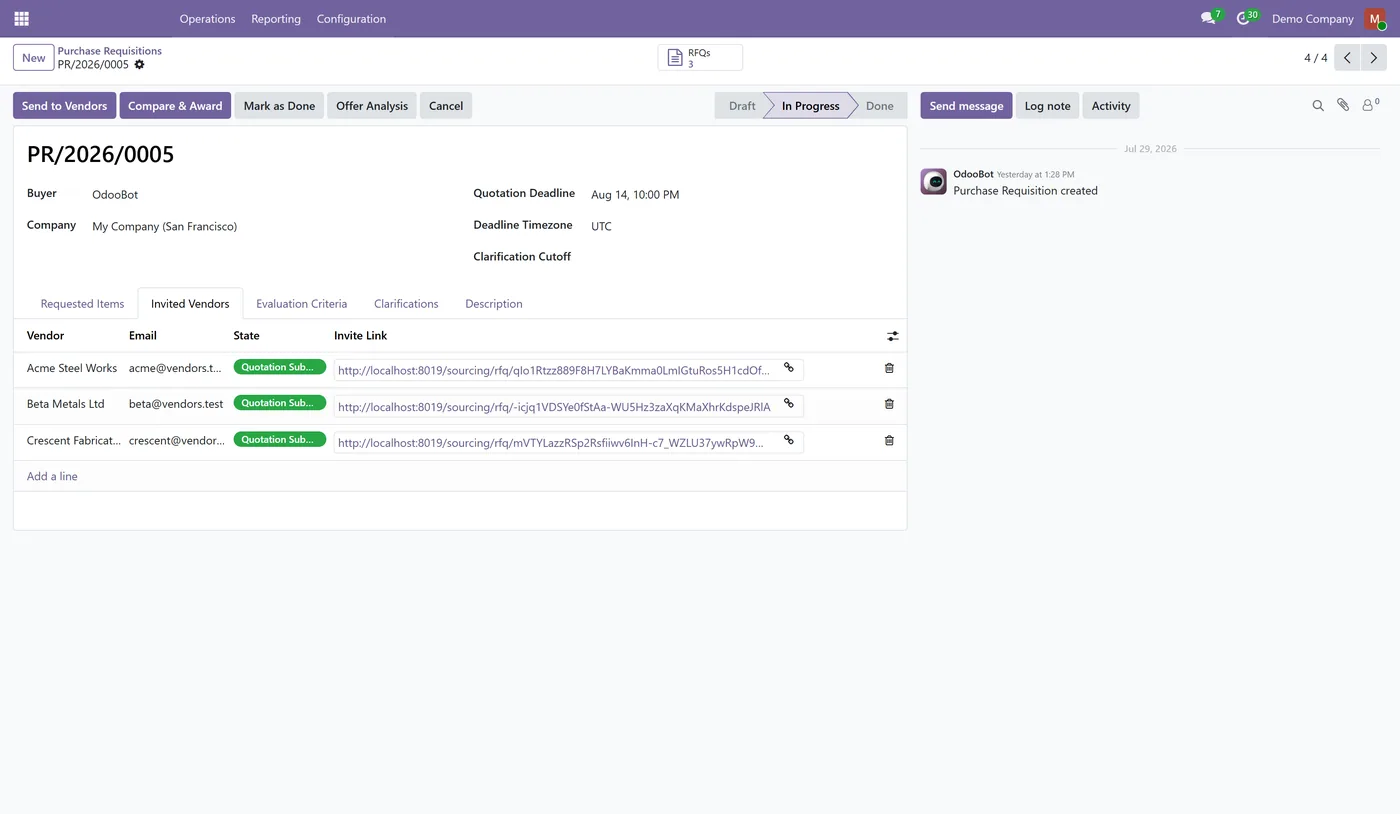
Weighted scoring on price, lead time, a manual evaluation panel and your own criteria, renormalised when a vendor has no data
- Split an item between several vendors, or order less than a vendor quoted, with the balance left outstanding
- Send a quotation back for revision with a reason, keeping the vendor's earlier prices as a superseded record
03
Clarifications that publish to every bidder at once, so no vendor gets an answer the others do not
- One draft purchase order per winning vendor, with currency conversion and quantity differences recorded on the order
Every screen
The whole module, screen by screen.
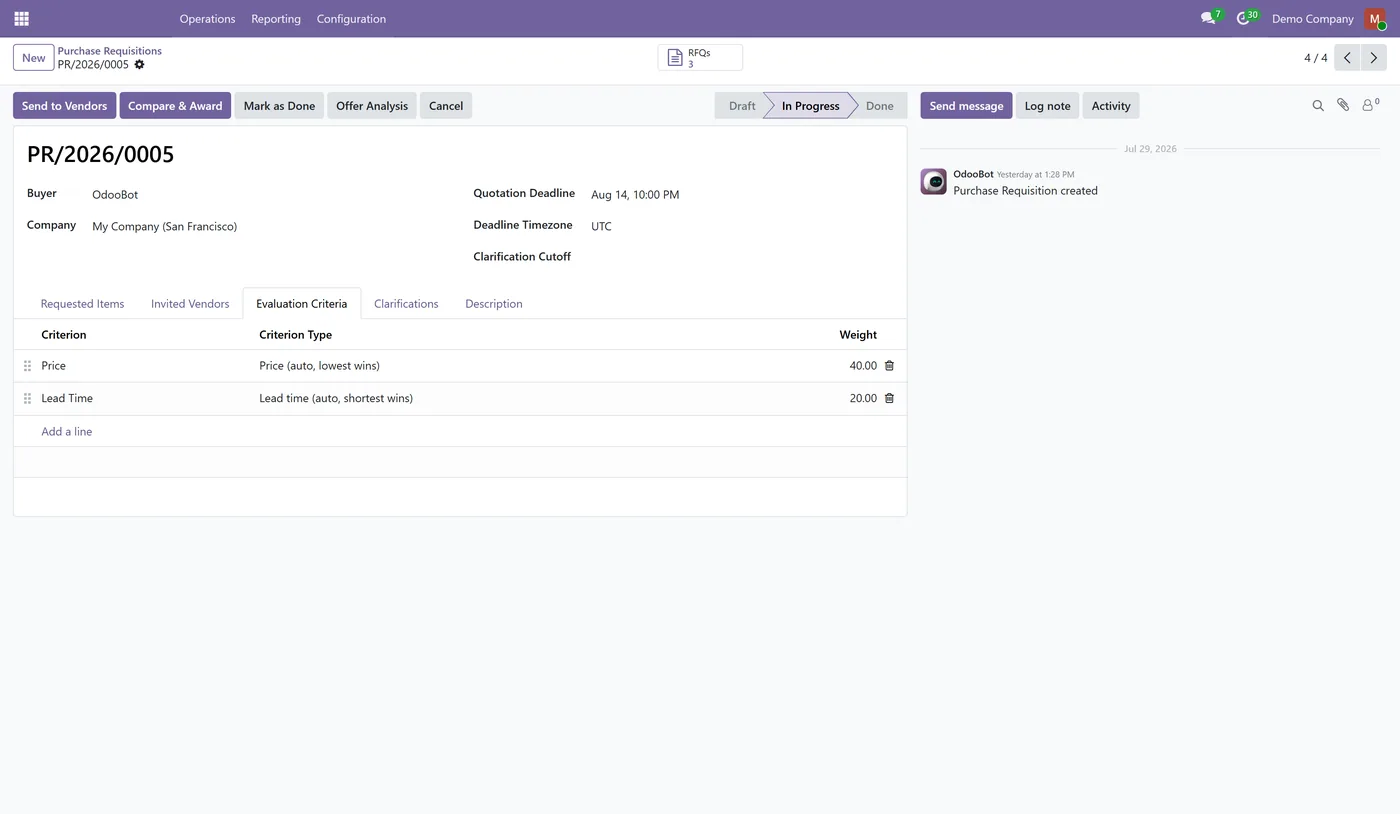
The captures the walkthrough above did not use, in the order you meet them in the product.
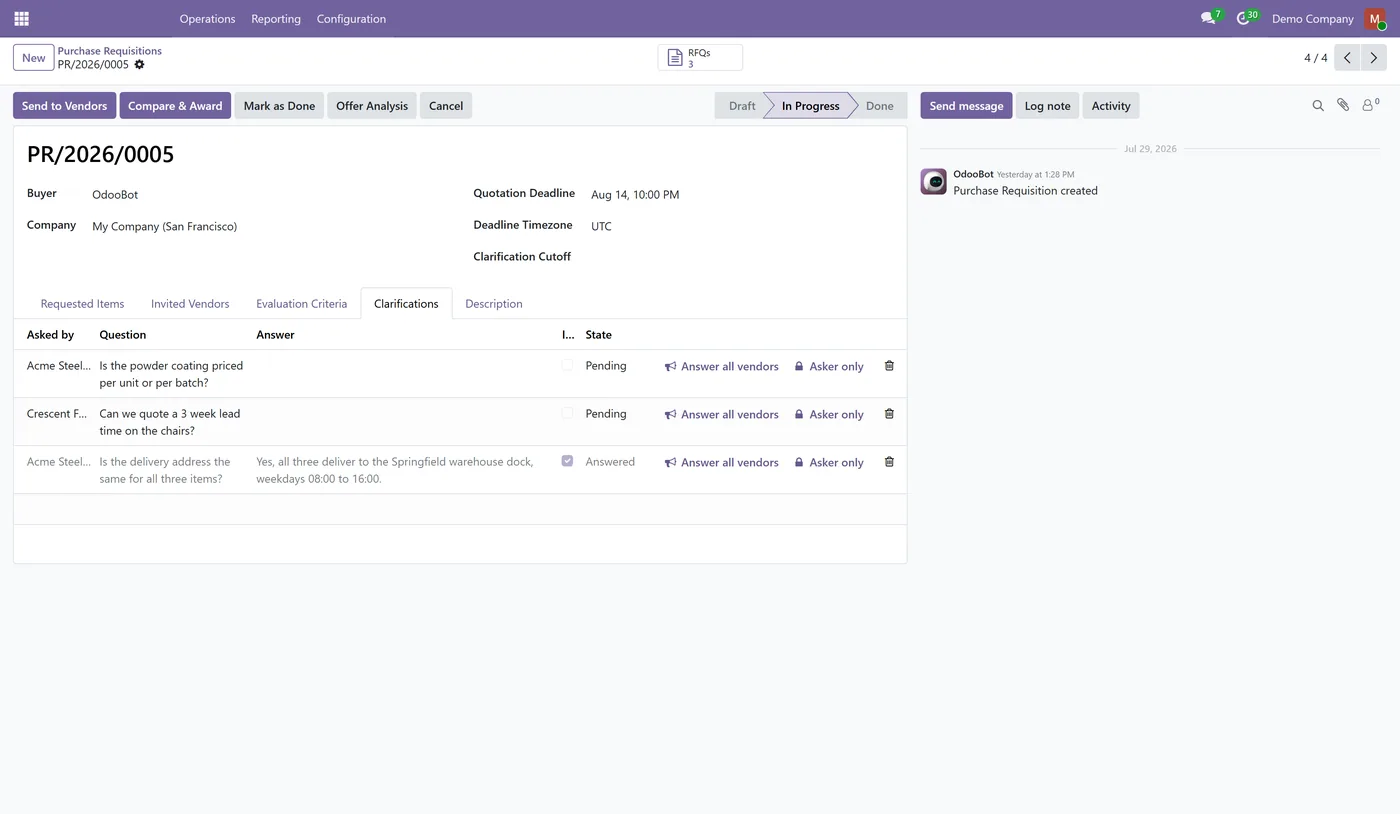
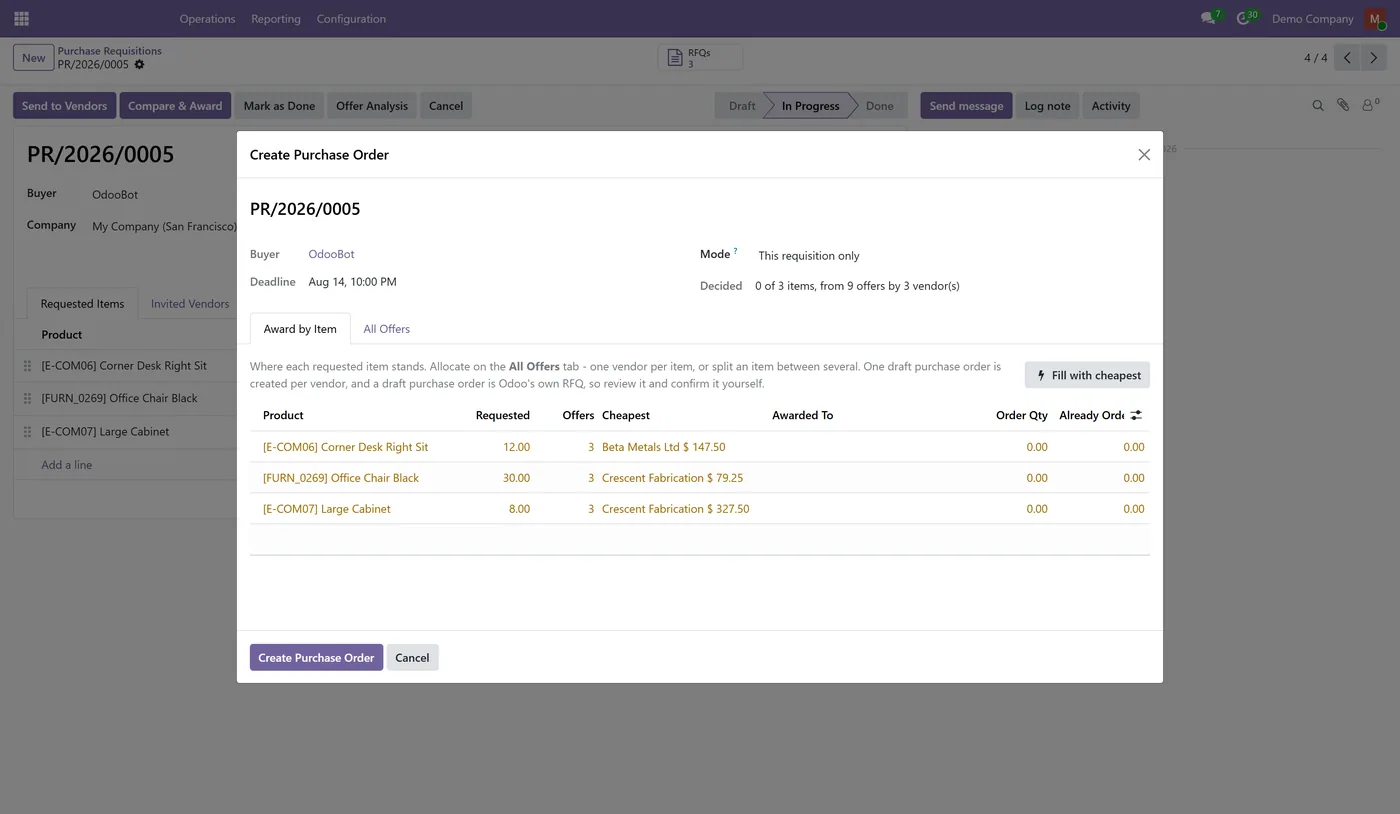
Vendor Sourcing gives an Odoo purchase requisition the one thing standard purchasing does not have: a place to run a competitive tender and decide it on the evidence. Invite the vendors, let them quote on their own page, and compare every offer on one screen before a single purchase order exists.
What it does
Standard Odoo raises a request for quotation to one vendor at a time and offers nowhere to compare the replies, so the real buying decision gets made in a spreadsheet and the winner is typed back in by hand. This module makes the requisition the document. You list what you need, invite as many vendors as you like, and each one receives a private tokenised link to a page where they enter prices, lead times, minimum order quantities and any alternative they would rather supply. No portal account and no extra licence is involved, and a link can be revoked whenever you want.
Every submitted offer arrives on one Compare and Award screen, arranged as one row per requested item, because that is the unit a buyer actually decides in. Each row names the cheapest vendor and price beside your choice, counts the offers received, and carries a weighted score built from price, lead time, an evaluation panel's manual scores and any criteria you define yourself. You can award an item to a single vendor, split it between several, or order less than a vendor quoted and leave the balance outstanding. Ask for a revision with a reason and the vendor's page reopens with their prices carried forward, while the earlier offer is kept as a superseded record rather than overwritten. Publish a clarification and every bidder sees the same answer at the same time.
Confirming the award creates one draft purchase order per winning vendor, with converted prices where the vendor buys in another currency and a note on the order wherever the ordered quantity differs from the quantity quoted. They are drafts on purpose: a draft purchase order is Odoo's own RFQ, so you review and confirm each one, and any approval flow you already run still applies.
Who it's for
Buyers and procurement teams who tender rather than reorder: anyone who has to show three quotes before spending, who dual-sources to protect a lead time, or who is asked afterwards to prove why a vendor was chosen. It suits organisations with an audit or tender obligation, and any purchasing team currently comparing supplier offers in a spreadsheet alongside Odoo.
Questions
About Vendor Sourcing and RFQ Portal.
How do I compare supplier quotations in Odoo?
Invite your vendors on the requisition, and every offer they submit lands on one Compare and Award screen. It shows one row per requested item with the number of offers, the cheapest vendor and price beside it, and a weighted score per vendor, so you compare item by item instead of exporting to a spreadsheet.
Can vendors submit quotations without an Odoo user account?
Yes. Each invited vendor gets a private tokenised link to their own page where they enter prices, lead times, minimum order quantities and any alternative product. No portal account, no password and no licence is needed, and you can revoke a link at any time.
Can I split one purchase between two suppliers in Odoo?
Yes. Each offer carries its own order quantity, so 300 from one vendor and 200 from another is simply two allocations on the same item. Awarding creates one draft purchase order per vendor, and the module blocks allocating more than was requested.
How do I ask a supplier to revise their quotation?
Use Request Revision on their quotation and give a reason. The vendor's current offer is superseded and kept as a record, a new revision carries their prices forward for editing, and their portal link reopens so they can answer. The reason is required, because sending a quote back with no reason tells the vendor nothing.
How does scoring work, and what if a vendor has no history?
Price and lead time are scored relative to the best offer on the table, and you can add your own weighted criteria plus a manual score from an evaluation panel. If a criterion has no data for a vendor, that criterion and its weight are dropped and the rest are renormalised, so a vendor is never penalised for simply having no history yet.
Does it confirm purchase orders automatically?
No, and that is deliberate. Awarding creates DRAFT purchase orders, and a draft purchase order is Odoo's own request for quotation, so you review and confirm each one yourself. It also means an approval module can still gate the confirmation.
Which Odoo versions and editions are supported?
It runs on Odoo Community and Enterprise and depends only on the standard Purchase and Portal apps. Use the version selector at the top of this page to pick your Odoo release, since each branch is published as its own listing for that exact version.
On the Odoo Store
Get Vendor Sourcing and RFQ Portal on the Odoo Store.
Pick your Odoo version and install it in a click, with free updates and real support behind it.
Get it on the Odoo StoreReady to make Odoo work the way your business does?
Book a free call CODEerts
CODEerts is a team of certified Odoo partners and full-stack engineers. We implement, customise and support Odoo ERP, then build the software around it.

