 CODEerts
Purchases app for Odoo
Supplier Quotation Intake
Turn supplier quotations received as spreadsheets, PDFs or emails into reviewed offers on your requisitions, and compare them on landed cost instead of unit price.
Overview
Supplier Quotation Intake.
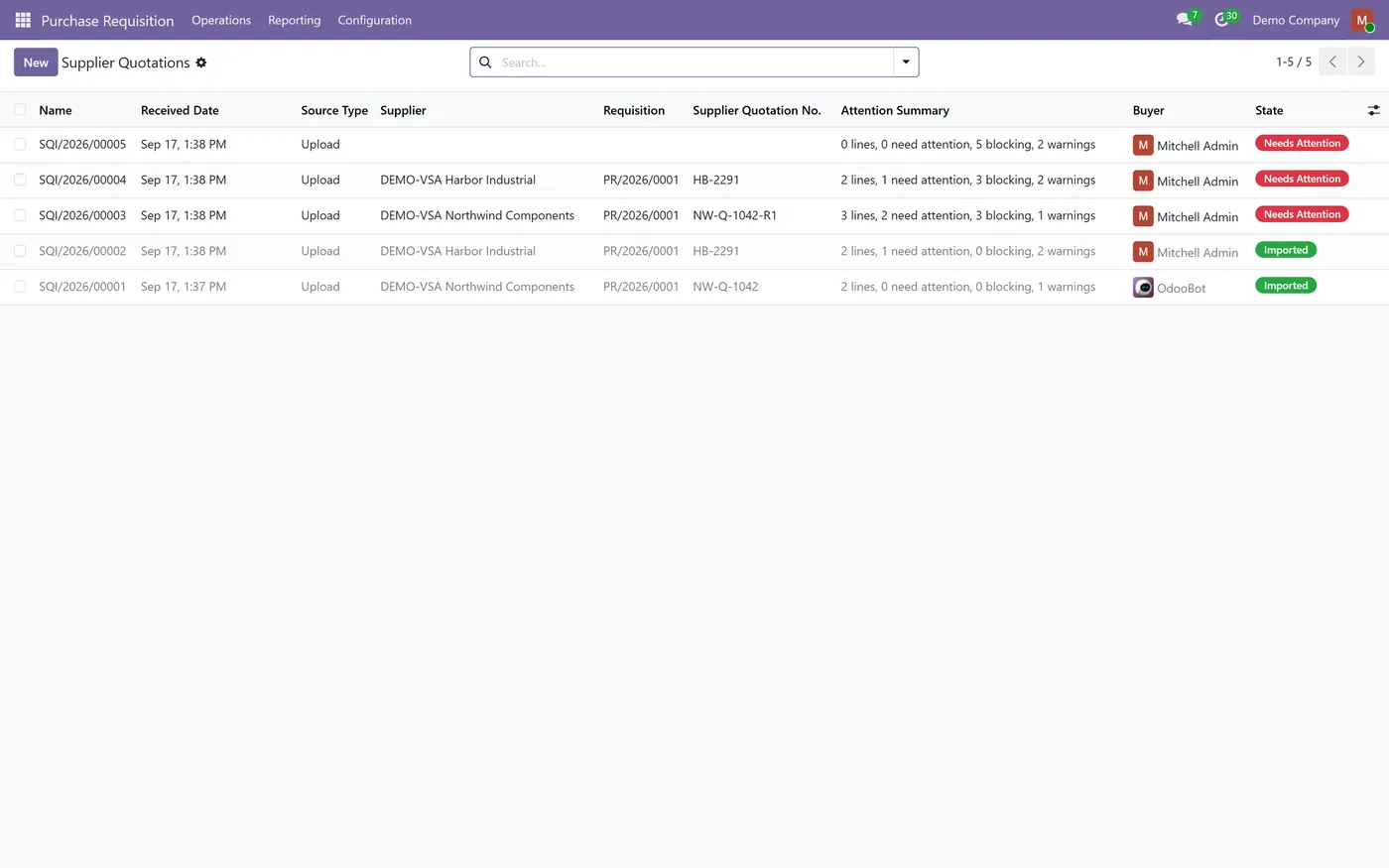
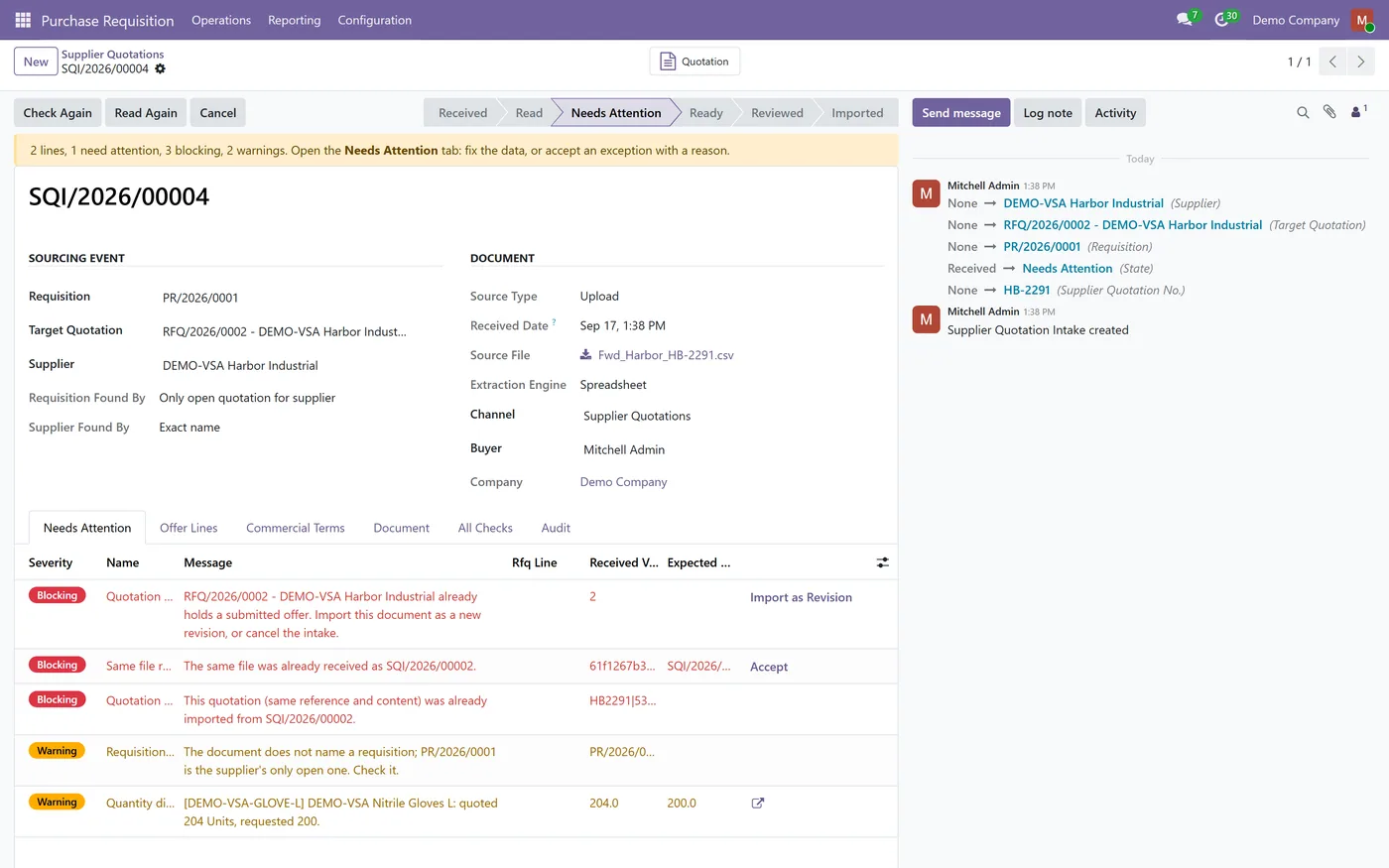
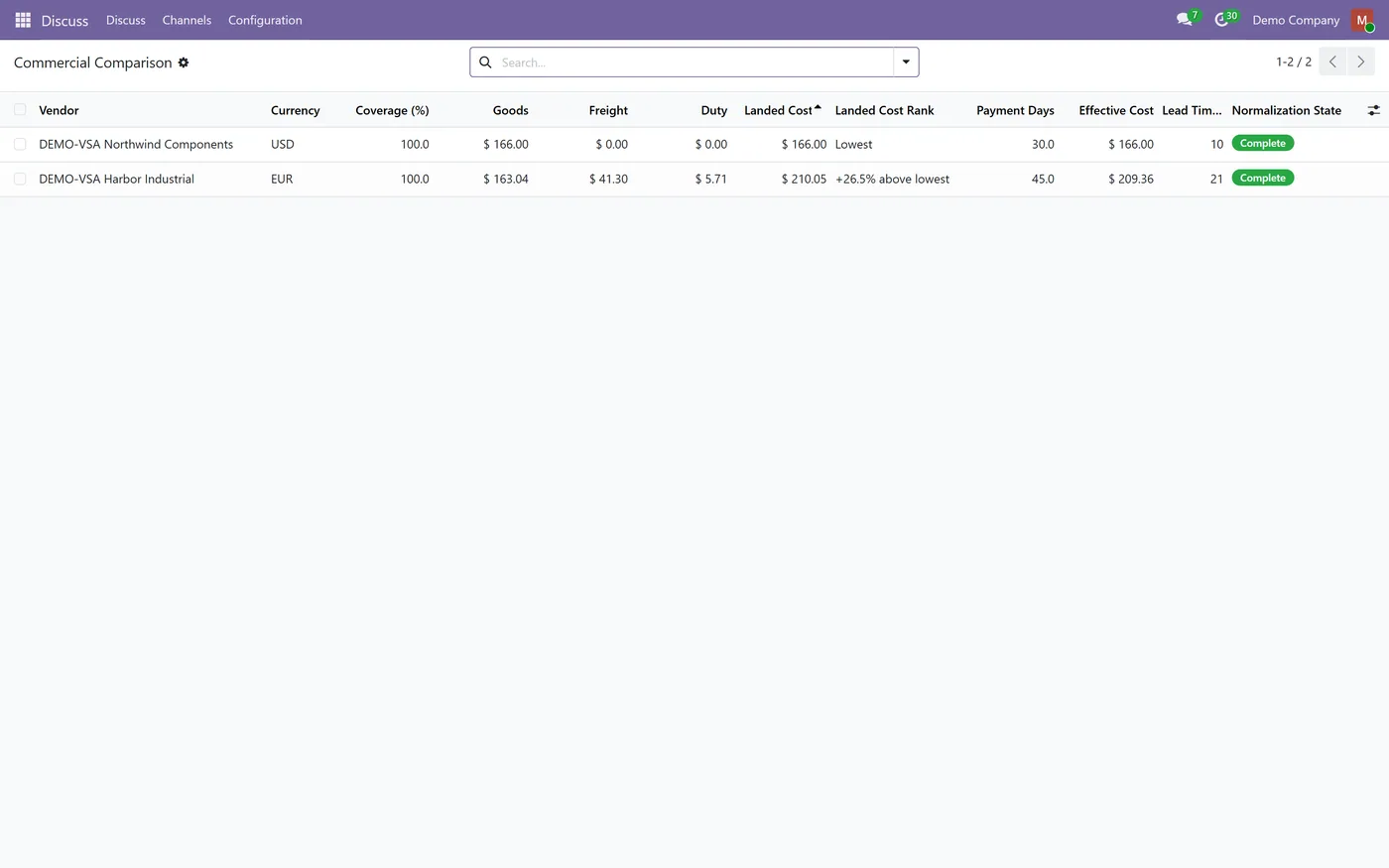
Supplier Quotation Intake extends Vendor Sourcing and RFQ Portal for the quotations that never come through the portal. A supplier sends a spreadsheet, a PDF or an email, and the document becomes an intake record. It is read, matched to the requisition and the supplier, and each offer line is matched to the requested item with its unit, pack size, minimum quantity and price. Anything uncertain becomes a typed exception with a severity and a clear reason: a revised quotation, a price that would be rounded, an item nobody asked for, a file received twice, a supplier who was not invited. A buyer fixes the data or accepts the exception with a written reason, marks the intake as reviewed and imports it into the existing Vendor Sourcing quotation. Every offer is then normalized with plain, stored arithmetic: the requested unit, the currency at a stated rate date, freight allocated by a chosen basis, duties you configured and the value of longer payment terms at your own cost of capital. The commercial comparison ranks offers by landed cost and shows how every figure was calculated. Awards stay in the Vendor Sourcing award wizard and are always made by a person.
New to Odoo Purchase? Read our practical guide to how it works
How it works
Built around what you actually do.
Every screen below is the module running in Odoo, not a mockup.
01
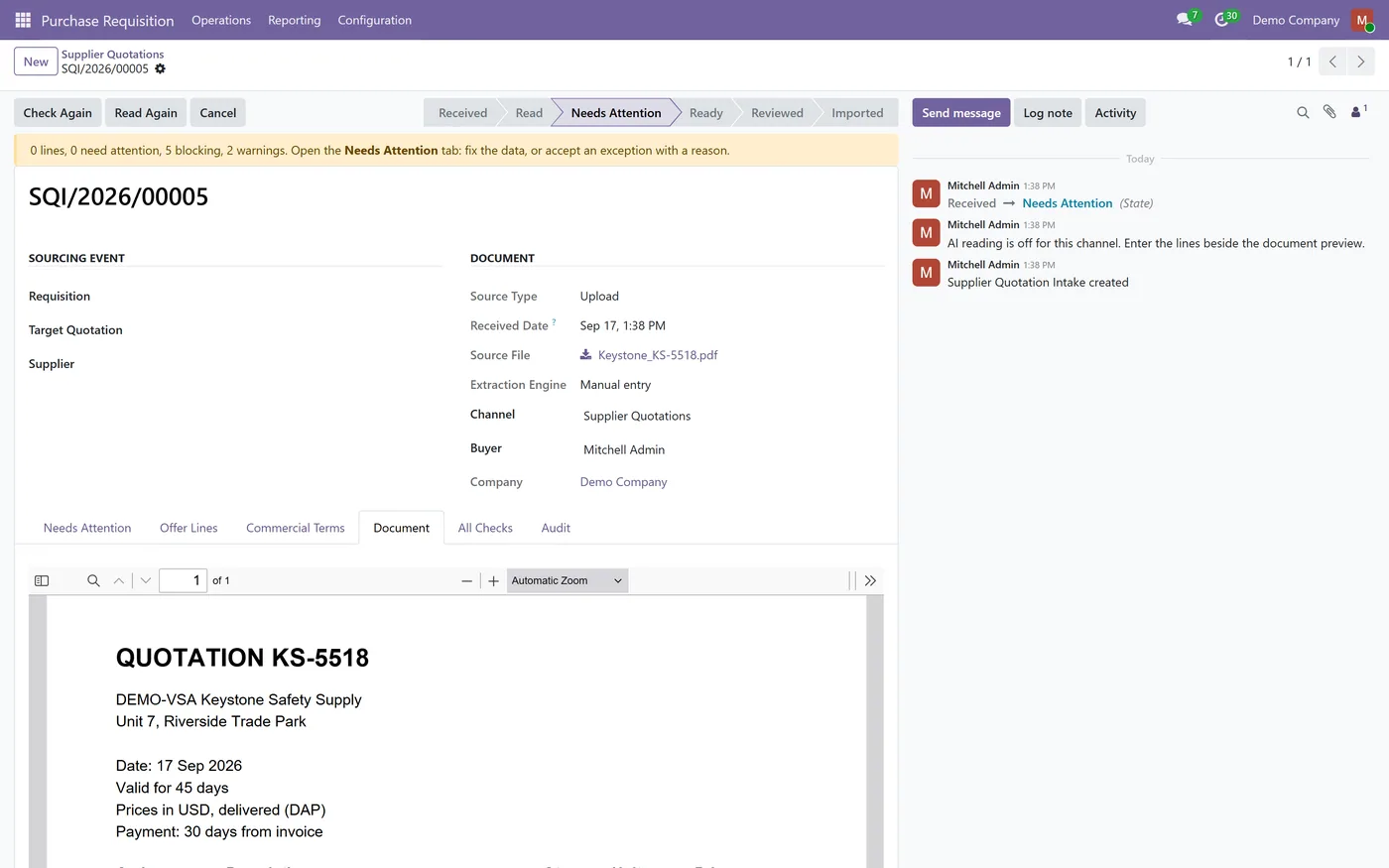
Supplier quotations from spreadsheet upload (CSV, XLS, XLSX, ODS), PDF and image upload, an email alias per channel or manual entry
- Requisition and supplier identified from the document, with the method used shown on every intake
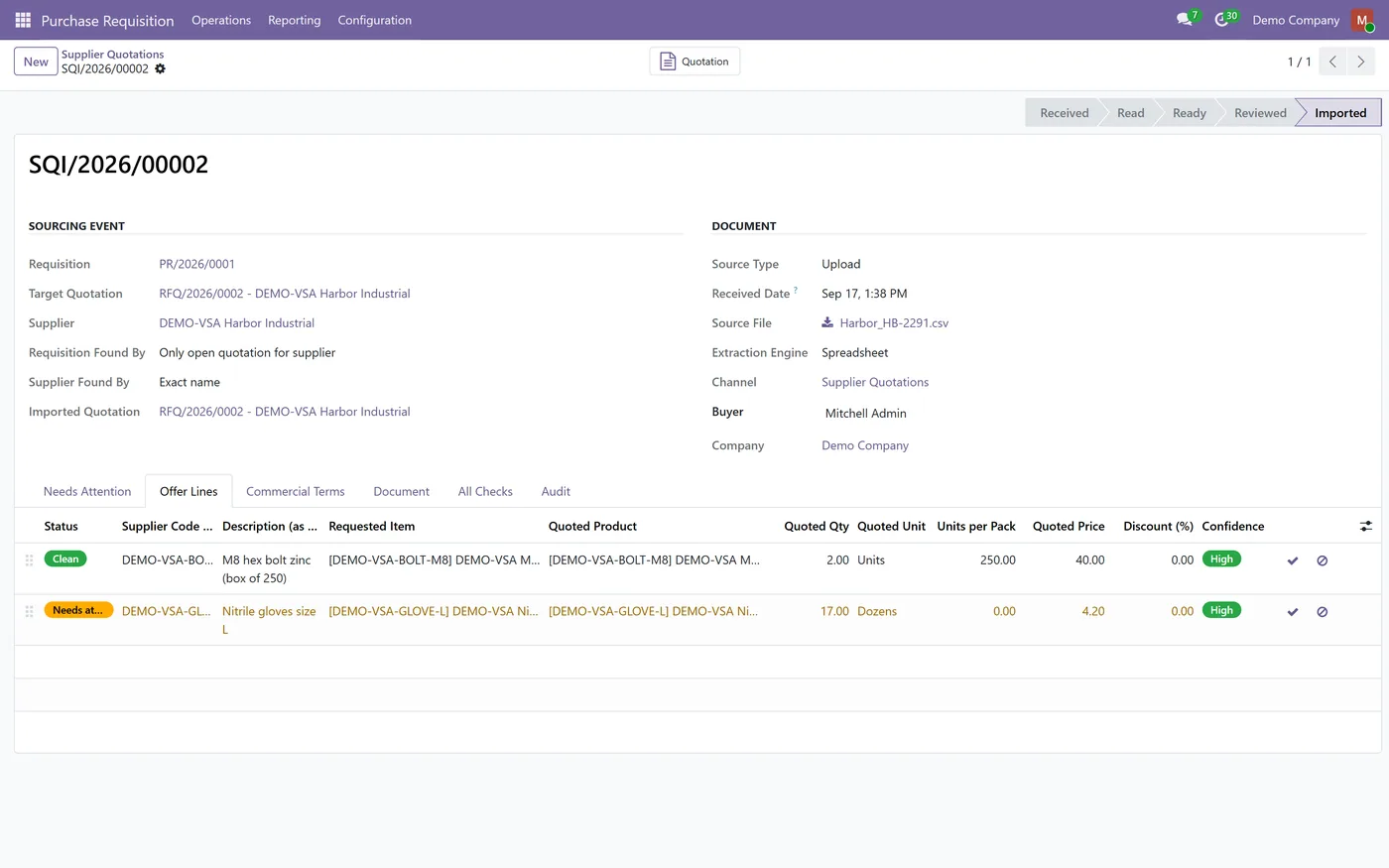
- Offer lines matched to requested items by vendor product code, learned supplier codes, internal reference, barcode, learned manufacturer part numbers and exact name
- Units, packs, dozens and minimum order quantities converted to the requested unit before any price is compared
02
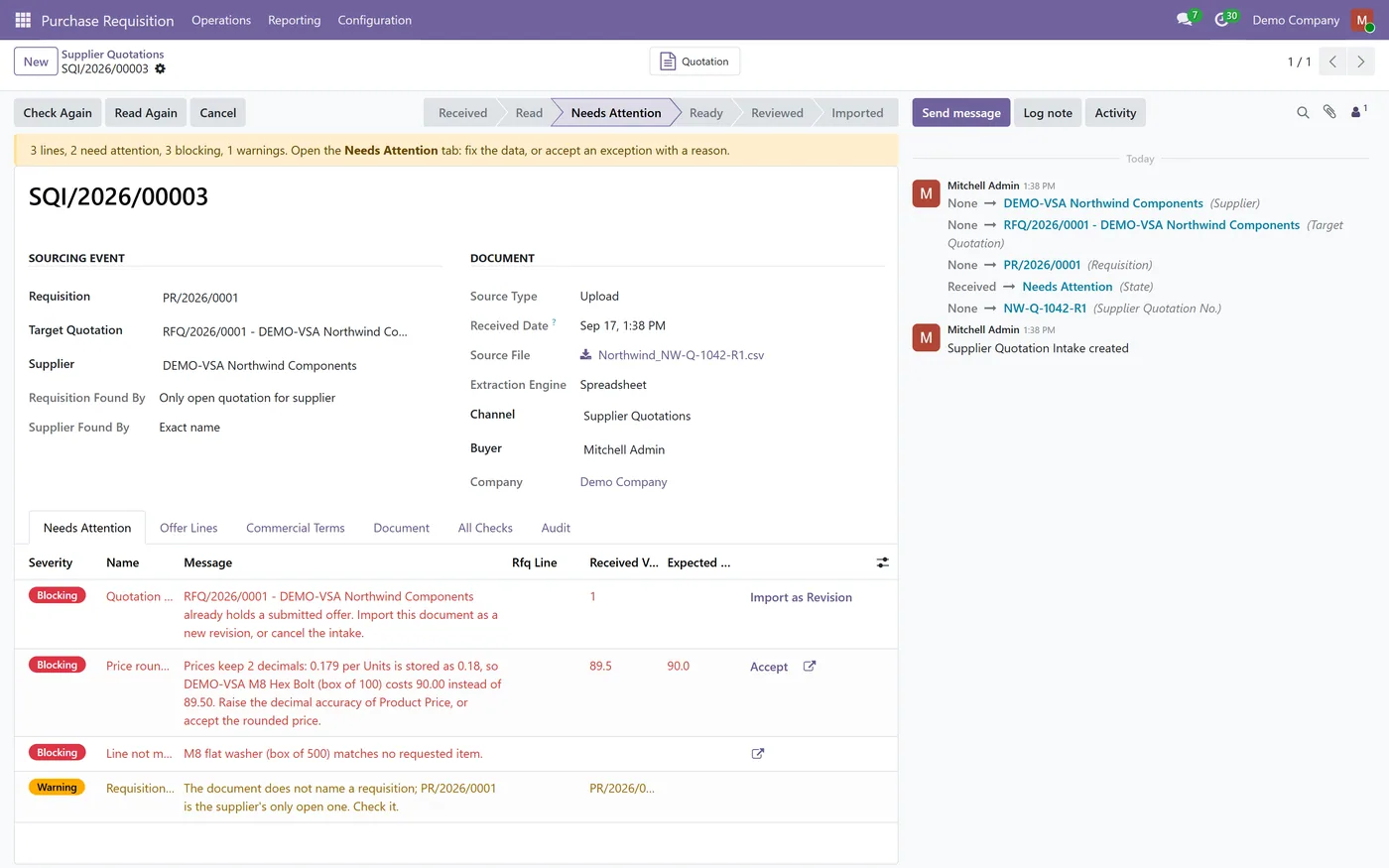
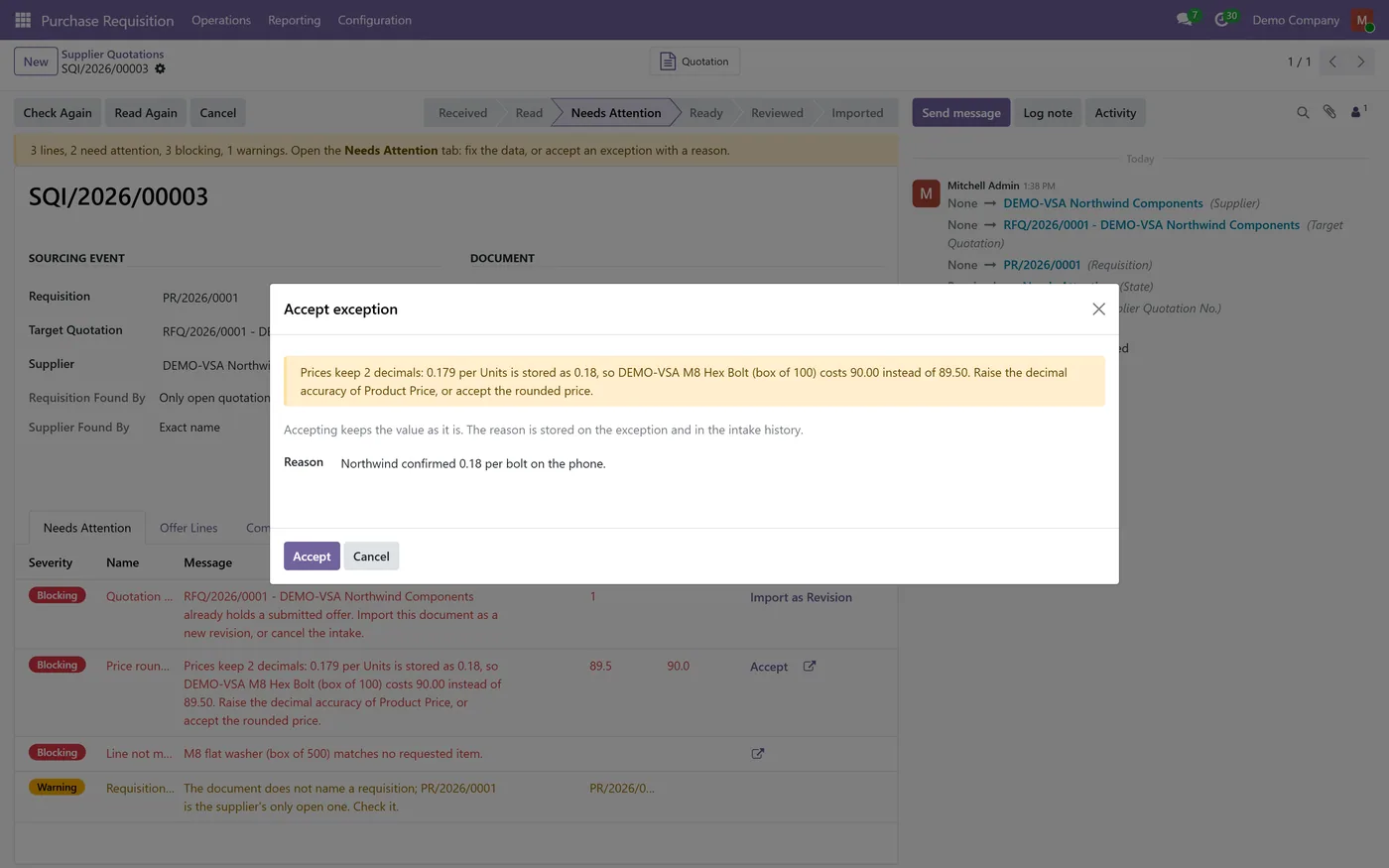
Typed exceptions for revised quotes, duplicate files, supplier mismatch, rounded prices, unmatched lines, missing currency, freight and validity
- Accepting an exception needs a written reason, and override rights are set per exception type
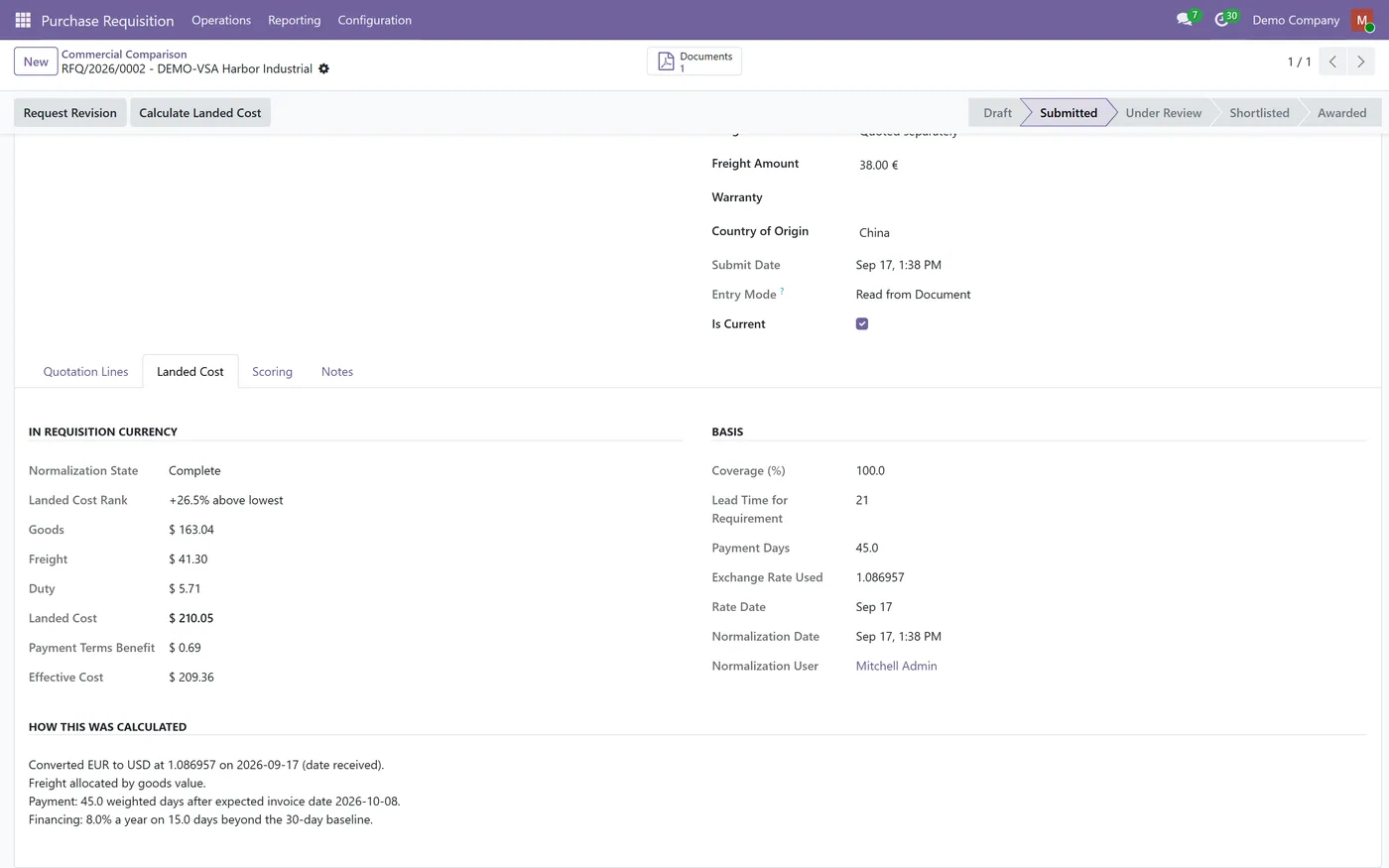
- Landed cost per offer in the requisition currency, with exchange rate, freight basis, duties and payment-terms benefit written out
- Commercial comparison ranked by landed cost, with a tie tolerance, payment days and lead time
03
Landed cost and effective cost as automatic scoring criteria beside your manual criteria
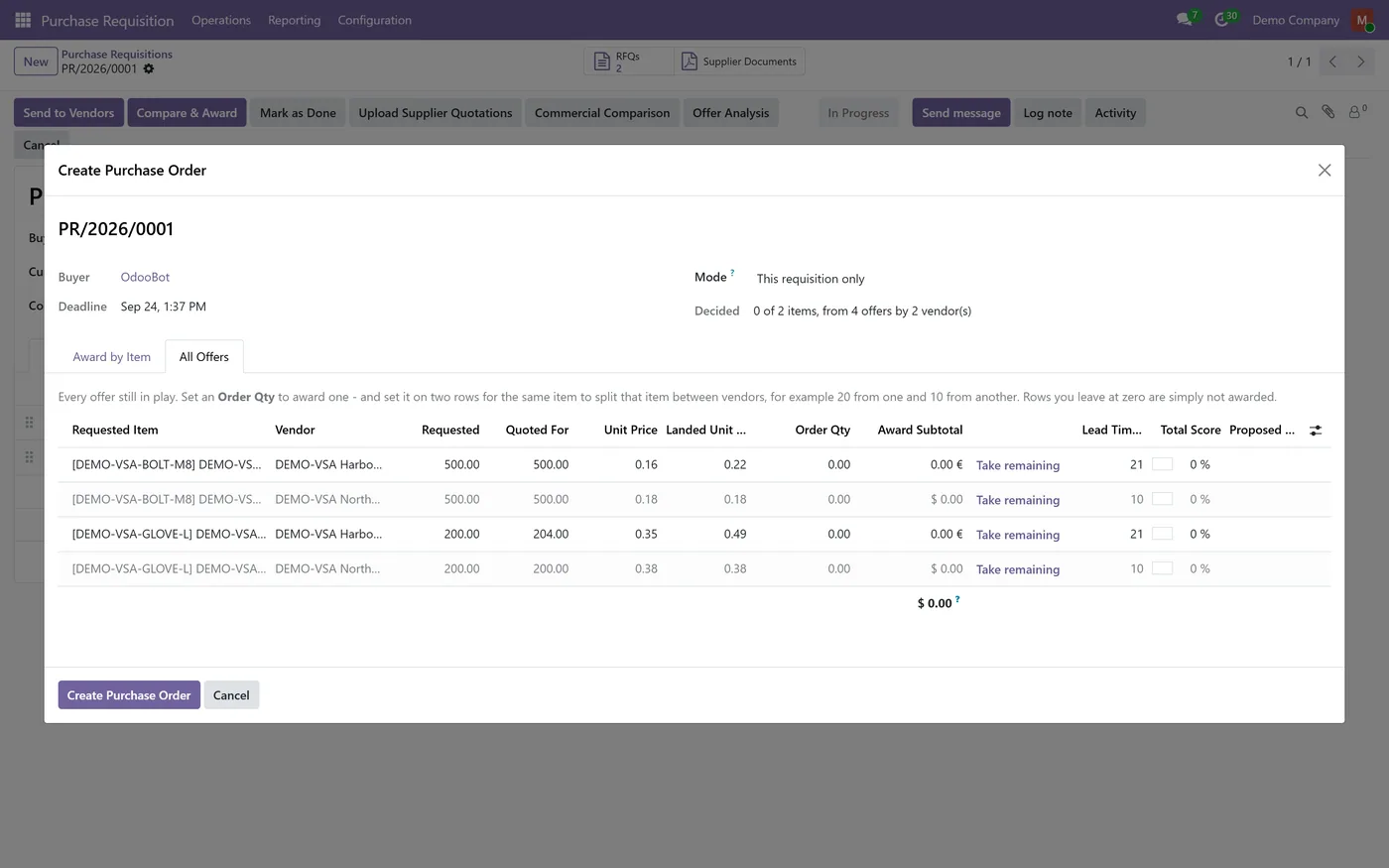
- Landed unit cost shown beside the quoted price in the existing award wizard, with no automatic award
- Optional AI reading of PDFs and images through the free Supplier Quotation AI Reader bridge, plus AI Document OCR
- Buyer and manager access, multi-company rules
Every screen
The whole module, screen by screen.
The captures the walkthrough above did not use, in the order you meet them in the product.
What it does
Most supplier quotations still arrive as a spreadsheet or a PDF, in the supplier's own units and currency. Someone retypes them, converts boxes to units and compares unit prices that are not really comparable. Supplier Quotation Intake reads the quotation into your Vendor Sourcing requisition, stops only on the lines that need a decision, and compares offers on landed cost with every figure explained.
Who it's for
Purchasing teams that run requisitions in Vendor Sourcing and RFQ Portal, receive supplier offers by email in many formats and currencies, and need a comparison they can defend.
Questions
About Supplier Quotation Intake.
How do I import a supplier quotation into an Odoo RFQ comparison?
Open the requisition and click Upload Supplier Quotations, or send the file to the channel's email alias. The document becomes an intake. Resolve anything under Needs Attention, mark it reviewed and click Import. The offer lands on the supplier's Vendor Sourcing quotation.
Does it choose the supplier for me?
No. It calculates, ranks and explains. The award is made by a person in the Vendor Sourcing award wizard, where the landed unit cost is shown beside the quoted price.
How is landed cost calculated?
Goods at the requested unit, converted to the requisition currency at a stated rate date, plus freight allocated by goods value, quantity or weight, plus the duties you configured when the incoterm leaves them to you. Every step is written on the offer's Landed Cost tab.
Do I need AI to use it?
No. Spreadsheets and email tables are read without AI, and PDFs can be entered beside the document preview. AI reading of PDFs and images is optional and needs the free Supplier Quotation AI Reader bridge, plus AI Document OCR.
What happens when a supplier sends a revised quotation?
It is flagged as a revision of the offer already submitted. The buyer imports it as a new revision, and the earlier offer stays in the Vendor Sourcing revision history.
Why does it warn that a price was rounded?
A pack price such as 18.50 for 100 bolts is 0.185 each. If Product Price keeps 2 decimals, Odoo stores 0.19 and the order total grows. The exception shows both totals so you can raise the decimal accuracy or accept the rounding.
Does it change how Vendor Sourcing works?
No. Quotations, revisions, split awards and purchase order creation are Vendor Sourcing's own. This module adds the intake, the checks and the landed cost figures around them.
On the Odoo Store
Get Supplier Quotation Intake on the Odoo Store.
Pick your Odoo version and install it in a click, with free updates and real support behind it.
Get it on the Odoo StoreReady to make Odoo work the way your business does?
Book a free call CODEerts
CODEerts is a team of certified Odoo partners and full-stack engineers. We implement, customise and support Odoo ERP, then build the software around it.

