 CODEerts
eCommerce app for Odoo
AI 3D Model Generator
Describe a product in plain words and get a configurable 3D model. Your own Claude, OpenAI or Gemini key returns the parts, Odoo builds the .glb and wires every part to your product attributes.
Overview
AI 3D Model Generator.
AI 3D Model Generator is an add-on for the CODEerts 3D Product Configurator that turns a written product description into a ready-to-sell 3D model. You type what the product is, its size, its main parts and their materials. Your own AI key, from Anthropic Claude, OpenAI, Google Gemini or any OpenAI-compatible endpoint, returns a structured parts list, and Odoo checks it and builds the .glb file itself. The parts and materials are named after your product attributes, so the configurator recolours the right part for every option the moment the model is applied. Refine the model in plain words, preview it in 3D in the backend, keep every version, and switch back to an older one or to your own uploaded .glb at any time. Requests go straight from your Odoo server to the provider you choose, and the API key is readable only by Settings administrators.
New to Odoo eCommerce? Read our practical guide to how it works
How it works
Built around what you actually do.
Every screen below is the module running in Odoo, not a mockup.
01
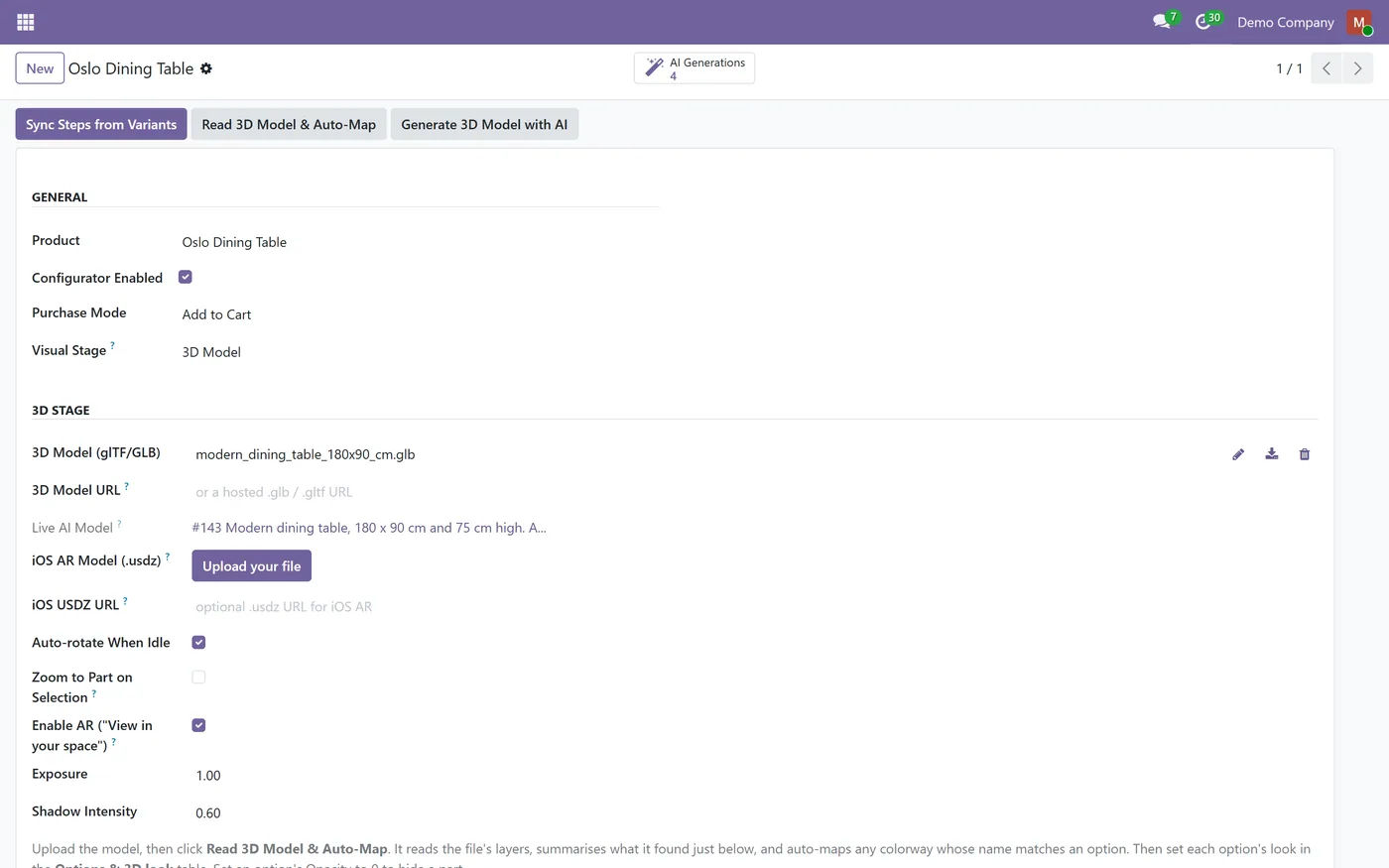
Generate a 3D model of a product from a written description
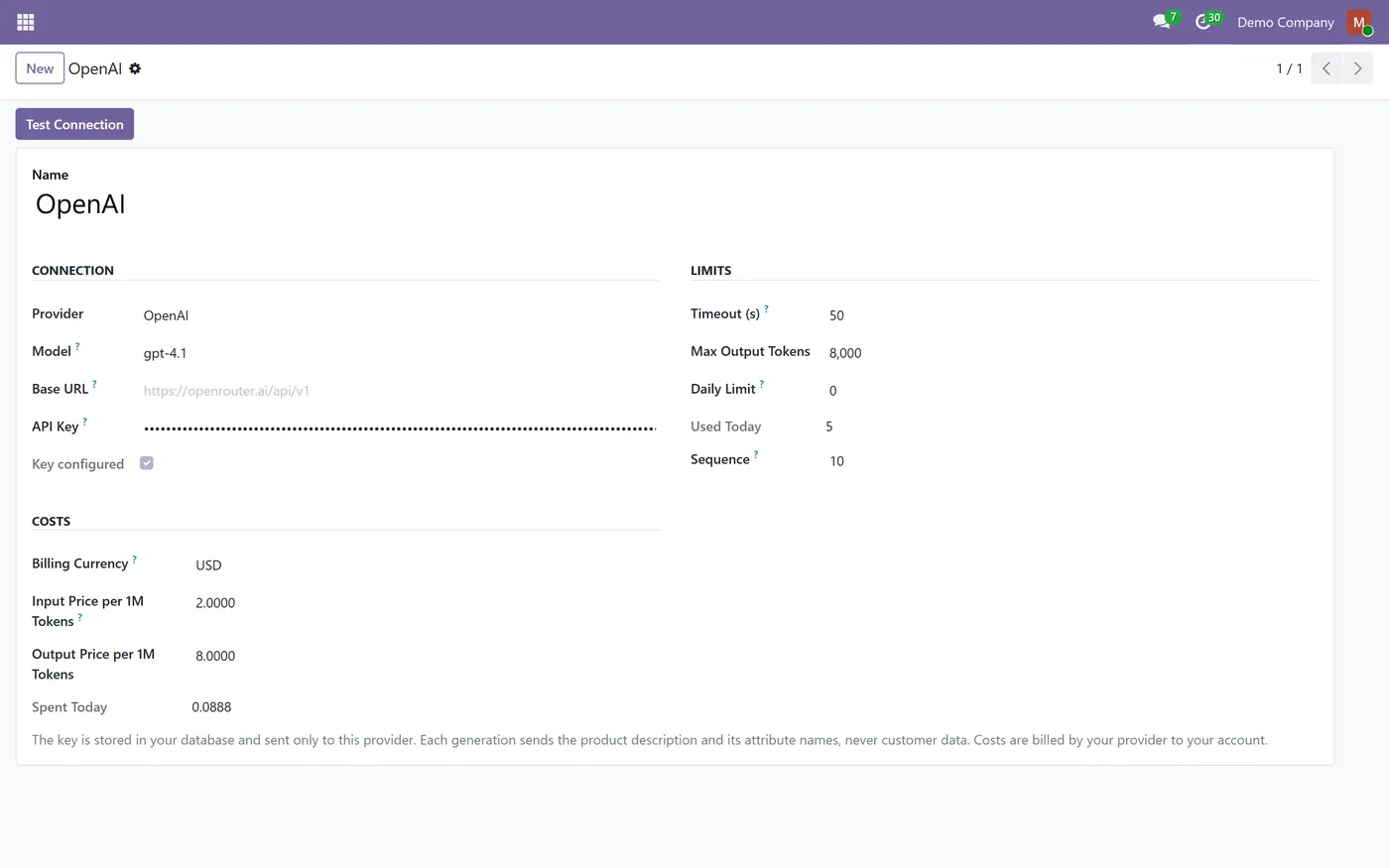
- Bring your own key for Anthropic Claude, OpenAI, Google Gemini or any OpenAI-compatible endpoint
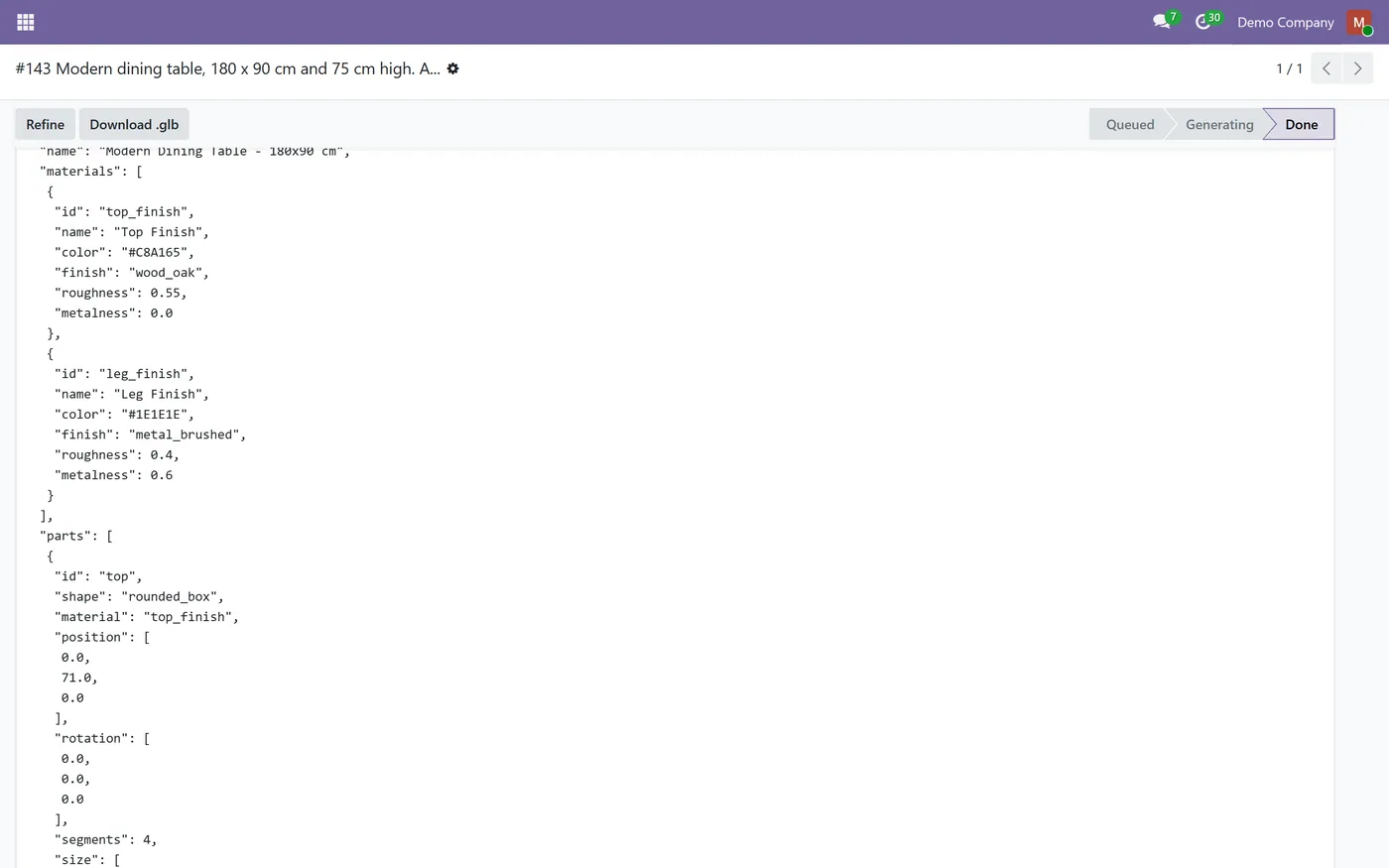
- The .glb is built inside Odoo from a validated parts list, not downloaded from a third party
- Parts and materials are named after your product attributes, so options recolour the right part
- Each attribute value gets its colour, and a part can be shown or hidden per option
02
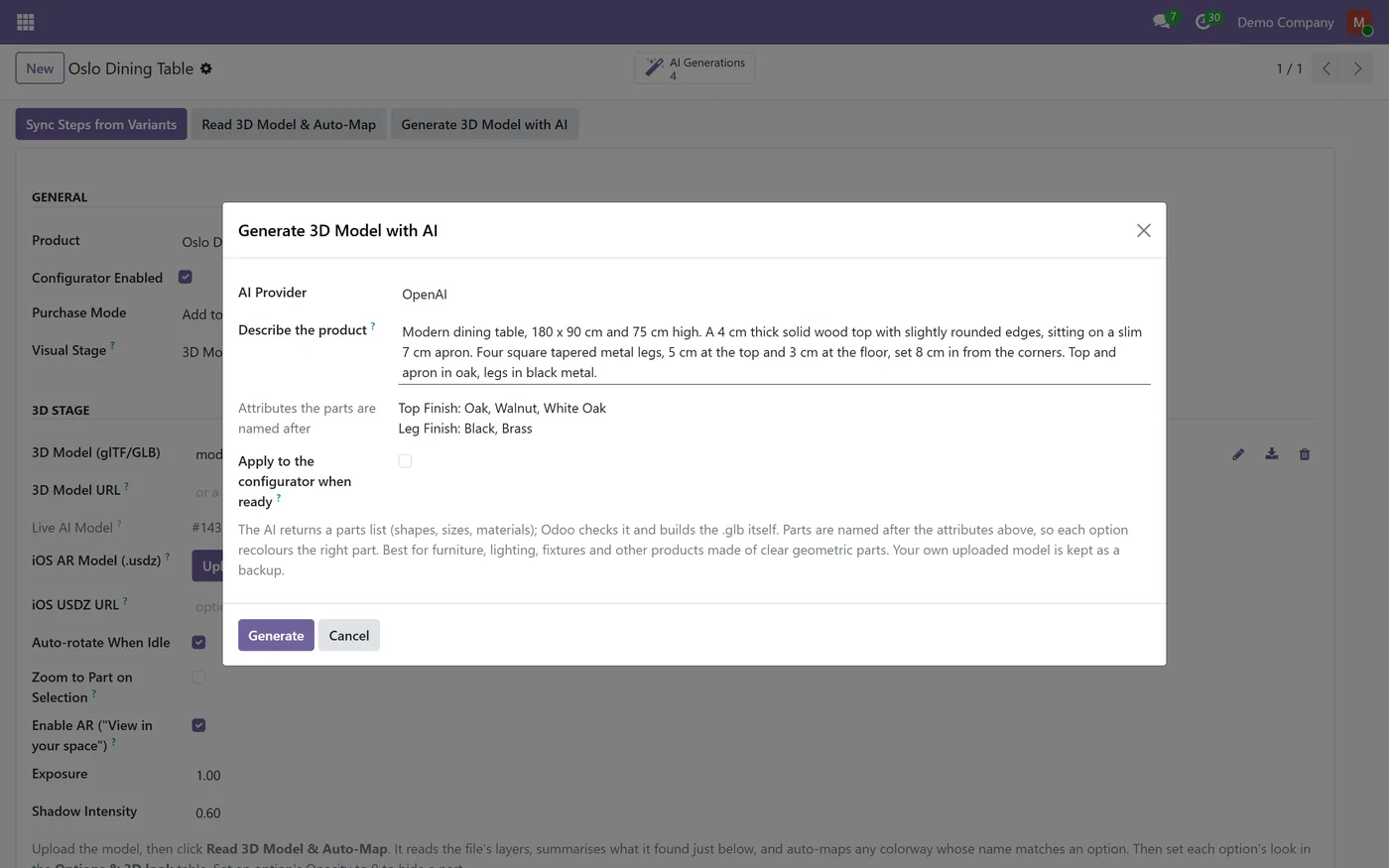
Refine a model in plain words and keep every version
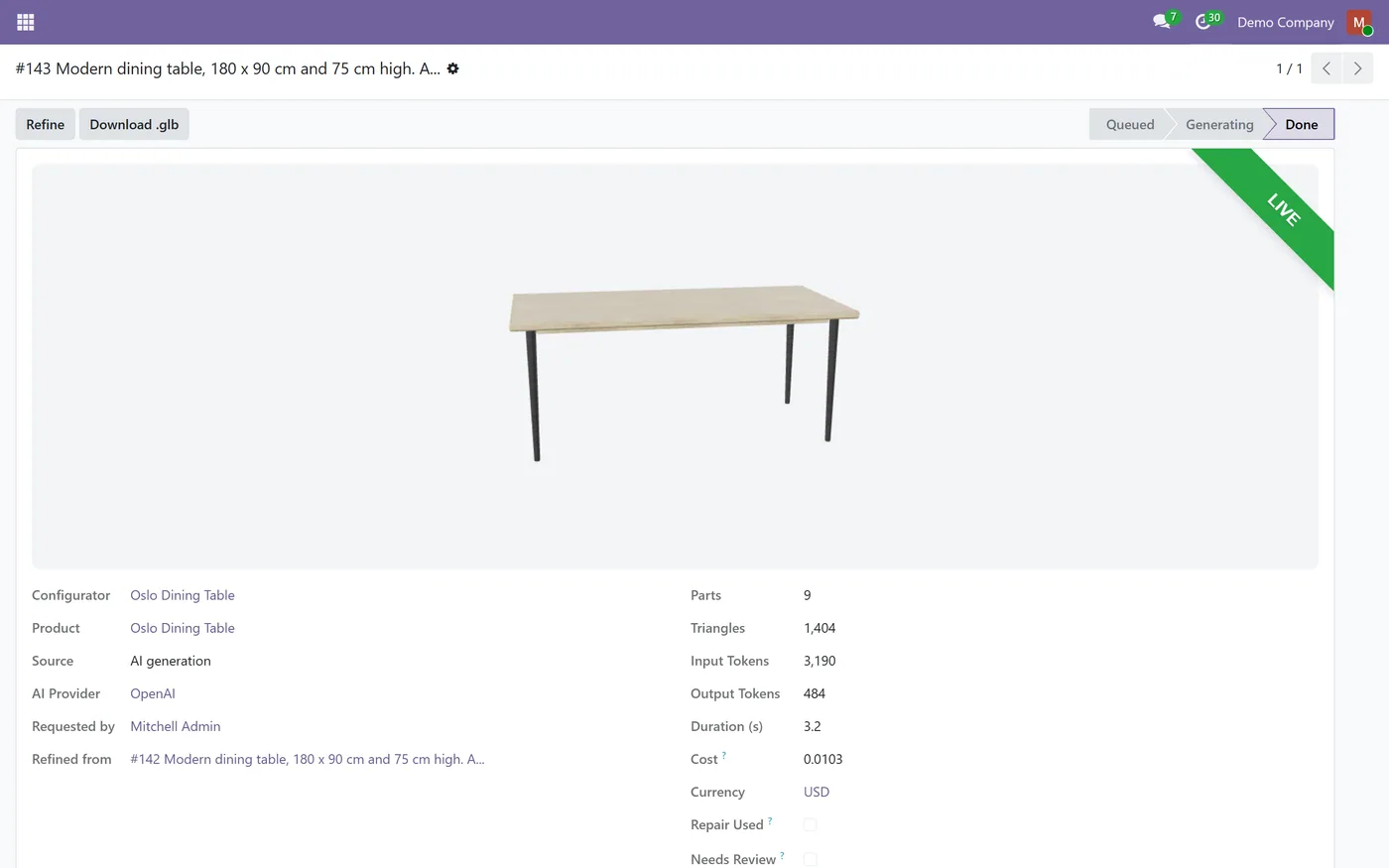
- Live 3D preview of each generation in the backend
- Preview first and apply with one click, or let clean models apply automatically when ready
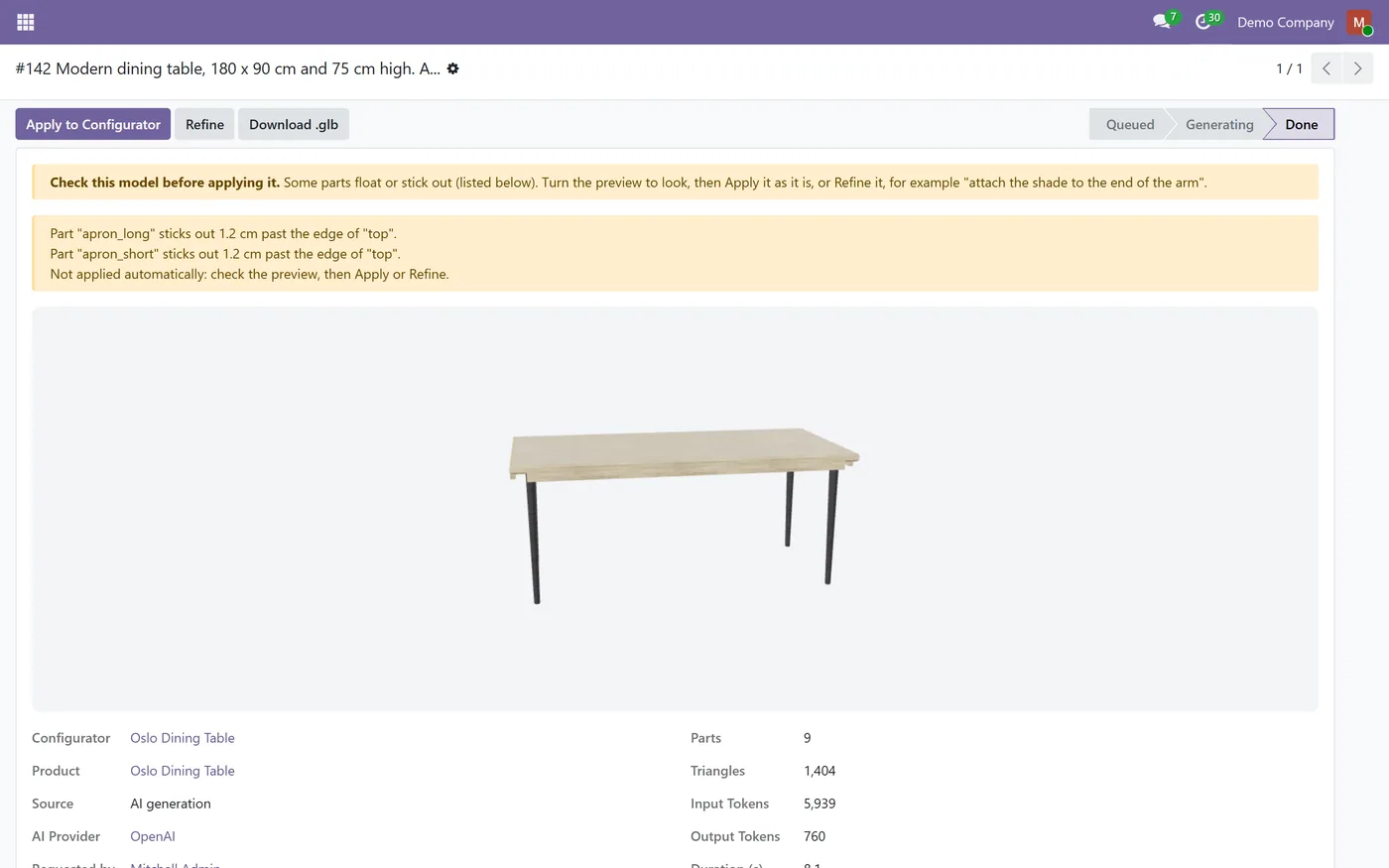
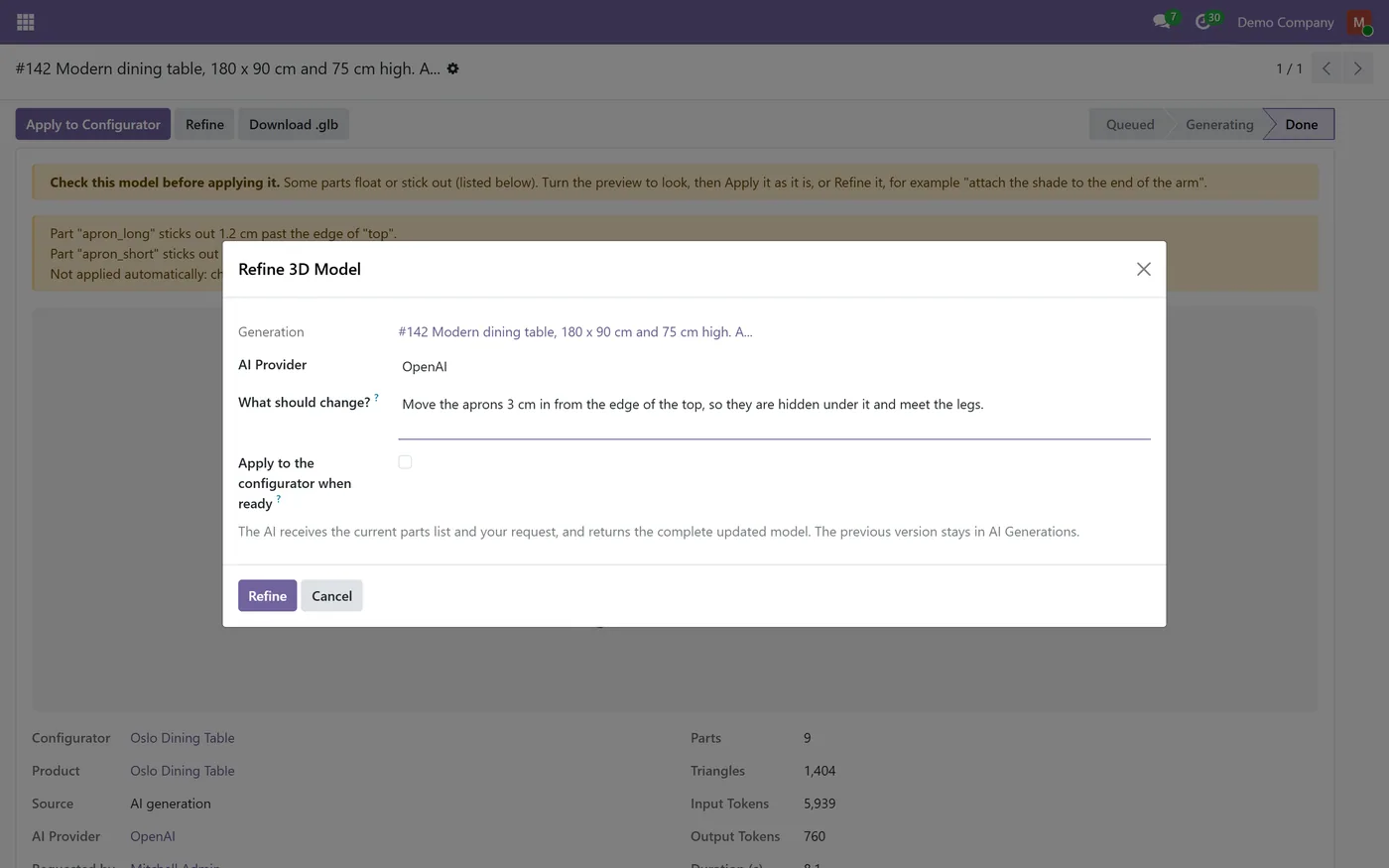
- Parts check flags a part that floats or sticks out, asks the AI to fix it, and holds the model for review
- Smooth curves for arcs and bent frames, such as arc lamps and cantilever chairs
03
Your own uploaded .glb keeps working and is saved as a backup before an AI model replaces it
- Built-in finishes for oak, walnut, linen, velvet, leather, brushed metal, matte plastic and glass
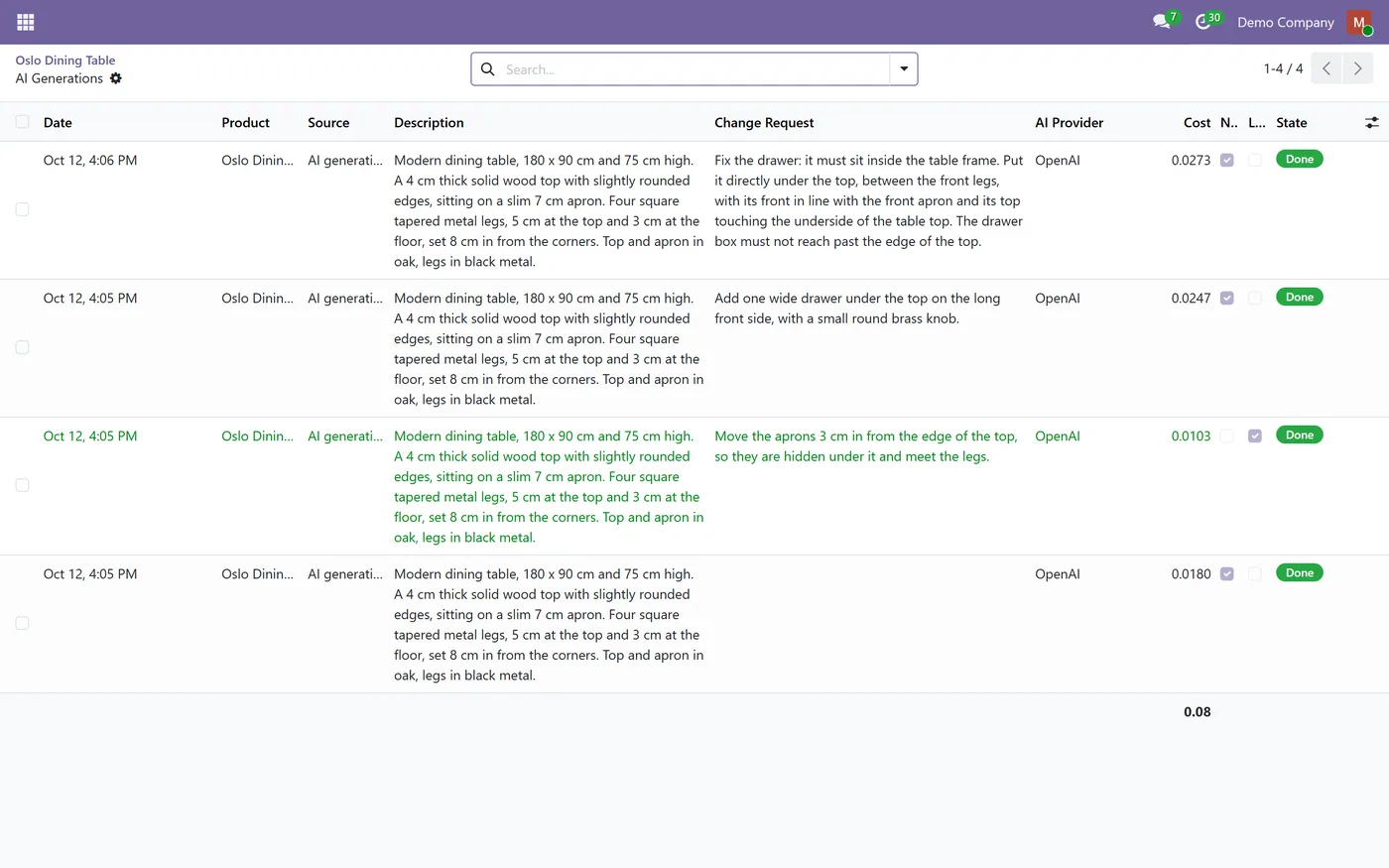
- Cost of every generation from your provider's token prices, with a running total and Spent Today
- Daily generation limit per provider to control AI spend
- API key readable only by Settings administrators, and never shown to configurator managers
Every screen
The whole module, screen by screen.
The captures the walkthrough above did not use, in the order you meet them in the product.
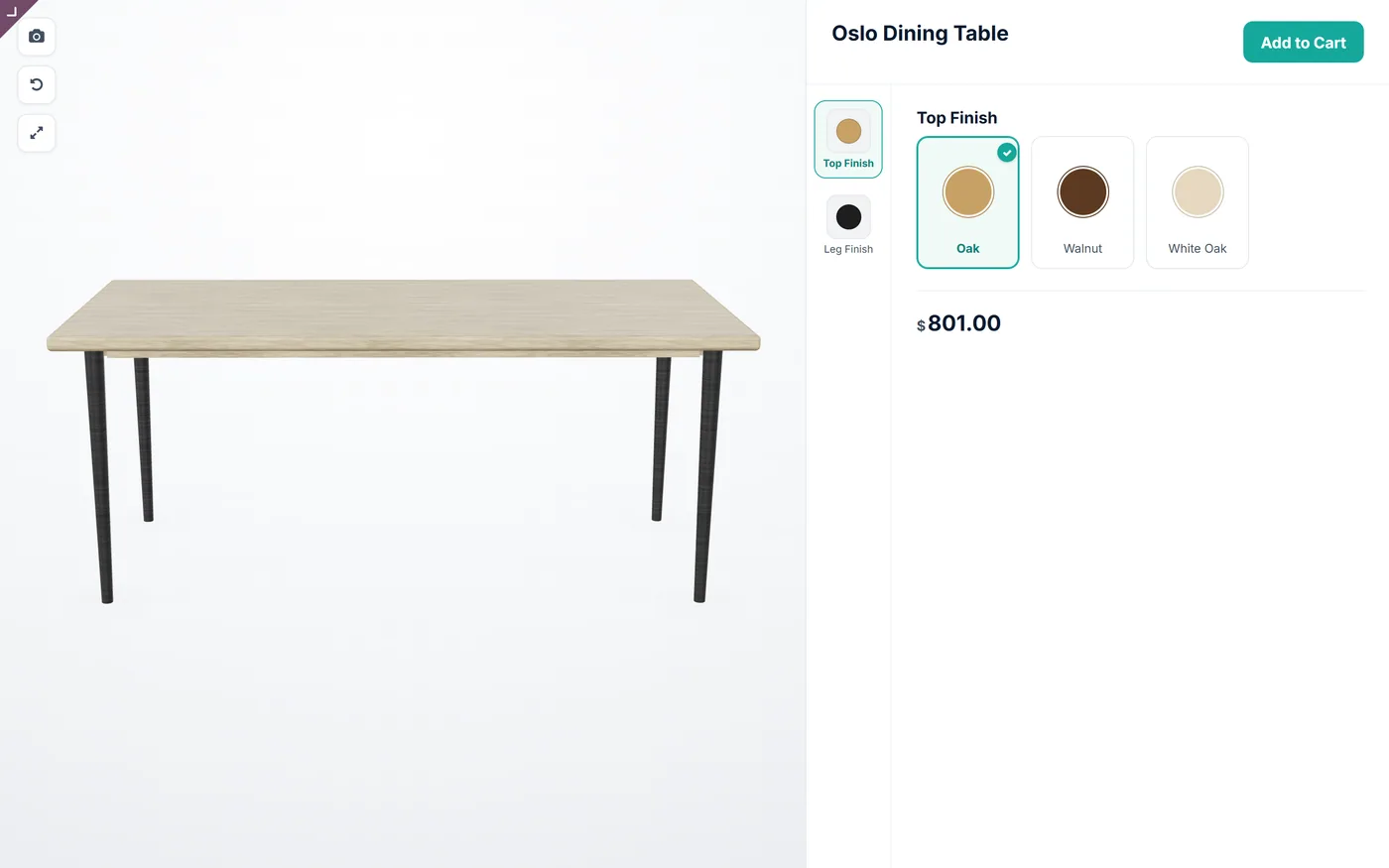
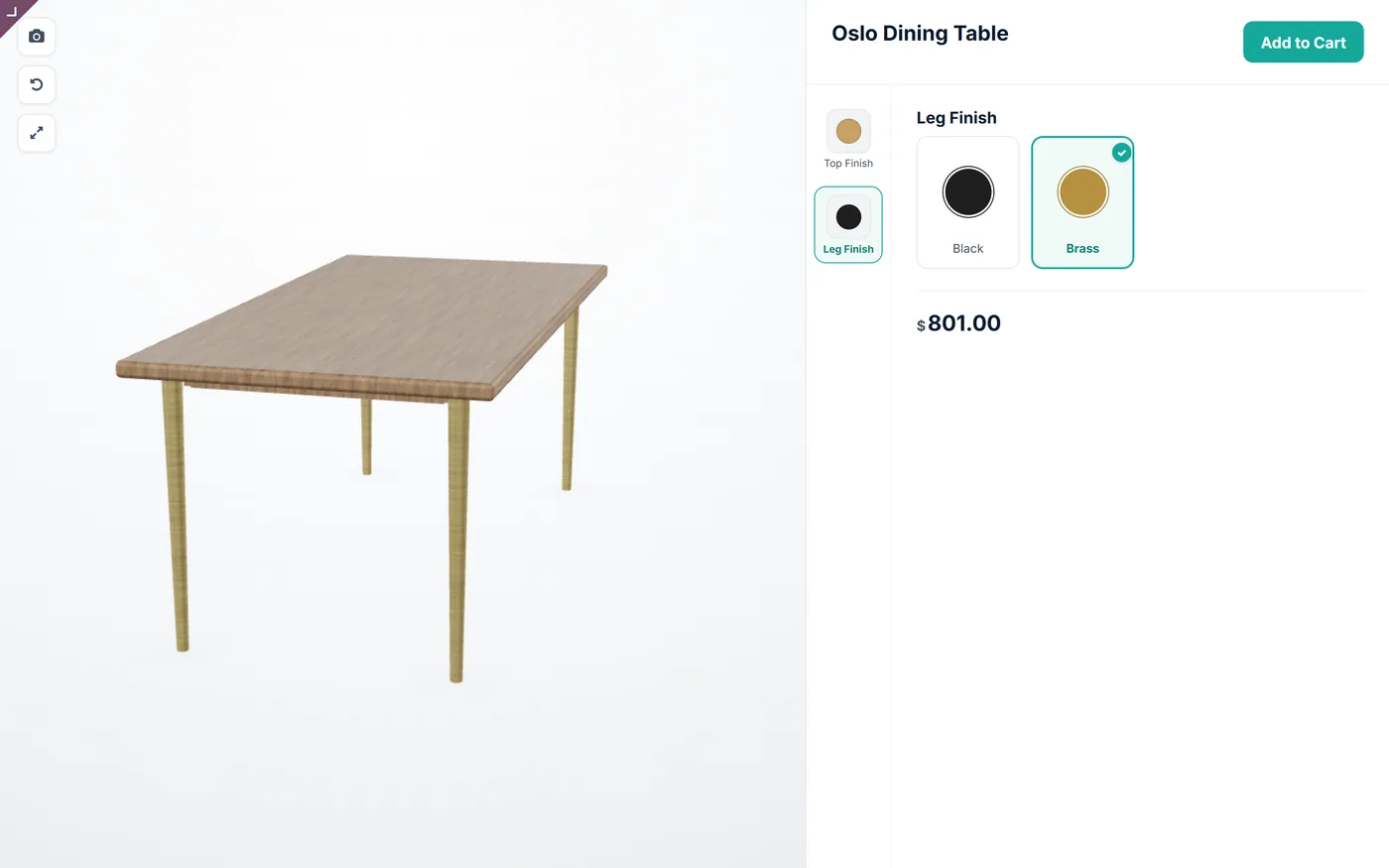
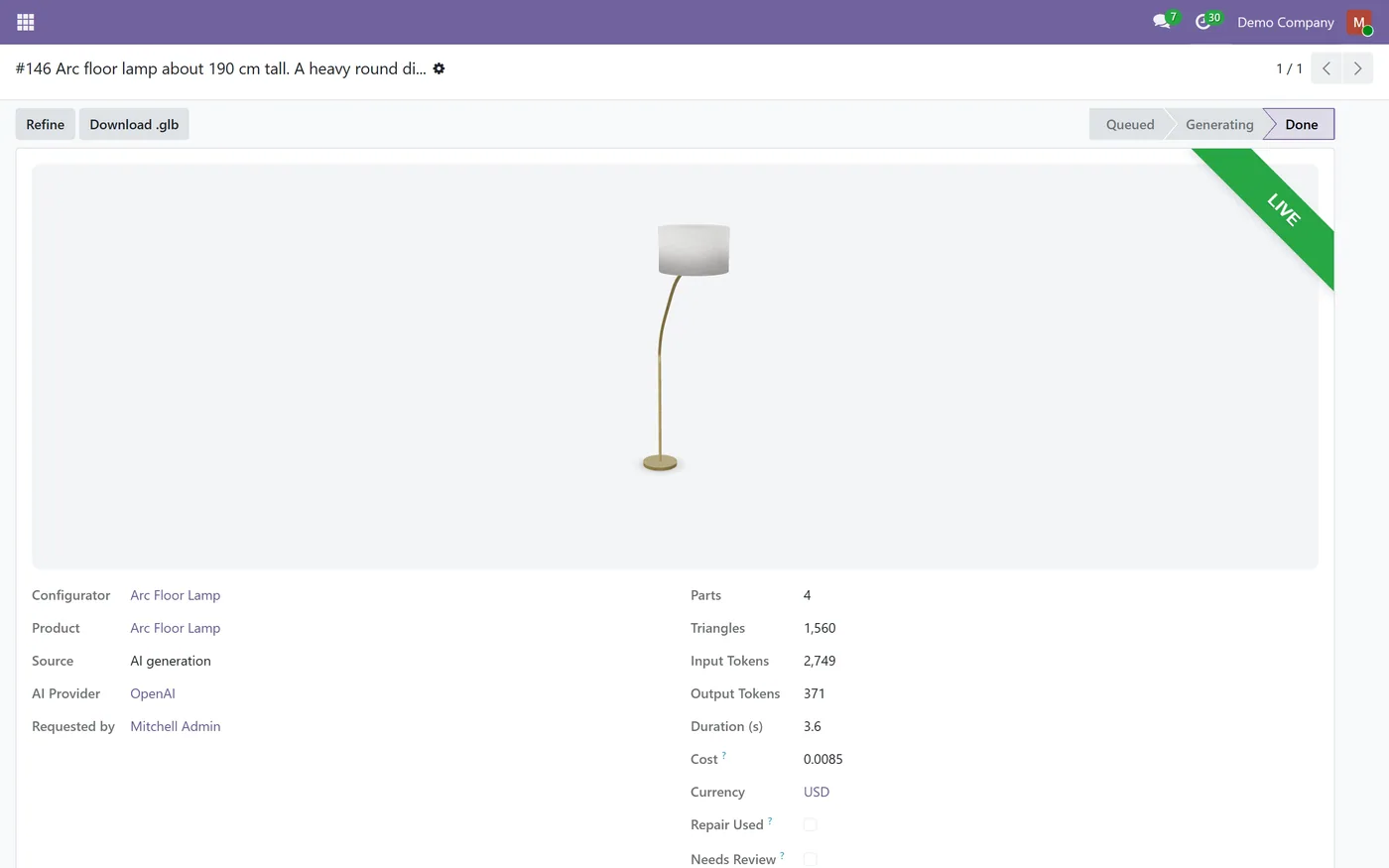
AI 3D Model Generator removes the hardest step of selling a configurable product in 3D: getting the model. Instead of commissioning a 3D artist for every product, you describe the product in a few sentences and your own AI key does the rest, inside Odoo, wired to the options you already sell.
What it does
From a product's 3D configurator settings you press Generate 3D Model with AI and write what the product is: its type, overall size, main parts and their materials. The request runs in the background and goes straight from your Odoo server to the AI provider you configured, Anthropic Claude, OpenAI, Google Gemini or any OpenAI-compatible endpoint. The provider returns a structured parts list, Odoo checks it and builds the .glb file itself, with built-in finishes such as oak, linen, leather, brushed metal and glass. A parts check catches the two mistakes AI models make most, a part floating in the air and a part sticking out past a table top, asks the AI to fix them, and holds any model that still has one for your review instead of putting it live.
Because the parts and materials are named after your product attributes, applying the model maps the configurator steps automatically and gives each attribute value its colour, so a shopper picking Walnut or Brass sees the right part change at once. You preview every generation in 3D in the backend, refine it in plain words such as make the legs thinner or add a drawer, and keep every version. Your own uploaded .glb keeps working, and it is saved as a backup the first time an AI model replaces it.
Who it's for
Stores already using the CODEerts 3D Product Configurator that want 3D models for more of their catalogue without a 3D designer: furniture, lighting, shelving, beds, planters, boxes, frames and other products made of clear geometric parts. It suits teams that want to keep control of their AI provider and costs, and keep product data on their own Odoo.
Questions
About AI 3D Model Generator.
How do I create a 3D model of my product in Odoo without a 3D designer?
Open the product's 3D configurator settings, press Generate 3D Model with AI and describe the product: its type, overall size in centimetres, main parts and materials. Your AI provider returns a parts list, Odoo builds the 3D model, and you preview it in 3D before one click puts it live on the product.
What if the AI gets a part wrong?
Every answer is checked for a part that floats free of the product and for a part that sticks out past the edge of the top it sits under. The AI is asked to fix them once. If a problem is still there, the generation is marked Needs Review with the problem listed, and it is never applied automatically. You check the preview, then apply it or refine it in plain words.
How much does each generation cost?
Your AI provider bills you directly for the tokens used. Enter your provider's input and output price per million tokens on the provider, and each generation shows its cost, the generations list shows the total, and the provider shows what was spent today. A daily limit per provider caps the number of generations.
Which AI providers can generate the 3D model?
Anthropic Claude, OpenAI and Google Gemini, plus any endpoint that speaks the OpenAI chat API, such as Azure OpenAI, OpenRouter, Groq or a local Ollama or vLLM server. You use your own API key and your provider bills you directly.
Do the generated parts work with the configurator options straight away?
Yes. The parts and materials are named after your product attributes, so when you apply the model the configurator steps are mapped to them and each attribute value gets its colour. Colours and transparency you set yourself on a value are kept.
Can I still upload my own GLB file?
Yes. Uploading your own .glb works exactly as before. The first time an AI model replaces an uploaded file, that file is saved as a backup, so you can switch back to it with one click.
What kind of products can the AI build?
Geometric products made of simple parts, such as furniture, lamps, shelving, tables, beds, planters, boxes and frames. Organic shapes like people, animals or detailed sculpture are out of scope, and for those you keep using your own .glb.
Is my product data sent to CODEerts?
No. Requests go straight from your Odoo server to the provider you configured. Only the instructions, your description, your change request and the product's attribute names and values are sent, never customer, order or pricing data.
Which Odoo versions does this module support?
Use the version selector at the top of this page to pick your Odoo release. Each branch is published as its own listing for that exact version.
On the Odoo Store
Get AI 3D Model Generator on the Odoo Store.
Pick your Odoo version and install it in a click, with free updates and real support behind it.
Get it on the Odoo StoreReady to make Odoo work the way your business does?
Book a free call CODEerts
CODEerts is a team of certified Odoo partners and full-stack engineers. We implement, customise and support Odoo ERP, then build the software around it.

