 CODEerts
eCommerce app for Odoo
Request a Quote for Odoo eCommerce
Turn the Add to Cart button into a Request a Quote button on your Odoo eCommerce shop. Mark any product or product category as quote only, or switch the whole website to quote only, and those products hide their price and show a Request a Quote button that creates a draft quotation in Sales and notifies your salesperson. Works for guests and logged in customers.
Overview
Request a Quote for Odoo eCommerce.
Request a Quote for eCommerce lets you sell on enquiry instead of on checkout. Flag a single product, a whole product category, or the entire website as quote only, and every matching product on the shop hides its price and replaces Add to Cart with a Request a Quote button. When a visitor submits, the module turns their cart into a draft quotation in Sales, assigns the website salesperson, schedules a follow up activity, and shows the customer a clean thank you page. It works for guests and for logged in customers, keeps the whole native checkout intact for your normal products, and needs no Enterprise app.
New to Odoo eCommerce? Read our practical guide to how it works
How it works
Built around what you actually do.
Every screen below is the module running in Odoo, not a mockup.
01
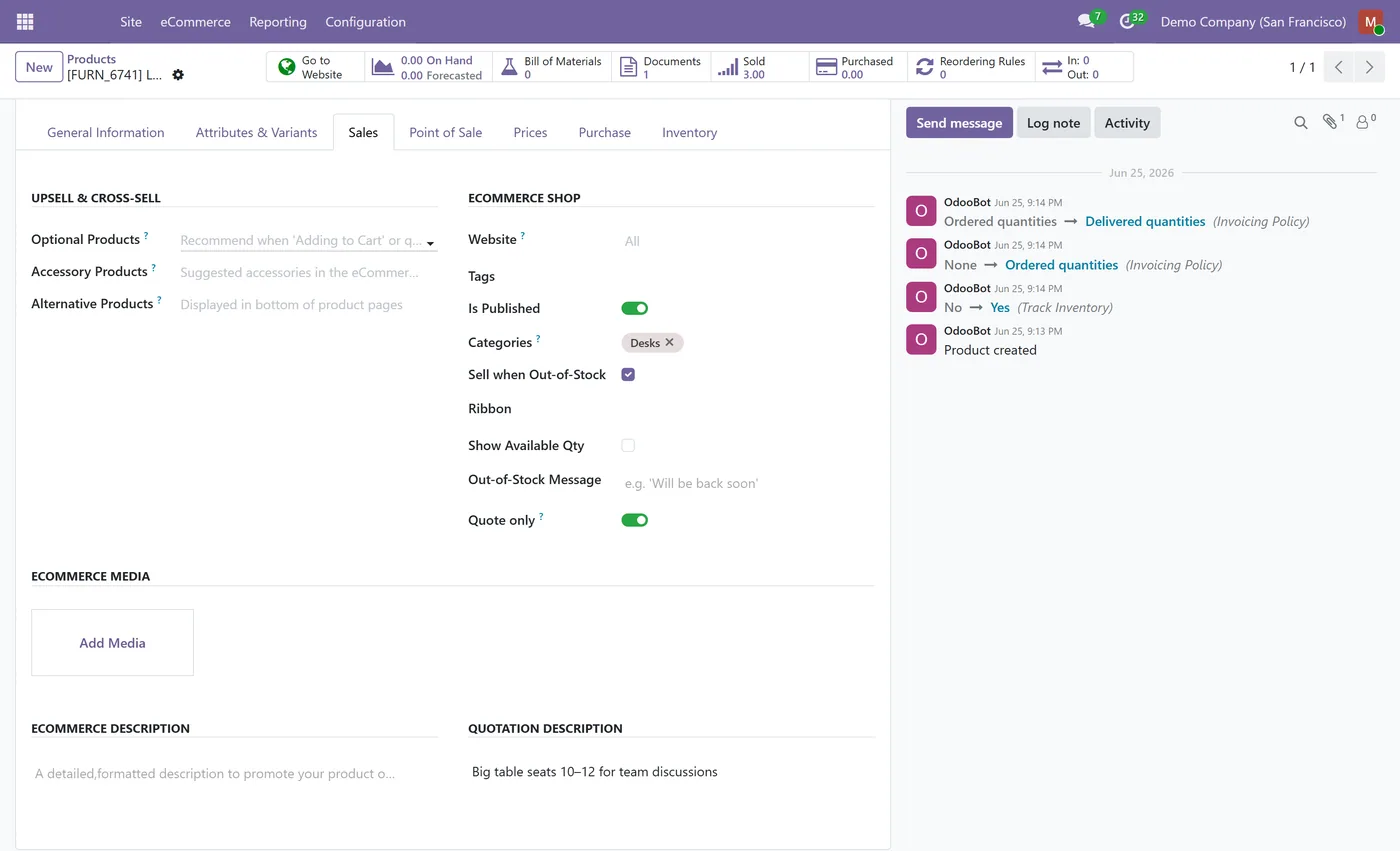
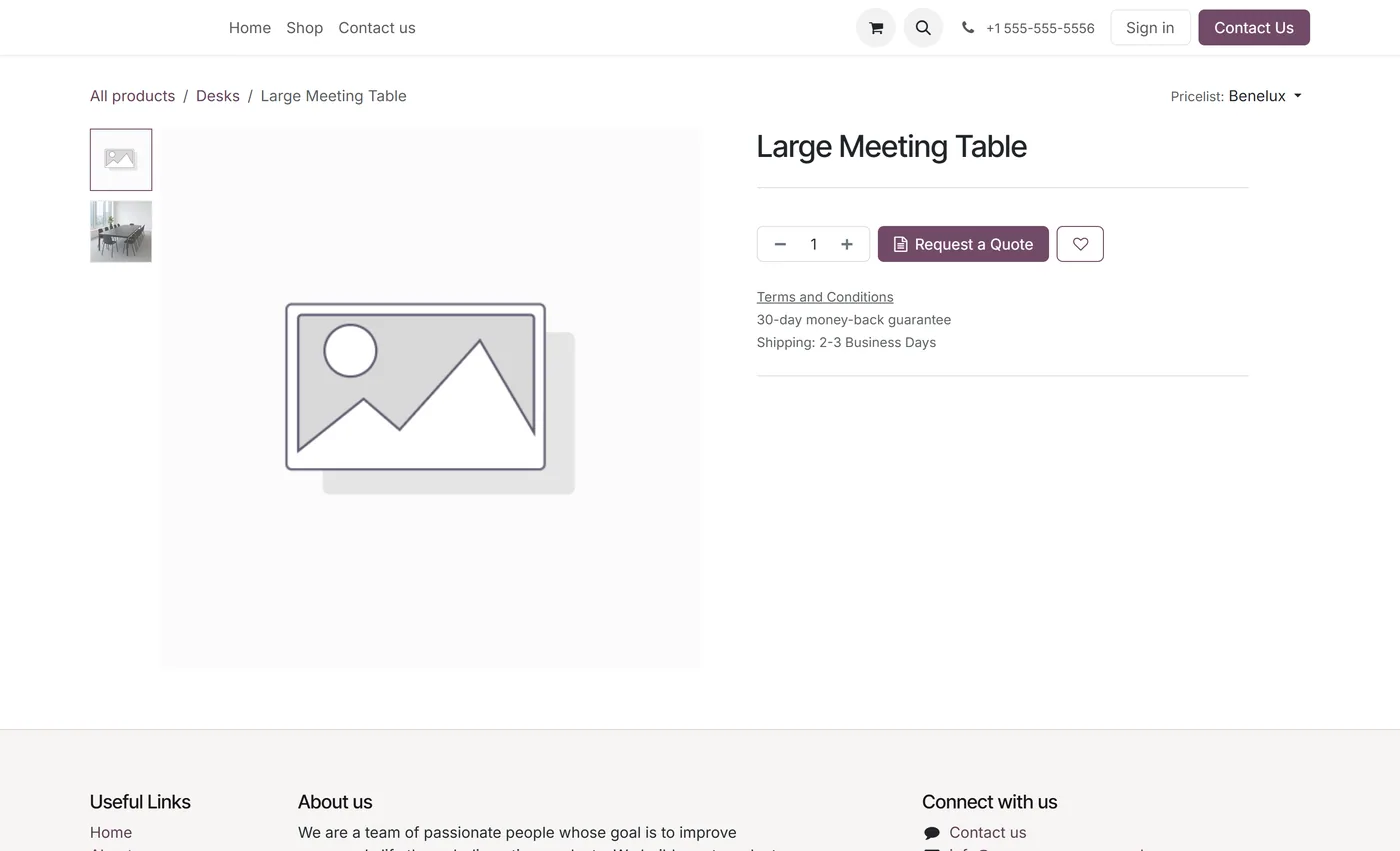
Replace Add to Cart with a Request a Quote button on any product you choose
- Mark a single product as quote only from its product form
- Mark a whole product category as quote only so every product in it follows
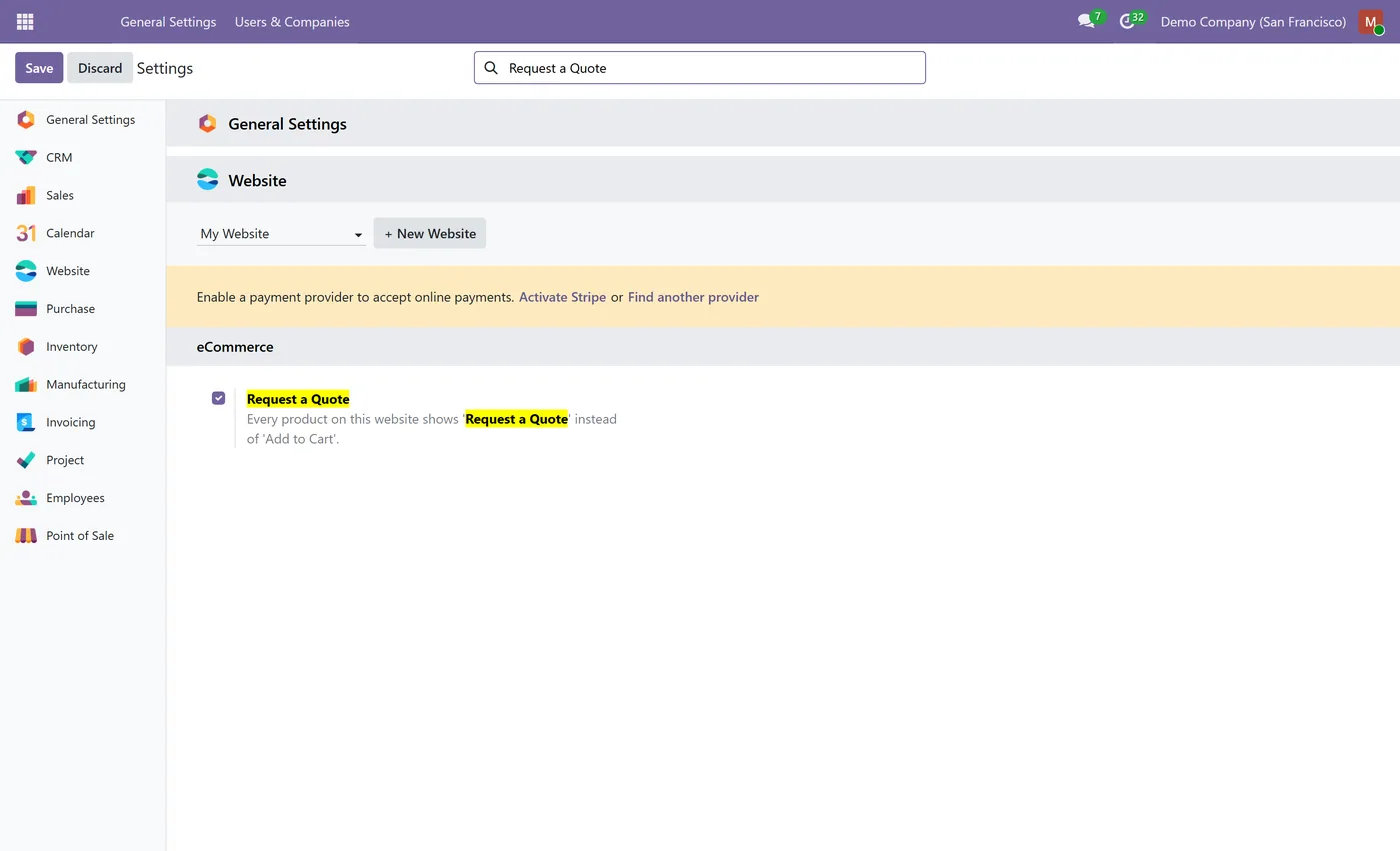
- Switch the entire website to quote only with one setting
02
Hide the price on quote only products, both on the shop grid and the product page
- A submitted request becomes a draft quotation in Sales, ready for your salesperson
- The website salesperson is assigned and gets a follow up activity automatically
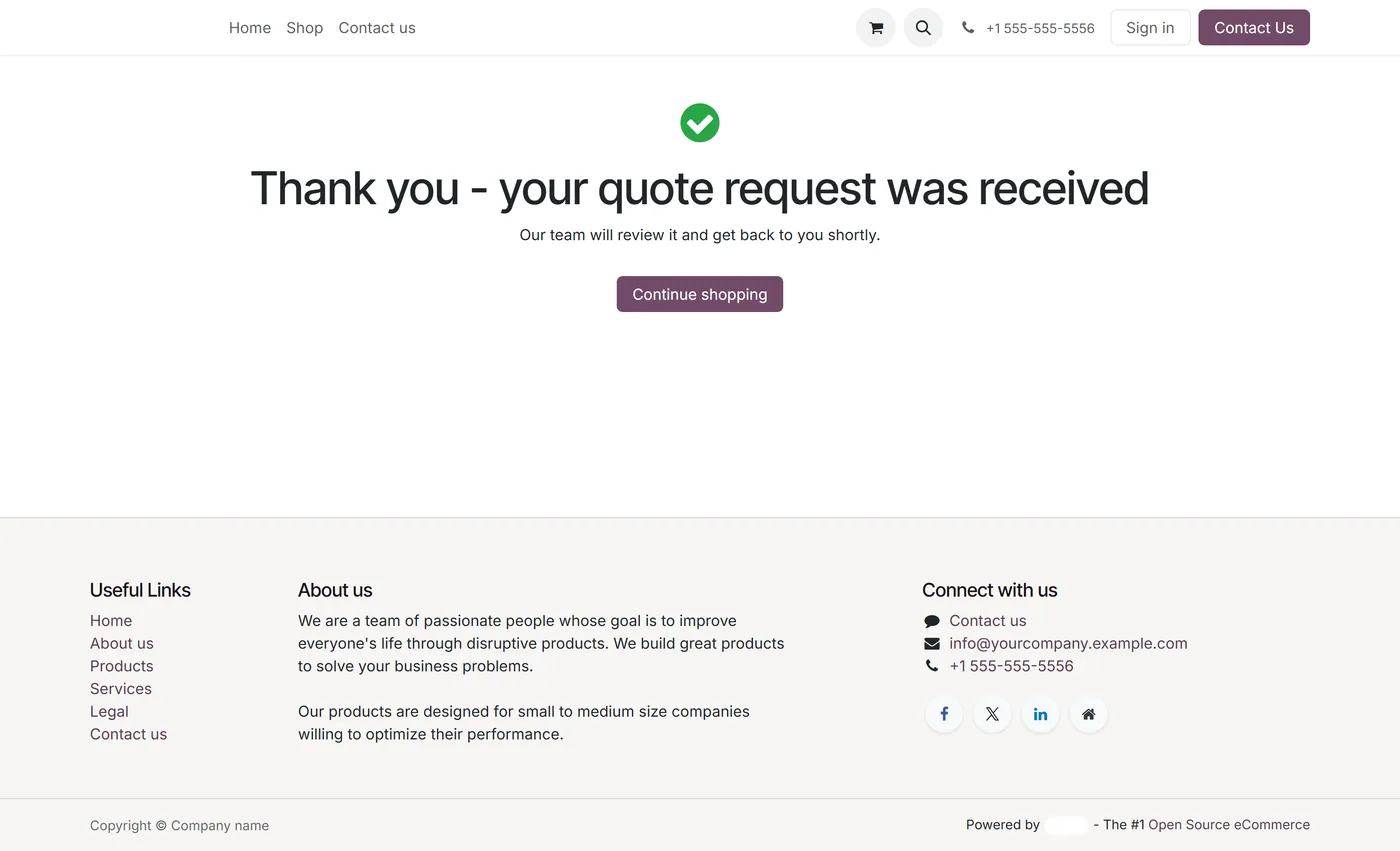
- A clean thank you page confirms the request to the customer
03
Works for guest visitors and for logged in customers
- Blocks online payment on quote carts at the server, so a quote is never checked out by mistake
- Community friendly, built on website_sale with no Enterprise or extra dependency
Every screen
The whole module, screen by screen.
The captures the walkthrough above did not use, in the order you meet them in the product.
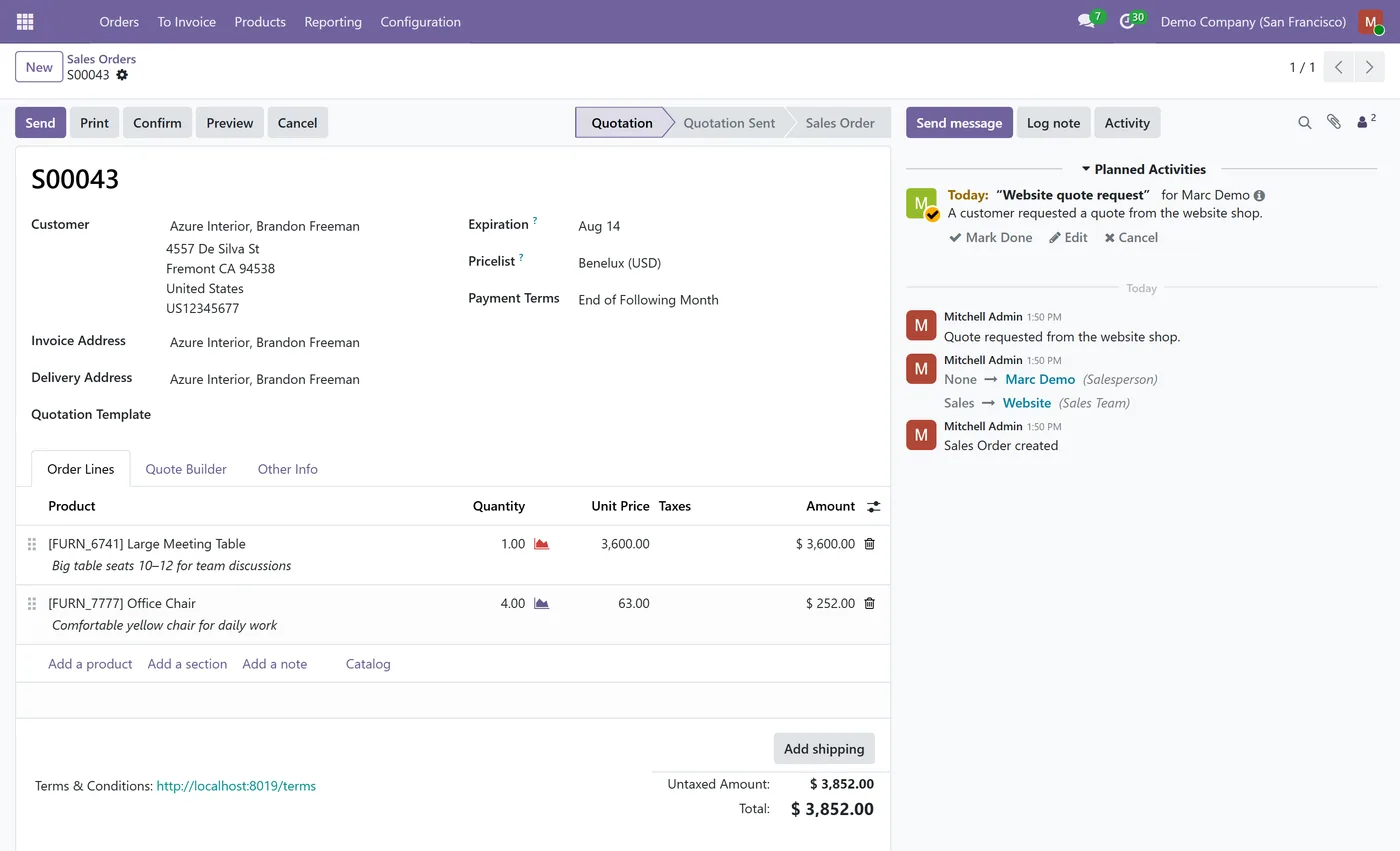
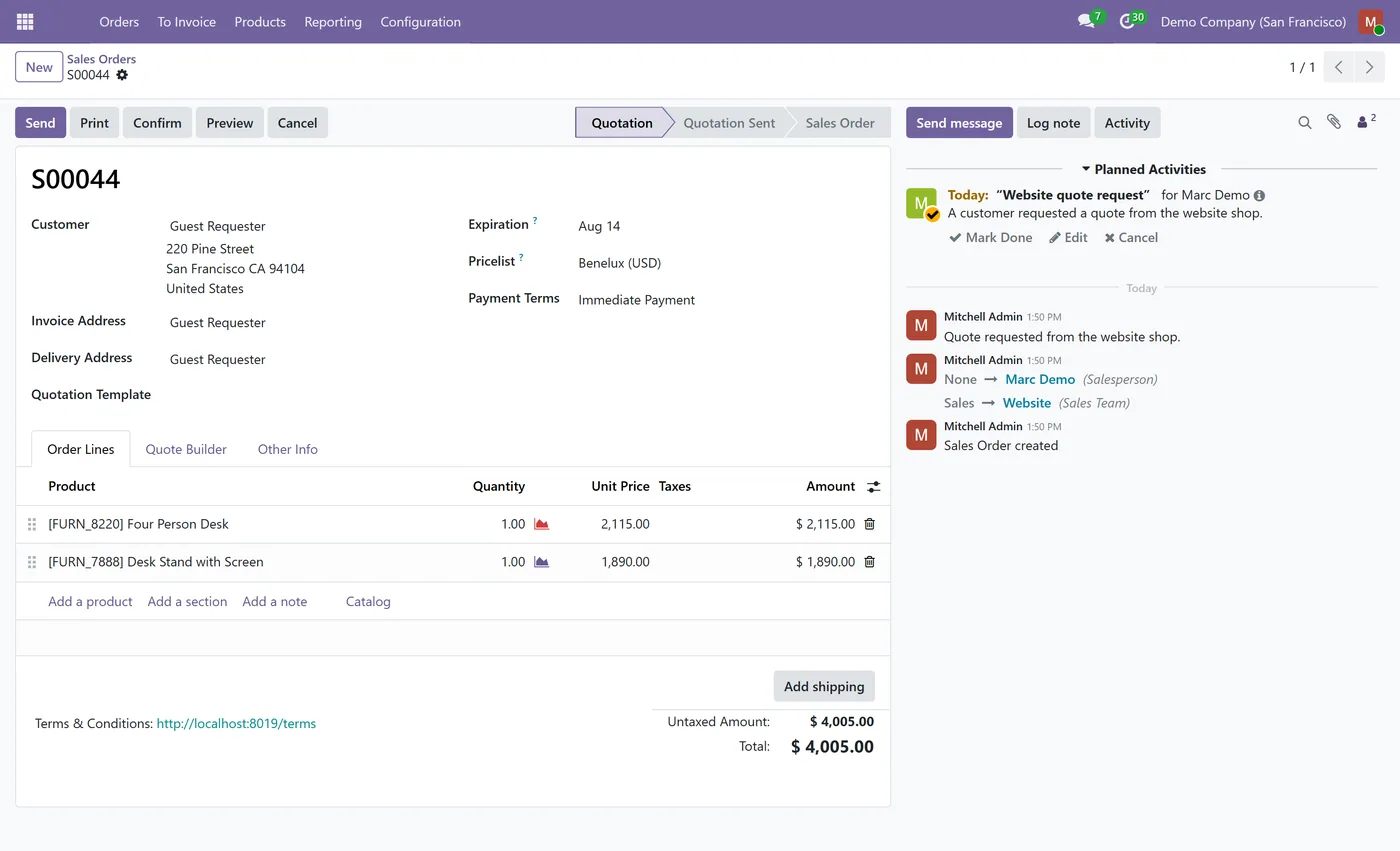
Request a Quote for eCommerce changes how your Odoo shop sells. Instead of pushing every product straight to Add to Cart and checkout, you can sell on enquiry: the shopper sees a Request a Quote button, the price stays hidden, and their interest lands in Sales as a draft quotation your team can price and follow up.
What it does
You decide which products sell on enquiry. Turn on Quote only on a single product, on a whole product category, or flip one website setting to make the entire shop quote only. Every matching product then hides its price on the shop grid and the product page and shows a Request a Quote button in place of Add to Cart. When a visitor submits, the module turns their cart into a draft quotation in Sales rather than sending it to payment. It assigns the website salesperson, schedules a follow up activity, posts a note in the chatter, and shows the customer a clean thank you page. Payment is blocked on a quote cart at the server, so a request can never slip through to a real online payment by mistake. Your normal products are untouched and keep the full native Add to Cart and checkout flow.
Who it's for
Businesses that do not sell every product at a fixed online price. It fits B2B shops that quote per customer, made to order and configurable goods, high value items, wholesale and distribution, and service led catalogs where the next step is a conversation rather than a checkout. Because you choose exactly which products or categories are quote only, you can run a normal shop and an enquiry catalog side by side on the same website. It installs on Community, depends only on the standard eCommerce app, and needs no accounting or Enterprise module.
Questions
About Request a Quote for Odoo eCommerce.
How do I show a Request a Quote button instead of Add to Cart in Odoo eCommerce?
Open the product, go to the Sales tab and turn on Quote only in the Ecommerce Shop section. On the shop that product now hides its price and shows a Request a Quote button in place of Add to Cart, while the rest of your catalog keeps the normal Add to Cart flow.
Can I make only some products quote only and keep the rest on Add to Cart?
Yes. You control it per product, or per product category if you want a whole group to follow one rule, and everything else in the shop keeps selling normally with Add to Cart and checkout. You can also flip the entire website to quote only from a single website setting when you sell only on enquiry.
Does it hide the price on quote only products?
Yes. A quote only product hides its price on both the shop listing grid and the product detail page, so shoppers request a quote instead of seeing a figure. Your normal products still display their price as usual.
What happens when a customer requests a quote?
Their cart is turned into a draft quotation in Sales instead of going to payment. The module assigns the website salesperson, schedules a follow up activity, records a note in the chatter, and shows the customer a thank you page confirming that the request was received.
Do customers need an account to request a quote?
No. Both guest visitors and logged in customers can request a quote. A logged in customer can also follow the resulting request from their portal, while a guest simply gets the thank you confirmation.
Which Odoo versions does this module support?
Use the version selector at the top of this page to pick your Odoo release. Each branch is published as its own listing for that exact version, so the copy stays correct as new Odoo versions ship.
On the Odoo Store
Get Request a Quote for Odoo eCommerce on the Odoo Store.
Pick your Odoo version and install it in a click, with free updates and real support behind it.
Get it on the Odoo StoreReady to make Odoo work the way your business does?
Book a free call CODEerts
CODEerts is a team of certified Odoo partners and full-stack engineers. We implement, customise and support Odoo ERP, then build the software around it.

