 CODEerts
Sales app for Odoo
Delivery Schedule
Schedule several delivery dates per sales order line for staggered and partial deliveries.
Overview
Delivery Schedule.
Delivery Schedule lets you set multiple delivery dates on a single sales order line, so you can plan staggered or partial deliveries cleanly inside Odoo instead of splitting orders manually.
New to Odoo Sales? Read our practical guide to how it works
How it works
Built around what you actually do.
Every screen below is the module running in Odoo, not a mockup.
01
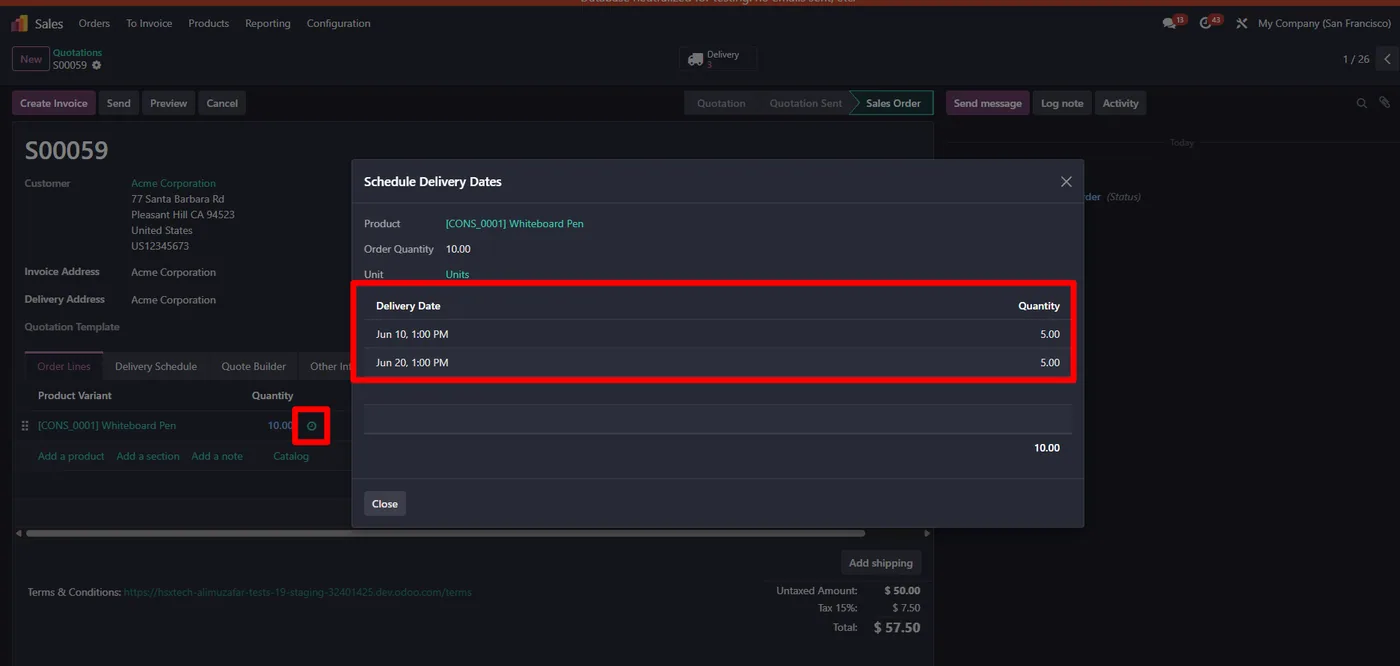
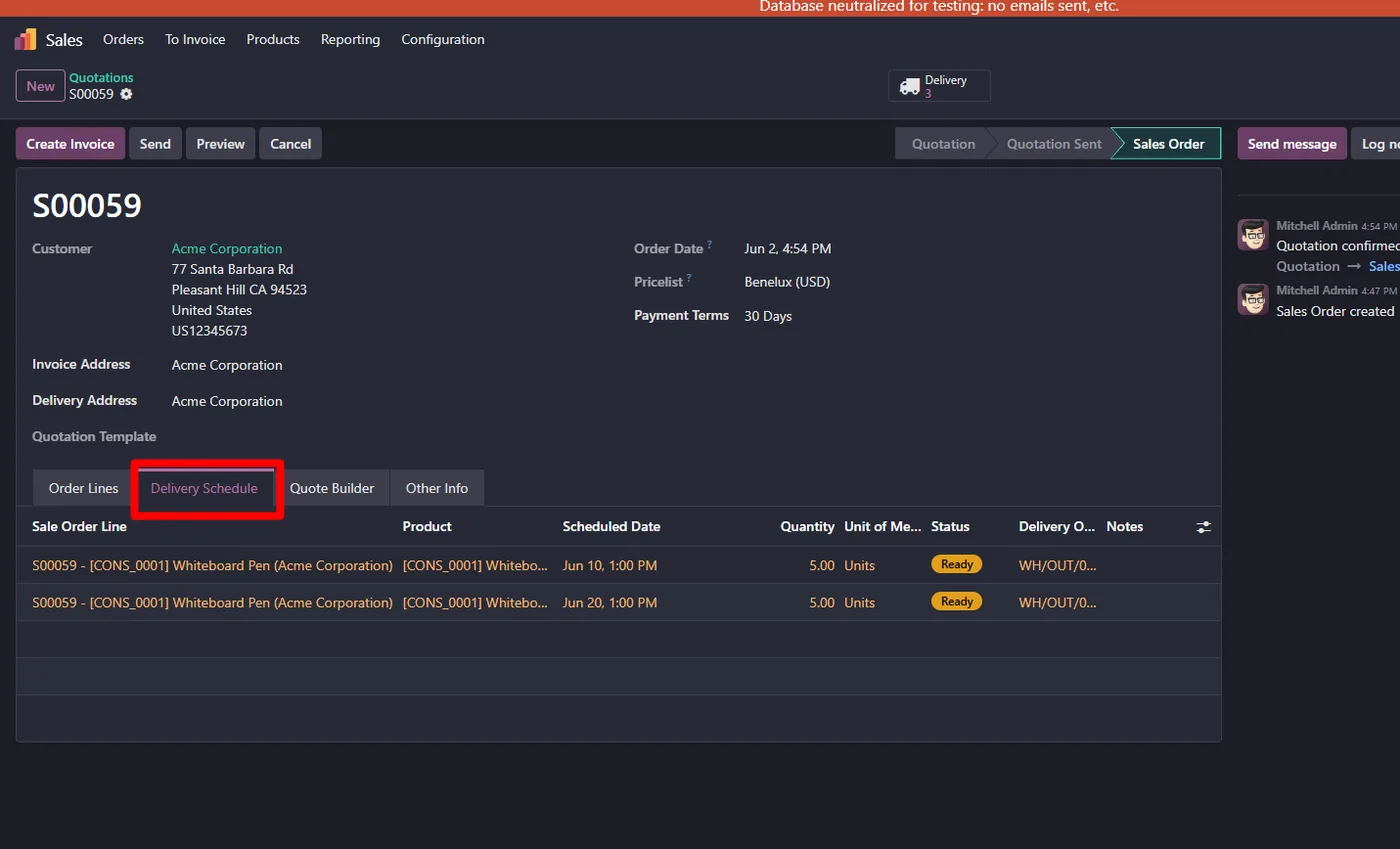
Multiple delivery dates per sales order line
- Cleaner staggered and partial delivery planning
02
Works on Odoo 18 and 19

Delivery Schedule lets you plan staggered and partial deliveries in Odoo without splitting sales orders by hand. Each sales order line can carry multiple delivery dates, so you can agree a phased delivery plan with the customer and keep it all on one order.
What it does
Instead of one date per line, the module lets you schedule several delivery dates and quantities for a single sales order line. This makes it easy to handle customers who want their order delivered in instalments, and keeps the order document clean and readable rather than fragmented into many separate orders.
Who it's for
Wholesalers, distributors and manufacturers who deliver large orders in scheduled batches and want to manage it cleanly inside Odoo Sales.
Questions
About Delivery Schedule.
How do I set multiple delivery dates on one sales order in Odoo?
Delivery Schedule lets you plan several delivery dates per sales order line for staggered or partial deliveries.
Can Odoo handle partial or staggered deliveries per order line?
Yes, each sales order line can carry its own schedule of delivery dates and quantities.
Which Odoo versions are supported?
It is maintained for current major Odoo versions and works on both Community and Enterprise. Each Odoo Apps Store listing shows the exact version it supports.
Where do I add multiple delivery dates on a sales order in Odoo?
You add them directly on the sales order line inside Odoo Sales, so the delivery plan stays on the order document your team already uses. There is nothing extra to open or configure.
Does the delivery schedule let me split quantities across each date?
Yes. Each scheduled delivery date on a line carries its own quantity, so you can plan how much ships on each date for a phased or instalment delivery. The order stays as one document instead of being split into several.
Is the Odoo Delivery Schedule module free?
Yes, it is free and open source under LGPL-3. You can install it and plan staggered deliveries in Odoo Sales at no cost.
On the Odoo Store
Get Delivery Schedule on the Odoo Store.
Pick your Odoo version and install it in a click, with free updates and real support behind it.
Get it on the Odoo StoreReady to make Odoo work the way your business does?
Book a free call CODEerts
CODEerts is a team of certified Odoo partners and full-stack engineers. We implement, customise and support Odoo ERP, then build the software around it.

