 CODEerts
Point of Sale app for Odoo
Live Cross-Branch Stock Peek for POS
See live available stock across other branches and companies directly in the POS Product Info popup.
Overview
Live Cross-Branch Stock Peek for POS.
Live Cross-Branch Stock Peek shows cashiers real-time available stock in other branches and companies from within the Point of Sale Product Info popup, using a secure read-only lookup, with a per-POS toggle.
New to Odoo Point of Sale? Read our practical guide to how it works
How it works
Built around what you actually do.
Every screen below is the module running in Odoo, not a mockup.
01
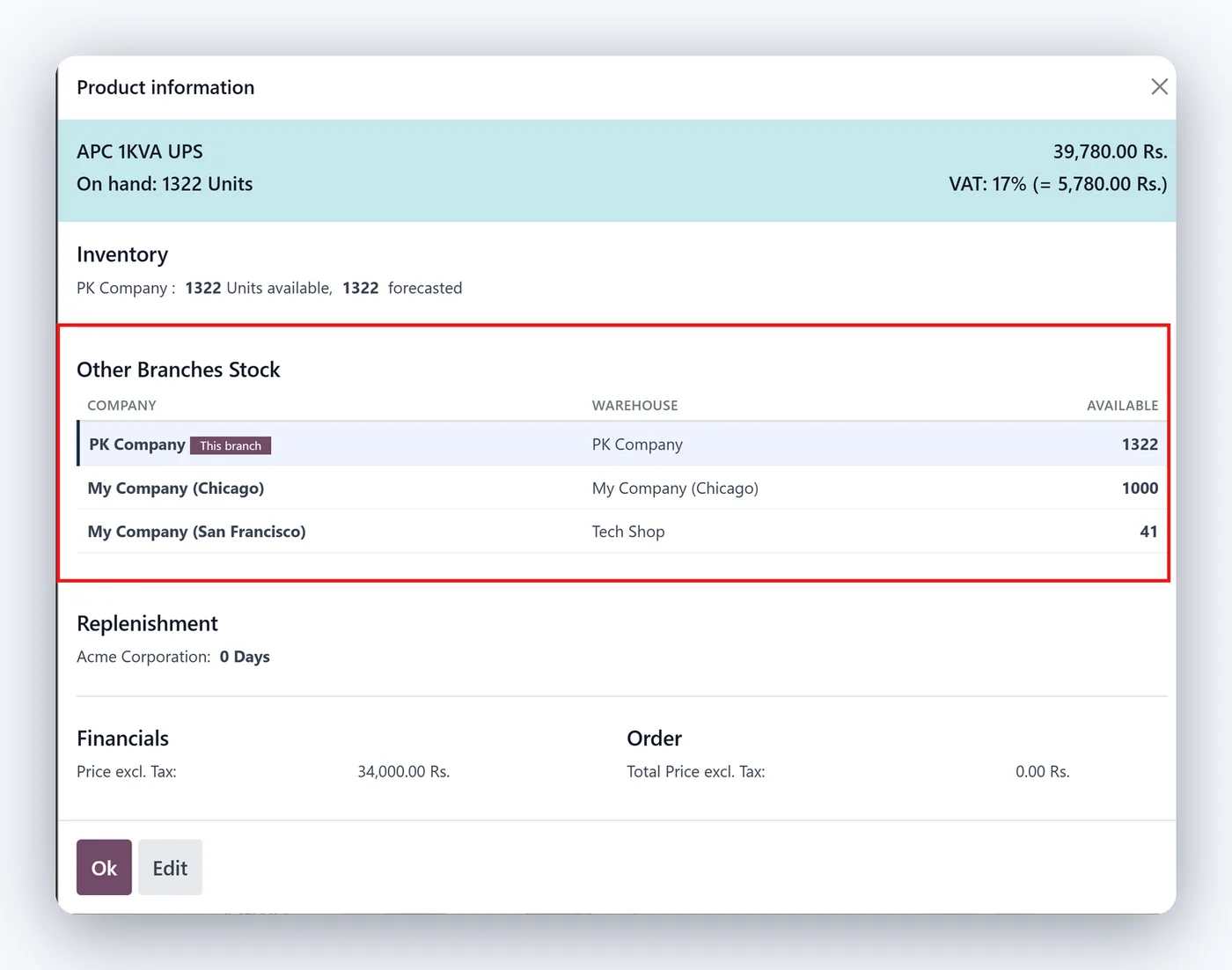
Cross-company available stock inside POS Product Info
- Secure read-only (sudo) lookup
02
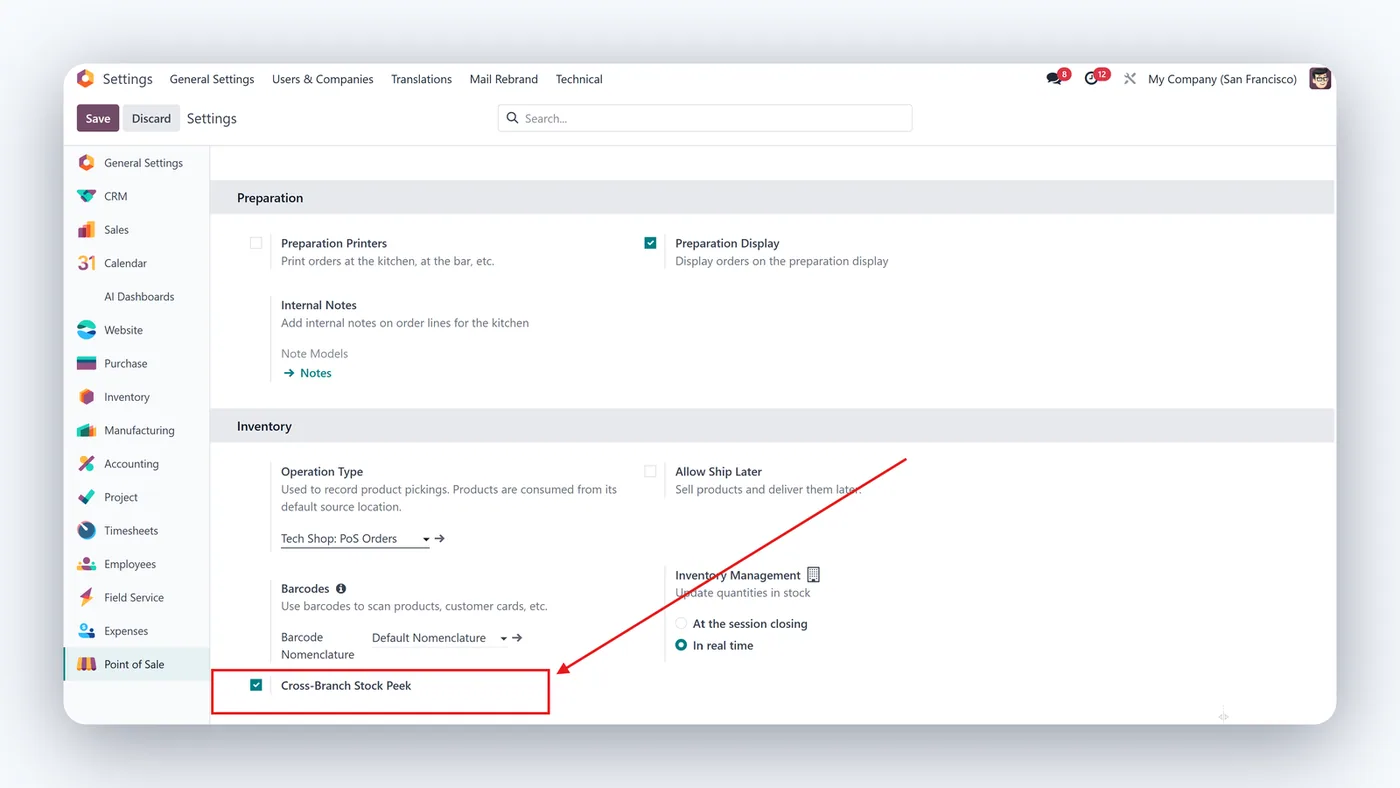
Per-POS configuration toggle
Live Cross-Branch Stock Peek for POS gives cashiers an instant answer to the most common in-store question: "do you have this at another branch?" The module shows real-time available stock across your other branches and companies right inside the Point of Sale Product Info popup.
What it does
When a cashier opens Product Info in the POS, the module performs a secure, read-only lookup of on-hand and available quantities in your other warehouses and companies, and displays them in a clear list. Staff can confirm availability and direct the customer to the right branch without ever leaving the POS screen or needing cross-company access rights.
Who it's for
Retailers and franchises running multiple branches or companies on Odoo POS who want to save sales, reduce lost customers, and improve the in-store experience.
Proven in production
Not just published.
This module came out of real client work. Here is the engagement it was built in.
Questions
About Live Cross-Branch Stock Peek for POS.
How can POS cashiers see stock in other branches in Odoo?
Install Live Cross-Branch Stock Peek. It shows real-time available stock from your other branches and companies right inside the POS Product Info popup, using a secure read-only lookup.
Can a user see another branch's inventory in Odoo POS without cross-company access rights?
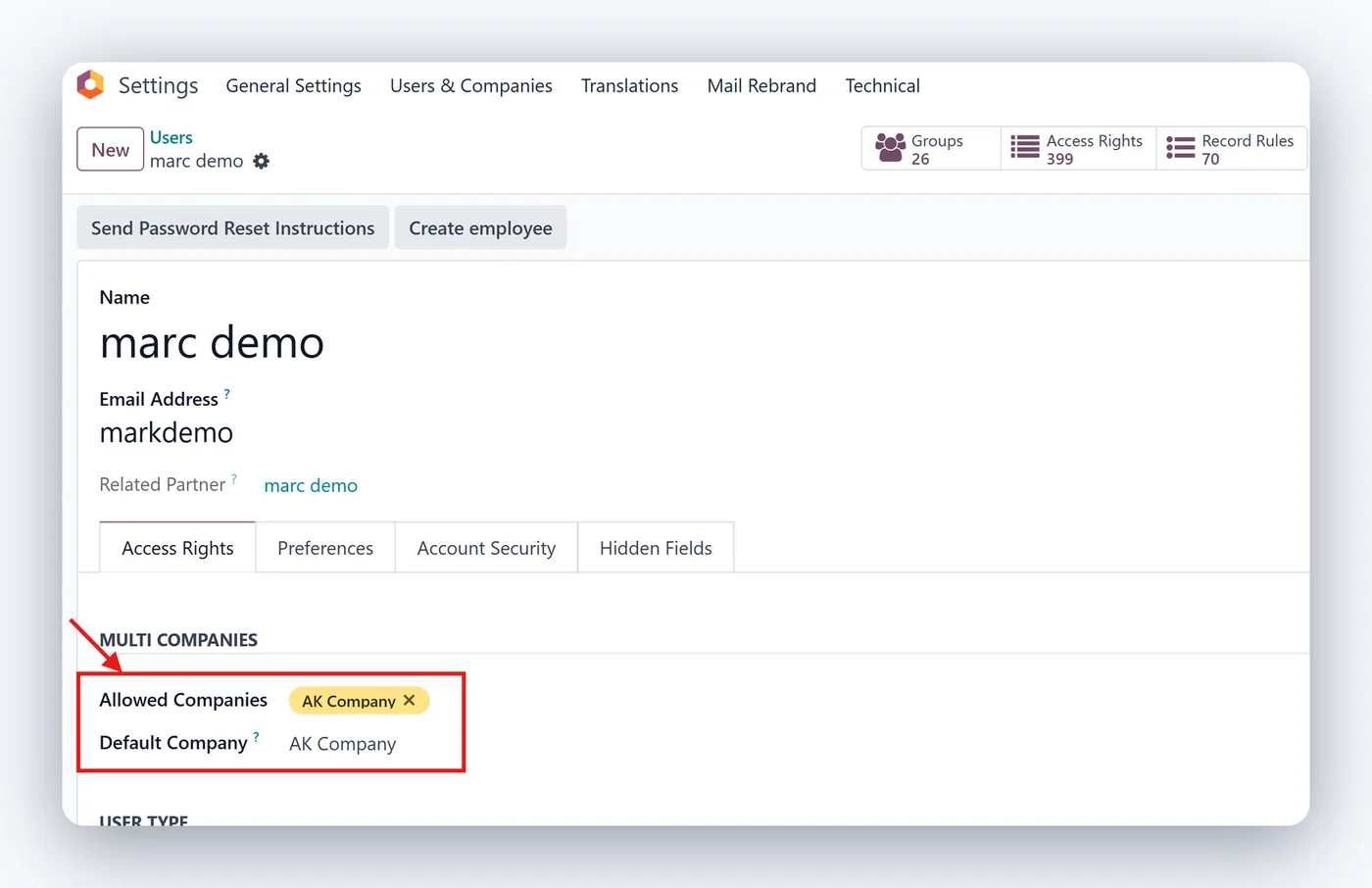
Yes. The lookup runs read-only in the background, so cashiers see other branches' availability without being granted access to those companies' data.
Does it work with multi-company Odoo?
Yes. It reads available quantities across the companies and warehouses you choose, and you can enable it per Point of Sale.
How do I turn on cross-branch stock in a specific Odoo POS?
It ships with a per-POS toggle in your Point of Sale configuration. Enable it only on the registers where cross-branch visibility is useful, and leave it off elsewhere, so cashiers see other branch stock exactly where you want it.
Does showing other branch stock slow down the Odoo POS?
No. The figures are pulled at the moment a cashier opens the Product Info popup, so there is no background polling or session bloat. The lookup is lightweight and read-only, keeping the checkout experience fast.
Does Live Cross-Branch Stock Peek work on Odoo Community and Enterprise?
It is built on standard Point of Sale and inventory features, so it runs on both Community and Enterprise. Each Odoo Apps Store branch listing shows the exact version it supports, so pick the one matching your database.
On the Odoo Store
Get Live Cross-Branch Stock Peek for POS on the Odoo Store.
Pick your Odoo version and install it in a click, with free updates and real support behind it.
Get it on the Odoo StoreReady to make Odoo work the way your business does?
Book a free call CODEerts
CODEerts is a team of certified Odoo partners and full-stack engineers. We implement, customise and support Odoo ERP, then build the software around it.

