 CODEerts
Purchase app for Odoo
ShipsGo Container ETA for Purchase Orders
Pull live ocean container ETA and status onto your Odoo Purchase Orders via the ShipsGo API.
Overview
ShipsGo Container ETA for Purchase Orders.
ShipsGo Container ETA brings real-time ocean freight visibility into Odoo. It pulls container ETA and status onto Purchase Orders through the ShipsGo v2 API, with a daily cron that updates open, unreceived POs automatically.
New to Odoo Purchase? Read our practical guide to how it works
How it works
Built around what you actually do.
Every screen below is the module running in Odoo, not a mockup.
01
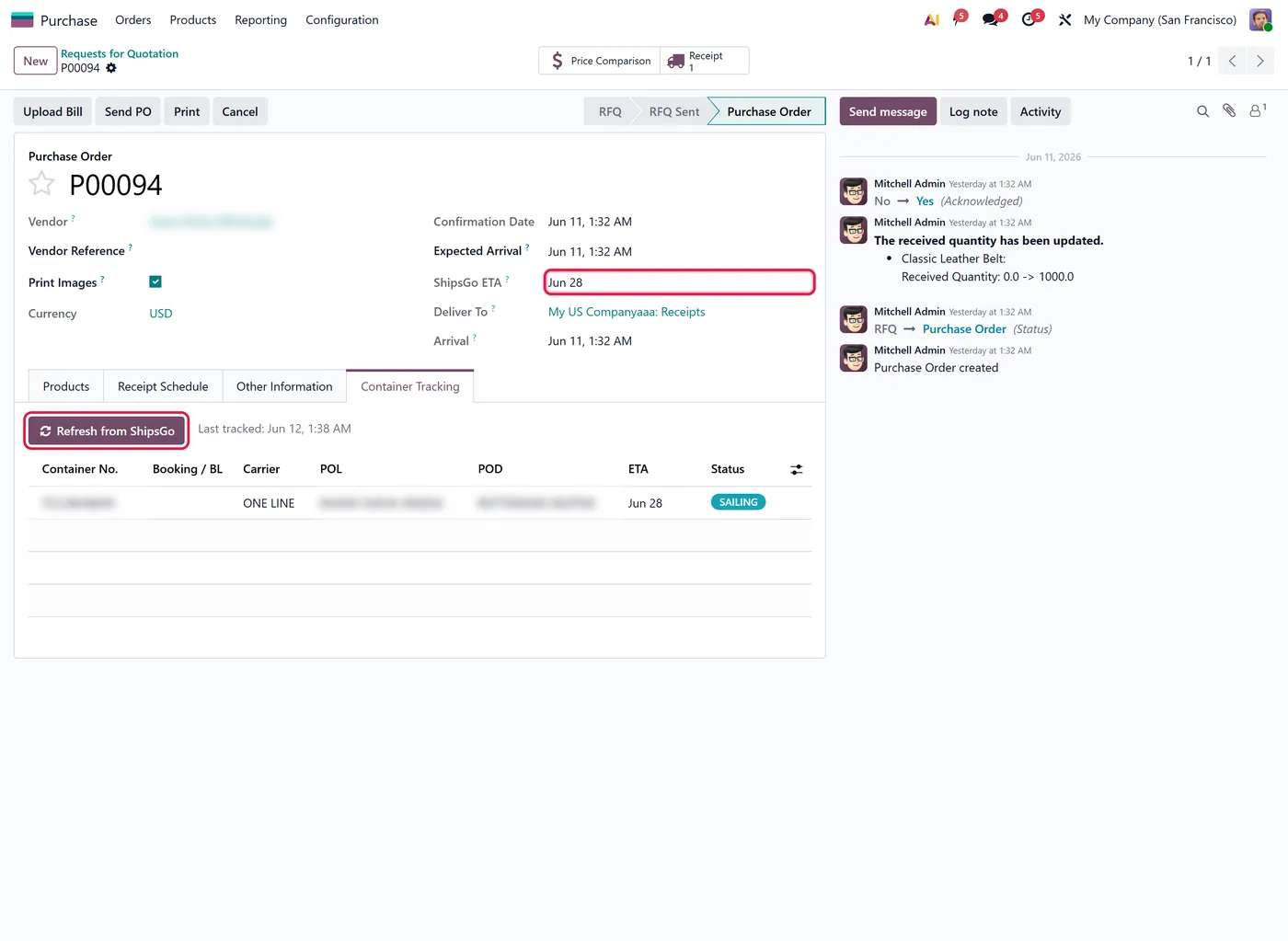
Read-only pull of container ETA and status onto POs
- ShipsGo v2 API integration
02
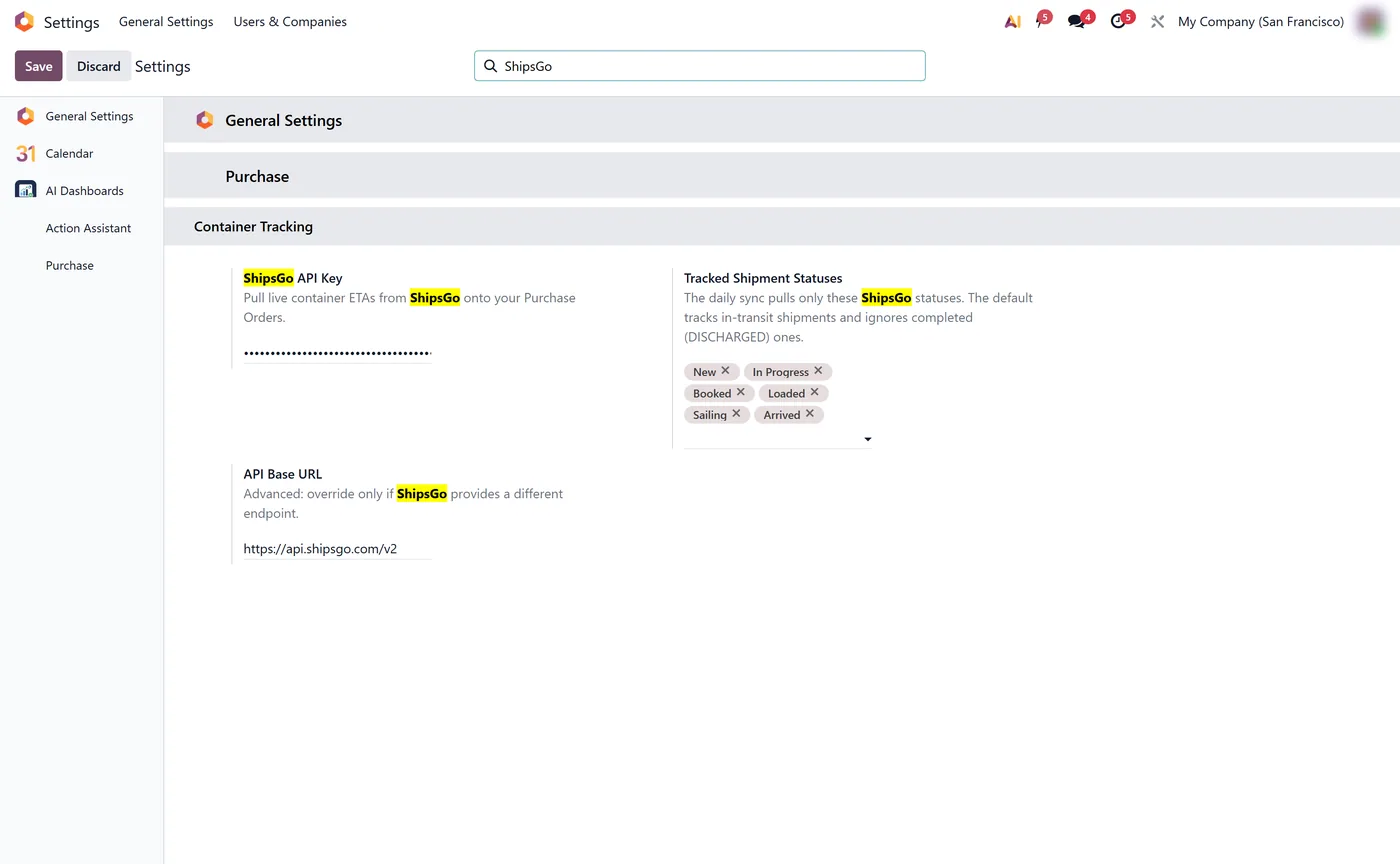
Status filtering and reference matching
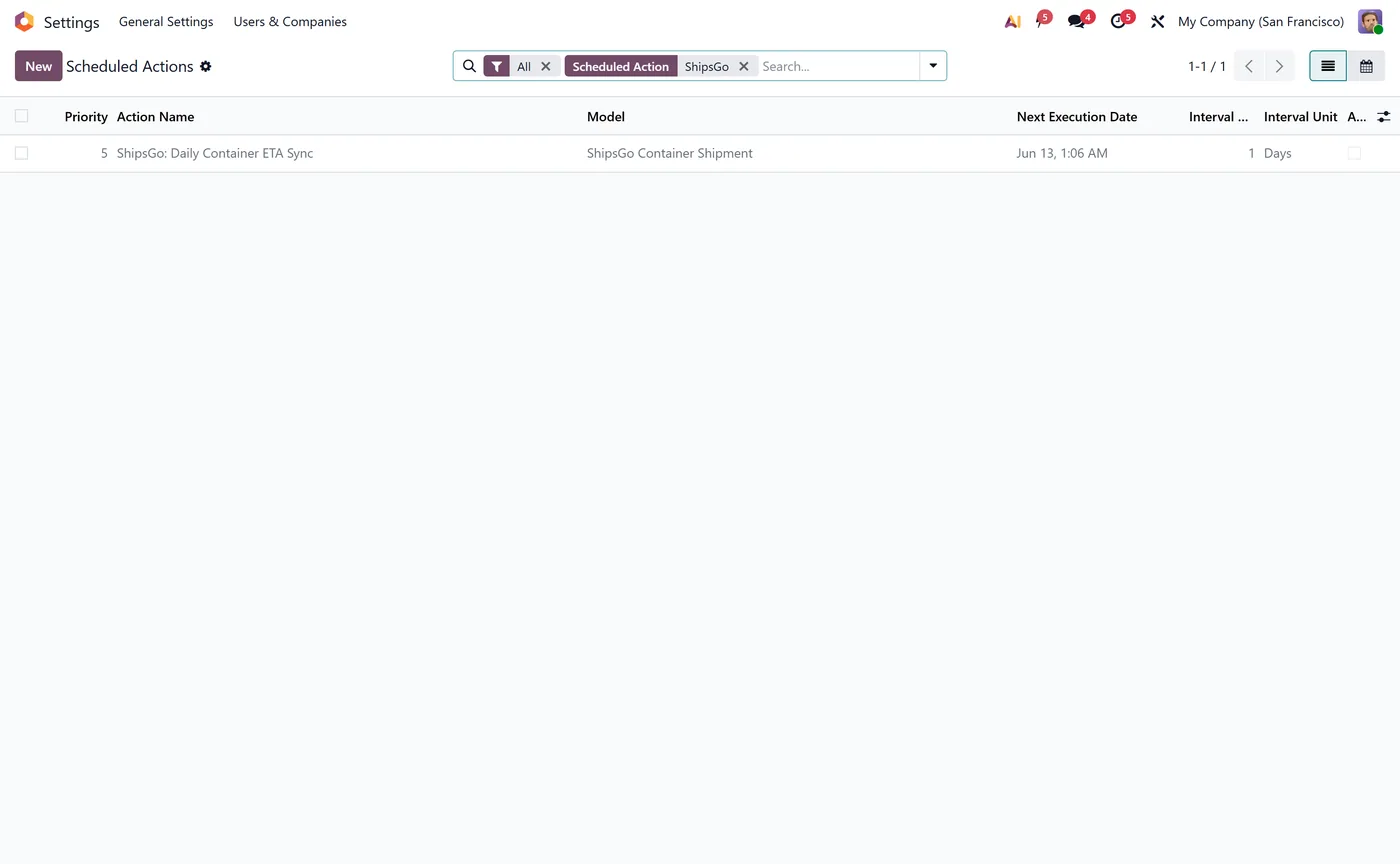
- Daily cron updates open, unreceived purchase orders
ShipsGo Container ETA for Purchase Orders brings real-time ocean freight visibility directly into Odoo. Instead of emailing freight forwarders or logging into separate tracking portals, your purchasing and logistics teams see live container status and estimated arrival dates right on the Purchase Order.
What it does
The module connects to the ShipsGo v2 API and matches your container references to pull current status and ETA onto each Purchase Order. A daily scheduled job automatically refreshes every open, unreceived PO, so the arrival information your team relies on is always current without any manual checking.
Who it's for
Importers, distributors and manufacturing businesses that buy goods by sea and need reliable, in-Odoo visibility of when their containers will actually arrive.
Questions
About ShipsGo Container ETA for Purchase Orders.
How do I track ocean container ETA on Odoo purchase orders?
ShipsGo Container ETA pulls live container ETA and status from the ShipsGo API directly onto your Odoo Purchase Orders.
Can Odoo update shipping container status automatically?
Yes. A daily scheduled job refreshes open, unreceived purchase orders with the latest ETA and status from ShipsGo.
What do I need to use it?
A ShipsGo API token. You enter it once and the module matches your purchase order reference to the container.
Does the ShipsGo integration change my Odoo purchase order data?
No. The container ETA and status are pulled read-only onto the Purchase Order, so it never edits your quantities, prices or supplier information. Your procurement records stay exactly as your team entered them.
How often does Odoo refresh container ETA from ShipsGo?
A daily scheduled job automatically updates every open, unreceived purchase order with the latest ETA and status. Once a PO is fully received it stops being refreshed, which keeps API calls focused on shipments that still matter.
Is ShipsGo Container ETA a paid Odoo app and does it need a ShipsGo account?
It is a paid module and you supply your own ShipsGo account and API token, entered once in the settings. The module then uses that private token to match your purchase order reference to the correct container.
On the Odoo Store
Get ShipsGo Container ETA for Purchase Orders on the Odoo Store.
Pick your Odoo version and install it in a click, with free updates and real support behind it.
Get it on the Odoo StoreReady to make Odoo work the way your business does?
Book a free call CODEerts
CODEerts is a team of certified Odoo partners and full-stack engineers. We implement, customise and support Odoo ERP, then build the software around it.

