 CODEerts
Point of Sale app for Odoo
POS Dashboard
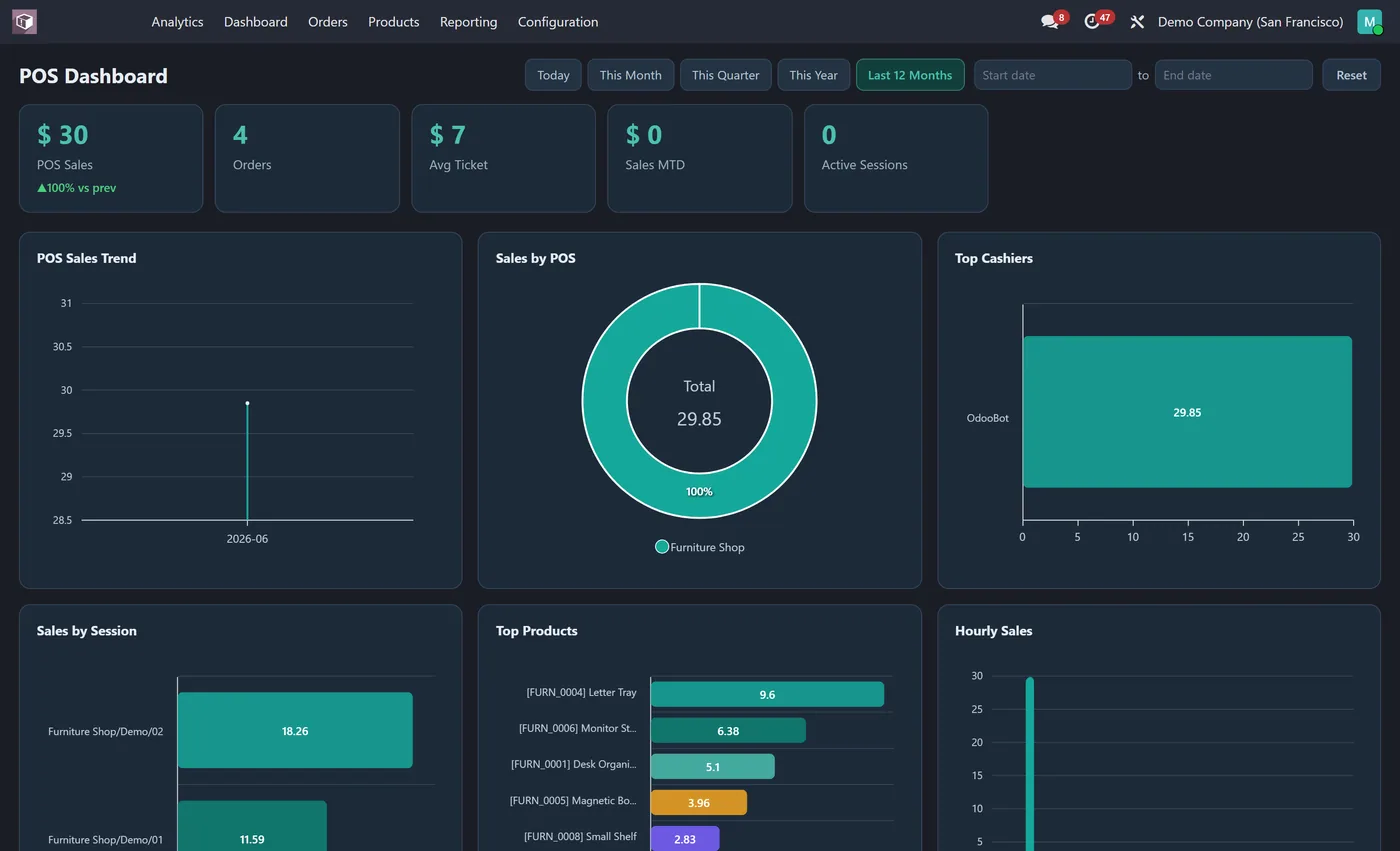
Interactive Point of Sale dashboard inside the POS app: sales, orders, average ticket, hourly sales, top cashiers and products, payment methods and a weekday-hour heatmap.
Overview
POS Dashboard.
POS Dashboard gives store managers a live command center inside the Point of Sale app. Sales, order count, average ticket, month to date sales and open sessions sit across the top as clickable KPI tiles. Eleven interactive charts show sales trends, sales by register and session, top cashiers and products, payment method split, hourly sales and a weekday by hour heatmap that reveals your busiest times. Pick any date range and every chart updates together.
New to Odoo Point of Sale? Read our practical guide to how it works
How it works
Built around what you actually do.
Every screen below is the module running in Odoo, not a mockup.
01
Live KPI tiles for pos sales, orders, avg ticket and more
- 11 interactive charts including pos sales trend, sales by register and top cashiers
Standard across the suite
How every CODEerts dashboard behaves.
These are not this module's selling points, they are the baseline every dashboard we publish shares. Listed so you know what you get, not to pad the page.
Retail sales, cashiers and hours, live, inside Point of Sale.
What it does
POS Dashboard gives store managers a live command center inside the Point of Sale app. Sales, order count, average ticket, month to date sales and open sessions sit across the top as clickable KPI tiles.
Eleven interactive charts show sales trends, sales by register and session, top cashiers and products, payment method split, hourly sales and a weekday by hour heatmap that reveals your busiest times. Pick any date range and every chart updates together.
Average ticket, by register and by cashier
Total sales tells you the day happened. Average ticket tells you how it happened, and it is the number a store manager can actually influence through upsell, layout and pricing. Broken down by register and by cashier it becomes a coaching tool rather than a report.
Open sessions is the operational tile: a session left open is a session not reconciled, and it is far cheaper to notice at 6pm than during a cash count the next morning. The sales trend answers the question every retailer asks, whether today is normal for this day of the week.
Who it's for
Store managers and retail operations, particularly across multiple registers or multiple shops where comparing sites is the daily job. It suits any POS operation where cashier performance and till reconciliation both matter, and it is most useful to the person who has to explain a day's takings to somebody else.
Proven in production
Not just published.
This module came out of real client work. Here is the engagement it was built in.
Questions
About POS Dashboard.
How do I see POS sales and busiest hours on one screen in Odoo?
Install POS Dashboard. It adds an Analytics dashboard in the Point of Sale app with live KPIs for sales, orders, average ticket and sessions, plus an hourly heatmap, top cashiers, products and payment methods.
Can I see my busiest POS hours in Odoo?
Yes. The dashboard includes an hourly sales chart and a weekday by hour heatmap so you can see exactly when your stores are busiest.
Can I filter the Odoo POS dashboard by register, session or date range?
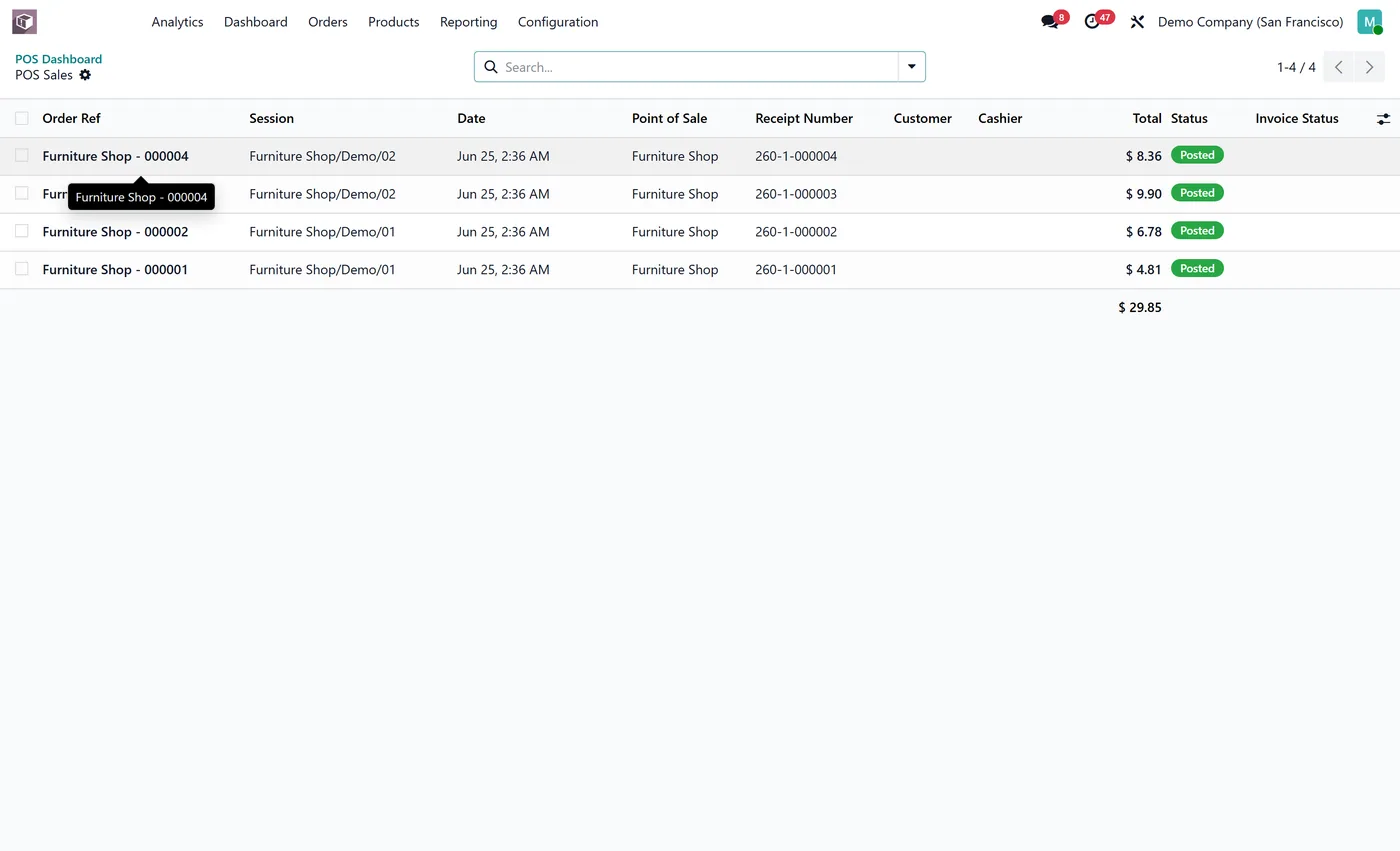
Yes. One-click date ranges re-query every chart at once, and breakdowns by register, session, cashier, product and payment method let you compare stores and shifts. Click any segment to open the exact POS orders behind it, already filtered.
Is the Odoo POS dashboard data live from my sessions?
Yes. It reads directly from your POS orders and sessions in real time, so sales, order count and average ticket stay current and open sessions show as a KPI. Choosing a date range refreshes all eleven charts, including the hourly heatmap, together.
Can I run the Odoo POS dashboard on Community, or does it need Enterprise?
It works on both. Odoo's Point of Sale app ships in Community, so the dashboard runs on a standard Community install with no Enterprise subscription. It is maintained for the current major Odoo versions; use the version selector on this page to pick your release.
Why is average ticket more useful than total sales?
Total sales tells you the day happened. Average ticket tells you how, and it is the number a store manager can actually influence through upsell, layout and pricing. Broken down by register and cashier it becomes a coaching tool rather than a report.
Can I spot a session someone forgot to close?
Yes, open sessions is its own tile for exactly that. A session left open is a session not reconciled, and noticing at closing time is much cheaper than during a cash count the next morning.
On the Odoo Store
Get POS Dashboard on the Odoo Store.
Pick your Odoo version and install it in a click, with free updates and real support behind it.
Get it on the Odoo StoreReady to make Odoo work the way your business does?
Book a free call CODEerts
CODEerts is a team of certified Odoo partners and full-stack engineers. We implement, customise and support Odoo ERP, then build the software around it.

