CODEerts
Sales app for Odoo
Margin on Products, Sales & Invoices Pro
Stop below-cost sales before they are confirmed with a minimum-margin guard, analyze profit on a margin dashboard, see margin by sales team, and keep cost and margin figures visible to Margin Managers only.
Overview
Margin on Products, Sales & Invoices Pro.
Margin on Products, Sales and Invoices Pro turns margin from something you read into something you enforce. Set a minimum margin globally, per product or per product category, and the order either warns or is blocked when a line falls below it, with a Margin Manager override for the cases that need it. A built-in Margin Dashboard shows revenue, cost, margin and margin percentage with margin by product, category, salesperson, customer and month. Sales teams gain a margin KPI, and a Margin Manager group keeps cost and margin numbers visible only to the people who should see them. It builds on the free Margin on Products, Sales and Invoices module.
New to Odoo Sales? Read our practical guide to how it works
How it works
Built around what you actually do.
Every screen below is the module running in Odoo, not a mockup.
01
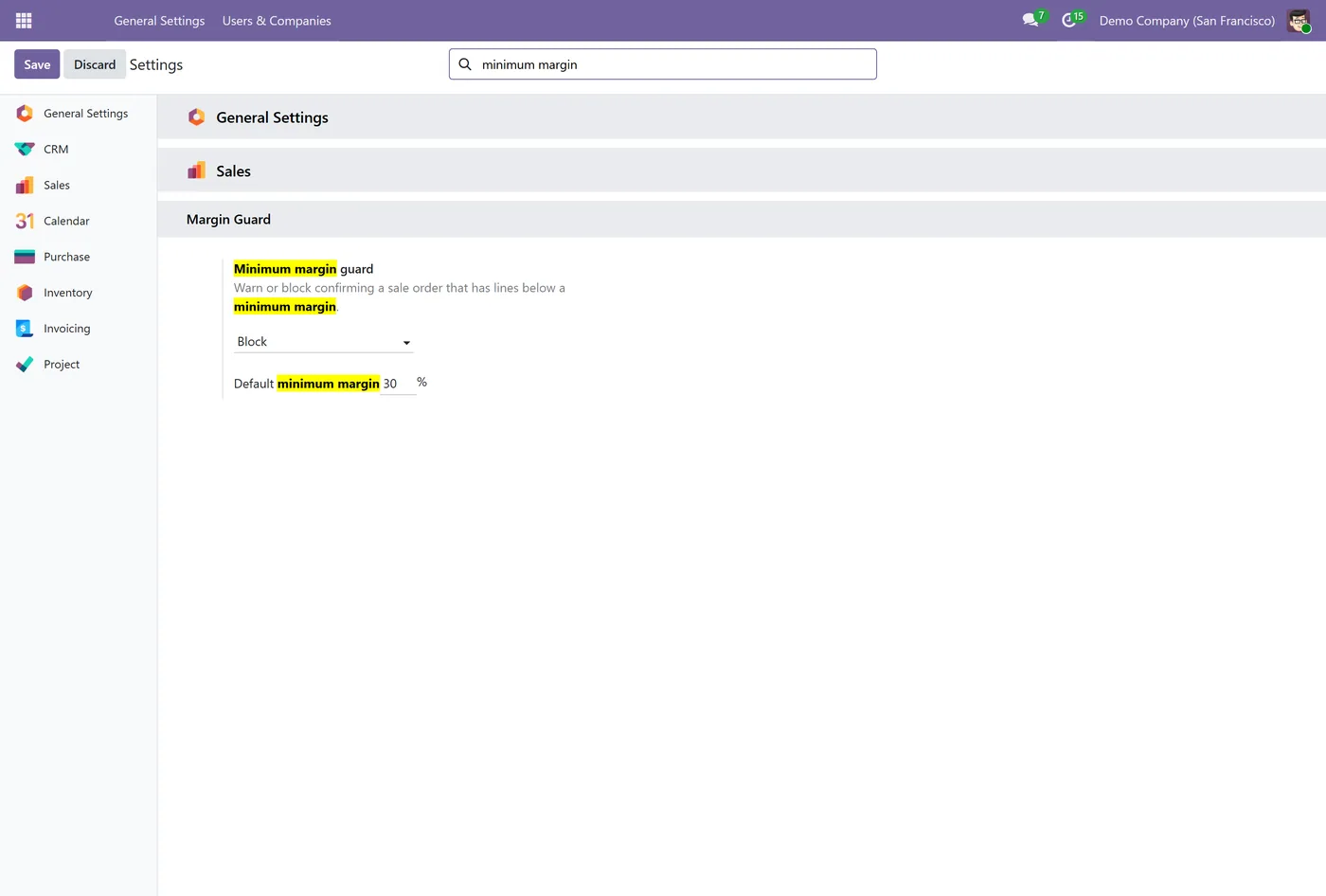
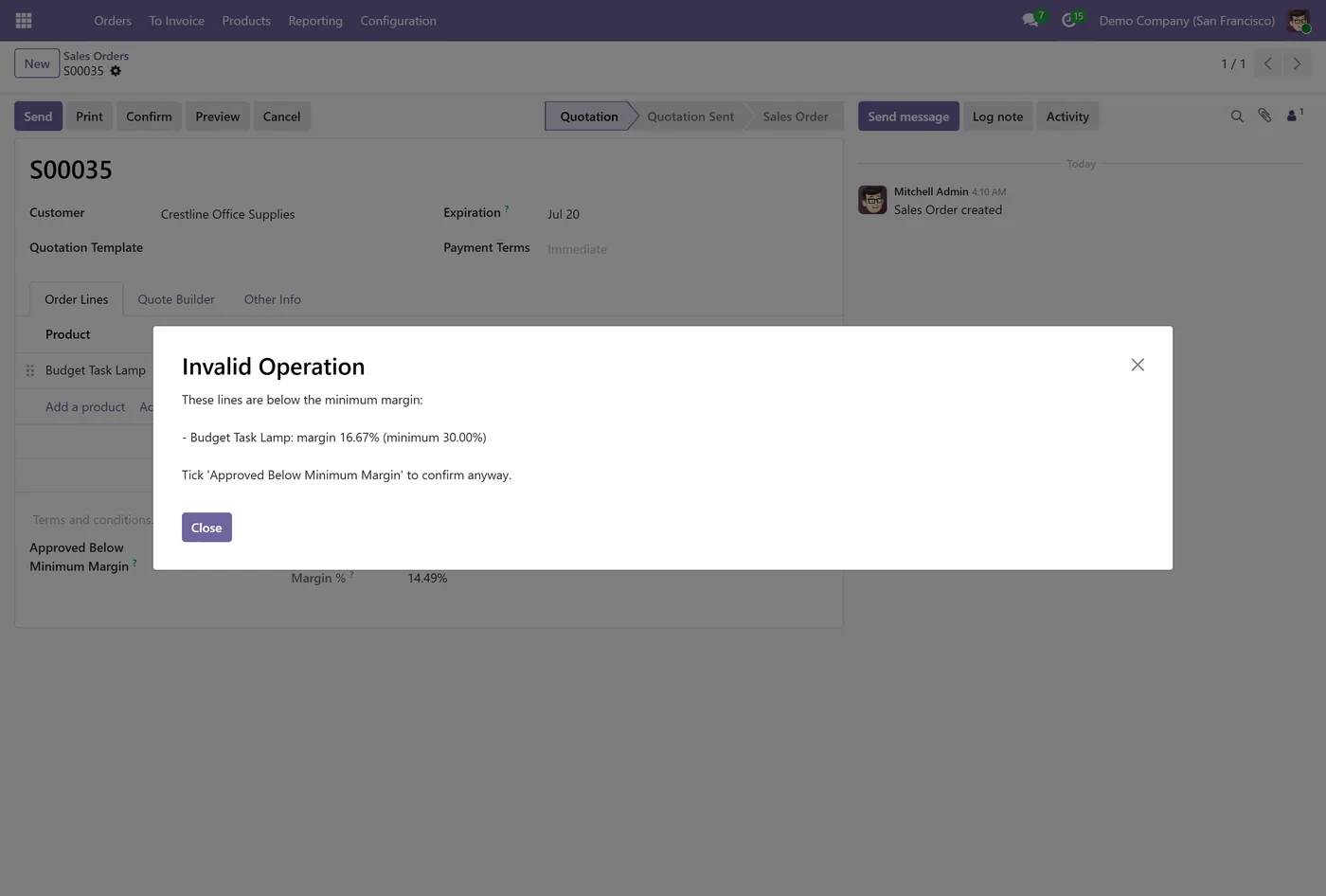
Minimum margin guard that warns or blocks confirming a below-margin sale order
- Minimum margin set globally, per product, or per product category
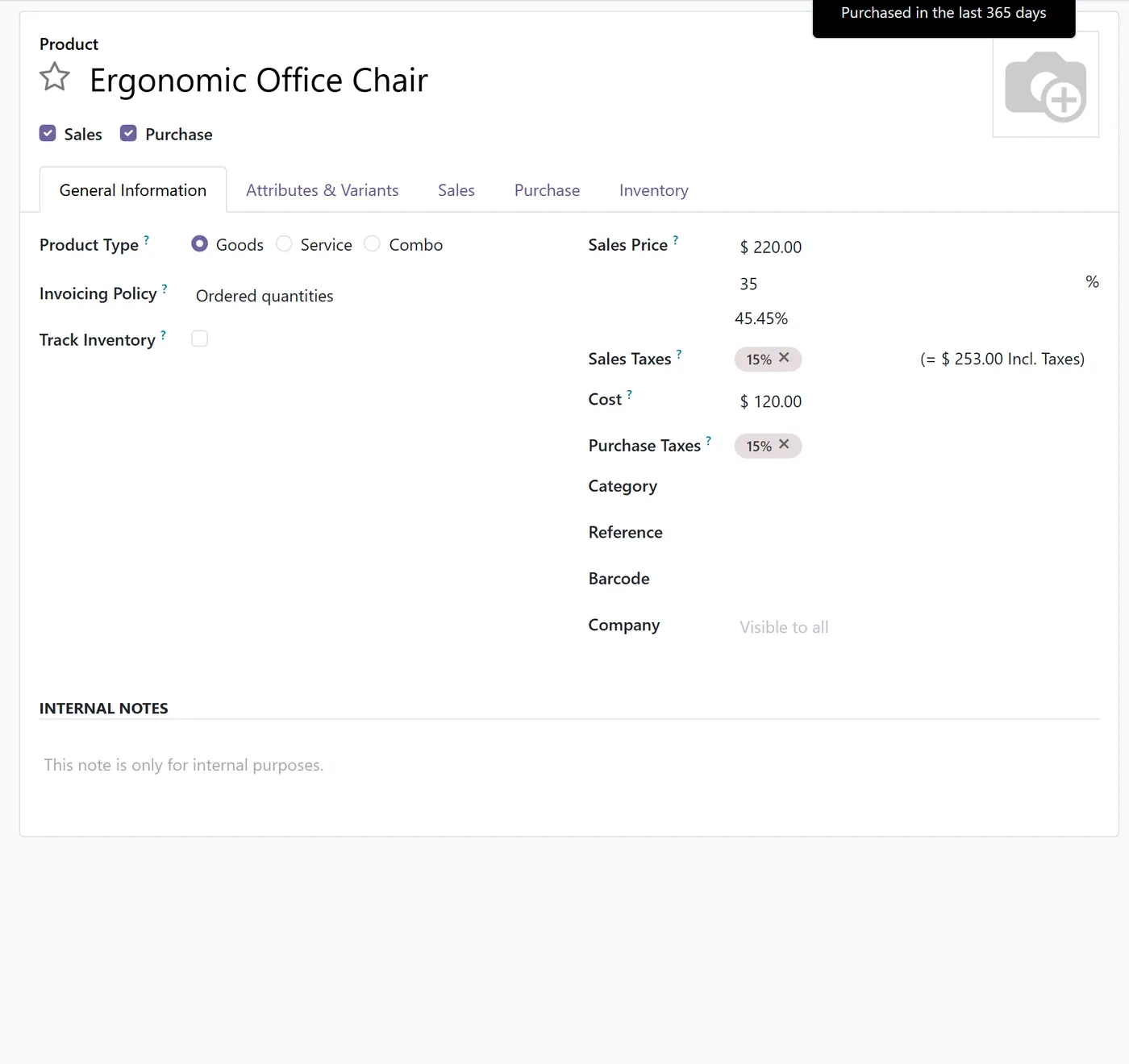
- Margin Manager override to approve a specific order below the minimum
02
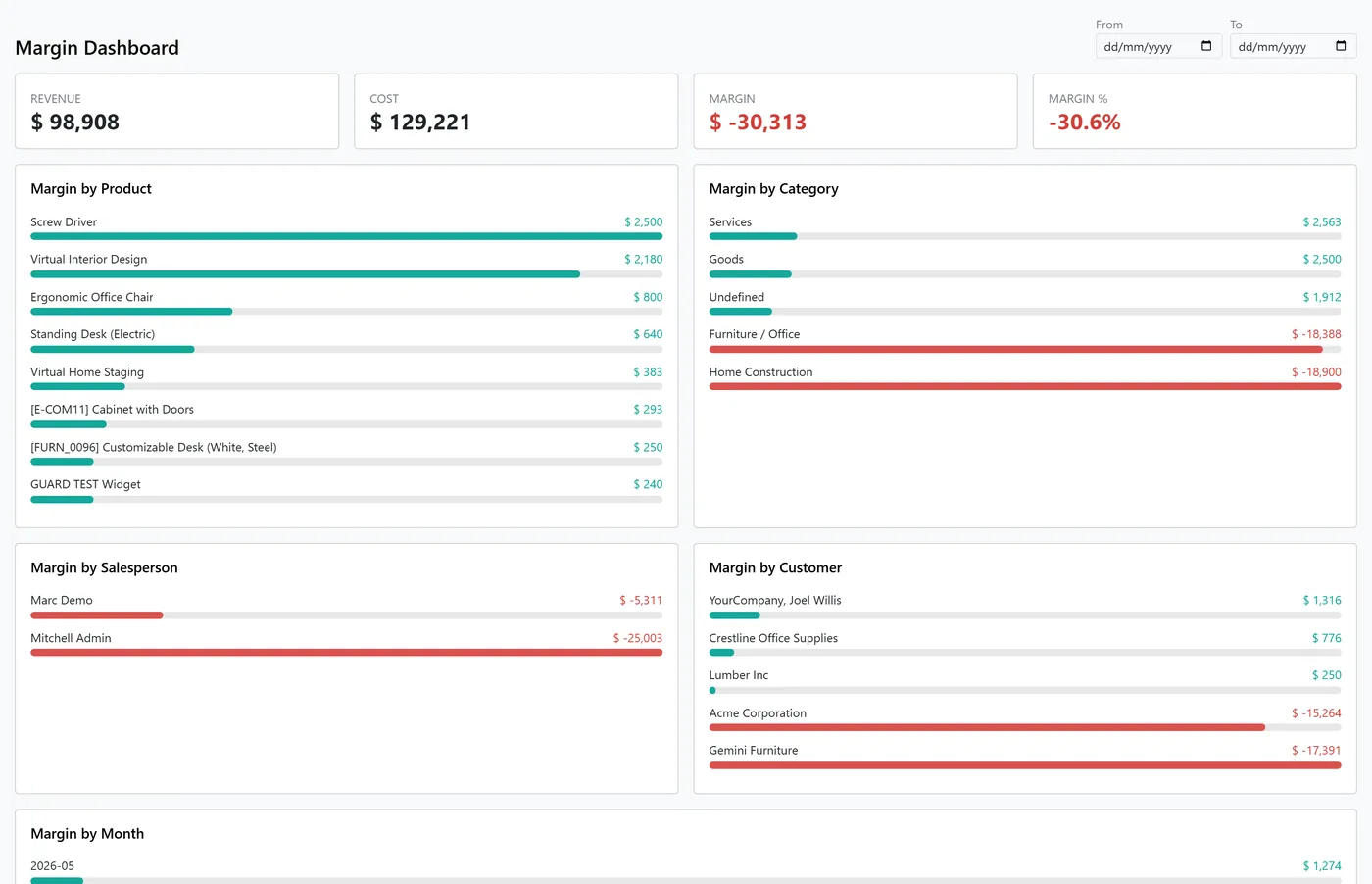
Margin Dashboard with revenue, cost, margin and margin percentage KPIs
- Margin broken down by product, category, salesperson, customer and month
- Margin KPI on each sales team
03
Margin Manager group keeps cost and margin figures manager-only
- Loss-making lines still highlighted in red for everyone
- Builds on the free Margin on Products, Sales and Invoices module
Every screen
The whole module, screen by screen.
The captures the walkthrough above did not use, in the order you meet them in the product.
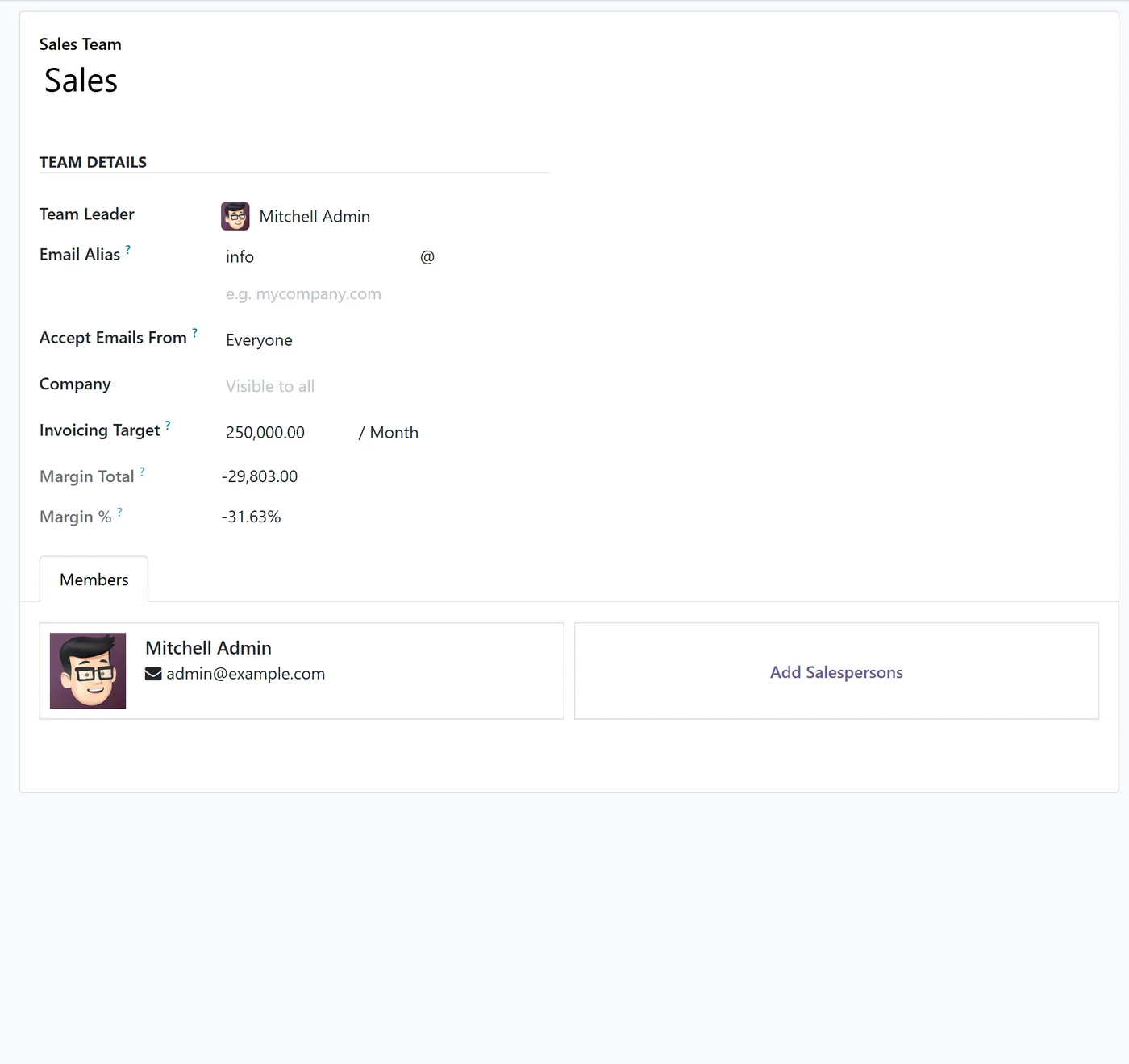
Margin on Products, Sales and Invoices Pro turns margin into something your team acts on, not just something they can read. It adds enforcement, analysis and role-based visibility on top of the free margin module.
What it does
Set a minimum margin company-wide, per product category, or per individual product. When someone tries to confirm a sale order with a line below that minimum, the module either posts a warning or blocks the confirmation outright, depending on your setting, and a Margin Manager can approve a specific order when there is a good reason. A built-in Margin Dashboard shows revenue, cost, margin and margin percentage, with margin broken down by product, category, salesperson, customer and month, plus a date filter. Each sales team gains a margin KPI, and a Margin Manager group keeps the cost and margin numbers visible only to the people who should see them, while everyone still sees loss-making lines highlighted in red.
Who it's for
Sales managers, finance teams and business owners who need to protect margin as a rule, not a hope. It suits any company that wants to prevent below-cost deals, watch profitability on a live dashboard, and keep sensitive cost data limited to the right people.
Proven in production
Not just published.
This module came out of real client work. Here is the engagement it was built in.
Questions
About Margin on Products, Sales & Invoices Pro.
How do I stop salespeople selling below a minimum margin in Odoo?
Set a margin guard to Warn or Block and a minimum margin in Settings. When a sale order has a line below the minimum, confirming it is warned or blocked, and only a Margin Manager can approve it.
Can I set a different minimum margin per product or category in Odoo?
Yes. You can set a minimum margin on a product, on a product category, or company-wide. The most specific value applies: product first, then category, then the company default.
How do I see a margin dashboard in Odoo?
The module adds a Margin Dashboard under Sales Reporting that shows revenue, cost, margin and margin percentage, with margin broken down by product, category, salesperson, customer and month, and a date filter.
How do I hide cost and margin from salespeople in Odoo?
Cost and margin figures are shown only to users in the Margin Manager group. Other users keep working normally and still see loss-making lines highlighted, but without the cost and margin numbers.
Does this need the free margin module?
Yes. Pro builds on the free Margin on Products, Sales and Invoices module and adds enforcement, the dashboard, team KPIs and role-based visibility on top of it.
Which Odoo versions are supported?
Use the version selector at the top of this page to pick your Odoo release. The module runs on both Community and Enterprise, and each Odoo Apps Store listing shows the exact version it supports.
On the Odoo Store
Get Margin on Products, Sales & Invoices Pro on the Odoo Store.
Pick your Odoo version and install it in a click, with free updates and real support behind it.
Get it on the Odoo StoreReady to make Odoo work the way your business does?
Book a free call CODEerts
CODEerts is a team of certified Odoo partners and full-stack engineers. We implement, customise and support Odoo ERP, then build the software around it.