 CODEerts
Marketing app for Odoo
WhatsApp Marketing for Odoo Community
Run bulk WhatsApp marketing campaigns in Odoo Community, no Enterprise needed. Build contact lists, broadcast an approved WhatsApp template, schedule sends, honor opt-outs, watch delivery on a live dashboard, and trigger WhatsApp messages automatically when records are created or updated.
Overview
WhatsApp Marketing for Odoo Community.
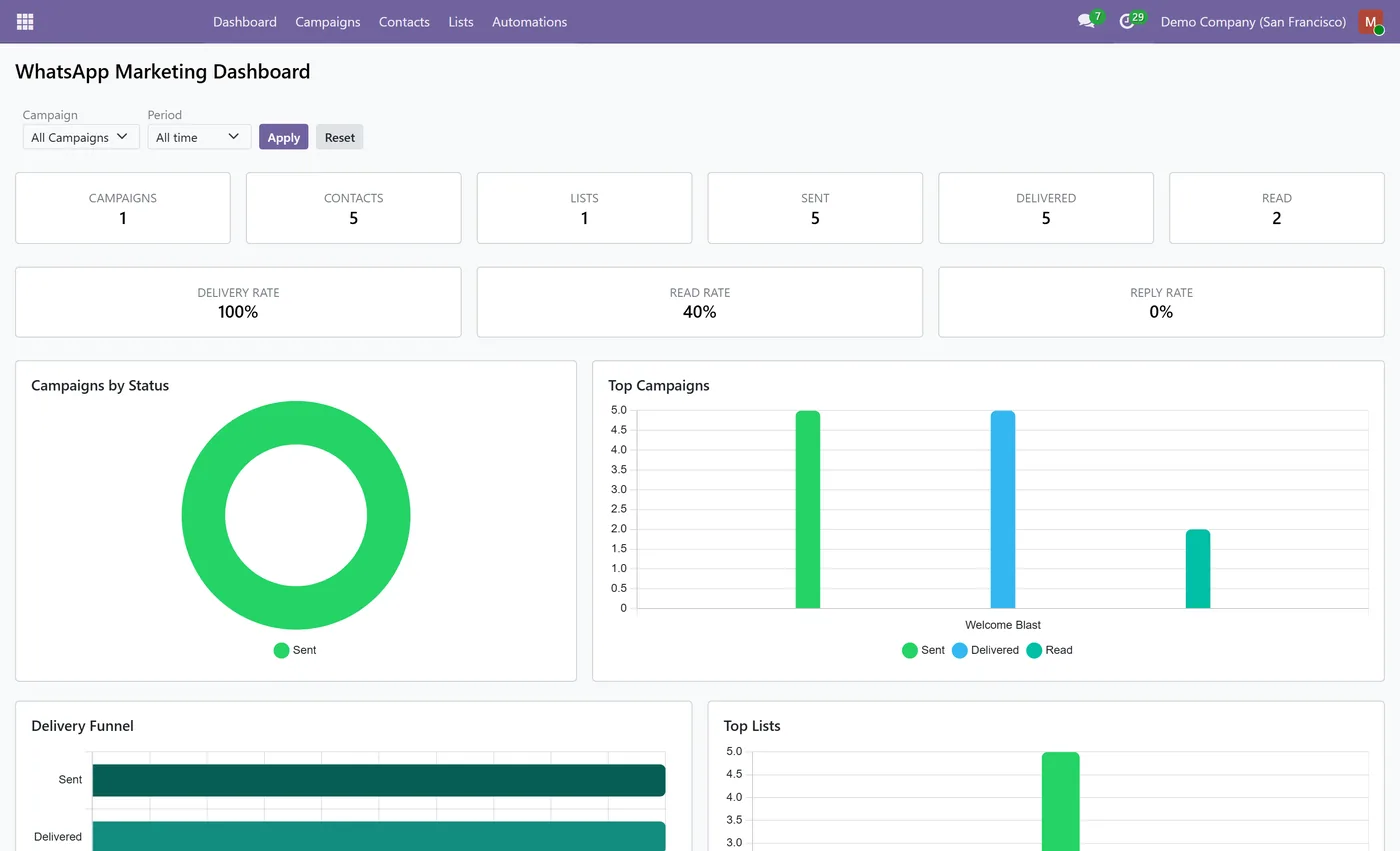
WhatsApp Marketing for Community brings bulk WhatsApp campaigns to Odoo Community, modeled on the built-in Email and SMS Marketing apps, with no Enterprise subscription required. It builds on the WhatsApp Business for Community app to send through the WhatsApp Business Cloud API. Collect contacts with validated phone numbers into reusable mailing lists, or build a new list from any set of contacts in one click. Create a campaign, pick your lists and an approved marketing WhatsApp template, then send now or schedule it for later. The module automatically drops invalid numbers, duplicates, opted-out contacts and blacklisted numbers before sending, and a STOP reply opts a contact out and blacklists their number. Every message is tracked back to its campaign, so a live OWL dashboard shows KPIs, delivery and read rates, a delivery funnel, top campaigns and lists, messages over time and a failure breakdown, all filterable by campaign and date. On top of campaigns it adds event-triggered automation, a Send WhatsApp server-action state and a wizard that create automation rules to fire an approved template automatically when records are created or updated. It is fully multi-company.
New to Odoo Marketing? Read our practical guide to how it works
How it works
Built around what you actually do.
Every screen below is the module running in Odoo, not a mockup.
01
Bulk WhatsApp marketing campaigns for Odoo Community, no Enterprise required
- Modeled on the built-in Email and SMS Marketing apps
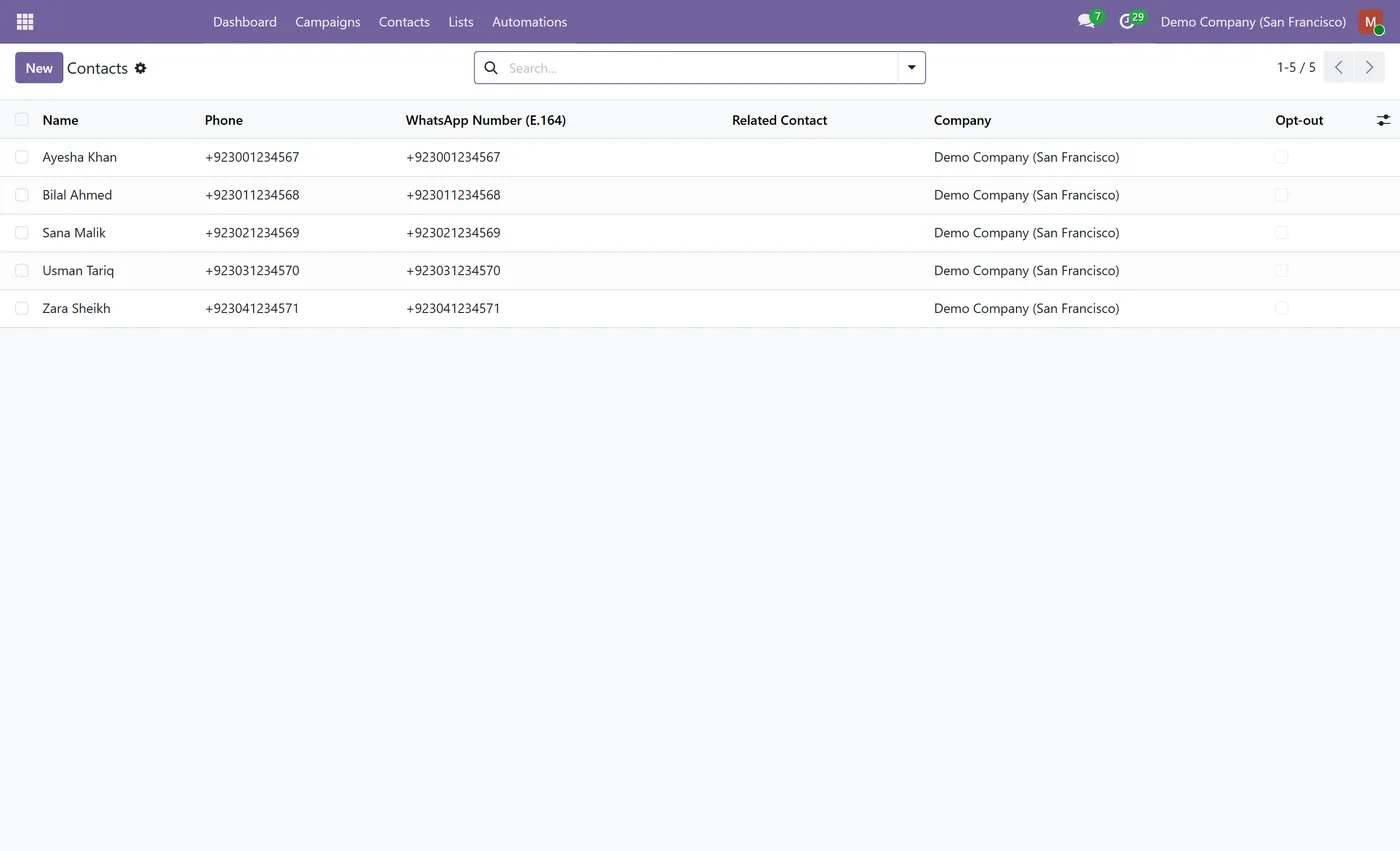
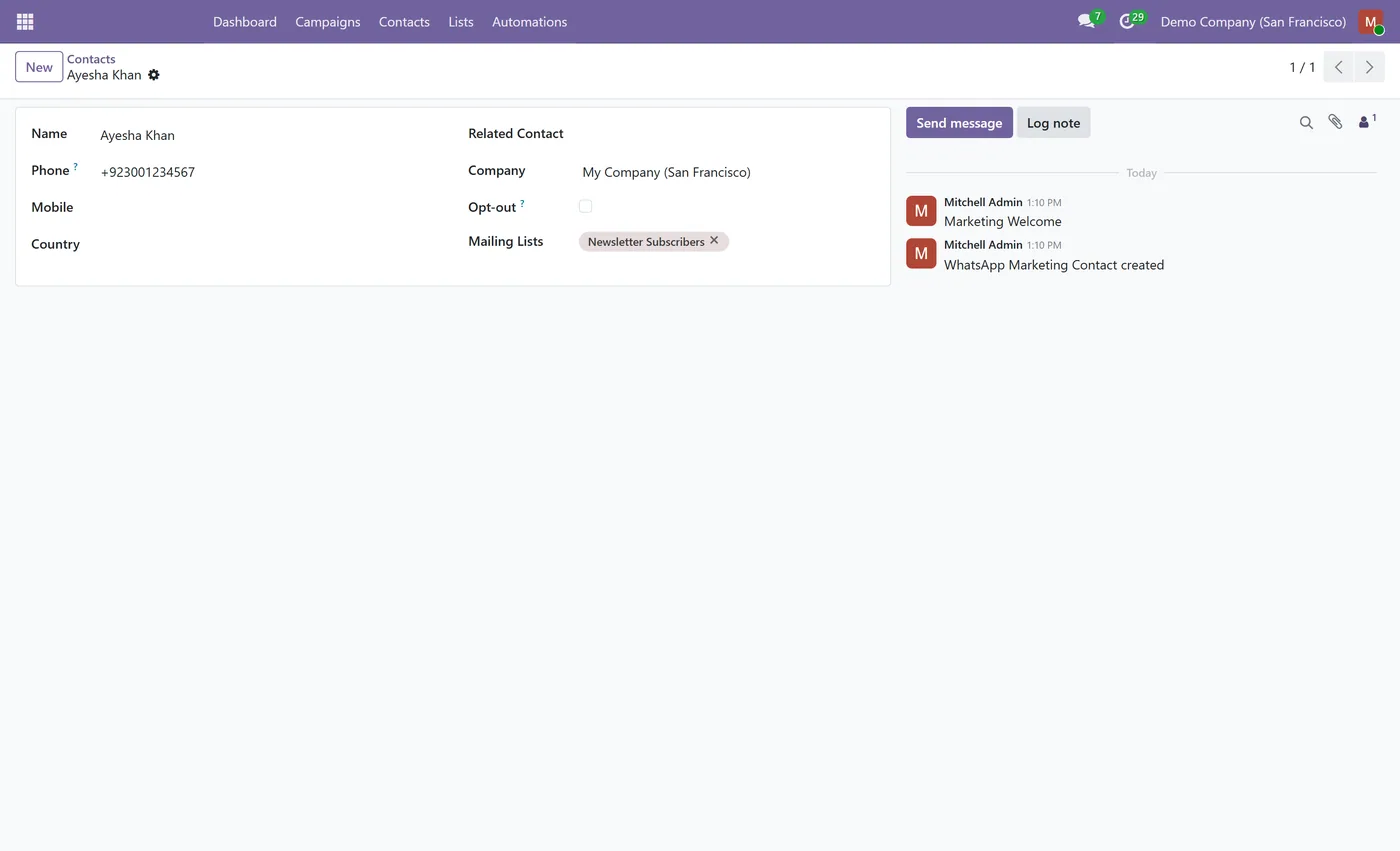
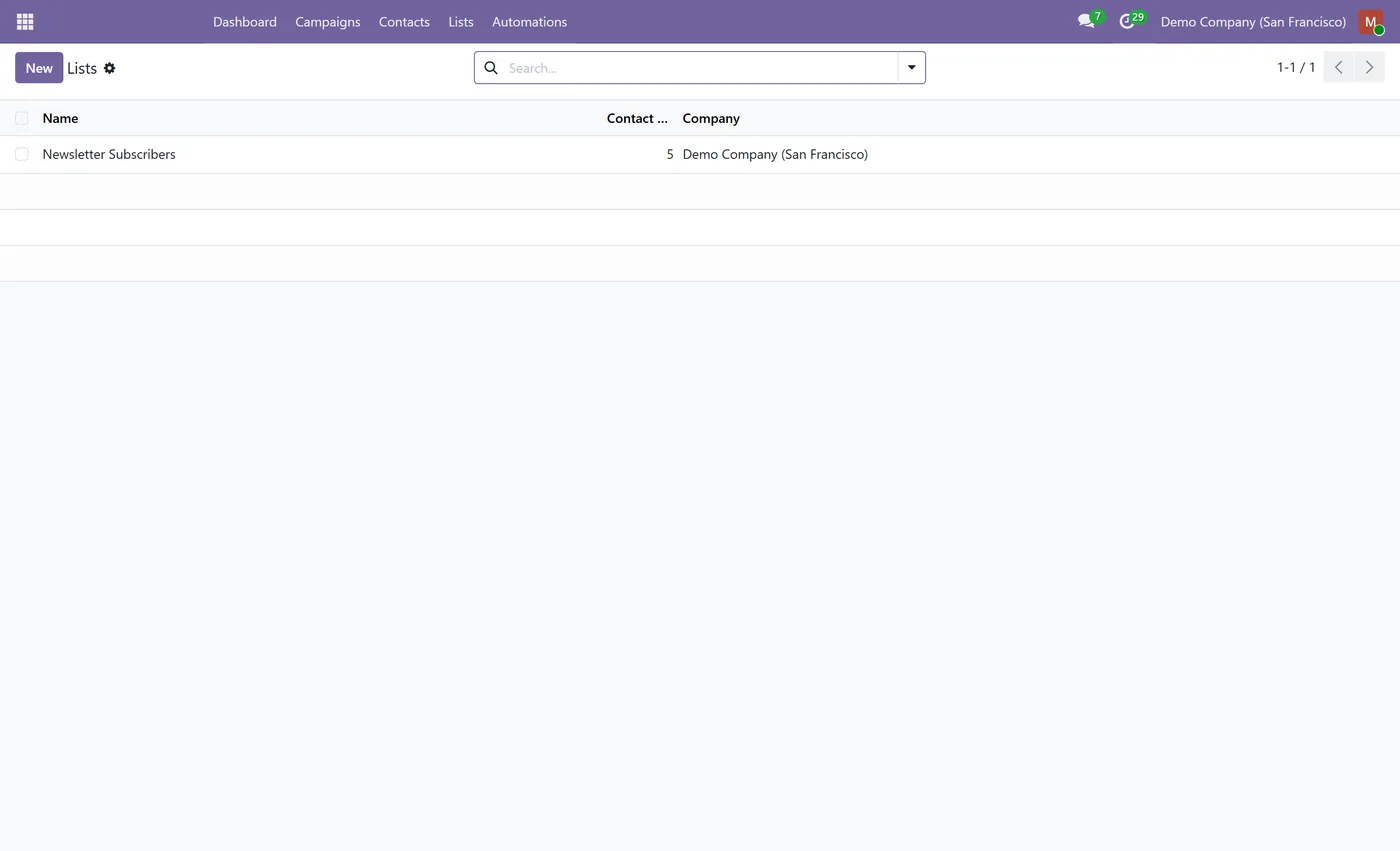
- Contact lists (mailing lists) of contacts with validated, deduplicated phone numbers
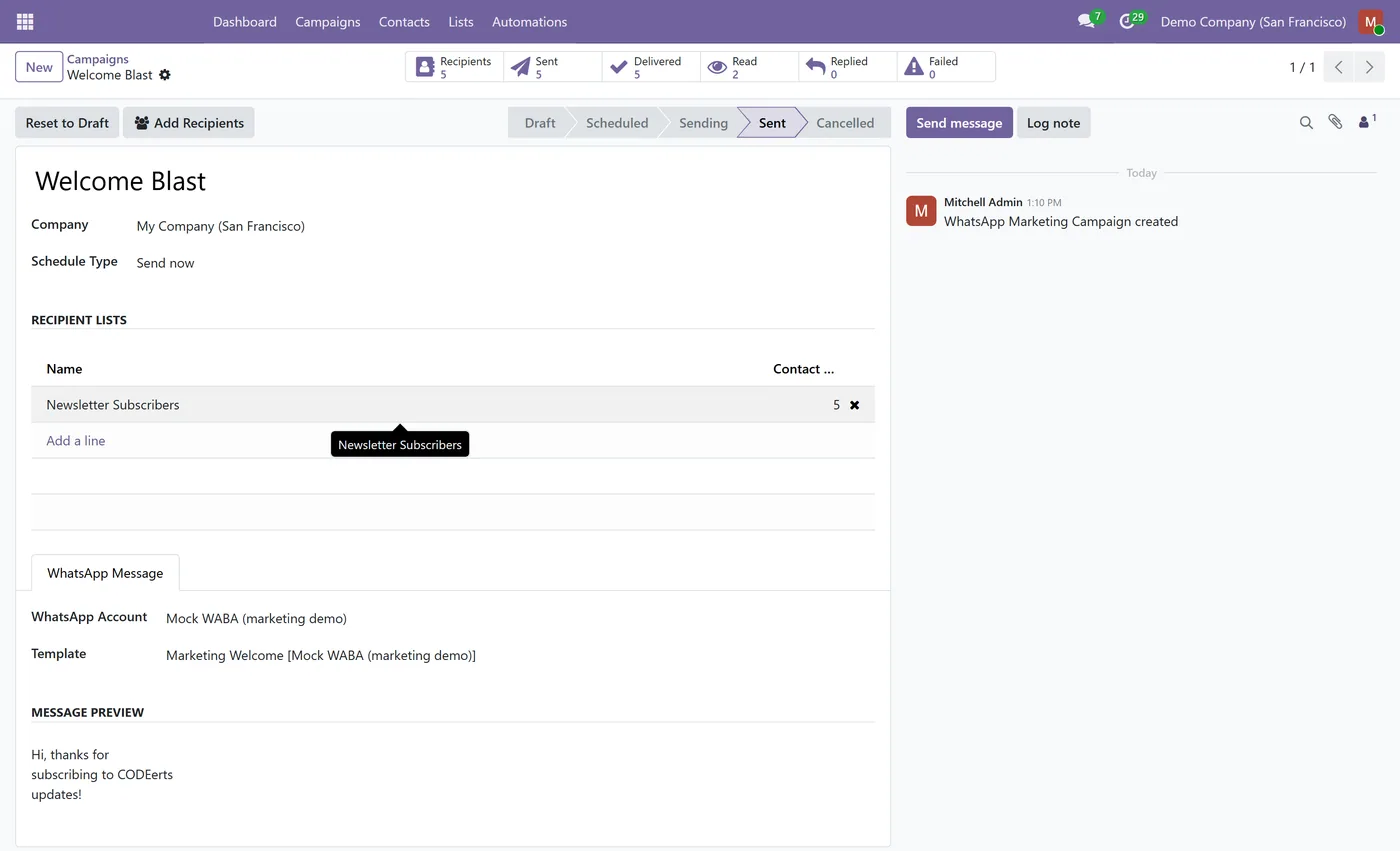
- Build a mailing list from any selected contacts in one click, creating the contacts from their numbers
- Add recipients to a campaign from a quick wizard
- Broadcast an approved marketing WhatsApp template to one or more lists
02
Send now or schedule a campaign for a future date and time
- Automatic exclusion of invalid numbers, duplicates, opted-out contacts and blacklisted numbers
- Opt-out handling, a STOP reply opts the contact out and blacklists their number
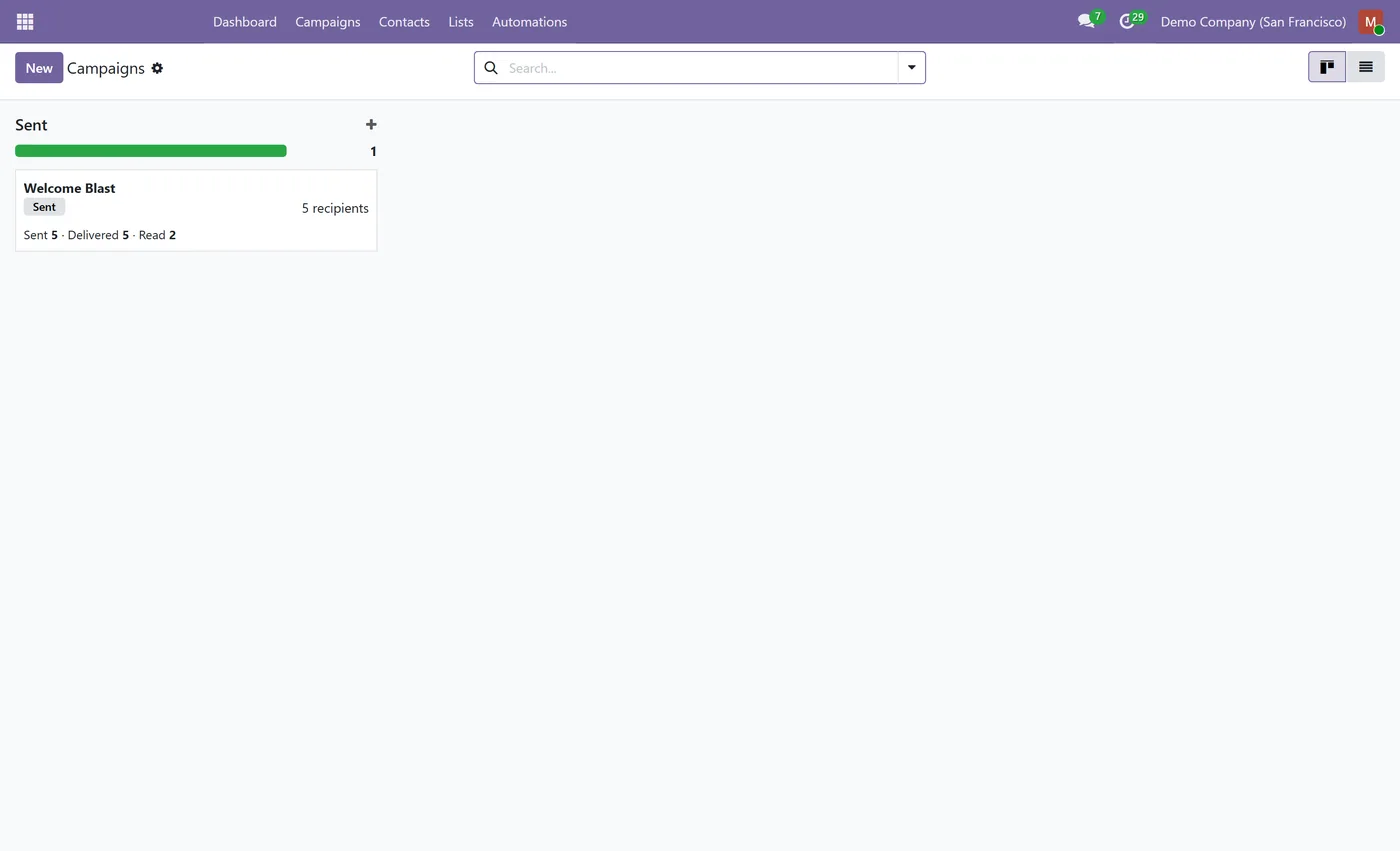
- Live per-campaign tracking of sent, delivered, read, replied and failed messages
- Kanban campaign board that shows delivery status as the blast progresses
- OWL dashboard with KPIs, delivery and read rates, a delivery funnel and charts, filterable by campaign and date
03
Event-triggered automation, send an approved template automatically when records are created or updated
- A Send WhatsApp server-action state and a wizard to build automation rules without hand-writing them
- Multi-company support, campaigns and accounts scoped to their company
- Builds on the WhatsApp Business for Community app to send through the WhatsApp Business Cloud API
Every screen
The whole module, screen by screen.
The captures the walkthrough above did not use, in the order you meet them in the product.
What it does
WhatsApp Marketing for Community adds bulk WhatsApp campaigns to Odoo Community, built to feel exactly like the Email Marketing and SMS Marketing apps you already know, with no Enterprise subscription required. It builds on the WhatsApp Business for Community app to send through the WhatsApp Business Cloud API. You keep your audience as contacts with validated phone numbers, group them into reusable mailing lists, and broadcast an approved WhatsApp template to those lists, either right away or on a schedule. Because every message is tagged back to its campaign, you get real delivery, read and reply tracking instead of guesswork, and you can also fire WhatsApp messages automatically when records change.
Which version you need
This is the Odoo Community edition, and it exists because Odoo's own WhatsApp app is Enterprise only. It sends through the WhatsApp Business Cloud API via the WhatsApp Business for Community app, so Community users get bulk campaigns with no Enterprise subscription.
It also does something the Enterprise edition does not: event-triggered sends, firing a WhatsApp message automatically when a record is created or updated. An order confirmation, a delivery notice or a payment reminder goes out without anyone running a campaign.
On Odoo Enterprise, use WhatsApp Marketing for Odoo instead, which builds on the WhatsApp connection Enterprise already gives you.
Who it's for
Marketing and operations teams on Odoo Community who were told bulk WhatsApp needs Enterprise. It suits anyone who wants campaigns and automatic transactional messages from the same place, and companies weighing an Enterprise upgrade purely for the WhatsApp app, since this removes that as a reason.
Questions
About WhatsApp Marketing for Odoo Community.
Can I run WhatsApp marketing campaigns in Odoo Community?
Yes. This app adds bulk WhatsApp campaigns to Odoo Community with no Enterprise subscription. It builds on the WhatsApp Business for Community app to send approved templates through the WhatsApp Business Cloud API.
How do I send a WhatsApp marketing campaign?
Create a campaign, choose one or more contact lists and an approved marketing WhatsApp template, then send now or schedule it. The module sends the template to every valid, opted-in recipient and tracks the results back on the campaign.
Can WhatsApp messages be sent automatically on an event?
Yes. The app adds a Send WhatsApp server-action state and an automation wizard, so you can build a rule that fires an approved WhatsApp template automatically when a record is created or updated, for example a welcome message on new signup.
How does opt-out and STOP handling work?
Each contact has an opt-out flag, and opted-out or blacklisted numbers are skipped automatically before a send. When a recipient replies STOP, the module opts them out and adds their number to the phone blacklist, so they are excluded from every future campaign.
What does the WhatsApp marketing dashboard show?
It shows KPIs such as campaigns, contacts, lists and messages sent, delivery and read rates, a delivery funnel, top campaigns and lists, messages over time and a breakdown of failures. You can filter the whole dashboard by campaign and by date range.
Which Odoo versions does this support?
Use the version selector at the top of this page to pick your Odoo release. The app is maintained across the supported versions.
On the Odoo Store
Get WhatsApp Marketing for Odoo Community on the Odoo Store.
Pick your Odoo version and install it in a click, with free updates and real support behind it.
Get it on the Odoo StoreReady to make Odoo work the way your business does?
Book a free call CODEerts
CODEerts is a team of certified Odoo partners and full-stack engineers. We implement, customise and support Odoo ERP, then build the software around it.

