
Selling to businesses and to consumers from the same Odoo website used to force compromises. Consumers expect prices with tax included; business buyers want them without. Trade customers buy by the pallet; consumers should never see that option. Odoo 20 adds three features that make one website work for both: tax display on the pricelist, restricted packagings per website, and range filters for attributes like screen size.
Applies to: Odoo 20 eCommerce (Community and Enterprise). Screens are from Odoo 20.
Can Odoo 20 show B2B prices without tax and B2C prices with tax?
Yes. Each pricelist now has an Ecommerce tab with a Price Display field: Taxes Included or Taxes Excluded.
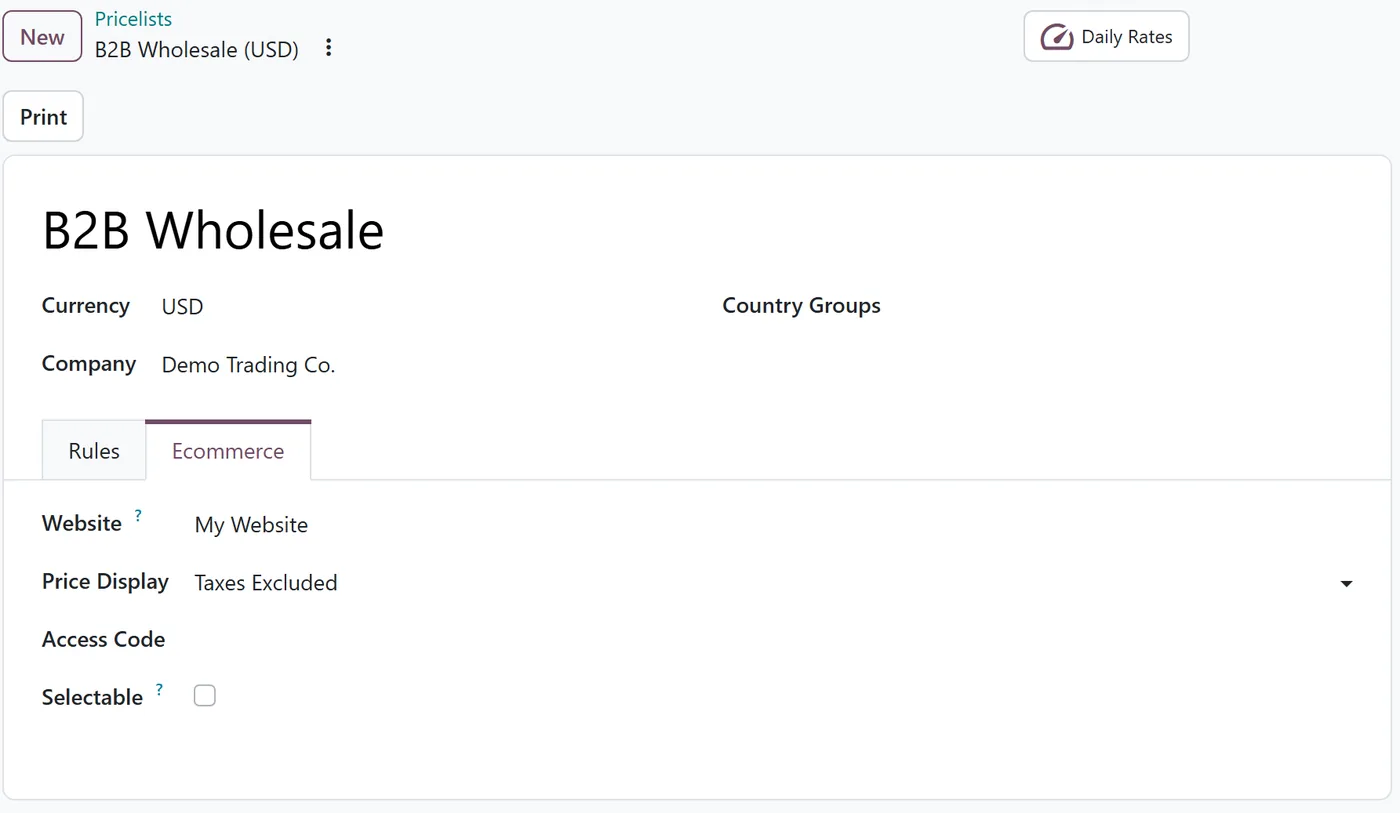
When a visitor browses the shop, Odoo uses the pricelist that applies to them. If that pricelist has a Price Display, it decides. If it is left empty, the website's own Display Product Prices setting applies, which you find in the website settings.
A typical setup:
| Pricelist | Assigned to | Price Display |
|---|---|---|
| Public Pricelist | Everyone, including anonymous visitors | Empty (follows the website, tax included) |
| B2B Wholesale | Business customers, on their contact | Taxes Excluded |
A business customer who logs in sees wholesale prices without tax; a consumer sees shelf prices with tax. Both use the same catalogue and the same checkout.
A note on the website default: it starts from the company's fiscal country. Websites of companies based in the United States or Canada start with tax excluded, others with tax included. Check it once rather than assuming.
In Odoo 19 there was only the website-wide setting, so a mixed audience meant choosing one display for everyone.
How do you hide pallet quantities from consumers?
If you sell the same product in different packagings, for example a single unit, a pack of 6 and a pallet of 120, turn on Units of Measure & Packagings and add the packagings to the product.
Then, in the website settings, Restrict Packagings ("Prevent from selling the specified packagings") lets you list the packagings that website must not offer.
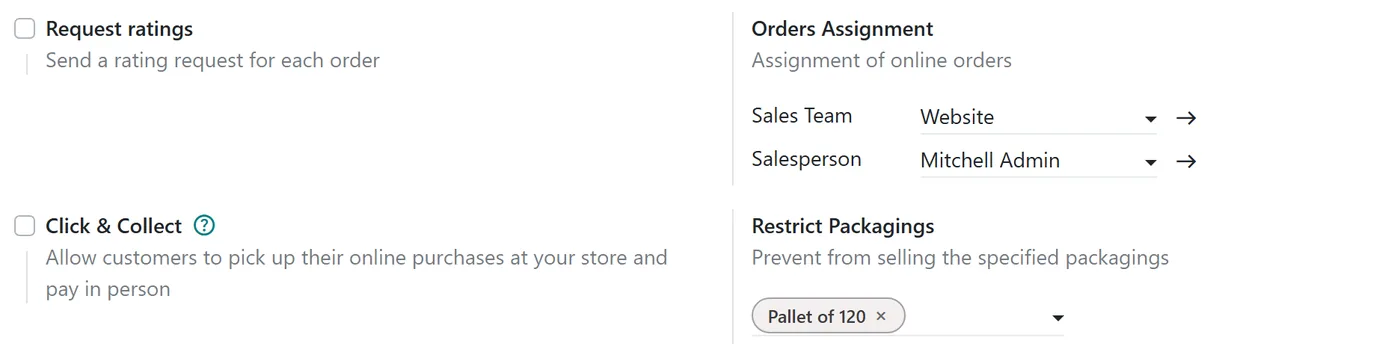
The restriction is per website, not per customer. That shapes the design:
- Two websites (a consumer shop and a trade portal on one database): restrict pallets on the consumer site only. This is the clean solution.
- One website for everyone: a restricted packaging is hidden from every visitor on that site, business customers included. Handle bulk quantities through the salesperson or a quotation instead.
What is a range filter for attributes?
Some attributes are naturally ordered: screen sizes, lengths, weights. Showing them as a list of checkboxes makes the customer tick five boxes to say "between 14 and 16 inches". Odoo 20 adds a Range display type for attributes.
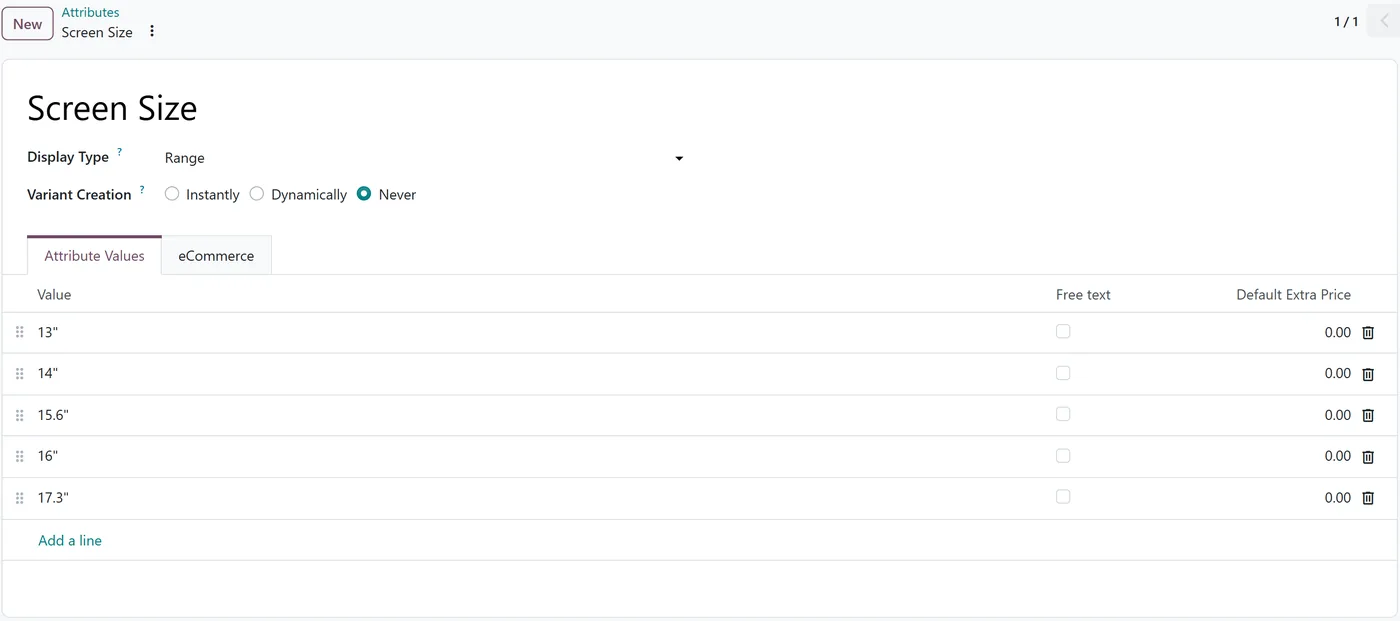
On the shop, the filter lets the customer pick a lower and an upper value, and shows products with any value in between.
One detail decides whether it works: the range follows the order of the values in the list, not the numbers written in them. Odoo does not read "15.6" as a number; it takes every value that sits between the two chosen values in your sequence. Keep the values sorted from smallest to largest (drag them into order), and insert a new size in its correct place rather than at the bottom.
Putting it together
For a business that sells office equipment to both companies and households, a clean Odoo 20 setup looks like this:
- Two pricelists: public with tax included, wholesale with tax excluded and assigned to business contacts.
- Packagings for units, packs and pallets, with pallets restricted on the consumer-facing website.
- Range attributes for measurable features, with values in size order.
Test it the way customers will use it: log in as a business contact and as a consumer, and check prices, packagings and filters on each. If the shop also tracks stock without the Inventory app, our guide to eCommerce stock without the Inventory app covers how quantities and automatic unpublishing behave.
FAQ
Does Price Display change the tax charged?
No. It changes how prices are shown on the website. The taxes on the order still come from the product and the fiscal position.
Can one customer see both displays?
A visitor sees the display of the pricelist that applies to them at that moment. If a customer can switch pricelists on the website, the display follows the selected one.
Is this available in Community?
Yes. Pricelist tax display, restricted packagings and range attributes are part of the standard eCommerce app.
Next step
If you want one Odoo website to serve both trade and retail customers cleanly, our implementation team can design the pricelists, packagings and site structure with you. For more on the shop, see our Odoo eCommerce guide.