
Two small changes in Odoo 20 Sales remove a surprising amount of friction. Sales orders can now carry line numbers, so "please change line 3" means the same thing to your customer, your salesperson and your warehouse. And a product's delivery lead time can now differ by company, which matters as soon as one database runs more than one company.
Applies to: Odoo 20, Sales app (Community and Enterprise). Screens are from Odoo 20.
How do you turn on line numbers in Odoo 20?
Go to Sales > Configuration > Settings and tick Line Numbers ("Display line numbers on Sales Orders.").
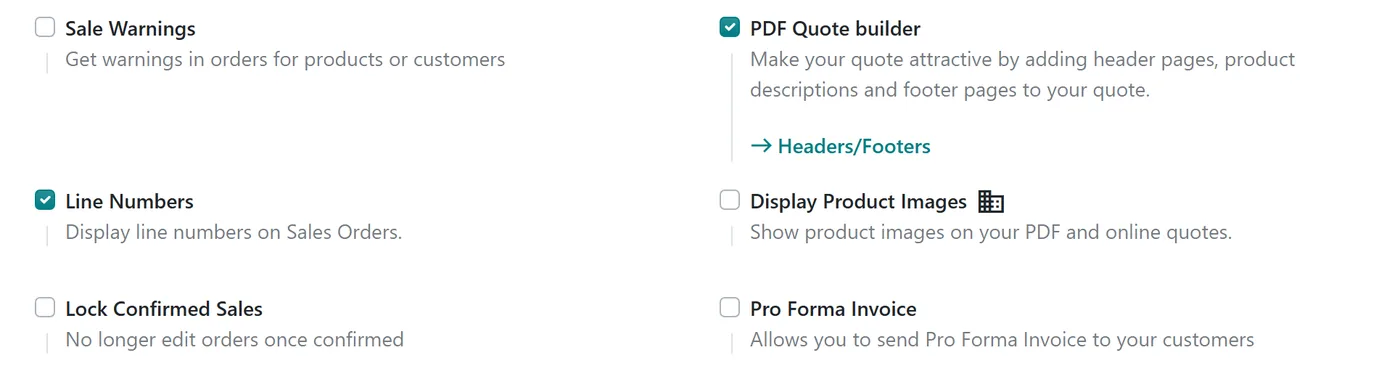
The setting belongs to the company, so in a multi-company database each company decides for itself.
Where do the numbers appear?
In three places, which is the point of the feature:
- The order form. A # column appears before the product, numbering the lines 1, 2, 3.
- The quotation and order PDF. The printed or emailed document shows the same numbers.
- The customer portal. When the customer opens the order online, the lines are numbered there too.
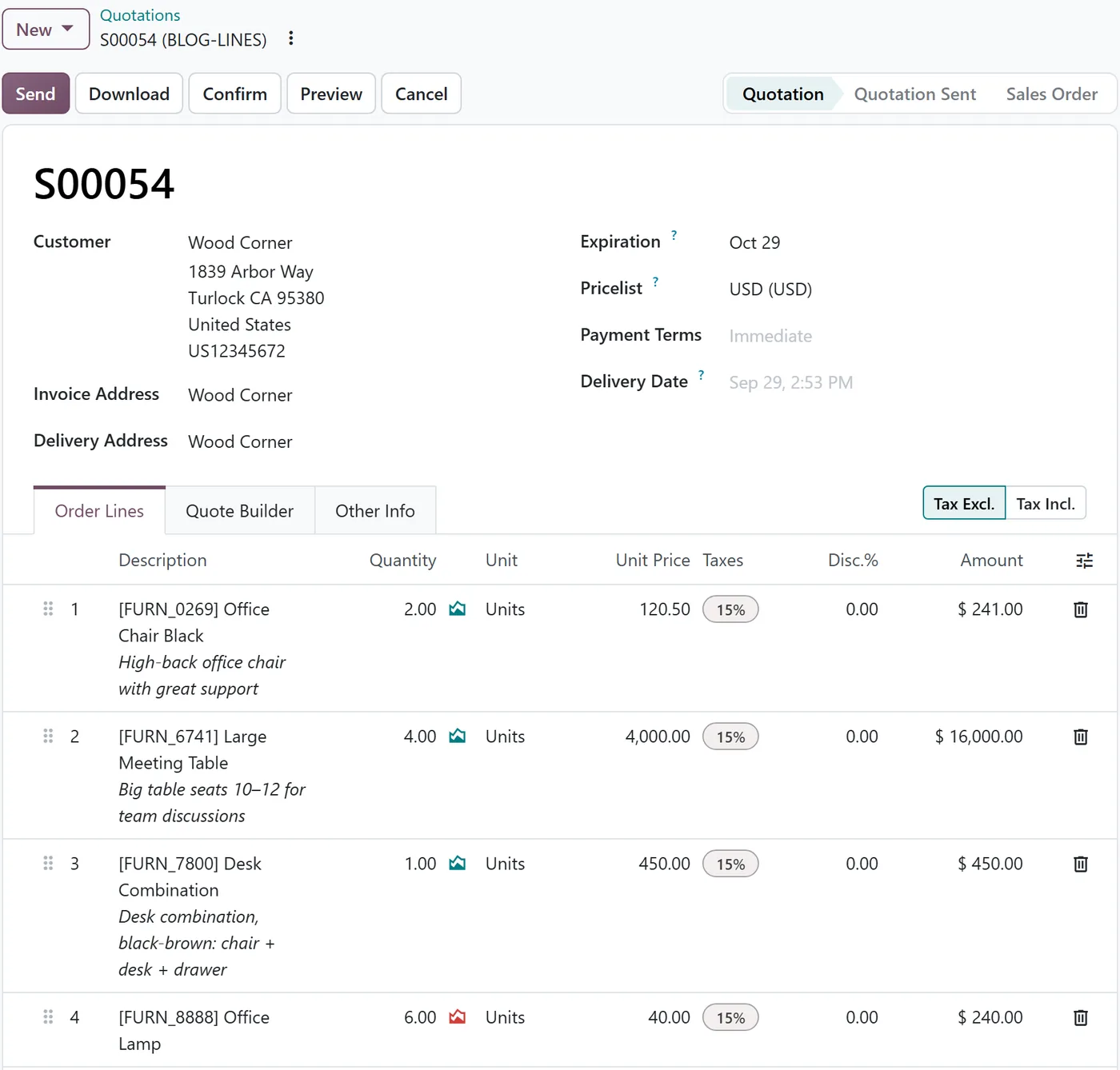
Why line numbers matter more than they look
Customers who send purchase orders back usually reference lines by number. Without numbers on your side, every change request becomes a matching exercise: "the second desk, the black one". With numbers, the conversation is exact, and so is the audit trail when a quotation goes through several versions.
They also help your own team. A salesperson on the phone and a colleague reading the PDF can point at the same line without reading product names aloud.
What changed about Delivery Time?
A product's Delivery Time is the number of days you promise between confirming the order and delivering. In Odoo 19 this lived in Inventory as Customer Lead Time and had one value for the whole database.
In Odoo 20 the field moved to Sales, is called Delivery Time, and is company dependent: each company can hold its own value for the same product.
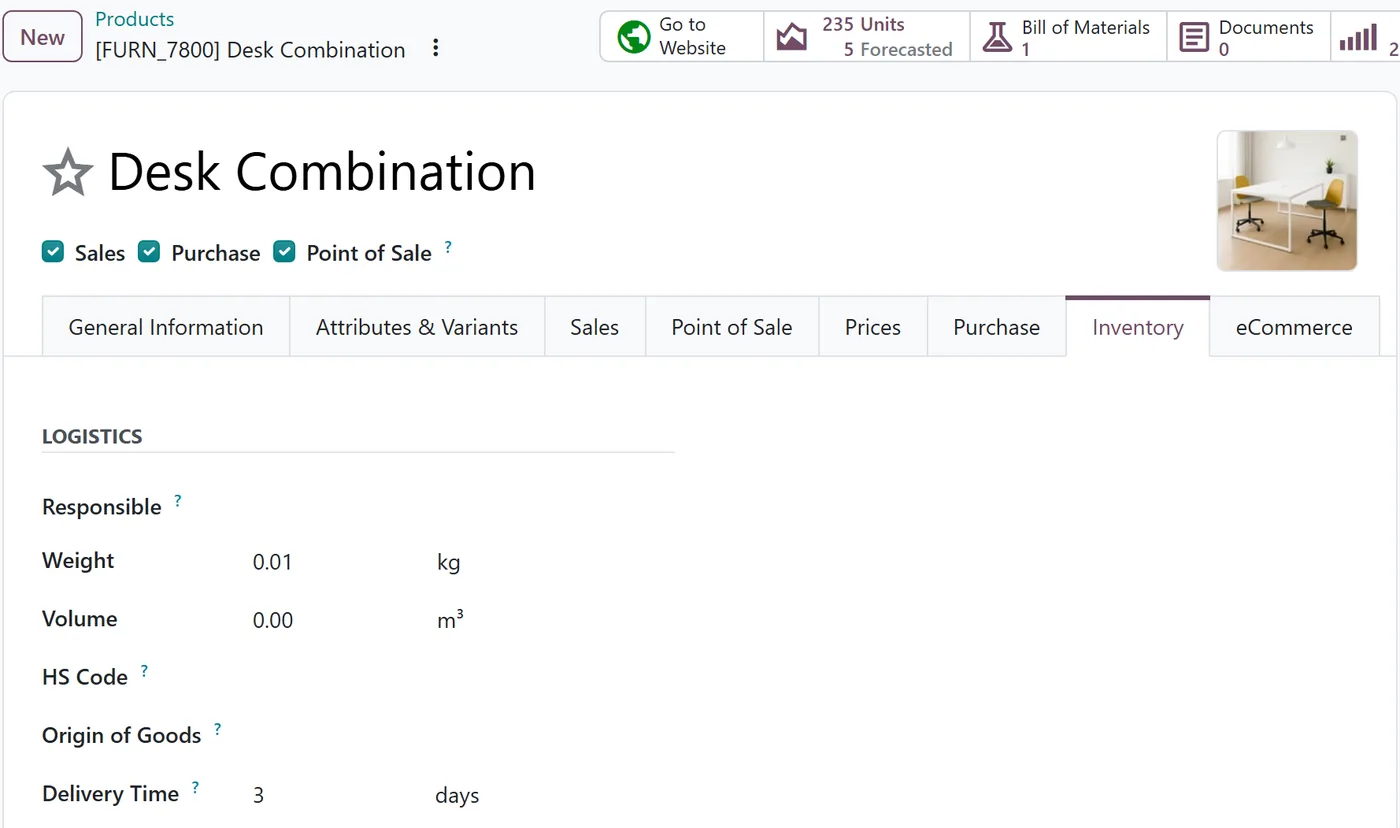
A simple example: the same desk is sold by two companies in one database. The first ships from local stock and promises 3 days. The second imports it and promises 10. Each company sets its own value while logged in to that company, and neither overwrites the other.
How does the order use it?
When you add a product to a sales order line, the line takes the product's Delivery Time for the order's company. The expected date for that line is the order date plus those days (before confirmation, today plus those days).
So the promise your customer sees follows the company that is selling, not whichever company last edited the product.
What to check when you upgrade
- Review lead times per company. After an upgrade, look at products sold by more than one company and decide whether they really share one delivery promise.
- Check reports and exports that read the old field. Anything built on the old Customer Lead Time field name deserves a test.
- Decide on line numbers before the first customer sees them. Switching it on changes every new PDF and portal page for that company.
FAQ
Can I number some orders and not others?
The setting is per company, not per order. Every order of a company that has it switched on shows numbers.
Does Delivery Time need the Inventory app?
No. In Odoo 20 the field belongs to Sales. With Inventory installed it appears under Logistics on the product's Inventory tab, as in the screenshot.
Does the line's lead time change if I edit the product later?
The line takes the product's value when the product is set on the line. Treat later product changes as affecting new lines, and adjust an existing order's dates on the order itself if a promise changes.
Next step
If you run several companies in one Odoo database and want delivery promises and documents set up consistently, our implementation team can review your sales configuration company by company. For a wider view of the app, see our Odoo Sales guide.