
People buying spare parts do not browse. They arrive with a part number from a manual, a photo of a label, or the model of the machine that broke. A spare parts shop succeeds or fails on whether that one search finds the right item. Here is how to set up Odoo's shop for it.
Applies to: Odoo 20, Website and eCommerce. Screens are from Odoo 20 with demo data.
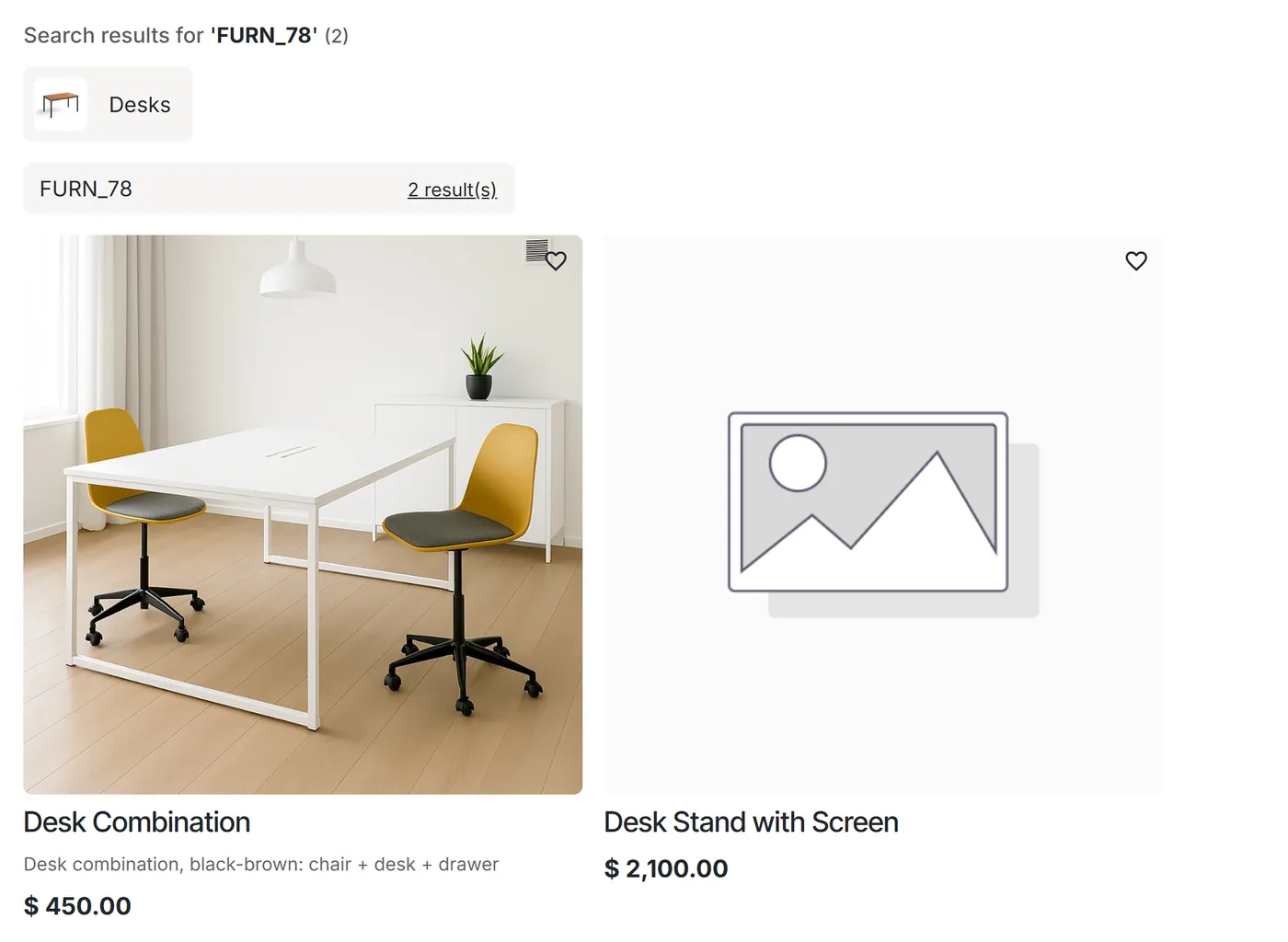
What does the shop search actually look at?
More than most people expect. The eCommerce search matches:
- The product name
- The internal reference, including partial references
- The product and variant barcodes
- The eCommerce description
- Attribute value names
- Product tag names
- Public category names
For spare parts, the internal reference does the heavy lifting. Searching a partial reference returns every product that shares it.
How do you show which model a part fits?
Odoo has no dedicated compatibility table for vehicles or machines. The practical approach uses fields the search already reads:
| Approach | Good for | Watch out for |
|---|---|---|
| Product tags per model ("Pump X200") | Parts that fit many models | Tag lists grow quickly; agree naming rules |
| Attribute values | Parts sold in variants per model | Only when the model really creates a variant |
| Public categories per machine family | Browsing by machine | Too many categories confuse the menu |
| eCommerce description | A readable "fits" list | Keep it consistent so search matches |
Tags are usually the best start. Because the shop search reads tag names, a customer typing the model name finds every part tagged with it.
For very large catalogs, where one part fits hundreds of models, a custom compatibility model may be worth building. Test the simpler approach first.
How do you suggest the right extra part?
A spare parts order is rarely one item. The gasket needs its seal kit; the filter has a cheaper equivalent. Odoo gives you two lists on the product's Sales tab:
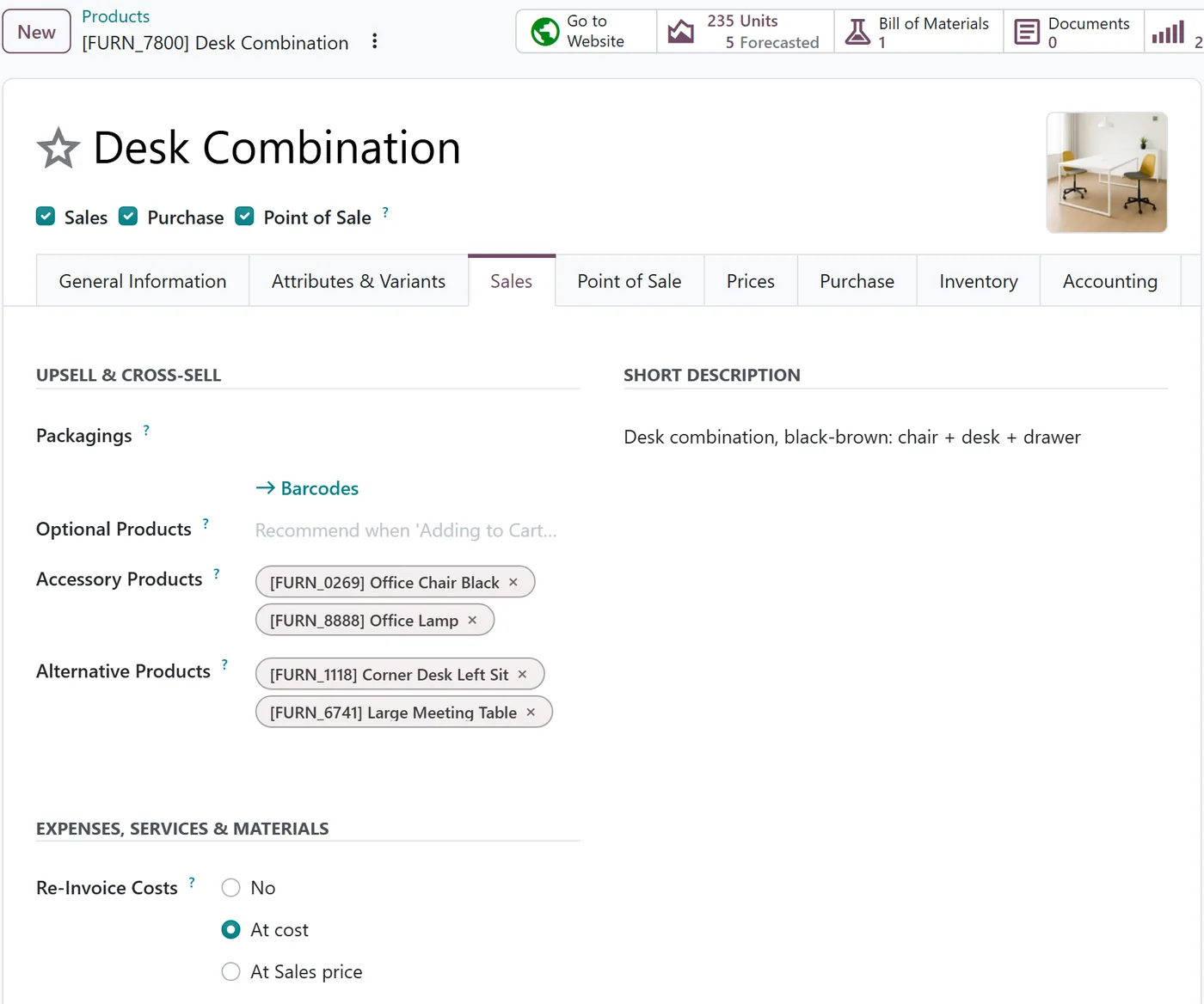
- Accessory Products show up when the customer reviews the cart before payment. Use them for parts that are needed together.
- Alternative Products suggest alternatives on the product page. Use them for equivalents or upgrades.
There is also an Automate suggested products setting that fills these lists for you. It is a quick start, but for spare parts hand-picked lists are usually more accurate.
What else matters for fulfilment?
- Stock display. Buyers of urgent parts want to know if it is in stock before ordering.
- Clear references. Show the internal reference on the product page, so the customer can confirm the match.
- Returns for wrong parts. Some returns are inevitable, so decide the process before the first one arrives.
FAQ
Can customers search by the manufacturer's part number as well as ours?
Put the number you want matched in a searchable field, such as the internal reference, the barcode or a tag. The search reads all of them.
Will tags clutter the product page?
Tags are a search and filtering aid. Keep them consistent and short, and they stay useful rather than noisy.
Do alternative products work for variants?
Alternative products are set on the product template, so they apply across its variants.
Next step
Our implementation team can structure a parts catalog so search, compatibility and suggestions work together. More in our eCommerce guide and Website guide.