 CODEerts

Odoo Website
Odoo Website: Pages Anyone Can Edit, Wired to Live Business Data
The point of Odoo Website is not that it builds beautiful pages faster than the alternatives. It is that a form on a page creates a real lead, a product page reads real stock, and a customer portal shows real invoices, with nothing in between.
Written by Tayyab RasheedOdoo 19 Certified, Technical Consultant
01
What Odoo Website actually is
Odoo Website is a page builder with a live in-place editor, a theme system, and a set of drag-and-drop blocks. Judged purely as a website builder it is capable and unremarkable. Dedicated platforms offer more themes, more polish and far larger plugin ecosystems.
Its actual value is connection. The form on your contact page can create a CRM lead directly. A product page shows the stock your warehouse is looking at. The customer portal displays real quotations, orders and invoices. An event page sells real tickets. None of this passes through an integration, because there is nothing to integrate.
For an organisation already running Odoo, that removes an entire class of work. For an organisation not running Odoo, the website alone is rarely the reason to adopt it.
02
The editor, and who it is really for
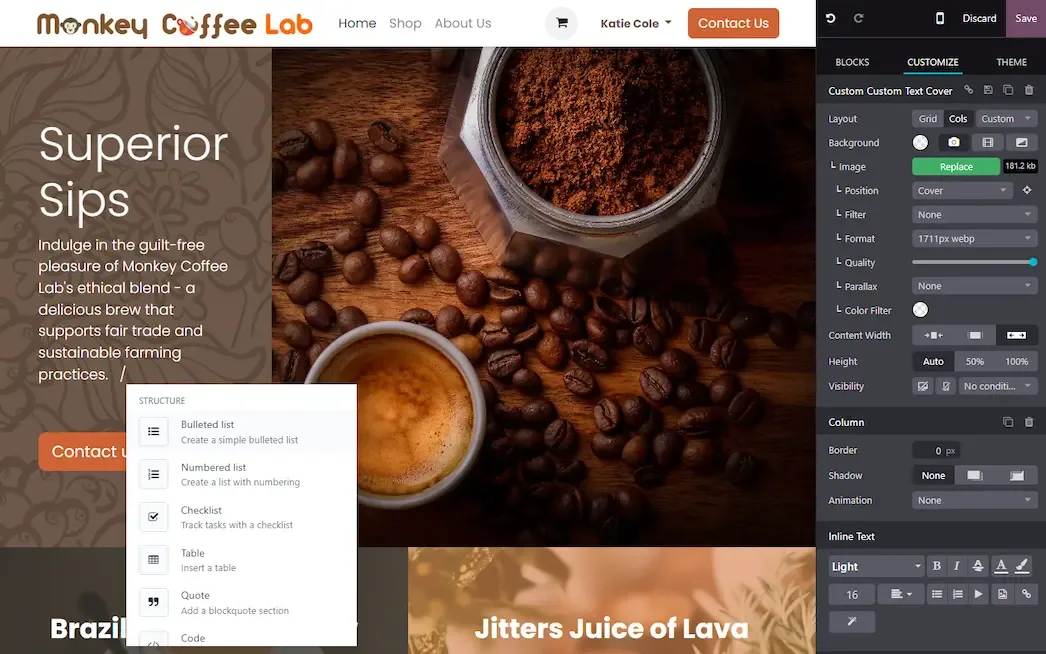
Pages are assembled from blocks dragged onto the page and edited where they sit. Text, images, spacing, colours and layout are all changed in place and published when ready.
The audience for this is the person who currently has to raise a ticket to change a headline. That is a genuine organisational benefit and it is easy to undervalue from a technical seat. A marketing team that can publish without a developer, a deploy or a queue will keep the site current, and a current site outperforms a beautiful stale one.
The trade is that the output stays within the vocabulary of the blocks. You will get a professional, conventional site quickly. A distinctive, art-directed design is a different project.
03
Themes, and the constraint that decides your options
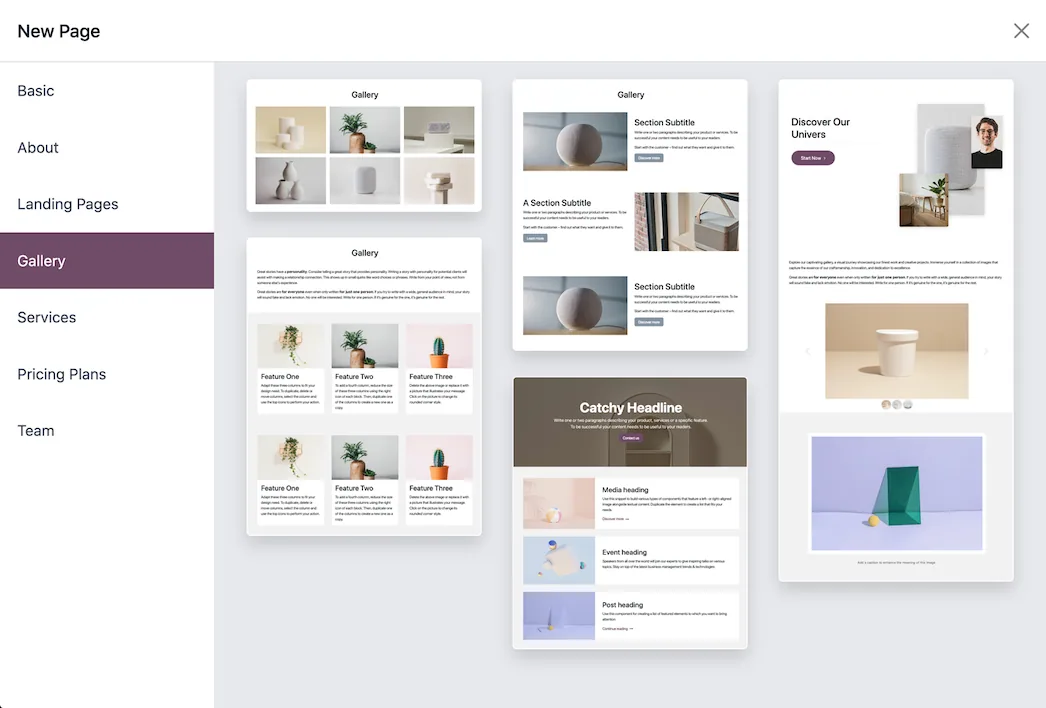
A theme sets typography, colour, spacing and block styling site-wide. Switching theme restyles existing content rather than rebuilding it.
The constraint worth knowing before you plan anything ambitious: on Odoo Online, custom modules and custom themes cannot be installed. Deep customisation there happens through the editor, through theme options, and through custom CSS and JavaScript injected into the site's head. That is a real ceiling, and it is workable, as this site demonstrates. On odoo.sh or self-hosted, a proper custom theme module is available and the ceiling lifts.
Establish which hosting model you are on before designing, because it changes what is possible and therefore what should be promised.
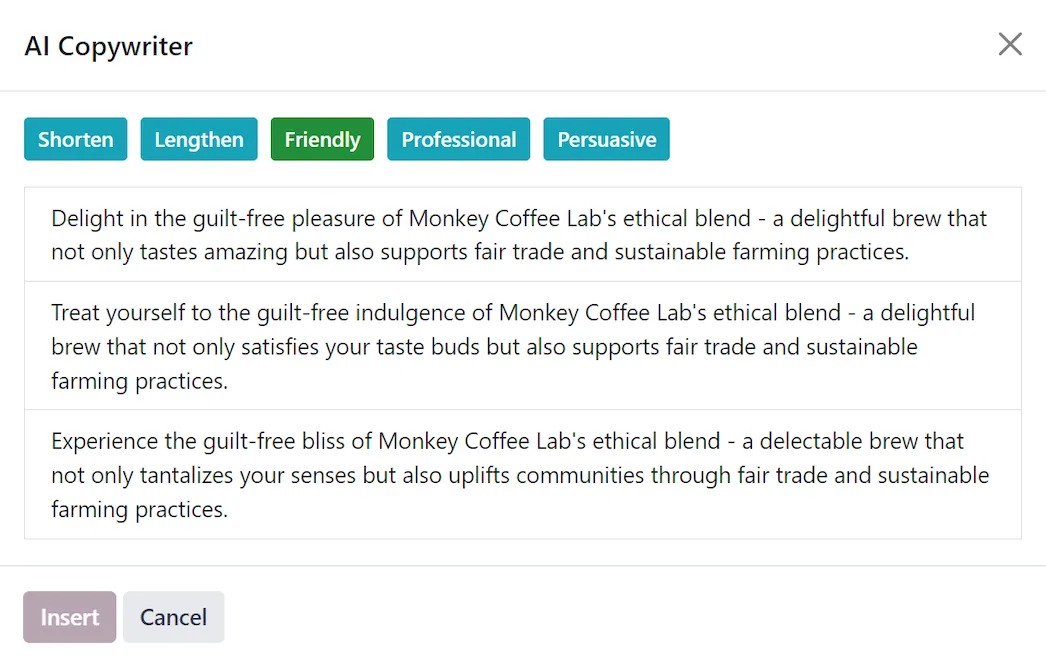
Screenshots of Odoo are the property of Odoo S.A. and are shown here to illustrate the app they depict.
Forms and portals, which are where the platform advantage shows
A form block can be bound to a model. A contact form creates a CRM lead with the right salesperson and source. A support form creates a helpdesk ticket. A job application creates a recruitment record.
The customer portal goes further. A logged-in customer sees their quotations, orders, invoices, deliveries, projects and tickets, can accept and sign a quotation, pay an invoice, and comment on a task. Building that against a separate CRM is a project. Here it is configuration.
This is the honest core of the argument for Odoo Website: not the pages, the plumbing.
SEO, which is supported rather than solved
Every page has an editable title, meta description and URL. Sitemaps generate automatically, redirects are managed in the backend, and some page types emit structured data.
Two things reliably go wrong. The first is images: the platform serves what you upload, and a page carrying several unoptimised photographs will be slow no matter how good the hosting is. The second is default metadata, since a page published without a written title and description will not rank, and no platform compensates for that.
Neither is an Odoo limitation. Both are the parts people skip.
Where Odoo Website will fight you
Design ceiling without front-end work. Covered above, and the most common source of disappointment when expectations were set by a competitor's template gallery.
Smaller ecosystem. Where a dedicated platform has a plugin for a niche requirement, Odoo may not, and the answer becomes development.
Performance needs discipline. Image sizes, block count per page and third-party scripts all matter, and the responsibility is yours.
Multi-language needs planning. Translation is supported and works, and it needs a workflow for who translates what and when, or pages drift out of sync between languages.
The editor allows inconsistency. Handing publishing rights to several people without a style agreement produces a site with six versions of the same button.
How it connects to everything else
Website forms create CRM leads. eCommerce runs on this module and sells your real products. Events sell tickets against real registrations. Blog and knowledge base articles support search visibility. The portal exposes Sales, Accounting, Project and Helpdesk records to the customer under access rules you control. Live chat feeds CRM and Helpdesk.
The site stops being a brochure that describes the business and starts being a surface onto it.
Where to start
Confirm your hosting model first, because it determines your design ceiling. Get the theme, typography and colour settled before building many pages, since restyling later is cheap but re-laying-out is not. Point your contact form at CRM on day one so no enquiry is ever just an email. Write real titles and descriptions as you publish rather than intending to return. Compress every image before uploading it. Then open the customer portal as a customer and decide whether what they see is what you want them to see.
FAQ
Odoo Website, answered.
Is Odoo Website free?
The Website app is in Community, including the block editor, themes, forms and blog. Odoo also offers a free plan for a single app on Odoo Online, which is why a small site plus a form is one of the cheapest ways to start on the platform.
Can I edit pages without a developer?
Yes, and this is the module's main strength. Pages are built from drag-and-drop blocks edited in place on the live page. A non-technical marketer can add sections, change text and images, and publish, without touching code or a staging deploy.
Do website forms create real records?
Yes. A form block can be pointed at a model, so a submission becomes a CRM lead, a contact, a helpdesk ticket or another record directly. This is the structural advantage over a separate site that has to post through an integration.
Is Odoo Website good for SEO?
The fundamentals are there: editable titles and descriptions, clean URLs, automatic sitemap, redirects and structured data on some page types. Ranking still depends on content and speed, and large unoptimised images are the most common self-inflicted problem.
Can I build a completely custom design?
Within the theme and block system, a great deal. Beyond it you are into front-end development, and on Odoo Online that work is constrained because custom modules and themes cannot be installed. Confirm which hosting you are on before promising a bespoke design.
Can one Odoo run several websites?
Yes. Multiple websites can run from one database with their own domains, themes, menus, pages and pricelists, while sharing products and customers. This suits multi-brand or multi-region operations without a second system.
With CODEerts
Want this set up properly?
We are certified Odoo partners. We implement, customise and support Odoo Website, and we publish our own apps on the Odoo Store.
See how we can helpBook a callReady to make Odoo work the way your business does?
Book a free call CODEerts
CODEerts is a team of certified Odoo partners and full-stack engineers. We implement, customise and support Odoo ERP, then build the software around it.

