 CODEerts

Odoo Studio
Odoo Studio: Customising Without Code, and Knowing When to Stop
Studio is genuinely useful and genuinely dangerous, for the same reason: it lets anyone with the rights change the system in minutes. The question is never whether it can do something, it is whether the change should outlive the afternoon it was made in.
Written by Tayyab RasheedOdoo 19 Certified, Technical Consultant
01
What Odoo Studio actually is
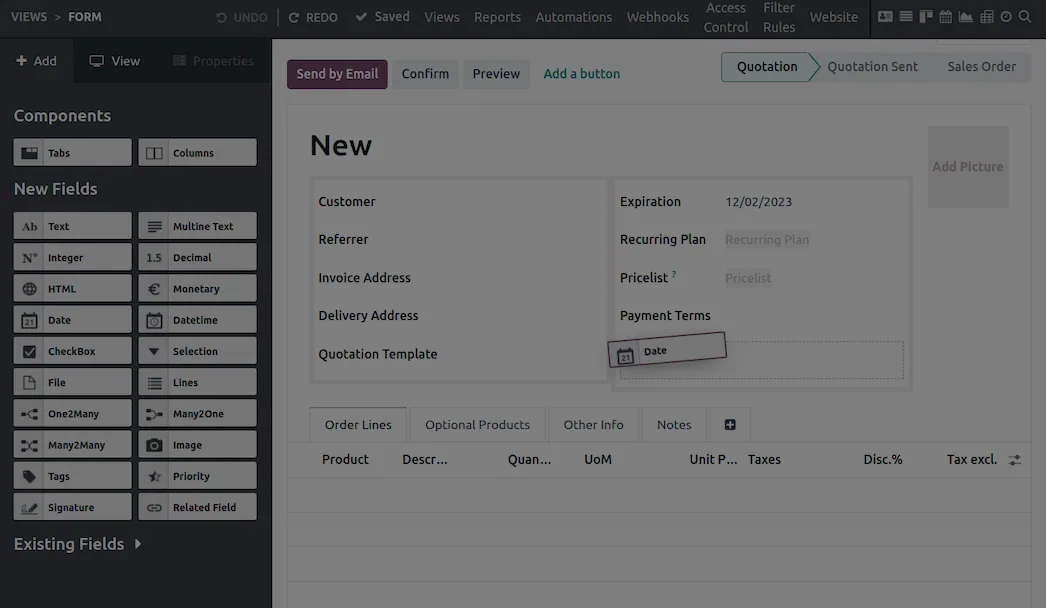
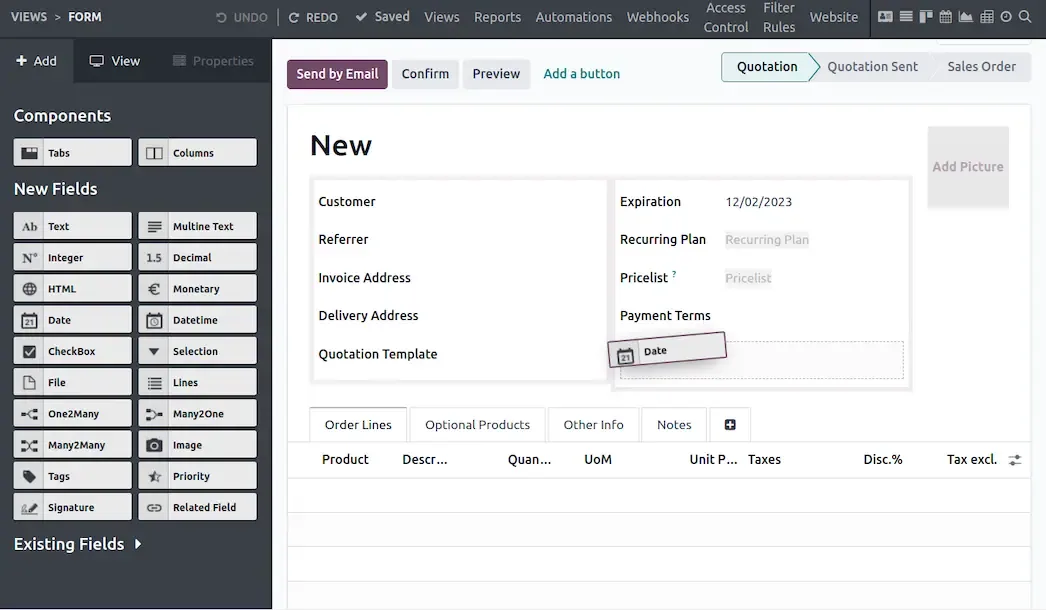
Studio is a visual customisation tool. You point at a form, drag a field onto it, and it exists. You create a model, build its views, add an automation, design a report, all without writing anything.
It is Enterprise.
It is also the module with the widest gap between what it can do and what it should do. The capability is real and the value is real: a functional consultant can deliver in an afternoon what would otherwise be a small development ticket with a lead time. The risk is equally real, because the same speed applies to changes nobody reviewed, documented or tested.
02
What it is genuinely good at
Adding fields. A customer-specific reference on a sale order, a checkbox on a task, a category on a partner. These are the majority of real customisation requests, and Studio handles them properly.
Editing views. Reordering, grouping, hiding fields irrelevant to your business, adding a column to a list. Removing clutter from a form is an underrated usability improvement and it is a two-minute change.
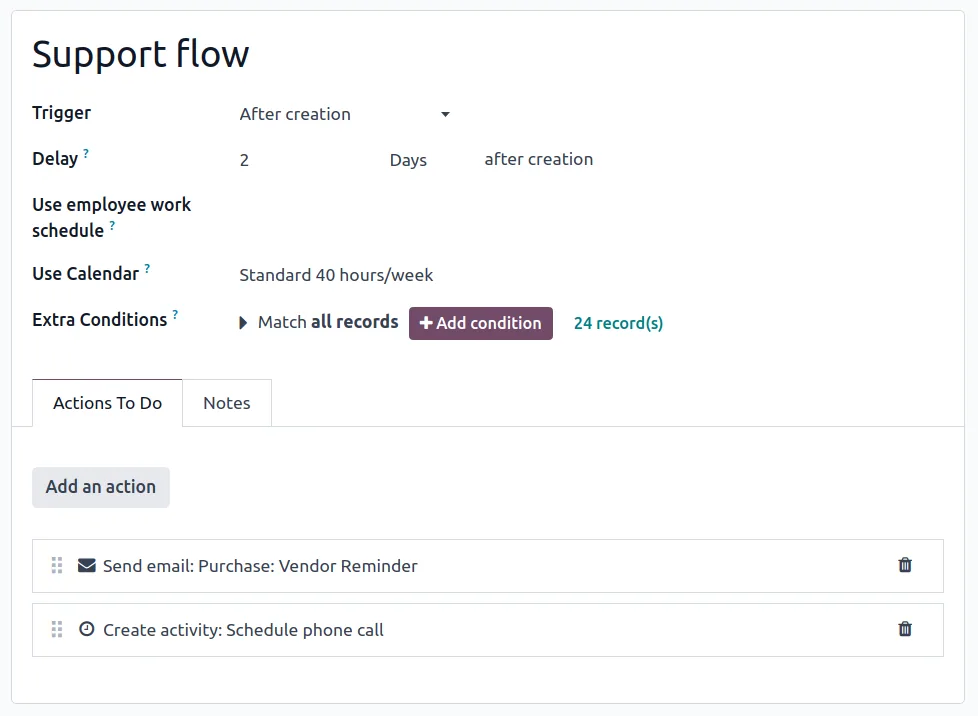
Simple automations. When a field changes, set another field, send a message, create an activity. Bounded, legible rules are exactly the right use.
Approval rules on actions, so a specific button requires a named group to sign off.
Reports. Adjusting a PDF layout to carry your branding and the fields your customers expect is a common need and Studio does it without a developer.
For these, Studio is the right tool and using a developer instead is a waste of money.
03
Where it should hand over
The boundary is not about difficulty, it is about whether the change needs to be engineered.
Hand over to a proper module when the logic involves real computation, when it touches an external system, when it runs over large volumes where performance matters, or when getting it wrong has consequences that warrant tests and code review.
Hand over also when the quantity of Studio changes has grown past what a single person can remember. Fifteen small customisations made over two years by three people, none documented, is a database nobody fully understands, and the first upgrade is where that becomes expensive.
The useful discipline is unglamorous: write down every Studio change, what it was for, and who asked for it. A one-line register in Knowledge or a spreadsheet is enough. Most of the pain attributed to Studio is really the pain of undocumented change.
04
Upgrades, which is where Studio-heavy databases hurt
Studio customisations are stored as data, so they carry across a version upgrade rather than needing rewriting. That is the good news.
The qualification is that view customisations are inherited from core views, and core views change between versions. A field you positioned relative to something Odoo has since moved or removed is where upgrade breakage concentrates. It is rarely catastrophic and it is rarely zero.
Plan for it. A database with substantial Studio work needs a review pass at every upgrade, and pretending otherwise is how an upgrade that was quoted as routine becomes a fortnight.
Screenshots of Odoo are the property of Odoo S.A. and are shown here to illustrate the app they depict.
Test first, always
Studio applies changes immediately to the database you are in. Making changes directly in production because it is quick is the single worst habit it enables.
Work in a test database, then export the changes as a module and install that in production. Repeating the same clicks in two databases looks equivalent and is not: small differences accumulate, and the moment your test environment stops matching production, it stops being a test environment.
Where Studio will fight you
It is Enterprise, and Community has no equivalent for structural change beyond writing modules.
It removes the need for code, not the need for judgement. A required field added to a core model affects every route that creates that record, including imports and automated processes that nobody tested.
Automations can loop. A rule that writes a field which triggers the rule again is easy to build and unpleasant to diagnose.
Access to Studio should be tightly restricted. It is effectively developer access with a friendlier interface, and it belongs with a small number of people who understand the consequences.
Removing a Studio field is not always clean. Data in that field goes with it, and anything referencing it needs finding first.
How it connects to everything else
Studio can touch any model in any module: sales, inventory, accounting, HR, custom models of your own. Its automations use the same automated-action mechanism available elsewhere. Its reports use the same QWeb engine as core reports. Exported Studio work becomes a normal Odoo module, which means it can be version-controlled and reviewed like any other code, and that is the point at which ad-hoc customisation becomes maintainable.
Where to start
Restrict Studio access to a named few. Always work in a test database and promote changes as an exported module. Keep a written register of every change and why it exists. Use it freely for fields, view tidying and reports, which is where it is clearly the right tool. And set a threshold in advance, whether by complexity or by count, at which a request stops being a Studio change and becomes a development ticket, because deciding that in the moment always favours the quick option.
FAQ
Odoo Studio, answered.
Is Odoo Studio free?
No, Studio is an Enterprise app. On Community, the equivalent changes are made through developer mode for simple view edits and through custom modules for anything structural.
What can Studio actually do?
Add fields to existing models, create new models, edit form, list, kanban and search views, build automations and approval rules, design PDF reports, and adjust menus. It covers most of what a functional consultant would otherwise write a small module for.
Do Studio changes survive an Odoo version upgrade?
They are data rather than code, so they migrate, but view customisations are the most fragile part because the underlying core views change between versions. Expect Studio-heavy databases to need review at every upgrade, and budget for it.
Can Studio changes be moved from a test database to production?
They can be exported as a module, which is the right way to do it. Making the same changes twice by hand in two databases is how test and production quietly diverge, and that divergence is discovered at the worst possible time.
When should we stop using Studio and write a module?
When the logic stops being a field or a simple rule: complex computations, integrations, performance-sensitive code, or anything that needs tests and code review. Also when the number of changes has grown past what one person can hold in their head.
Can Studio changes break things?
Yes. A required field added to a core model affects every process that creates that record, including automated ones, and a badly scoped automation can fire in loops. Studio removes the need for code, not the need for judgement.
With CODEerts
Want this set up properly?
We are certified Odoo partners. We implement, customise and support Odoo Studio, and we publish our own apps on the Odoo Store.
See how we can helpBook a callReady to make Odoo work the way your business does?
Book a free call CODEerts
CODEerts is a team of certified Odoo partners and full-stack engineers. We implement, customise and support Odoo ERP, then build the software around it.

