 CODEerts

Odoo Documents
Odoo Documents and Sign: Files That Belong to Records, Not Folders
Every business already has a shared drive, and every shared drive eventually becomes a place where documents are stored rather than found. The argument for Documents is not storage, it is that a file can be attached to the customer, the invoice or the employee it belongs to.
Written by Muneeb AhmadOdoo 19 and 17 Certified, Functional Consultant
01
What Odoo Documents and Sign actually are
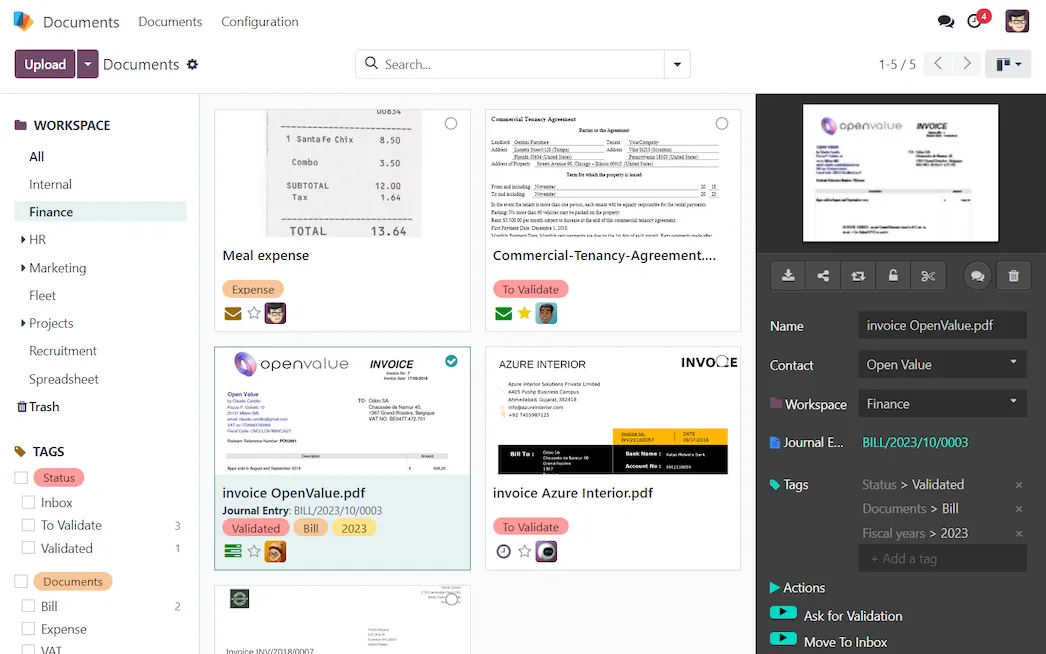
Documents is a file store where documents live in workspaces, carry tags, and can be processed by rules. Sign sends documents out for electronic signature and records who signed what and when.
Both are Enterprise.
The distinction worth drawing is the same one that applies to Quality. Every business already stores files. The question is whether a file is attached to the thing it relates to. A signed contract in a folder called Contracts 2026 is stored. The same contract attached to the customer record, visible to the salesperson opening their account and to the accountant chasing the invoice, is available. The second one is worth paying for; the first one you already have.
For a lot of ordinary attachment needs, the Community chatter is genuinely enough, and it is worth knowing that before buying.
02
Workspaces, which are the permission model
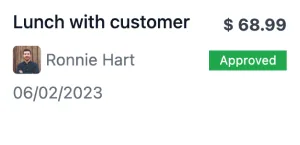
A workspace holds documents with its own access rules and its own tag set. Because access is granted at the workspace, the way you divide them is your security model.
Design this first. HR documents, customer contracts, supplier agreements and finance records have different audiences, and a structure invented later means moving files across permission boundaries, which is exactly the operation nobody wants to get wrong.
Tags do the categorising within a workspace, and they are better than nested folders for the same reason they usually are: a document can be a contract and urgent and belong to a region, and a folder tree forces you to pick one.
03
Rules, which are what make it a process
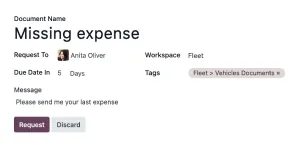
A workspace can carry actions: on a document arriving, tag it, move it, request a signature, create a linked record, or start an approval.
This is the feature that justifies the module over a drive. A supplier invoice arriving in a monitored workspace can be tagged, routed to the right approver and linked to a vendor bill without anyone dragging anything. A signed contract can file itself against the customer.
Keep the rules few and legible. An automated filing system nobody can explain is worse than manual filing, because when it misroutes something the search for why is expensive.
04
Sign, and why the signer's experience decides adoption
A signature request goes out by email. The recipient opens a link, fills the fields and signs in the browser. No account, no download, no application.
That matters more than the feature list. E-signature projects fail on the signer's side, not the sender's. A customer who has to create an account to sign a quotation will phone instead, and you are back to printing.
Templates with predefined fields make repeated documents fast, and the audit trail recording who signed, when and from where is what makes the signature defensible later.
On validity, be careful and be honest. Odoo produces a simple electronic signature with an audit trail, which is accepted for a wide range of documents in many jurisdictions. It is not the same as a qualified signature backed by verified identity, and some documents in some countries require that. This is a question for a lawyer in your jurisdiction, and it deserves asking before you route anything important through it.
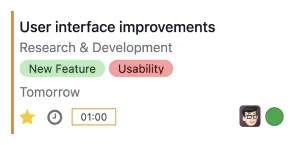
Screenshots of Odoo are the property of Odoo S.A. and are shown here to illustrate the app they depict.
Where Documents and Sign will fight you
Both are Enterprise, and the Community chatter covers more than people expect. Establish the real gap before buying.
It is not a full DMS. Version control, retention policies, records management and formal document lifecycle are lighter than in dedicated systems. Regulated environments should check specific requirements rather than assume.
Collaborative editing is not the strength. Real-time co-authoring belongs to the office suites, and Documents does not replace them.
Search is competent, not excellent. Full-text search across large archives is an area where dedicated systems do more.
Migration is a project. Moving a decade of shared drive into structured workspaces is not a weekend, and the honest approach is usually to start new documents in the new place rather than moving everything.
How it connects to everything else
Documents attach to any record: partners, invoices, employees, projects, purchase orders. Sign requests can be raised from a quotation, a contract, an employee record or a recruitment applicant, and the signed result files itself back against that record. HR documents live against the employee. Finance documents link to the vendor bill. The portal lets customers retrieve their own signed documents without asking anyone.
Where to start
Design the workspace split around who should see what, before uploading anything. Decide, in one sentence, which documents belong in Odoo and which stay in your existing drive, and tell people what it is. Start with new documents rather than migrating history. Build two or three rules, not twenty. And ask a lawyer about signature validity for the specific documents that matter, rather than inferring it from a feature list.
FAQ
Odoo Documents, answered.
Are Documents and Sign available in Community?
No, both are Enterprise apps. Community still attaches files to any record through the chatter, which covers a surprising amount of ordinary need, but it gives you no workspaces, no workflow rules and no e-signature.
Is an Odoo e-signature legally valid?
Sign produces an electronic signature with an audit trail of who signed, when and from where, which meets the requirements for a simple electronic signature in many jurisdictions. Whether that is sufficient for a specific document in a specific country is a legal question, not a software one, and qualified signatures with identity verification are a different standard.
What is a workspace?
A container for documents with its own access rules, tags and automated actions. Workspaces are the unit of permission, so the split you choose determines who can see what, which makes it the first design decision rather than a later tidy-up.
Can documents be processed automatically?
Yes, through workflow rules on a workspace that can tag, move, request a signature, create a record or trigger an approval. This is what turns a folder into a process, and it is the main thing that separates it from a shared drive.
Can customers or candidates sign without an Odoo account?
Yes. A signature request goes out by email and is completed through a link in a browser, with no account and no software to install. That matters, because friction on the signer's side is what kills e-signature adoption.
Does it replace SharePoint or Google Drive?
For documents that belong to business records, often yes. As a general-purpose collaborative file store with rich co-editing and deep desktop integration, no. Most businesses running Odoo end up using both, and the useful discipline is deciding which kind of document lives where.
Related
Keep exploring.
Other Odoo apps we have written up in the same depth.
With CODEerts
Want this set up properly?
We are certified Odoo partners. We implement, customise and support Odoo Documents, and we publish our own apps on the Odoo Store.
See how we can helpBook a callReady to make Odoo work the way your business does?
Book a free call CODEerts
CODEerts is a team of certified Odoo partners and full-stack engineers. We implement, customise and support Odoo ERP, then build the software around it.

