 CODEerts

Odoo Knowledge
Odoo Knowledge and Discuss: Where Company Answers Live
Discuss is chat and Knowledge is a wiki, and neither is remarkable on its own. What is remarkable is that both sit against your business records, so a decision made in a conversation can end up attached to the order it was about instead of scrolling away.
Written by Muneeb AhmadOdoo 19 and 17 Certified, Functional Consultant
01
What Odoo Knowledge and Discuss actually are
Discuss is messaging: channels, direct messages, and the chatter thread that sits on almost every record in the system. It is in Community.
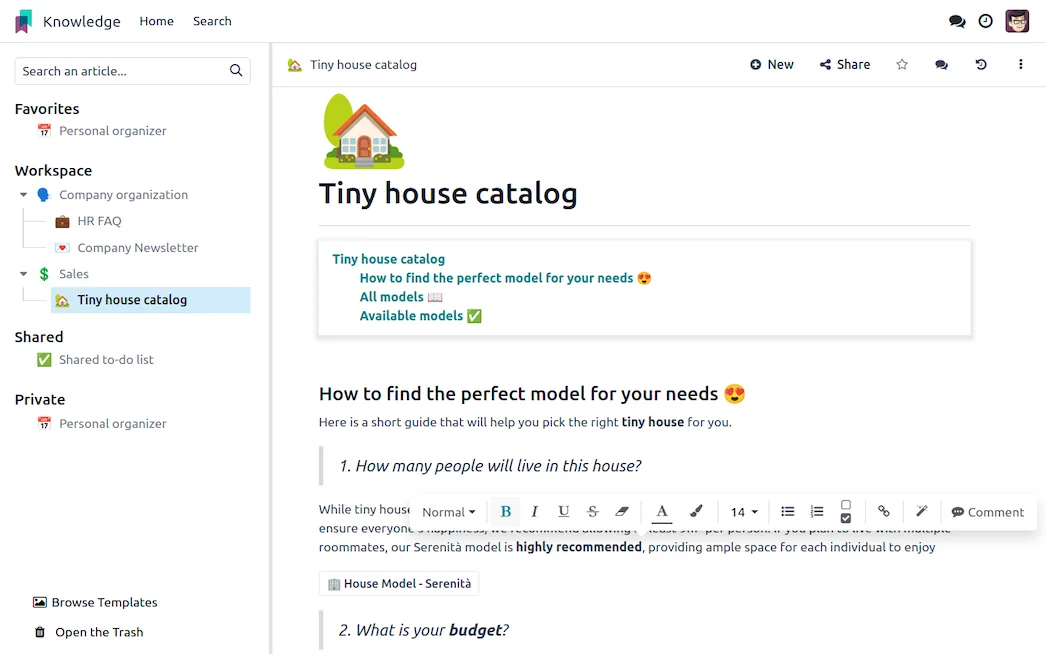
Knowledge is a hierarchical article editor, an internal wiki that can also publish outward. It is Enterprise.
Judged as standalone products neither would win a comparison. Discuss is not Slack and Knowledge is not Notion or Confluence. Judged as parts of the system where the work happens, both change something real: the conversation and the documentation stop being somewhere else.
02
The chatter, which is the underrated one
The chatter is on the sale order, the invoice, the task, the employee record, the ticket. It holds messages, logged notes, the activity schedule and attachments, and it records who did what and when.
This is the single most valuable collaboration feature in Odoo and it costs nothing, because it answers the question that email cannot: why is this record like this? A price that was discounted, a delivery date that moved, a customer who asked for something unusual. In an email-based organisation that context lives in individual inboxes and leaves with the individual. In the chatter it stays on the record.
The behaviour worth enforcing is simple: discuss the order on the order. It feels slower for the first week and it pays back the first time somebody has to reconstruct a decision made eight months ago.
03
Channels and messaging
Discuss provides public and private channels and direct messages, with mentions and notifications.
Whether it should replace an existing chat tool is genuinely a judgement call. If your team lives in Odoo, having conversation in the same window removes a context switch and keeps discussion near the records. If your team lives elsewhere and uses Odoo occasionally, forcing chat into it will fail, and the chatter is the part worth adopting regardless.
Do not run both as general chat. Two places to ask a question means questions get asked in the wrong one and answered nowhere.
04
Knowledge, and the article hierarchy
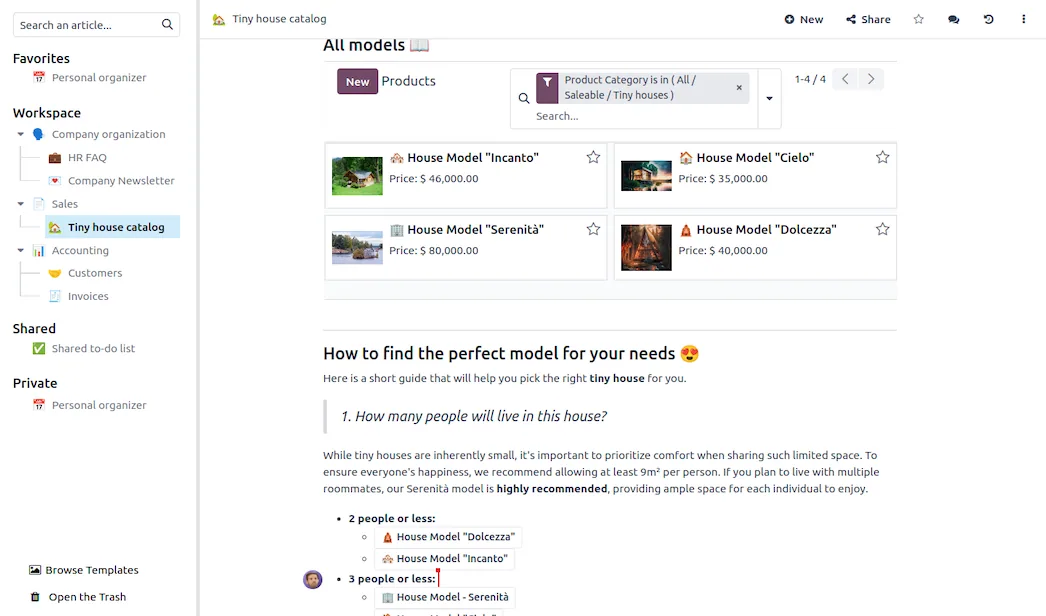
Articles nest, so a knowledge base has real structure rather than a flat list. The editor handles rich content, embedded views of live Odoo data, checklists and templates.
Embedded live data is the feature with no equivalent in a standalone wiki: a process document can contain the actual list of records it describes, so the documentation and the system cannot disagree.
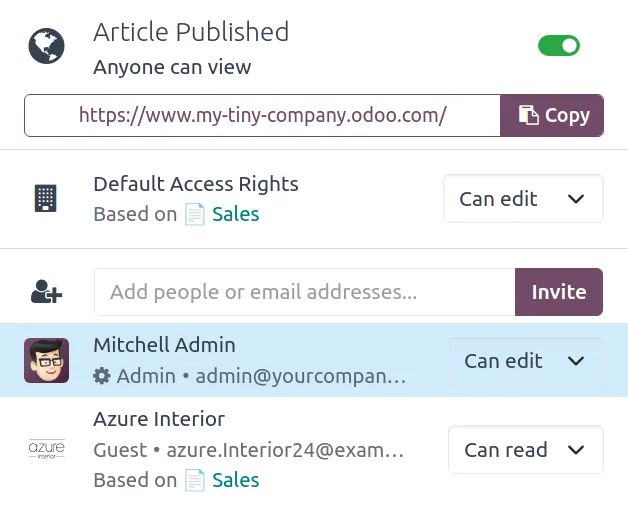
Articles can be internal, shared with named people, or published to the website. That last option means the internal article and the public help page are the same source, which removes the usual drift between what support knows and what customers are told.

Screenshots of Odoo are the property of Odoo S.A. and are shown here to illustrate the app they depict.
The part that decides whether any of this works
Documentation rots. This is not an Odoo problem and no feature solves it.
What helps is keeping it small and owned. A knowledge base of forty articles that are accurate is worth more than four hundred where a third are wrong, because the wrong third destroys trust in the whole thing. Give each article an owner, review on a cadence, and delete aggressively. An article nobody has opened in a year is usually not worth updating.
Where Knowledge and Discuss will fight you
Knowledge is Enterprise. Community teams needing a wiki will look elsewhere, and the website blog or a shared drive often fills the gap adequately.
Discuss is not a best-in-class chat platform. Fewer integrations, lighter mobile and desktop clients, no large app ecosystem. Judge it on proximity to the work, not on features.
Search across a large knowledge base is adequate rather than excellent. Structure and naming matter more here than in tools with stronger search.
Overlap with Documents confuses people. Decide the rule once: things you write go in Knowledge, files you receive go in Documents.
Chatter noise is real. Records with many followers generate many notifications, and people who are notified about everything stop reading notifications. Manage followers deliberately.
How it connects to everything else
The chatter is on every record in every module. Knowledge articles embed live Odoo views and publish to the Website. Helpdesk agents can insert article content into a reply, and the same article can be the public help page the customer was sent. Activities scheduled from the chatter appear in the same activity list as everything else, so a note to follow up on an invoice sits beside a call scheduled on an opportunity.
Where to start
Use the chatter properly before buying anything, since it is free and it is where most of the value is. Establish the rule that discussion about a record happens on the record. If you add Knowledge, start with the ten articles people actually ask about rather than documenting everything, and give each one an owner and a review date. Decide once whether Discuss replaces your chat tool or supplements the chatter only, and say so plainly, because ambiguity here produces two half-used channels.
FAQ
Odoo Knowledge, answered.
Are Knowledge and Discuss free?
Discuss is in Community, including channels, direct messages and the chatter on every record. Knowledge is an Enterprise app. The chatter alone covers a lot of what teams need, because it keeps discussion attached to the record it concerns.
What is the chatter and why does it matter?
The message thread, activity log and attachment area on almost every Odoo record. It matters because it puts the conversation about an order on the order, so the context survives after the people involved have forgotten or left.
Can Knowledge articles be published publicly?
Yes. An article can stay internal, be shared with specific people, or be published to your website, which is how a knowledge base for customers or a public help centre is built from the same source as internal documentation.
Does Discuss replace Slack or Teams?
For a company already in Odoo all day, it can. As a standalone chat platform it is less capable, with a smaller integration ecosystem and lighter clients. Its real advantage is being in the same window as the work.
How do Knowledge and Documents differ?
Knowledge holds articles you write, meaning structured internal content. Documents holds files you receive or produce, meaning contracts, invoices and scans. Writing goes in Knowledge, filing goes in Documents.
Can articles be used as templates for records?
Yes. Knowledge supports item templates and can insert content into records, which is how standard checklists, meeting notes or proposal structures get reused without being copied and pasted from an old example.
With CODEerts
Want this set up properly?
We are certified Odoo partners. We implement, customise and support Odoo Knowledge, and we publish our own apps on the Odoo Store.
See how we can helpBook a callReady to make Odoo work the way your business does?
Book a free call CODEerts
CODEerts is a team of certified Odoo partners and full-stack engineers. We implement, customise and support Odoo ERP, then build the software around it.

