
Shop Floor is the tablet screen operators use at the work center in Odoo Manufacturing. Odoo 20 adds two things that make it faster and clearer: a barcode on each work center, so an operator can jump to the right station with one scan, and rich notes on the bill of materials, which follow each manufacturing order to the Shop Floor.
Applies to: Odoo 20 Manufacturing. Shop Floor is part of Enterprise; the barcode and note fields are in the standard Manufacturing app. Screens are from Odoo 20.
How do you give a work center a barcode?
Open Manufacturing > Configuration > Work Centers, choose one, and fill in Barcode under Operations ("Scan to select the workcenter in shopfloor").
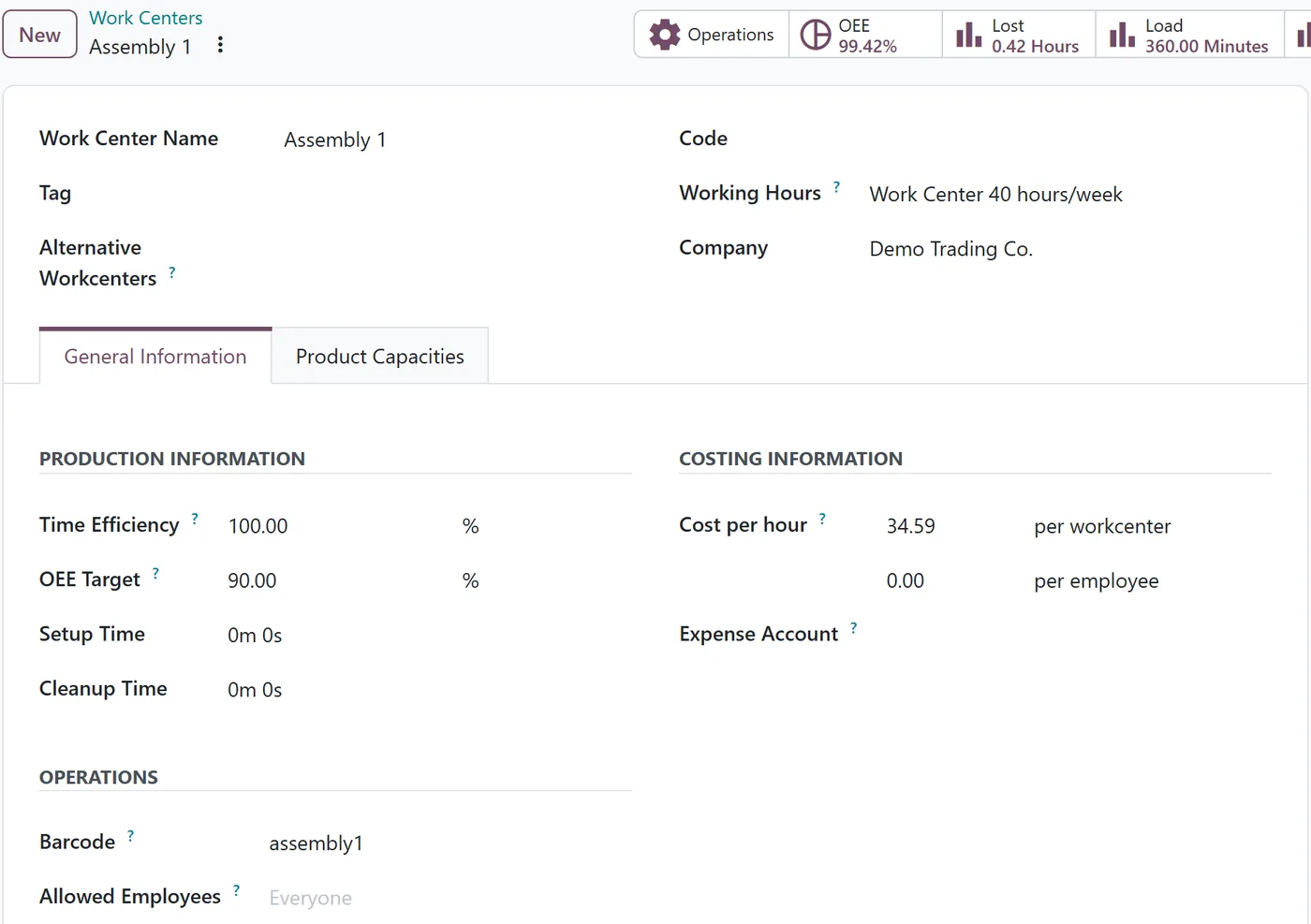
Barcodes must be unique per company. Use something short and readable, and print it as a label at the station itself, so operators scan what is physically in front of them.
What happens when an operator scans?
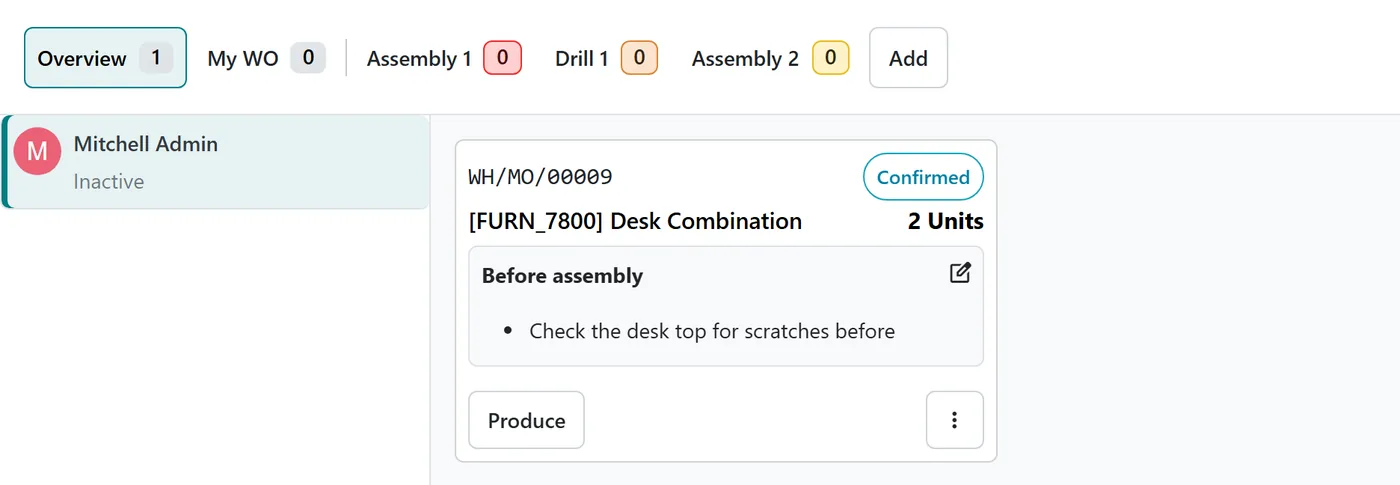
In Shop Floor, a scan is matched in this order: a manufacturing order, a work order, an employee badge, a work center, then a product. Scanning the work center label opens that work center's queue.
There is one condition that trips people up: the scanned work center must already be activated on that Shop Floor screen. The first time Shop Floor opens on a device, it asks you to Activate your Work Centers. That choice is stored in the browser of that device. On a new tablet, or after clearing the browser, activate the work centers again before relying on scans.
How do BoM notes reach the Shop Floor?
On the bill of materials, the Miscellaneous tab now has Additional Notes, a rich text field: headings, lists, links and images.
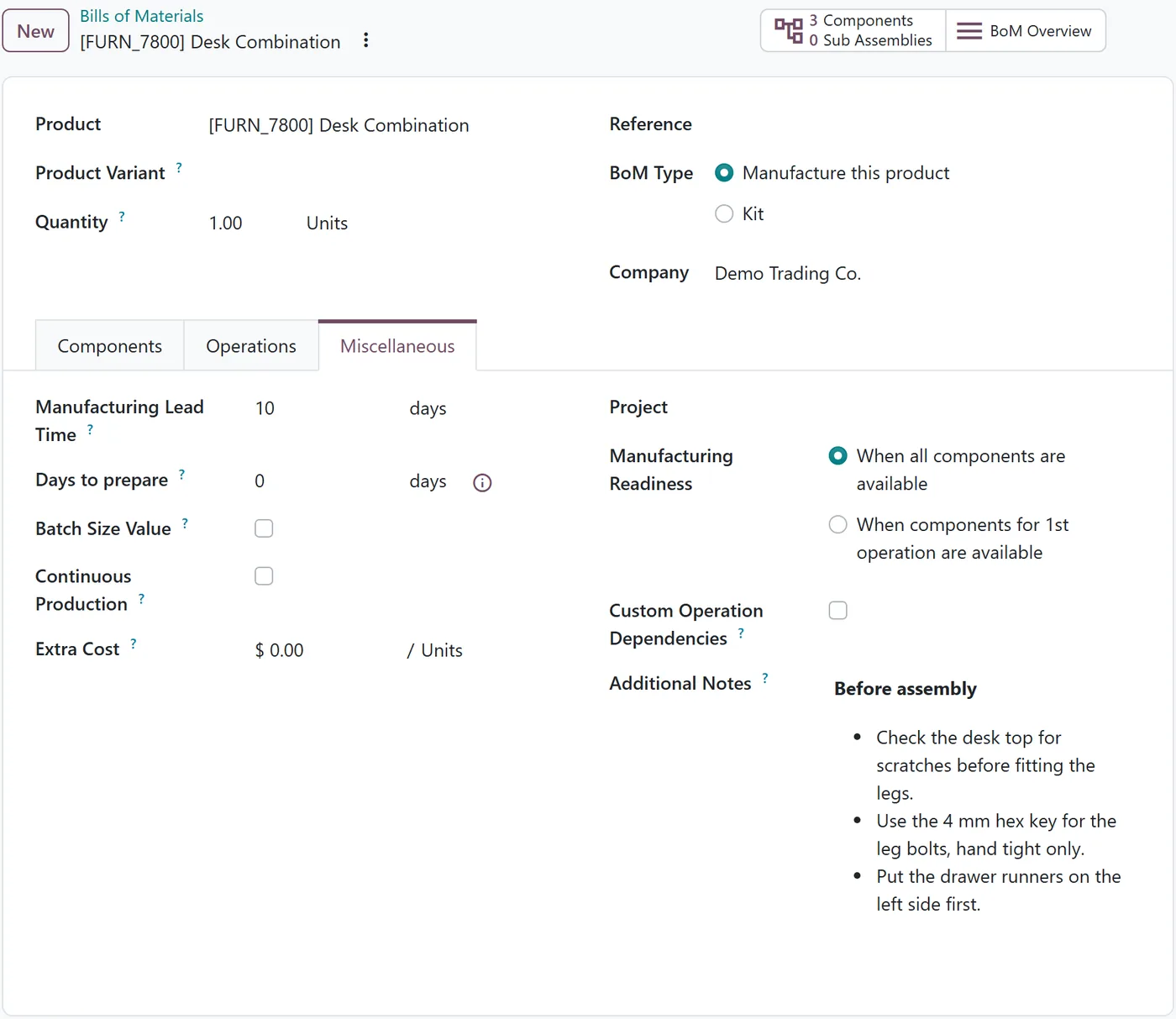
When a manufacturing order is created from the BoM, it takes the BoM's note, and Shop Floor shows it on the order card. Operators see the instructions without opening the BoM, a document or a shared drive.
Two behaviours to know:
- An order keeps its own note. Once a manufacturing order has a note, later edits to the BoM do not overwrite it. Orders already on the floor keep the version they started with.
- The note can be edited per order. If one batch needs an extra instruction, add it on that order without changing the BoM.
Writing notes operators will read
- Short and specific. "Hand tight only on leg bolts" beats a paragraph about quality.
- One photo beats ten words for orientation and assembly direction. Notes can include images.
- Keep safety and controlled work instructions in their proper place. Notes are practical reminders. Formal instructions and checks belong in quality control points or worksheets, where completion is recorded.
FAQ
Can two work centers share a barcode?
Not within one company. Odoo refuses a duplicate, so each station's label points to exactly one work center.
Can notes include images?
Yes. The note is rich text, and Shop Floor shows images in it.
Are notes the same as operation instructions?
No. BoM notes belong to the whole order. Operation-level instructions and quality checks remain separate and more structured.
Next step
If you are bringing tablets to the shop floor, our implementation team can set up work centers, barcodes and instructions so operators get what they need in one scan. For more on the app, see our Odoo Manufacturing guide.