
Engineer-to-order manufacturers do not build for stock. Every order is a little different, the design often changes after the quote, and the worst outcome is building something the customer did not order. Odoo handles this with three pieces working together: make-to-order routes, bills of materials, and engineering change orders.
Applies to: Odoo 20, Sales, Inventory and Manufacturing. Engineering change orders need the PLM app (Enterprise). Screens are from Odoo 20 with demo data.
What does engineer-to-order need from an ERP?
- No production without an order. Manufacturing should start from a confirmed sale, not a forecast.
- A clear link from order to production. Anyone looking at the sale should find the manufacturing order, and the other way round.
- Controlled design changes. When engineering changes a part, the change needs an owner, an approval and a history.
How does a sales order create a manufacturing order?
Two settings do most of the work.
First, the product carries the Replenish on Order (MTO) route. This route is archived by default, so it has to be unarchived before products can use it.
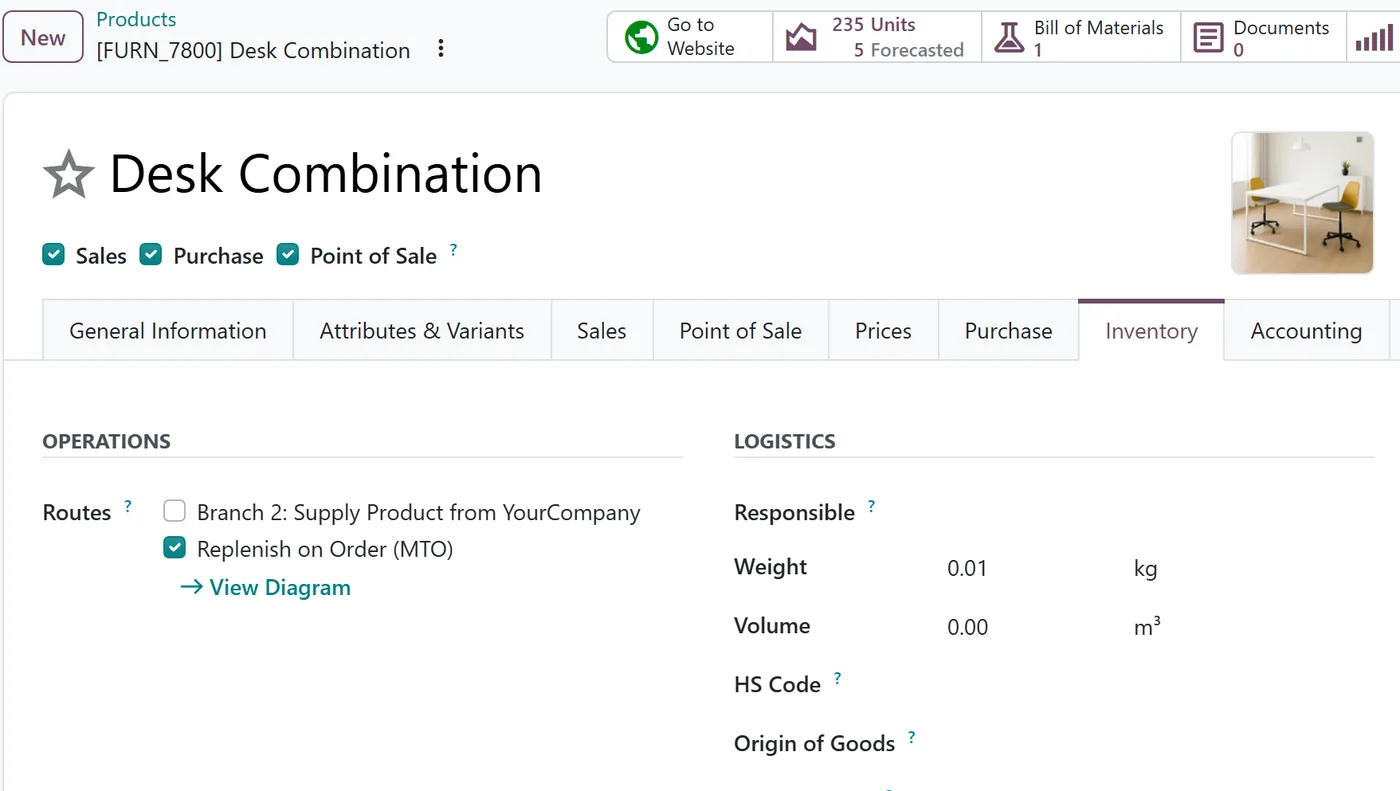
Second, the warehouse knows how to manufacture. The Manufacture route is set on warehouses and product categories rather than on the individual product, and the product needs a bill of materials.
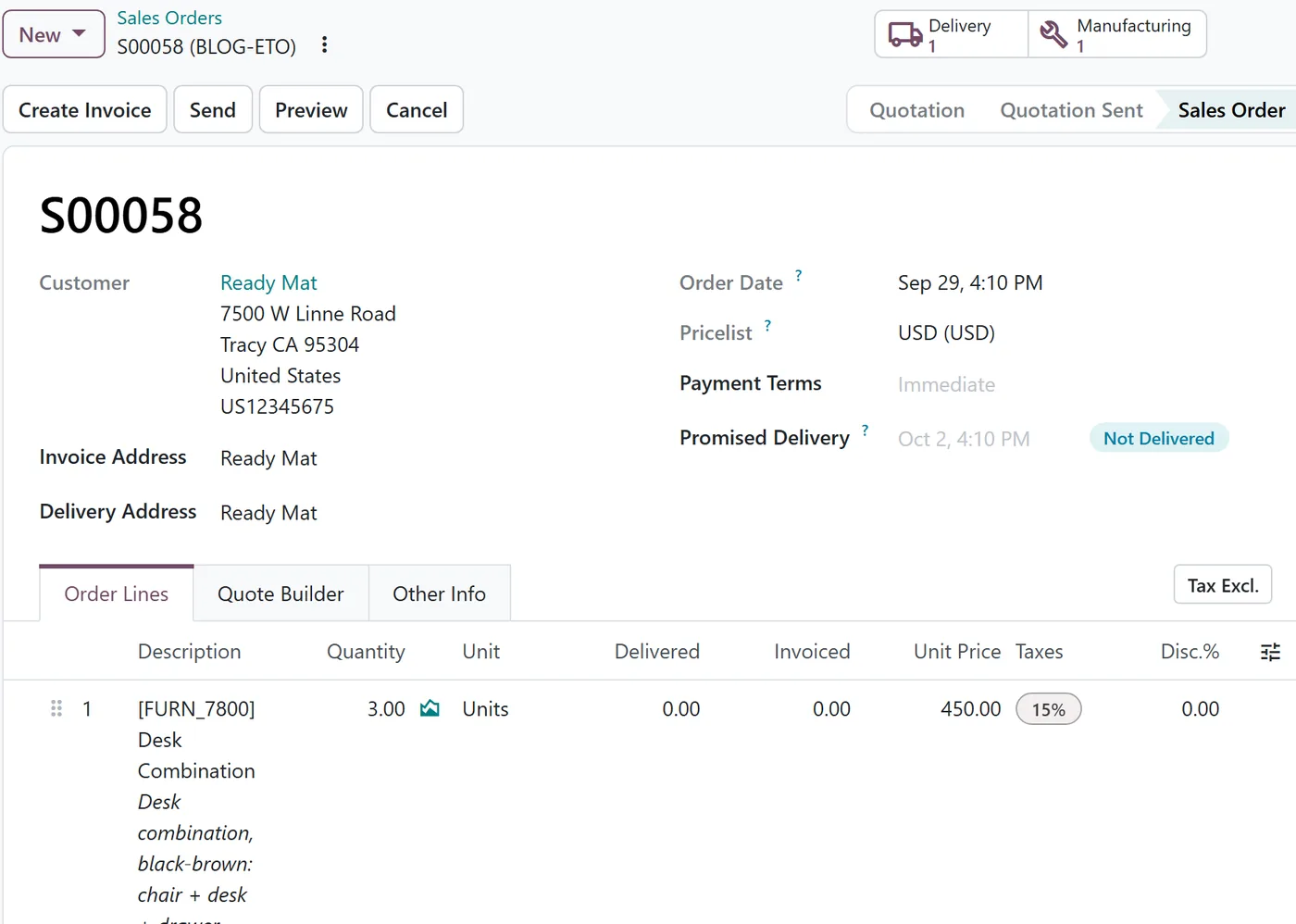
With both in place, confirming the sales order creates a manufacturing order for the ordered quantity. In a test with three units of a desk product, confirming the order created one manufacturing order whose source was the sales order, and the order gained a Manufacturing button.
How do you estimate before you commit?
Before confirming, the bill of materials gives you the cost basis. The BoM Overview report shows components, operations and their cost, which is what an estimator needs to price the quotation.
For one-off designs, many teams create the product and its bill of materials during quoting, then confirm the order once the customer signs.
How are design changes controlled?
This is where the PLM app earns its place. An engineering change order (ECO) records a change to a product or its bill of materials:
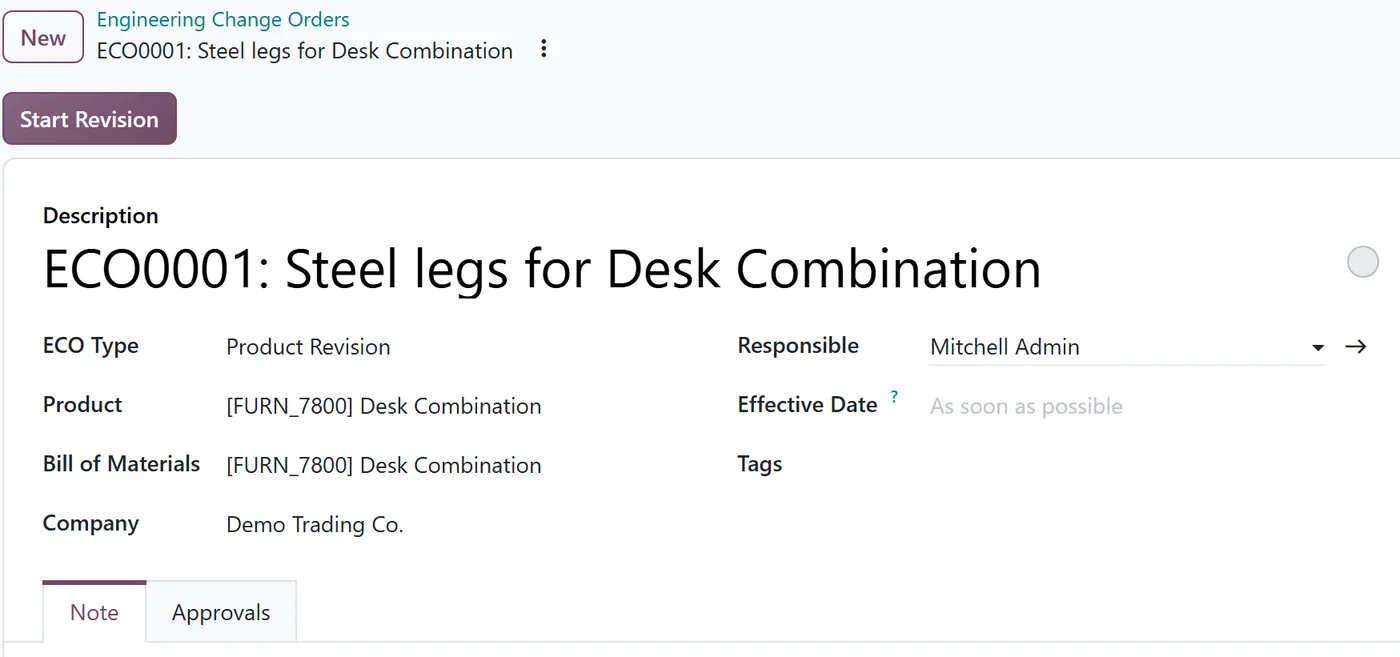
- The ECO Type separates a Product Revision from a New Product Introduction.
- Start Revision starts the work on the new version, so every change is recorded against this ECO.
- The Approvals tab records who must sign off.
For engineer-to-order work, this answers the classic question: "which drawing did we build order 58 from?"
What to decide before go-live
| Decision | Options |
|---|---|
| Where the MTO route lives | On the product or on a product category |
| Manufacturing steps | One step, or pick components first |
| Who approves design changes | Engineering only, or engineering plus production |
| Estimating | BoM Overview per quote, or a costing sheet reviewed by sales |
FAQ
Can some products be built to order and others from stock?
Yes. The MTO route is chosen per product or category, so standard items can be built to stock while custom items follow the order.
How does production find the sale it belongs to?
The manufacturing order's source is the sales order, and the order has a Manufacturing button, so either side leads to the other.
Is PLM required for engineer-to-order?
No. Make-to-order works without it. PLM adds formal change control, which matters most when designs change often.
Next step
Our implementation team sets up make-to-order flows and design change control for custom manufacturers. See also our Manufacturing guide and PLM guide.