
A clinic runs on two kinds of software. The clinical system holds patients, appointments and records. Everything else, from gloves and syringes to supplier bills and staff costs, needs an ERP. Odoo fits that second role well, and this guide covers where it helps and where the line should stay.
Applies to: Odoo 20, Inventory, Purchase and Accounting. Screens are from Odoo 20 with demo data.
Where does Odoo fit in a healthcare organisation?
Odoo's standard apps are not a clinical records system, and they should not be treated as one. Keep patient data in your clinical system.
Odoo takes the back office:
- Supplies and consumables, with lots and expiry dates.
- Purchasing, from requests to supplier bills.
- Accounting, including cost centres per department or site.
- HR and payroll where the local version supports it.
Where the two systems need to meet, for example billing a procedure that used supplies, an integration passes only what the back office needs.
How does Odoo track expiry dates?
Switch on expiration dates for lot-tracked products. The product then carries four timings:
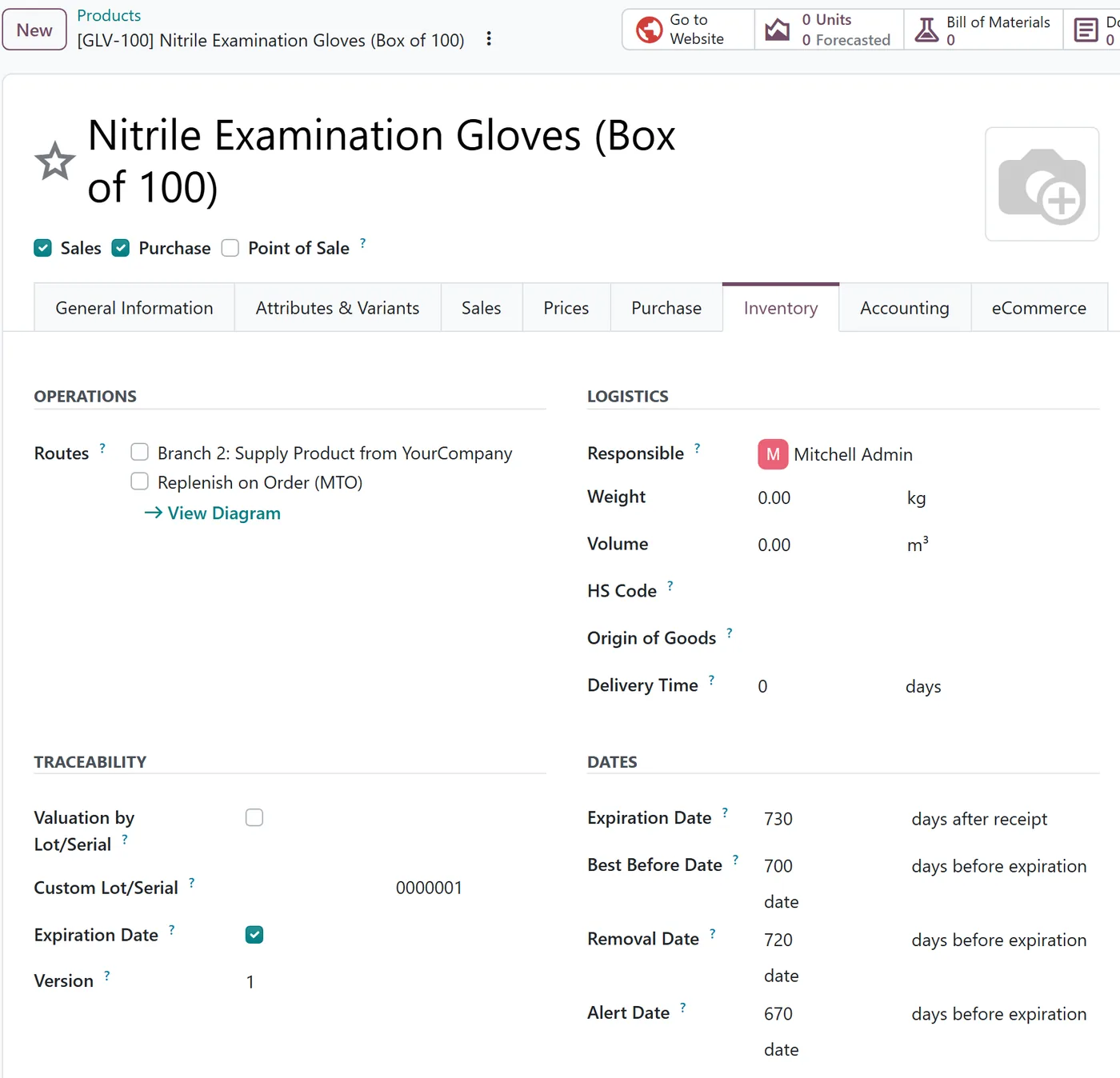
| Field | Meaning |
|---|---|
| Expiration Date | Days after receipt until the lot expires |
| Best Before Date | Days before expiration when quality starts to drop |
| Removal Date | Days before expiration when the lot should leave stock |
| Alert Date | Days before expiration when someone should be warned |
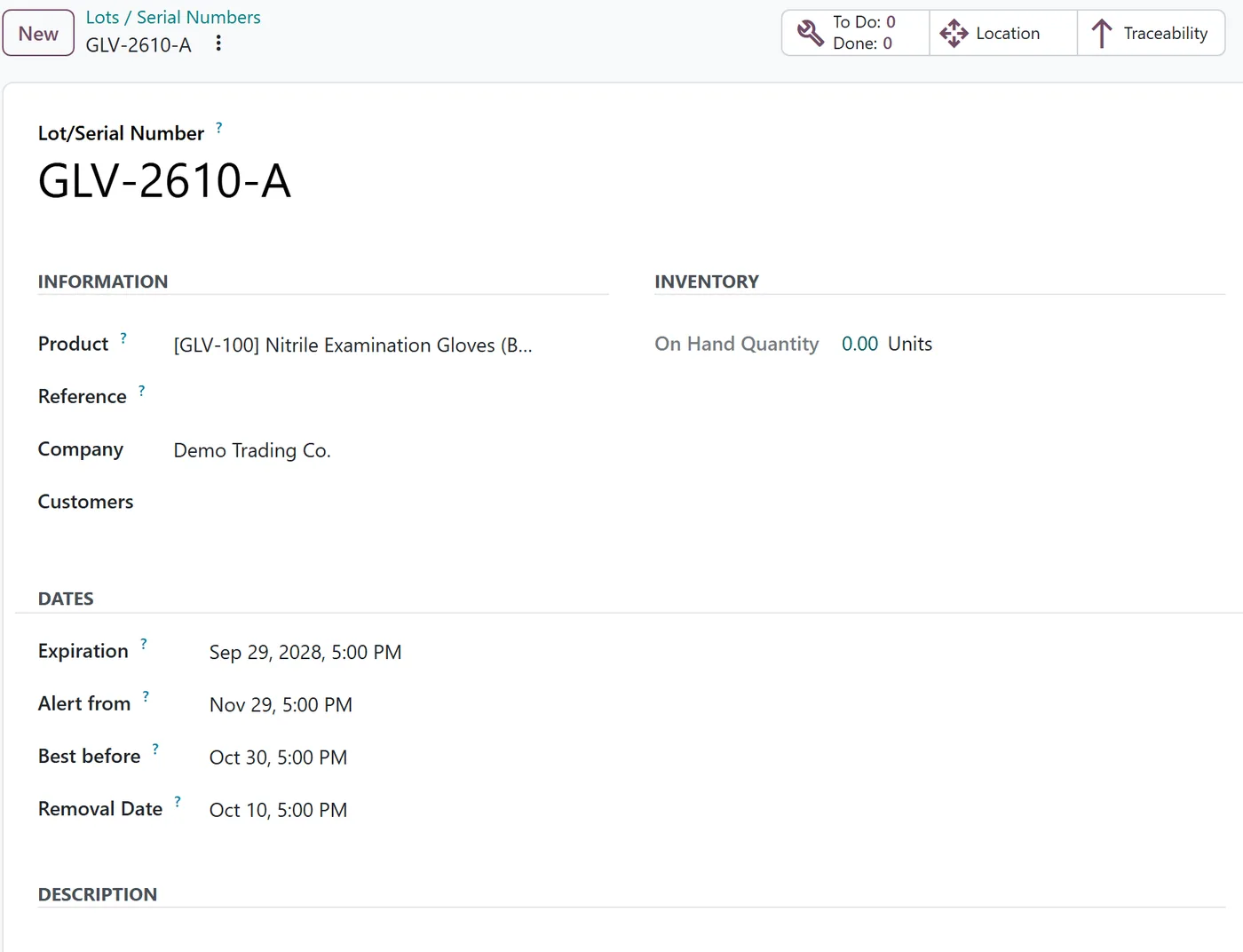
When a lot is received, Odoo calculates each date for that lot. You can see and adjust them on the lot itself.
What happens when a lot nears expiry?
When a lot's alert date is reached and the lot is still in stock, Odoo logs an Alert Date Reached activity on it, assigned to the product's responsible person. That turns expiry from something found during a count into a task in someone's queue.
How do you make sure the oldest stock is used first?
Set the removal strategy to First Expiry First Out (FEFO) on the stock location or product category. Odoo then picks lots in order of removal date, so the stock closest to expiry leaves first.
In a clinic this means the store room issues the box that expires next month before the one that expires next year, without anyone checking dates by hand.
What else belongs in the back office?
- Department cost tracking. Analytic accounts let finance see supply and staff costs by department or site.
- Supplier management. Approved suppliers, price agreements and purchase approval rules.
- Asset maintenance. Equipment servicing can be planned so devices are not found overdue during an inspection.
FAQ
Can Odoo replace our clinical records system?
We do not recommend it. Keep clinical data in a system built for it, and let Odoo run operations and finance.
Does FEFO need lot tracking?
Yes. Expiry dates live on lots, so products must be tracked by lot or serial number.
Can we record which department used a supply?
Yes. Issue supplies to department locations or use analytic accounts, depending on how finely you want to report.
Next step
If you are connecting a clinical system to Odoo, our integration team can define what flows between them and what stays apart. For the apps themselves, see our Inventory guide and Purchase guide.