 CODEerts

Odoo Timesheets
Odoo Timesheets: Turning Logged Hours Into Invoices and Answers
Timesheets are the least popular module in any ERP and the one the most valuable reporting depends on. Everything Odoo can tell you about project margin, utilisation and whether your fixed prices are sane comes out of this one grid.
Written by Muneeb AhmadOdoo 19 and 17 Certified, Functional Consultant
01
What Odoo Timesheets actually is
Timesheets records how long something took, against the task, project and analytic account it belongs to. That is the whole module. Its importance comes entirely from what reads it.
Project profitability reads it. Billable time reads it. Utilisation reporting reads it. If you sell your people's time, this grid is the input to every number you will use to run the business, which is an uncomfortable amount of weight to put on the least popular data-entry task in the company.
The honest framing for a rollout is therefore not "here is a nice timer" but "here is the thing that lets us find out which work is actually worth doing".
02
How time gets logged
There are four routes, and offering all of them is usually right because people differ.
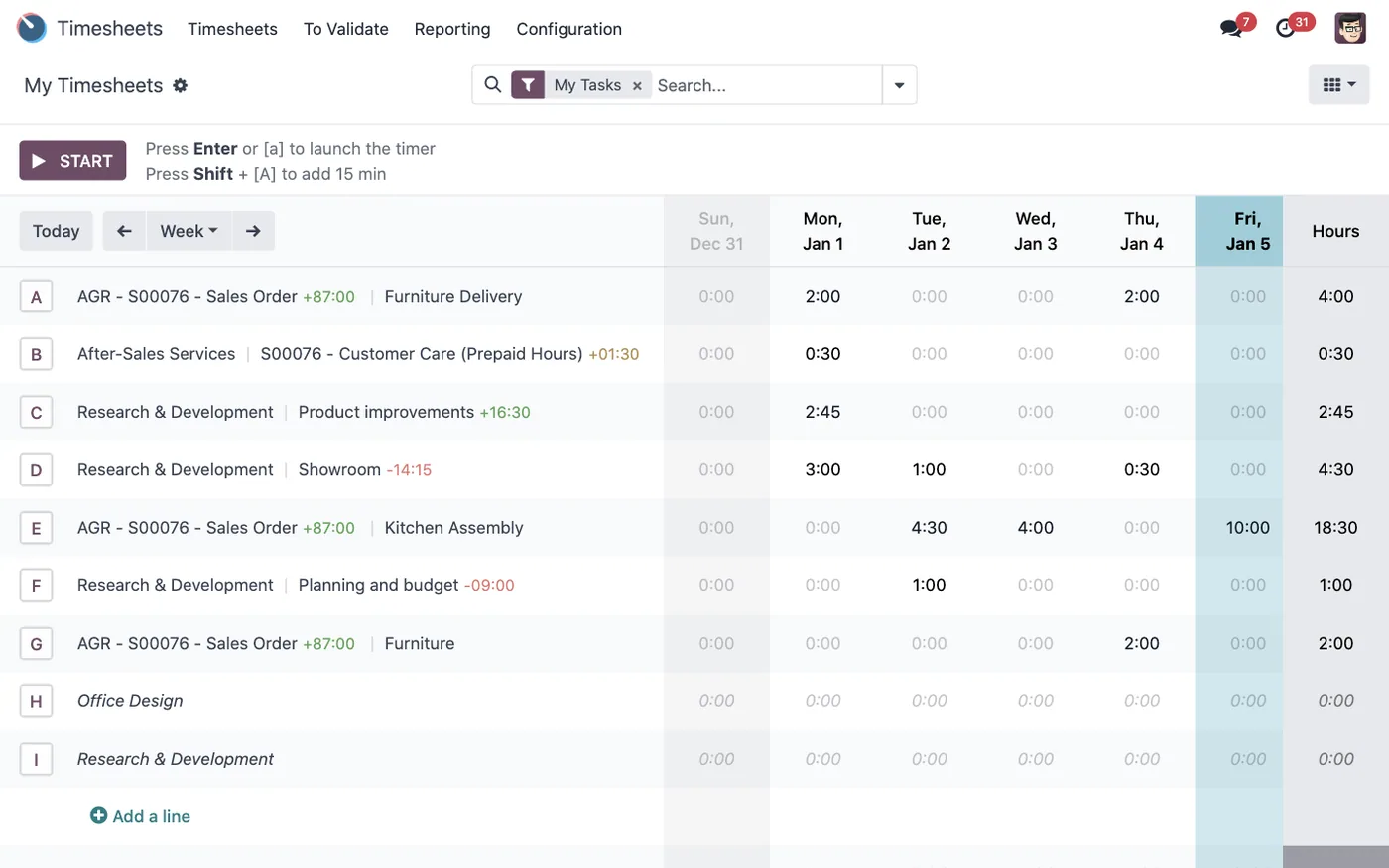
The grid view shows a week as rows of project or task against columns of days. It is the fastest way to fill in a week and the easiest to fabricate, which is the trade.
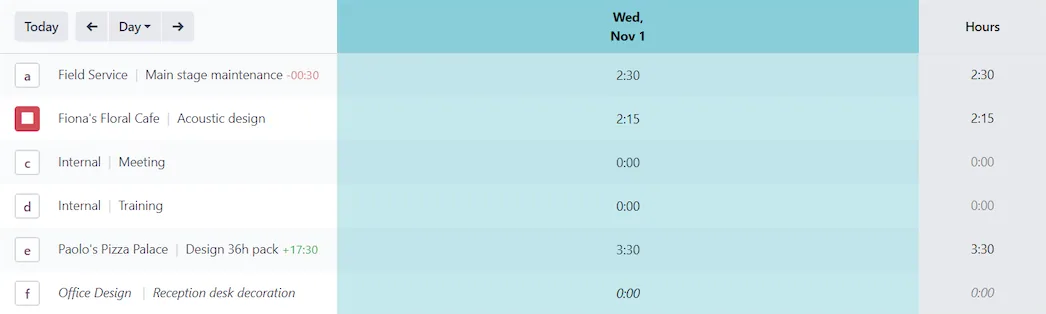
The timer starts and stops on a task and records real elapsed time. It produces the best data and requires the most discipline.
Directly on the task suits someone who works in Project all day anyway.
Mobile matters more than it looks, because the main cause of bad timesheet data is delay. Time logged on the day is roughly accurate. Time reconstructed on Friday is a guess with decimal places.

03
Cost rates, which decide whether any of it means anything
Each employee carries an hourly cost. A logged hour posts that cost to the project's analytic account, and that is what the profitability report subtracts from revenue.
Two failures are common and both are quiet. The first is leaving cost rates unset, which makes every project look free and every margin look excellent. The second is setting them once and never revisiting them, so last year's salaries are still costing this year's work.
Decide what the rate includes before you set it. Salary alone, salary plus employment costs, or a fully loaded rate including overhead are three defensible choices that produce three different margin figures. Pick one, write it down, and apply it consistently, because comparing projects costed on different bases is worse than not comparing them.
04
Billable time and how it reaches an invoice
The chain is specific and worth knowing: a service product with an invoicing policy of delivered quantities sits on a sales order line, that line is linked to a project or task, and approved hours logged there become the delivered quantity. Invoicing the order bills those hours.
This is why a services business benefits from having the sale, the delivery and the time in one system. The alternative is a monthly ritual where somebody exports hours, matches them to contracts by hand, and produces an invoice that nobody can trace back to a specific day's work when it is queried.
Time on fixed-price work should still be logged. You are not billing it, but it is the only evidence of whether the fixed price was right, and that answer improves every future quote.

Screenshots of Odoo are the property of Odoo S.A. and are shown here to illustrate the app they depict.
Approvals and locking
Timesheets can be submitted and validated, and validated lines lock. Where hours reach a customer invoice, approval before billing should be non-negotiable, because a corrected invoice costs more credibility than a delayed one.
Where timesheets are internal only, approval is often overhead. It is reasonable to run approval on billable projects and skip it elsewhere.
Where Odoo Timesheets will fight you
Adoption is the entire problem. No configuration solves it. What helps is keeping the list of things to log against short, logging daily, and visibly using the output. Teams comply with measurement they can see the point of.
Too many projects and tasks kills compliance. If choosing where to log takes thirty seconds, people batch it, and batching destroys accuracy. Fewer, clearer options beat precise ones nobody uses.
The grid makes fabrication easy. Eight hours a day, five days a week, evenly distributed is a pattern worth looking for. It usually means the data was entered rather than recorded.
Analytic setup has to come first. Retrofitting analytic accounts means the early history has no financial meaning.
How it connects to everything else
Hours attach to Project tasks and post cost to the analytic account behind them. Billable hours become invoiceable quantities on a Sales order. Employee records and their cost rates come from HR, and time off reduces available capacity. Helpdesk tickets can carry timesheets so support time is billable too. Field Service logs on-site time the same way.
Where to start
Set real hourly costs on every employee and write down what the rate includes. Keep the project and task list small enough that choosing takes a moment. Turn on mobile logging and say plainly that daily entry is the expectation. Enable approval on billable work only. Then run one month, show the team the utilisation and margin figures that came out of their entries, and let that be the argument for keeping it up.
FAQ
Odoo Timesheets, answered.
Is Odoo Timesheets free?
Yes, Timesheets is in Community, including the grid view, task-level logging, the timer and approvals. The Enterprise edition adds mobile and planning conveniences, but the core capture and billing loop works without a licence.
What is the difference between timesheets and attendance?
Attendance records presence, meaning when someone was at work. Timesheets record allocation, meaning what the time was spent on. They answer different questions and will rarely reconcile exactly, which is normal rather than a data problem.
How does logged time become an invoice?
When a project is linked to a sales order line set to bill on delivered quantities of a service product, approved timesheet hours become the delivered quantity. Creating the invoice from the order then bills the hours actually logged.
How is the cost of an hour calculated?
From the hourly cost on the employee record. That figure drives project profitability, so an unset or stale cost rate makes every margin report wrong in the same direction, usually flattering.
Can timesheets be approved before they are billed?
Yes. Timesheets can be submitted and validated by a manager, and validated lines are locked from further editing. Approving before invoicing is worth enforcing wherever the hours go to a customer.
Can employees log time from their phone?
Yes, through the mobile app or a mobile browser, including a start and stop timer. Mobile logging is the single change most likely to improve data quality, because it removes the Friday-afternoon reconstruction problem.
Related
Keep exploring.
Other Odoo apps we have written up in the same depth.
With CODEerts
Want this set up properly?
We are certified Odoo partners. We implement, customise and support Odoo Timesheets, and we publish our own apps on the Odoo Store.
See how we can helpBook a callReady to make Odoo work the way your business does?
Book a free call CODEerts
CODEerts is a team of certified Odoo partners and full-stack engineers. We implement, customise and support Odoo ERP, then build the software around it.

