 CODEerts

Odoo Field Service
Odoo Field Service: Scheduling Technicians and Billing the Visit
Field service software lives or dies on what happens on a phone in a van with poor signal. Odoo's version is strongest where the visit has to become an invoice, and weakest if you need heavy route optimisation across a large mobile workforce.
Written by Muneeb AhmadOdoo 19 and 17 Certified, Functional Consultant
01
What Odoo Field Service actually is
Field Service schedules work at a customer's location, gives the technician what they need on a phone, and turns the completed visit into an invoice.
It is an Enterprise app, so it is a deliberate purchase rather than something you switch on. The case for it is the last part of that sentence. Many field businesses run scheduling adequately in a shared calendar and lose real money in the gap between the work being done and the work being billed correctly. Odoo closes that gap by making the technician's own record of time and parts the source of the invoice.
If your problem is instead optimising two hundred stops a day across a large fleet, that is a different problem and specialist software addresses it better.
02
The work order, from raised to scheduled
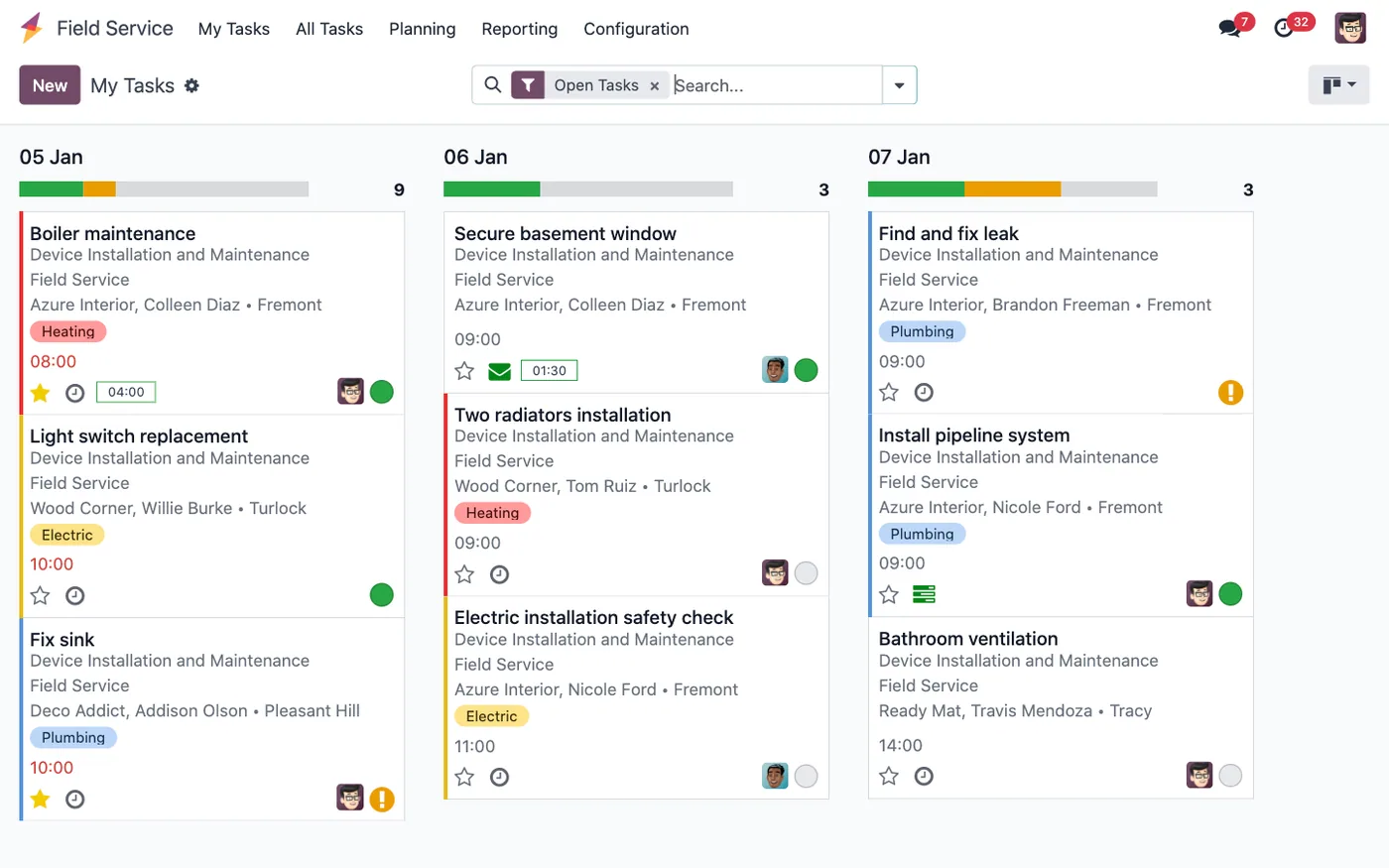
A field service task carries the customer, the address, what needs doing, the products or equipment involved, the assigned technician and the planned time.
Tasks can originate from a sales order for contracted work, from a helpdesk ticket where a remote fix failed, from a maintenance schedule, or manually from a phone call. That first route matters: work sold and work scheduled being the same record is what stops jobs being done and never billed.
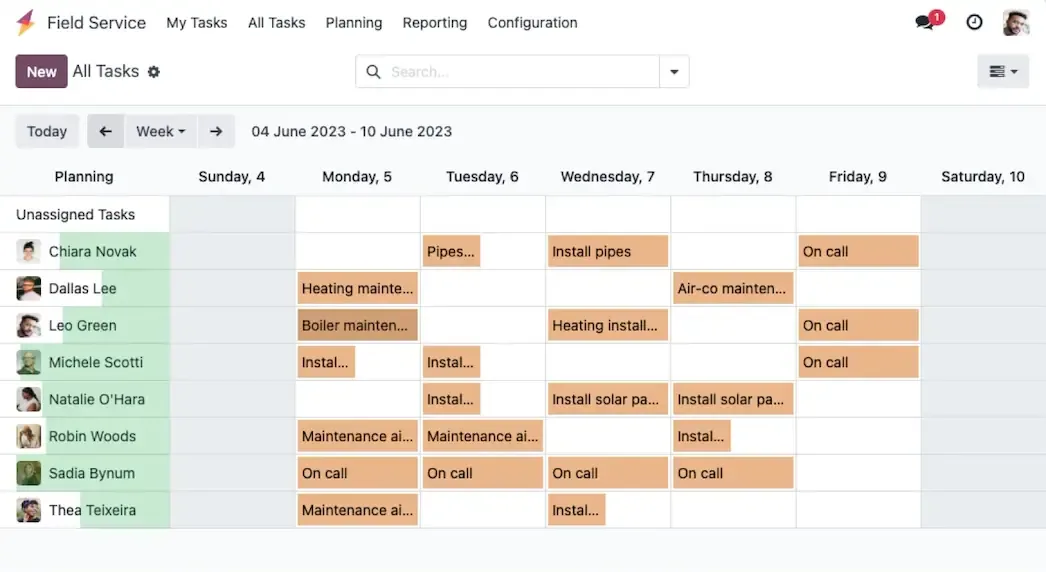
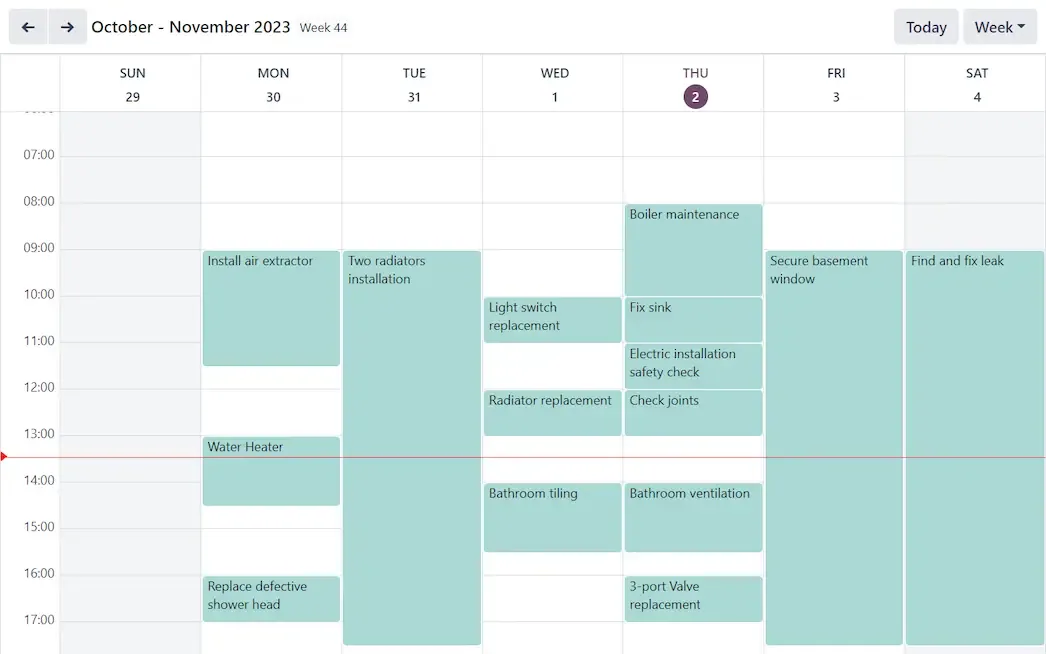
Scheduling is by technician and time, with a map view for geography. It is competent, human-driven planning. The system will show you what is where; it will not solve the travelling salesman problem for you.
03
On site, which is where it earns its keep
The technician's mobile view shows the job, the customer, the address, the history and the equipment. During the visit they log time, add the parts they actually used, complete the worksheet and capture a signature.
Each of those is a place where field businesses lose money in practice:
Time logged on site is accurate. Time reconstructed at the end of the week is systematically understated, because nobody remembers the extra forty minutes.
Parts added on the job both bill correctly and deplete stock from the van, which keeps inventory honest.
The worksheet is the evidence. When a customer disputes what was done, or a warranty claim needs the readings taken on the day, a completed form with photographs settles it.
The signature closes the argument about whether the work was accepted.
Screenshots of Odoo are the property of Odoo S.A. and are shown here to illustrate the app they depict.
Turning the visit into an invoice
Time and parts on the task become invoiceable quantities against the linked sales order, following the same delivered-quantity mechanism as Timesheets and Sales. Invoicing the order bills the real visit.
The practical effect is that billing stops being a monthly reconstruction exercise. For a business doing many small jobs, the recovered revenue from parts and minutes that previously went unbilled is often the whole return on the module.
Where Odoo Field Service will fight you
Route optimisation is not its strength. Say this early in any evaluation so nobody is disappointed late.
Connectivity assumptions need testing. Basements, plant rooms and rural sites are where field work happens. Test your actual worst site before rollout and define what a technician does when there is no signal.
Technician adoption is a real project. Field staff are the least captive audience in any ERP rollout, and a tool that adds two minutes per job to their day will be worked around. Involve them in the worksheet design; a form built by the office alone reliably asks for things nobody can answer on site.
Van stock is genuinely hard. Modelling each vehicle as a stock location is correct and keeps inventory honest, and it requires discipline about replenishment that many businesses have never had.
It is Enterprise. Include the licence in the comparison honestly.
How it connects to everything else
A sales order for contracted work creates the task. Helpdesk escalates to a site visit. Maintenance schedules preventive work. Parts consumed move stock in Inventory, from the van location if you model it that way. Time and parts become invoice lines in Sales and Accounting. Equipment history links back to the customer's installed base, so the technician arriving knows what happened last time.
That last point is the quiet advantage over a standalone scheduling tool: the person on site has the customer's full history, not just today's job sheet.
What changes in Odoo 20
Everything above describes Field Service up to Odoo 19, where each visit is a Project task. In Odoo 20, Field Service moves to Planning: each intervention is a Planning shift with a customer, an address, a priority and a linked sales order, and it moves through Draft, Scheduled, In Progress and Completed.
The building blocks are still there. Worksheets, the customer report with a signature, stock by vehicle, customer equipment history and billing through the sales order are all switched on from the Planning settings. What changes is the foundation: capacity and conflicts are planned alongside the rest of the workforce, in the same Gantt view.
For a business already on Field Service, the move to Odoo 20 is a process change, not only a version change. Retest the whole visit on a test copy, from request to invoice, and review every report or automation that was built on field service tasks.
Where to start
Design the worksheet with the technicians who will complete it, not without them. Test connectivity at your most difficult site before committing to a rollout date. Model van stock only if you are prepared to run the replenishment discipline it requires; a wrong van stock figure is worse than none. Then run one week of real jobs through it and compare what was invoiced against what would have been invoiced under your old process. That number is the business case.
FAQ
Odoo Field Service, answered.
Is Odoo Field Service available in Community?
No, Field Service is an Enterprise app. Some businesses approximate parts of it with Project and Timesheets on Community, which handles task assignment and time capture but not worksheets, the mobile field workflow or the direct visit-to-invoice flow.
What does a technician see in the field?
A mobile view of their assigned tasks with the customer, address, description and history, plus the ability to log time, add products used, complete a worksheet and capture a customer signature on site.
Can a visit be invoiced directly?
Yes, and this is the module's strongest argument. Time logged and parts consumed on the task become invoiceable lines against the linked sales order, so the invoice reflects the actual visit rather than a reconstruction of it.
Does it optimise routes?
Scheduling and assignment are supported, including a map view and planning by technician. Genuine multi-stop route optimisation across a large fleet is not its strength, and businesses whose economics depend on that should evaluate specialist software.
What is a worksheet?
A customisable form the technician completes on site, capturing readings, checks, photographs and a signature. It becomes the record of what was done, which matters for compliance, disputes and warranty work.
Does it work offline?
The mobile experience tolerates intermittent connectivity better than a plain web page, but this is not a fully offline-first application. Sites with genuinely no signal need a tested procedure rather than an assumption.
Related
Keep exploring.
Other Odoo apps we have written up in the same depth.
With CODEerts
Want this set up properly?
We are certified Odoo partners. We implement, customise and support Odoo Field Service, and we publish our own apps on the Odoo Store.
See how we can helpBook a callReady to make Odoo work the way your business does?
Book a free call CODEerts
CODEerts is a team of certified Odoo partners and full-stack engineers. We implement, customise and support Odoo ERP, then build the software around it.

